Introduction to Structures

Introduction to Structures
Fundamentals of Structures
Introduction
So far, when we needed a value, we declared a variable for it. If we needed another value, we declared another variable. Sometimes, the variables you are using in a program describe the same thing, with each variable providing a separate piece of information. A structure is a teachnique to group some variables that have a common goal, such as to provide pieces of information for one object.
 Practical Learning: Introducing Structures
Creating a Structure
To let you create a structure, bothe the C and the C++ languages provide a keyword named struct. The primary formula to create a structure is:
struct name{};
Therefore, to create a structure, start with the strut keyword. Add a name. The name follows the rules we reviewed for names of variables; there will be some variations and we will point them out. After the name of the structure, create a body delimited by curly brackets. End the creation with a semicolon. Here is an example:
struct Employee{};
To make your code easy to read, you can spread the body to different lines. Here is an example:
struct Employee
{
};
Creating an Object
When you have created a structure, it becomes a data type like those we have used so far. Therefore, to use a structure, you can declare a variable of it. You have many options. You can declare the variable using the techniques we applied with the other types so far. This means that, outside the structure, you can type the name of the structure, a space, and a name for the variable. Here is an example of declaring a variable of a structure:
struct Employee
{

};

int main()
{
    Employee empl;
}
As another technique, when declaring the variable, precede the name of the structure with the strut keyword. Here is an example:
struct Employee
{

};

int main()
{
    strut Employee empl;
}
When you have declared a variable of a structure type, you are said to have created an object. You are also said to have created an instance of the structure.
Practical Learning: Creating a Structure
struct Road
{
};

int main()
{
}
Introduction to the Members of a Structure
Adding a Member Variable to a Structure
In the body of a structure, you can declare one or more variables. A variable declared in the body of a structure is referred to as a member variable. You declare the variable the same way we have done so far. Here is an example:
struct Employee
{
    int YearlySalary;
};
Accessing a Member of an Object
To access a member of a structure, you use the period operator. after declaring a variable of that structure, (on another line,) type the name of that variable, a period, and the desired member variable of the structure. This can be done as follows:
struct Employee
{
    int YearlySalary;
};

int main()
{
    Employee empl;

    empl.YearlySalary . . .
}
Initializing a Member of a Structure
By default, a member of a variable doesn't automatically have a value. As we have seen with other data types so far, before using a member variable of a struture, that member variable must have a valid value. There are various ways you can specify the value of a member variable. The primary way is to assign a value to the member variable when declaring that member. Here is an example:
struct Vehicle { double Price = 24688; };
As another technique, if you have declaring a variable for the struction, after accessing a member variable of that structure, you can simply assign a value to it. Here is an example:
struct Employee
{
    int YearlySalary;
};

int main()
{
    Employee empl;

    empl.YearlySalary = 55885;
}
When you have provided the values of the member variables of a structure, you are said to have defined or described the object.
A Global Object
Just as reviewed for variables of primitive types, if you create an object inside of a function, which is referred to as a local declaration, the object can be accessed only from that function. If you want an object to be accessible to more than one function, you can declare it outside of any function. This is a global declaration. To proceed, you would use the same approach as the global declaration of a primitive type. Here is an example:
struct Employee
{
    int YearlySalary;
};

Employee staff;

int main()
{
    Employee empl;

    empl.YearlySalary = 55885;
}
Once again, it is important to know that the compiler works from top-down. If you declare a variable globally, it can be "seen" only by functions under it. Based on this, in the above example, you can access the animal variable from the main() function. Consider the following:
#include <iostream>
using namespace std;

struct Foot
{
    int numberOfFingers;
};

Foot animal;

int main()
{
    struct Foot human;
}

Foot bird;
In this case, you can access animal from the main() function but you cannot access bird from main().
If you declare a variable of a structure outside a function, such as outside the main() function, and we called it a global object, if you need to assign a value to a member variable of the structure, you must perform that operation in a function that is below the declared variable. Here is an example:
struct Employee
{
    int YearlySalary;
};

Employee staff;

int main()
{
    staff.YearlySalary = 112600;

    Employee empl;

    empl.YearlySalary = 55885;
}
Adding Member Variables to a Structure
In the above example, we added only one member variable to a structure. In the same way, in the body of a structure, you can declare as many variables as you judge neccessary. After declaring a variable of that structure, you can access each member variable using the period operator as we saw for one member variable.
Practical Learning: Adding a Field to a Structure
struct Road
{
    string Designation;
    double Distance;
    string Start;
    string End;
};


        public string Designation { get; set; }
        Category RoadType { get; set; }
    double Distance{ get; set; }
    string Start { get; set; }
string End { get; set; }using static System.Console;
using RoadSystemDatabase1;
Road rd = new Road();
rd.Designation = "I-83";
rd.Distance = 85.3;
rd.Start = "East Fayette Street / North President Street / Fallsway in Baltimore, MD";
rd.End = "I-81 / US 322 / Capital Beltway in Harrisburg, PA";
cout << "Road System Database" << endl;
cout << "=====================================================================================" << endl;
cout << "Road Name: " << rd.Designation);
cout << "Length: {0} miles", rd.Distance);
cout << "Start: " << rd.Start);
cout << "End: " << rd.End);
cout << "=====================================================================================" << endl;Road System Database ===================================================================================== Road Name: I-83 Length: 85.3 miles Start: East Fayette Street / North President Street / Fallsway in Baltimore, MD End: I-81 / US 322 / Capital Beltway in Harrisburg, PA ===================================================================================== Press any key to close this window . . .
Structures and Methods
Introduction
Like a class, a structure can have one or more methods. A structure supports all concepts we reviewed for methods of classes.
Returning a Value from a Method
As see with classes, a method of a structure can be made to return a value of a primitive type. Everything is done as seen with methods of a class. If a method doesn't return an explicit value, you must make it return void. Here is an example:
struct Integer
{
    int Value;

    void Read()
    {
    }
};
Practical Learning: Adding a Method to a Structure
struct Road
{
    string Designation;
    double Distance;
    string Start;
    string End;

        public double GetDistanceInKilometers()
        {
            return Distance * 1.6093;
        }
    }
};using static System.Console;
using RoadSystemDatabase1;
Road rd = new Road();
rd.Designation = "I-83";
rd.Distance = 85.3;
rd.Start = "East Fayette Street / North President Street / Fallsway in Baltimore, MD";
rd.End = "I-81 / US 322 / Capital Beltway in Harrisburg, PA";
cout << "Road System Database" << endl;
cout << "=====================================================================================" << endl;
cout << "Road Name: " << rd.Designation);
cout << "Length: {0} miles, {1} kilometers", rd.Distance, rd.GetDistanceInKilometers());
cout << "Start: " << rd.Start);
cout << "End: " << rd.End);
cout << "=====================================================================================" << endl;Road System Database ===================================================================================== Road Name: I-83 Length: 85.3 miles, 137.27329 kilometers Start: East Fayette Street / North President Street / Fallsway in Baltimore, MD End: I-81 / US 322 / Capital Beltway in Harrisburg, PA ===================================================================================== Press any key to close this window . . .
A Method with Arguments
A method of a structure can use one or more parameters. A method can be overloaded with various versions that take different parameters.
Structures and Constructors
Introduction
As seen with classes, a constructor is a method that holds the same name as its structure and doesn't return a value.
A Default Constructor
As seen with classes, a default constructor is the simplest type of constructor a structure can have. To create a default constructor, simply add a method that is marked with the public keyword, doesn't return a value, and has the name of the structure. Here is an example:
struct Toilet
{
    public Toilet()
    {
    }
};
In the body of the structure, if you want, you can initialize the fields and/or properties of the structure.
Practical Learning: Adding a Method to a Structure
struct Road
{
    Road()
    {
        len       = 0.00;
        id        = "";
        ending    = "";
        beginning = "";
    }

    string Designation;
    double Distance;
    string Start;
    string End;

    double GetDistanceInKilometers()
    {
        return Distance * 1.6093;
    }
};
Parameterized Constructors
As seen with a class, you can create a constructor that uses one or more parameters in a structure. The constructors of a structure follow the same rules and suggestions of constructors of a class. Here is an example:
struct Integer
{
    Integer(int number)
    {
        val = number;
    }

    int Value;
};
After creating a constructor that uses a parameter, you can declare a variable from it. Pass the (number of required) argument(s). Here is an example:
struct Integer
{
    Integer(int number)
    {
        val = number;
    }
};

Integer itg = new Integer(1257);
A constructor can be overloaded with various versions that use different parameters. Here is an example:
struct Integer
{
    Integer(int number)
    {
        val = number;
    }

    Integer(string number)
    {
        val = int.Parse(number);
    }

    Integer(int number, int maximumSize)
    {
        val = number;
        maximumSize = 1;
    }

    int Value;
};
The Absence of a Default Constructor
In both a class and a structure, you have the option to create or omit a default constructor, a constructor that doesn't take a parameter. In either type, if you don't create any constructor, the compiler implicitly creates a constructor behind-the-scenes. On the other hand, you can explicitly create a default constructor for either type. Here are examples:
class DigitalCamera
{
    double Price { get; set; }

    DigitalCamera()
    {
    }
};

struct Perfume
{
    double Price { get; set; }

    public: Perfume()
    {
    }
};
Remember that, after creating such a default contructor, you can create objects. In either a class or a structure, you can omit a default constructor but create one or more constructors that take(s) at least one parameter. Remember that, in a class, you can omit creating a default constructor but create a constructor that takes at least one constructor. If you do that, the default constructor of a class disappears. As a result, if you create an object using the default constructor, you would receive an error. As a result, the following code produces an error:
DigitalCamera dc = new DigitalCamera();

class DigitalCamera
{
    double Price { get; set; }

    DigitalCamera(double price)
    {
        Price = price;
    }
};

struct Perfume
{
    double Price { get; set; }

    public: Perfume(double price)
    {
        Price = price;
    }
};
One of the differences between a class and a structure is that a structure always has a default constructor. Therefore, if you omit creating a default constructor in a structure, the compiler always implicitly create one and you can use it. As a result, the following code works:
using static System.Console;

/* Uisng an implicit constructor
 * that was not created in the structure. */
Machine mach = new Machine();

mach.ItemCode     = 239_740;
mach.Manufacturer = "Bernette";
mach.Model        = "33";

    cout << "Sewing Others" << endl;
    cout << "=======================" << endl;
    cout << "Machine Characteristics" << endl;
    cout << "-----------------------" << endl;
    cout << "Road Name: " << mach.ItemCode << endl;
    cout << "Length:    " << mach.Manufacturer << endl;
    cout << "Start:     " << mach.Model << endl;
    cout << "=======================" << endl;

struct Perfume
{
    double Price { get; set; }

    public:
    Perfume(double price)
    {
        Price = price;
    }
};

struct Machine
{
    private int _code;
    private string _company;
    private string _id;

    public Machine(int code, string make, string model)
    {

    }

    int ItemCode;
    string Manufacturer;
    string Model;
};

This would produce:
Sewing Others
=======================
Machine Characteristics
-----------------------
Road Name: 239740
Length:    Bernette
Start:     33
=======================

Press any key to close this window . . .
Primary Constructors
As seen with classes, structures support primary constructors. As a reminder, to create a primary constructor, add parentheses to the name of the structure you are creating. For a simple primary constructor, you can leave the parentheses empty. Here is an example:
Perfume perf = new Perfume();

perf.Price = 145.85;

    cout << "Perfume Characteristics" << endl;
    cout << "-----------------------" << endl;
    cout << "Price: " << perf.Price);
    cout << "=======================" << endl;

struct Perfume()
{
    double Price { get; set; }
}
You can add one or more parameters to the primary constructor. One of the reasons you may want to create a primary constructor is to make the user initialize the structure-based object from the variable, then have read-only properties in the structure. Each of those properties can then be used to simply produce its value. Here is an example of such a scenario:
using static System.Console;

Machine mach = new Machine(285_079, "Brother", "XR3774", 164.88);

    cout << "Sewing Others" << endl;
    cout << "=======================" << endl;
    cout << "Machine Characteristics" << endl;
    cout << "-----------------------" << endl;
    cout << "Item Code:  " << mach.ItemCode << endl;
    cout << "Make:       " << mach.Make << endl;
    cout << "Model:      " << mach.Model << endl;
    cout << "Unit Price: " << mach.UnitPrice << endl;
    cout << "=======================" << endl;

struct Perfume()
{
    double Price { get; set; }
}
internal struct Machine(int code, string company, string model, double price)
{
    string Model;
    int ItemCode;
    string Make;
    double UnitPrice;
}

This would produce:
Sewing Others
=======================
Machine Characteristics
-----------------------
Item Code:  285079
Make:       Brother
Model:      XR3774
Unit Price: 164.88
=======================

Press any key to close this window . . .
Reading Only from a Structure
Initializing a Structural Object at Startup
Remember that you can create a class or a structure with completely defined (read-write) properties that don't need a constructor to specify their values. This can be done as follows:
using static System.Console;

    cout << "Sewing Others" << endl;
    cout << "==============================" << endl;
    cout << "Machine Characteristics" << endl;
    cout << "------------------------------" << endl;
    cout << "Item Code:    " << mach.ItemCode);
    cout << "Make:         " << mach.Make);
    cout << "Model:        " << mach.Model);
    cout << "Price:        $" << mach.UnitPrice);
    cout << "==============================" << endl;

struct Machine
{
    int ItemCode;
    string Make;
    string Model;
    double UnitPrice;
};
An object created from such a class or structure is referred to as uninitialized. If you don't specify the values of the properties, the compiler will refer to the default value that the (C#) language provides to the data type and the compiler will use that default value. As a result, the above program produces:
Sewing Others
==============================
Machine Characteristics
------------------------------
Item Code:    0
Make:
Model:
Price:        $0
==============================

Press any key to close this window . . .
To specify the value of a property, you can access it from the object and assign the desired value to it. This can be done as follows:
Machine mach = new Machine();

mach.ItemCode = 938_074;
mach.Make = "KPCB";
mach.Model = "Serger";
mach.UnitPrice = 172.25;
On the other hand, you may want the user (the programmer) to initialize the object when the variable is created. One way to do this is to replace the desired set clause with the init keyword. Add a parameterized constructor to the (class or) structure. In that constructor, initialize the init property with the corresponding parameter. When creating an object, you must pass the desired value of the property to the parentheses of the object. This can be done as follows:
using static System.Console;

Machine mach = new Machine(938_074, "KPCB", "Serger", 172.25);

    cout << "Sewing Others" << endl;
    cout << "==============================" << endl;
    cout << "Machine Characteristics" << endl;
    cout << "------------------------------" << endl;
    cout << "Item Code:    " << mach.ItemCode);
    cout << "Make:         " << mach.Make);
    cout << "Model:        " << mach.Model);
    cout << "Price:        $" << mach.UnitPrice);
    cout << "==============================" << endl;

struct Machine
{
    int ItemCode;
    string Make;
    string Model;
    double UnitPrice;

    Machine(int code, string make, string model, double price)
    {
        _code = code;
        _make = make;
        _model = model;
        _price = price;
    }
};

This would produce:
Sewing Others
==============================
Machine Characteristics
------------------------------
Item Code:    938074
Make:         KPCB
Model:        Serger
Price:        $172.25
==============================

Press any key to close this window . . .
Making a Field or a Property Only Read
Like a class, a structure can have fields or properties that are read-only. As a reminder, to create a read-only field or property, precede it with the readonly keyword. You should initialize that member in a (the) constructor(s) of the structure. After doing that, you can access the read-only property and its value, inside and outside the structure. Here is an example:
#include <iostream>
using namespace std;

Machine mach = new Machine();

mach.Model = "MKR45";
mach.ItemCode = 392_474;
mach.Make = "MILLEPUNTI ";

    cout << "Sewing Others" << endl;
    cout << "==============================" << endl;
    cout << "Machine Characteristics" << endl;
    cout << "------------------------------" << endl;
    cout << "Item Code:    " << mach.ItemCode);
    cout << "Make:         " << mach.Make);
    cout << "Model:        " << mach.Model);
    cout << "Power Source: " << mach.PowerSource);
    cout << "==============================" << endl;

mach = new Machine(947_582);
mach.Model = "ST371HD";
mach.Make = "Brother";

    cout << "Machine Characteristics" << endl;
    cout << "------------------------------" << endl;
    cout << "Item Code:    " << mach.ItemCode);
    cout << "Make:         " << mach.Make);
    cout << "Model:        " << mach.Model);
    cout << "Power Source: " << mach.PowerSource);
    cout << "==============================" << endl;

struct Machine
{
    private string _id;
    private int _code;
    private string _company;

    public readonly string PowerSource;

    public Machine()
    {
        PowerSource = "Ac/Dc";
    }

    public Machine(int code)
    {
        ItemCode = code;
        PowerSource = "Corded Electric";
    }

    int ItemCode;
    string Make;
    string Model;
};
This would produce:
Sewing Others
==============================
Machine Characteristics
------------------------------
Item Code:    392474
Make:         MILLEPUNTI
Model:        MKR45
Power Source: Ac/Dc
==============================
Machine Characteristics
------------------------------
Item Code:    947582
Make:         Brother
Model:        ST371HD
Power Source: Corded Electric
==============================

Press any key to close this window . . .
A Structure to Only Read Values
You may remember that when you are creating an object from a class or a structure, you can require the user (programmer) to specify the values of the object in the constructor. In this case, you can create a parameter for each property in a constructor of the class or structure. Here is an example:
using static System.Console;

Machine mach = new Machine(368_374, "Singer", "4411", 148.79);

    cout << "Sewing Others" << endl;
    cout << "==============================" << endl;
    cout << "Machine Characteristics" << endl;
    cout << "------------------------------" << endl;
    cout << "Item Code:    " << mach.ItemCode);
    cout << "Make:         " << mach.Make);
    cout << "Model:        " << mach.Model);
    cout << "Price:        $" << mach.UnitPrice);
    cout << "==============================" << endl;

struct Machine
{
    public Machine(int code, string make, string model, double price)
    {
        ItemCode  = code;
        Make      = make;
        Model     = model;
        UnitPrice = price;
    }

    int ItemCode;
    string Make;
    string Model;
    double UnitPrice;
};
This would produce:
Sewing Others
==============================
Machine Characteristics
------------------------------
Item Code:    368374
Make:         Singer
Model:        4411
Price:        $148.79
==============================

Press any key to close this window . . .
Of course, to change the values of the object, the user can initialize the object with another instance that uses the new operator. This can be done as follows:
Machine mach = new Machine(368_374, "Singer", "4411", 148.79);

    cout << "Sewing Others" << endl;
    cout << "==============================" << endl;
    cout << "Machine Characteristics" << endl;
    cout << "------------------------------" << endl;
    cout << "Item Code:    " << mach.ItemCode);
    cout << "Make:         " << mach.Make);
    cout << "Model:        " << mach.Model);
    cout << "Price:        $" << mach.UnitPrice);
    cout << "==============================" << endl;

mach = new Machine(938_049, "ArtLak", "ArtLak", 58.68);

    cout << "Sewing Others" << endl;
    cout << "==============================" << endl;
    cout << "Machine Characteristics" << endl;
    cout << "------------------------------" << endl;
    cout << "Item Code:    " << mach.ItemCode);
    cout << "Make:         " << mach.Make);
    cout << "Model:        " << mach.Model);
    cout << "Price:        $" << mach.UnitPrice);
    cout << "==============================" << endl;
To reinforce this concept, you can create a read-only structure. To do this, when creating the structure, precede it with the readonly keyword.
using static System.Console;

Machine mach = new Machine(368_374, "Singer", "4411", 148.79);

    cout << "Sewing Others" << endl;
    cout << "==============================" << endl;
    cout << "Machine Characteristics" << endl;
    cout << "------------------------------" << endl;
    cout << "Item Code:    " << mach.ItemCode);
    cout << "Make:         " << mach.Make);
    cout << "Model:        " << mach.Model);
    cout << "Price:        $" << mach.UnitPrice);
    cout << "==============================" << endl;

mach = new Machine(938_049, "ArtLak", "ArtLak", 58.68);

    cout << "Sewing Others" << endl;
    cout << "==============================" << endl;
    cout << "Machine Characteristics" << endl;
    cout << "------------------------------" << endl;
    cout << "Item Code:    " << mach.ItemCode);
    cout << "Make:         " << mach.Make);
    cout << "Model:        " << mach.Model);
    cout << "Price:        $" << mach.UnitPrice);
    cout << "==============================" << endl;

struct Machine
{
    public Machine(int code, string make, string model, double price)
    {
        ItemCode  = code;
        Make      = make;
        Model     = model;
        UnitPrice = price;
    }

    int ItemCode;
    string Make;
    string Model;
    double UnitPrice;
};
This would produce:
Sewing Others
==============================
Machine Characteristics
------------------------------
Item Code:    368374
Make:         Singer
Model:        4411
Price:        $148.79
==============================
Sewing Others
==============================
Machine Characteristics
------------------------------
Item Code:    938049
Make:         ArtLak
Model:        ArtLak
Price:        $58.68
==============================

Press any key to close this window . . .
==========================================================================================
Structures and Value Types
Structures and Enumerations
An enumeration can be involved with a structure. The typical way is to create a field that is of an enumeration type. Here is an example:
public enum Category { Highway, Interstate }

struct Road
{
    Category cat;
};
In the same way, you can create a property of the type of an enumeration. You can then use the property like we learned for classes.
Practical Learning: Using an Enumeration
enum Category
    {
        Regular,
        StateHighway,
        USHighway,
        Interstate,
        Beltway
    }
}struct Road
{
Category cat;
Road()
{
len = 0.00;
id = "";
ending = "";
beginning = "";
cat = Category.Regular;
}
Road(string identification)
{
len = 0.00;
ending = "";
beginning = "";
id = identification;
cat = Category.Regular;
}
Road(string identification, double length)
{
ending = "";
len = length;
beginning = "";
id = identification;
cat = Category.Regular;
}
string Designation;
Category RoadType
{
{ return cat; }
{ cat = value; }
}
double Distance;
string Start;
string End;
double GetDistanceInKilometers()
{
return Distance * 1.6093;
}
}
}using static System.Console; using RoadSystemDatabase1 Road rd = new Road(); rd.Designation = "I-83"; // Roads Categories: Regular, Beltway, Interstate, US Highway, State Highway rd.RoadType = Category.Interstate; rd.Distance = 85.3; rd.End = "I-81 / US 322 / Capital Beltway in Harrisburg, PA"; rd.Start = "East Fayette Street / North President Street / Fallsway in Baltimore, MD"; cout << "Road System Database" << endl; cout << "=====================================================================================" << endl; cout << "Road Name: " << rd.Designation); cout << "Road Type: " << rd.RoadType); cout << "Start: " << rd.Start); cout << "End: " << rd.End); cout << "Length: {0} miles, {1} kilometers", rd.Distance, rd.GetDistanceInKilometers()); cout << "=====================================================================================" << endl;
Road System Database
=====================================================================================
Road Name: I-83
Start:     East Fayette Street / North President Street / Fallsway in Baltimore, MD
End:       I-81 / US 322 / Capital Beltway in Harrisburg, PA
Road Type: Interstate
Length:    85.3  miles, 137.27329 kilometers
=====================================================================================

Press any key to close this window . . .
Structures and Functions or Methods
A Parameter of a Structure Type
You can create a parameter of a function or method and make that parameter a structure type. When calling the function or method, make sure you pass an appropriate object. Here is an example:
using static System.Console;

Machine mach = new Machine(239_740, "Bernette", "b33", (16, 14, 8), 255.55);

// Calling the function
Present(mach);

// Creating a parameter of a structure type
void Present(Machine machine)
{
    cout << "Sewing Others" << endl;
    cout << "===========================================================" << endl;
    cout << "Machine Characteristics" << endl;
    cout << "-----------------------------------------------------------" << endl;
    cout << "Item Code:                " << machine.ItemCode);
    cout << "Make:                     " << machine.Make);
    cout << "Model:                    " << machine.Model);
    cout << "Dimensions (W x H x D):   {0} inches x {1} inches x {2} inches",
               machine.Dimensions.width, machine.Dimensions.height, machine.Dimensions.depth);
    cout << "Price:                   $" << machine.UnitPrice);
}

    cout << "===========================================================" << endl;

struct Machine
{
    int ItemCode;
    string Make;
    string Model;
    double UnitPrice;
    int Width;
    int Height;
    int Depth;

    Machine(int code,
                     string make,
                     string model,
                    int width, int height, int depth,
                     double price)
    {
        (ItemCode, Make, Model, Dimensions, UnitPrice) = (code, make, model, dim, price);
    }
}
Returning a Structured Object from a Function or Method
Like a regular data type or a class, a structure can serve as the return type of a function or a method. The rules are more related to those of a class. When creating the method, type the name of the structure on the left side of the name of the method. In the body of the method, implement the desired behavior. Before exiting the method, make sure you return a valid value that is of the type of the structure.
When a method returns a value of the type of a structure, you can assign the method call to a variable of the type of the structure. Here is an example:
using static System.Console;

Machine Create()
{
    Machine m = new Machine(239_740, "Bernette", "b33", (16, 14, 8), 255.55);

    return m;
}

void Present(Machine machine)
{
    cout << "Sewing Others" << endl;
    cout << "===========================================================" << endl;
    cout << "Machine Characteristics" << endl;
    cout << "-----------------------------------------------------------" << endl;
    cout << "Item Code:                " << machine.ItemCode);
    cout << "Make:                     " << machine.Make);
    cout << "Model:                    " << machine.Model);
    cout << "Dimensions (W x H x D):   {0} inches x {1} inches x {2} inches",
               machine.Dimensions.width, machine.Dimensions.height, machine.Dimensions.depth);
    cout << "Price:                   $" << machine.UnitPrice);
}

Machine product = Create();

Present(product);

    cout << "===========================================================" << endl;

struct Machine
{
    int ItemCode;
    string Make;
    string Model;
    double UnitPrice;
    int Width;
    int Height;
    int Depth;

    Machine(int code,
                     string make,
                     string model,
                    (int width, int height, int depth) dim,
                     double price)
    {
        (ItemCode, Make, Model, Dimensions, UnitPrice) = (code, make, model, dim, price);
    }
};
Practical Learning: Using a Structure Object
using static System.Console;
using RoadSystemDatabase;

// Returning a structural object from a function
Road Create()
{
    Road rd = new Road();

    rd.Distance = 232.406;
    rd.Designation = "US 36";
    rd.RoadType = Category.USHighway;
    rd.End = "US-36 on CO-KS border";
    rd.Start = "Deer Ridge - US 34";

    return rd;
}

// Passing a structural object as argument
void Show(object obj)
{
    if (obj is null)
        return;

    Road rd = (Road)obj;

    cout << "Road System Database" << endl;
    cout << "============================================" << endl;
    cout << "Road Name: " << rd.Designation);
    cout << "Road Type: " << rd.RoadType);
    cout << "--------------------------------------------" << endl;
    cout << "Start:     " << rd.Start);
    cout << "End:       " << rd.End);
    cout << "Length:    {0:N} miles ({1:N} kilometers)", rd.Distance, rd.GetDistanceInKilometers());
    cout << "============================================" << endl;
}

Road rd = Create();
Show(rd);
Road System Database
============================================
Road Name: US 36
Road Type: USHighway
--------------------------------------------
Start:     Deer Ridge - US 34
End:       US-36 on CO-KS border
Length:    232.41 miles (374.01 kilometers)
============================================

Press any key to close this window . . .
Structures with Structures and Classes
A Field of a Structure Type
Once a structure exists, you can use it as a type. In a structure or a class, you can create a field that is of a structure type. There is nothing significant to do when declaring the variable. Probably the most important detail to keep in mind is that you must initialize the variable before using it. Here are examples:
using static System.Console;

Triangle tri = new Triangle();

    cout << "Geometry" << endl;
    cout << "=================================" << endl;
    cout << "Triangle Characteristics" << endl;
    cout << "---------------------------------" << endl;
tri.Present();
    cout << "---------------------------------" << endl;
    cout << "Distance 1:  " << tri.Distance1);
    cout << "Distance 2:  " << tri.Distance2);
    cout << "Distance 3:  " << tri.Distance3);
    cout << "=================================" << endl;

struct Point
{
    int X { get; set; }
    int Y { get; set; }
}

class Triangle
{
    private Point point1;
    private Point point2;
    private Point point3;

    Triangle()
    {
        point1 = new Point();
        point1.X = 2;
        point1.Y = 3;

        point2 = new Point();
        point2.X = 4;
        point2.Y = 2;

        point3 = new Point();
        point3.X = 3;
        point3.Y = 6;
    }

    double Distance1
    {

        {
            return Math.Sqrt( ((point2.X - point1.X) * (point2.X - point1.X)) +
                              ((point2.Y - point1.Y) * (point2.Y - point1.Y)) );
        }
    }

    double Distance2
    {

        {
            return Math.Sqrt( ((point3.X - point2.X) * (point3.X - point2.X)) +
                              ((point3.Y - point2.Y) * (point3.Y - point2.Y)) );
        }
    }

    double Distance3
    {

        {
            return Math.Sqrt( ((point1.X - point3.X) * (point1.X - point3.X)) +
                              ((point1.Y - point3.Y) * (point1.Y - point3.Y)) );
        }
    }

    public void Present()
    {
        cout << "Point A({0}, {1})", point1.X, point1.Y);
        cout << "Point B({0}, {1})", point2.X, point2.Y);
        cout << "Point C({0}, {1})", point3.X, point3.Y);
    }
}
This would produce:
Geometry
=================================
Triangle Characteristics
---------------------------------
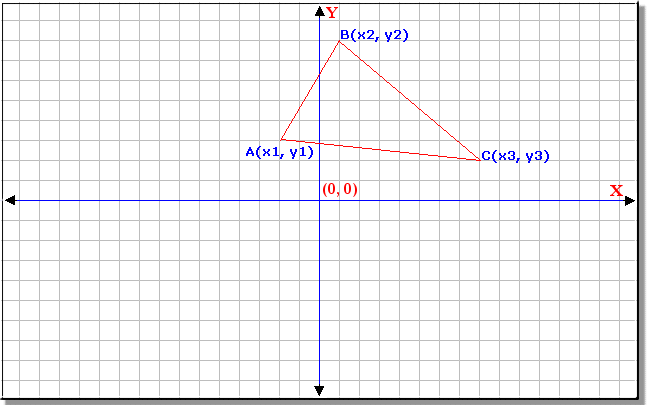
Point A(2, 3)
Point B(4, 2)
Point C(3, 6)
---------------------------------
Distance 1:  2.23606797749979
Distance 2:  4.123105625617661
Distance 3:  3.1622776601683795
=================================

Press any key to close this window . . .
A Property of a Structure Type
In a structure or a class, you can create a property that is a structure type. The rules are the same we reviewed for creating a property of a class. Here are examples:
using static System.Console;

Triangle tri = new Triangle();

tri.A = new Point(0, 2);
tri.B = new Point(7, 1);
tri.C = new Point(1, -1);

    cout << "Geometry" << endl;
    cout << "=================================" << endl;
    cout << "Triangle Characteristics" << endl;
    cout << "---------------------------------" << endl;
tri.Present();
    cout << "---------------------------------" << endl;
    cout << "Distance 1:  " <<  tri.Distance1);
    cout << "Distance 2:  " << tri.Distance2);
    cout << "Distance 3:  " << tri.Distance3);
    cout << "=================================" << endl;

struct Point
{
    int X { get; set; }
    int Y { get; set; }

    Point(int x, int y)
    {
        X = x;
        Y = y;
    }
}

class Triangle
{
    private Point a;
    private Point b;
    private Point c;

    // A property of a structure type
    public Point A
    {

        {
            return a;
        }


        {
            a = value;
        }
    }

    // A property of a structure type
    public Point B
    {

        {
            return b;
        }


        {
            b = value;
        }
    }

    // A property of a structure type
    public Point C
    {

        {
            return c;
        }


        {
            c = value;
        }
    }

    double Distance1
    {

        {
            return Math.Sqrt( ((B.X - A.X) * (B.X - A.X)) +
                              ((B.Y - A.Y) * (B.Y - A.Y)) );
        }
    }

    double Distance2
    {

        {
            return Math.Sqrt( ((C.X - B.X) * (C.X - B.X)) +
                              ((C.Y - B.Y) * (C.Y - B.Y)) );
        }
    }

    double Distance3
    {

        {
            return Math.Sqrt( ((A.X - C.X) * (A.X - C.X)) +
                              ((A.Y - C.Y) * (A.Y - C.Y)) );
        }
    }

    public void Present()
    {
        cout << "Point A({0}, {1})", A.X, A.Y);
        cout << "Point B({0}, {1})", B.X, B.Y);
        cout << "Point C({0}, {1})", C.X, C.Y);
    }
}

    public Road Road1 { get; set; }
    public Road Road2 { get; set; }
    public string InOrNear { get; set; }

    public Intersection()
    {
    }

    public Intersection(Road one, Road two, string position)
    {
        Road1 = one;
        Road2 = two;
        InOrNear = position;
    }
}
After creating the property, you can use it as you see fit.
Structures and Inheritance
A structure is sealed from inheritance. This means that, when it comes to inheritance, a structure is subject to the following characteristics:
Structures and References
Passing a Structural Object by Reference
When you create a parameter in a method or a function and that parameter is a structure type, the technique is referred to as passing by value. A copy of the value of the structure is passed to the method or function. If the function or method modifies the argument, the original value would stay intact. If you want the function or method to modify the value of the structure, you can pass the argument by reference. You can do this using the (rules of the) ref keyword. Here is an example:
using static System.Console;

void Create(ref Machine sew)
{
    sew = new Machine(239_740, "Bernette", "b33", (16, 14, 8), 255.55);
}

void Present(Machine machine)
{
    cout << "Sewing Others" << endl;
    cout << "===========================================================" << endl;
    cout << "Machine Characteristics" << endl;
    cout << "-----------------------------------------------------------" << endl;
    cout << "Item Code:                " << machine.ItemCode);
    cout << "Make:                     " << machine.Make);
    cout << "Model:                    " << machine.Model);
    cout << "Dimensions (W x H x D):   {0} inches x {1} inches x {2} inches",
               machine.Dimensions.width, machine.Dimensions.height, machine.Dimensions.depth);
    cout << "Price:                   $" << machine.UnitPrice);
}

Machine product = new();

Create(ref product);

Present(product);

    cout << "===========================================================" << endl;

struct Machine
{
    int ItemCode { get; init; }
    string Make { init; get; }
    string Model { get; init; }
    double UnitPrice { init; get; }
    (int width, int height, int depth) Dimensions { get; init; }

    Machine(int code,
                     string make,
                     string model,
                    (int width, int height, int depth) dim,
                     double price)
    {
        (ItemCode, Make, Model, Dimensions, UnitPrice) = (code, make, model, dim, price);
    }
}
You can also pass the referenced argument using the out keyword. Here is an example:
using static System.Console;

void Create(out Machine sew)
{
    sew = new Machine(239_740, "Bernette", "b33", (16, 14, 8), 255.55);
}

void Present(Machine machine)
{
    cout << "Sewing Others" << endl;
    cout << "===========================================================" << endl;
    cout << "Machine Characteristics" << endl;
    cout << "-----------------------------------------------------------" << endl;
    cout << "Item Code:                " << machine.ItemCode);
    cout << "Make:                     " << machine.Make);
    cout << "Model:                    " << machine.Model);
    cout << "Dimensions (W x H x D):   {0} inches x {1} inches x {2} inches",
               machine.Dimensions.width, machine.Dimensions.height, machine.Dimensions.depth);
    cout << "Price:                   $" << machine.UnitPrice);
}

Machine product;

Create(out product);

Present(product);

    cout << "===========================================================" << endl;

struct Machine
{
    int ItemCode { get; init; }
    string Make { init; get; }
    string Model { get; init; }
    double UnitPrice { init; get; }
    (int width, int height, int depth) Dimensions { get; init; }

    Machine(int code,
                     string make,
                     string model,
                    (int width, int height, int depth) dim,
                     double price)
    {
        (ItemCode, Make, Model, Dimensions, UnitPrice) = (code, make, model, dim, price);
    }
}
A Referenced Structure
When creating a structure, you can indicate to the compiler that you want the objects created from that structure to be treated as reference type. To do this, before the struct keyword, type the ref keyword. Here is an example:
using static System.Console;

Machine Create()
{
    Machine m = new Machine((15.3, 12.0, 5.80), 162.88);

    m.ItemCode = 293_749;
    m.Model = "XR3774";
    m.Make = "Brother";

    return m;
}

void Present(Machine machine)
{
    cout << "Sewing Others" << endl;
    cout << "==============================================================" << endl;
    cout << "Machine Characteristics" << endl;
    cout << "--------------------------------------------------------------" << endl;
    cout << "Item Code:                " << machine.ItemCode);
    cout << "Make:                     " << machine.Make);
    cout << "Model:                    " << machine.Model);
    cout << "Dimensions (W x H x D):   {0} inches x {1} inches x {2} inches",
               machine.Dimensions.width, machine.Dimensions.height, machine.Dimensions.depth);
    cout << "Price:                   $" << machine.UnitPrice);
}

Machine product = Create();

Present(product);

    cout << "==============================================================" << endl;

internal ref struct Machine
{
    private string _id;
    private int _code;
    private string _company;

    public Machine((double width, double height, double depth) dim, double price)
    {
        Dimensions = dim;
        UnitPrice = price;
    }

    int ItemCode
    {

        {

        }


        {
;
        }
    }

    string Make
    {

        {

        }


        {
;
        }
    }

    string Model
    {

        {
            return _id;
        }


        {
;
        }
    }

    (double width, double height, double depth) Dimensions
    {
;
;
    }

    double UnitPrice
    {
;
;
    }
}
This would produce:
Sewing Others
==============================================================
Machine Characteristics
--------------------------------------------------------------
Item Code:                293749
Make:                     Brother
Model:                    XR3774
Dimensions (W x H x D):   15.3 inches x 12 inches x 5.8 inches
Price:                   $162.88
==============================================================

Press any key to close this window . . .
Notice that it is very simple to transform a regular structure into a referenced one. But once you apply that keyword, the structure becomes subject to new rules:
A Read-Only Referenced Structure
When creating a referenced structure, if you want the properties of the structure to be read-only, before the ref struct expression, type the readonly keyword. Here is an example:
// . . .

internal readonly ref struct Machine
{
    // . . .
}
====================================================================
Access to a Member of a Class
After declaring a variable based on a class, you can access its member variables, outside of the class, either to change their value or to retrieve the values they hold. To access the member of a class outside of the class, after declaring it, type the name of the variable, followed by a period, and followed by the name of the member you want to access. For example, to access the NumberOfFingers member variable of a class called Hand using its object instance called human, you would write:
#ifdef __BORLANDC__

  #pragma argsused

#endif


#include <iostream>

using namespace std;


struct Hand

{

    int numberOfFingers;

};


int Hand;


int main( int argc, char * argv[] )

{

    struct Hand human ;


    human.numberOfFingers;


    return 0;

}
It is important to know that you cannot access a member variable while declaring a variable of the class. For example, the following code will not work:
Hand human.NumberOfFingers;
You must first declare the variable followed by its semi-colon. Then access the member variable. After accessing a member of a class, one of the operations you can perform would consist of assigning it a variable, which is referred to as initializing it. In C++, a member of a class cannot be initialized inside of the class. The member would be initialized outside of the class. Here is an example that assigns a value to a member variable of a class:
#ifdef __BORLANDC__

  #pragma argsused

#endif


#include <iostream>

using namespace std;


struct Hand

{

    int numberOfFingers;

};


int Hand;


int main( int argc, char * argv[] )

{

    struct Hand human ;


    human.NumberOfFingers = 5;


    return 0;

}
In the same way, you can use the period operator to access the member variable of a class and retrieve its value. Here is an example:
#ifdef __BORLANDC__

  #pragma argsused

#endif


#include <iostream>

using namespace std;


struct Hand

{

    int numberOfFingers;

};


int Hand;


int main( int argc, char * argv[] )

{

    struct Hand human ;


    Hand = 4;

    human.numberOfFingers = 5;


    cout << "Hand    = " << Hand << endl;

    cout << "Fingers = " << human.numberOfFingers;


    return 0;

}
Just as done for variables of built-in types, you can declare as many variables as you see fit in your program. Here is an example:
#ifdef __BORLANDC__

  #pragma argsused

#endif


#include <iostream>

using namespace std;


class Foot

{

        int NumberOfToes;

};


int main( int argc, char * argv[] )

{

    Foot human;

    Foot animal;


    return 0;

}
You can also declare various variables on the same line, separated by commas. Here are examples:
#ifdef __BORLANDC__

  #pragma argsused

#endif


#include <iostream>


using namespace std;


class Foot

{

        int NumberOfToes;

};


int main( int argc, char * argv[] )

{

    Foot human, duck, dog, hen;


    return 0;

}
|
Type-Defining a Class |
|
Just as you can type-define the name of a built-in data type, you can do the same for any class. As reviewed for primitive types, when doing this, remember that you are not creating a new type: you are only providing a pseudo-name for an existing class. Here is an example: #ifdef __BORLANDC__
#pragma argsused
#endif
#include <iostream>
using namespace std;
class Hand
{
int numberOfFingers;
};
int main( int argc, char * argv[] )
{
typedef Hand BodyMember;
return 0;
}
After type-defining a class, you can use the new name to declare a variable as if you were using the actual name of the class. Here is an example: #ifdef __BORLANDC__
#pragma argsused
#endif
#include <iostream>
using namespace std;
class Hand
{
int numberOfFingers;
};
int main( int argc, char * argv[] )
{
typedef Hand BodyMember;
BodyMember human;
return 0;
}
Remember that you can also type-define a class' name globally, that is, outside of any function, and use it in the other functions that would need the new name: #ifdef __BORLANDC__
#pragma argsused
#endif
#include <iostream>
using namespace std;
class Hand
{
int numberOfFingers;
};
typedef Hand BodyMember;
int main( int argc, char * argv[] )
{
BodyMember human;
return 0;
}
|
|
Class Forward Definition |
|
Sometimes when creating a class, you may already know the member(s) you want it to have. In some cases, you may want to first communicate the name of the class but you are not ready to list its members. C++ allows you to perform what is referred to a forward definition. In this case, you specify only the type (struct or class) and the name of the class. This allows you to do some tasks that don't require the members of the class. Here is an example: #ifdef __BORLANDC__
#pragma argsused
#endif
#include <iostream>
using namespace std;
class Hand;
typedef Hand BodyMember;
// Do anything here
int main( int argc, char * argv[] )
{
return 0;
}
Once you are ready, you can then complete the class as you see fit. Here is an example: #ifdef __BORLANDC__
#pragma argsused
#endif
#include <iostream>
using namespace std;
class Hand;
typedef Hand BodyMember;
// Do anything here
class Hand
{
int numberOfFingers;
};
int main( int argc, char * argv[] )
{
BodyMember human;
return 0;
}
If you use this technique, you still must define the class before you are able to use it. Consider the following code: #ifdef __BORLANDC__
#pragma argsused
#endif
#include <iostream>
using namespace std;
class Hand;
typedef Hand BodyMember;
// Do anything here
int main( int argc, char * argv[] )
{
BodyMember human;
return 0;
}
class Hand
{
int numberOfFingers;
};
This code will not compile because, at the time the class is instantiated in main(), its definition is not known, only its emptiness, which is not enough. |
|
The Access Levels of a Class |
|
So far, to make our learning process easier, we declared only one member variable in a class. The primary reason for using a class as opposed to a built-in data type is to be able to group different characteristics used to describe the class and make it as complete as possible. This means that a class is meant to have as many members as you judge necessary. To apply this, in the body of the class, declare the necessary variables, each with a data type and a name, and each declaration ending with a semi-colon. Here is an example: #ifdef __BORLANDC__
#pragma argsused
#endif
#include <iostream>
using namespace std;
struct Car
{
int Year;
unsigned NumberOfDoors;
long Mileage;
char DrivingCondition;
};
int main( int argc, char * argv[] )
{
return 0;
}
Once again, to access its members outside of the class, you can first declare a variable based on the class. To access a member variable, you type the class' variable name, followed by the period operator. Here is an example: #include <iostream>
using namespace std;
struct Car
{
int Year;
unsigned NumberOfDoors;
long Mileage;
char DrivingCondition;
};
int main()
{
Car vehicle;
vehicle.Mileage = 42580;
cout << "Car Characteristics\n";
cout << "Mileage: " << vehicle.Mileage << endl;
return 0;
}
This would produce: Car Characteristics Mileage: 42580 A common object in real life is visibly made of two categories of parts: those you can see or touch and those you do not have access to. The parts you can see or touch are considered visible or accessible. In C++, such parts are referred to as public. Those you cannot see or touch are considered hidden. In C++, such parts are referred to as private. Like objects in real life, a class is made of sections that the other parts or other objects cannot “see” and those the other objects can access. The other objects of of the program are sometimes referred to as the clients of the object. The parts the client of an object can touch in a class are considered public and the others are private. When creating a class, you will define which items are public and which ones are private. The items that are public are created in a section that starts with the public keyword followed by a semi-colon. Here is an example: #ifdef __BORLANDC__
#pragma argsused
#endif
#include <iostream>
using namespace std;
struct Car
{
public:
int Year;
unsigned NumberOfDoors;
long Mileage;
char DrivingCondition;
};
int main( int argc, char * argv[] )
{
Car vehicle;
vehicle.Mileage = 42580;
cout << "Car Characteristics\n";
cout << "Mileage: " << vehicle.Mileage;
return 0;
}
In the same way, the hidden parts are in a section that starts with the private keyword followed by a semi-colon. If you don't specify these sections, all of the members of a class are considered private. The difference between a class and a structure is that, by default, all of the members of a class are private and, by default, all of the members of a structure are public. That is how it works if you don't create your own public and private sections. For example, the following program will not compile: #ifdef __BORLANDC__
#pragma argsused
#endif
#include <iostream>
using namespace std;
class Car
{
int Year;
unsigned NumberOfDoors;
long Mileage;
char DrivingCondition;
};
int main( int argc, char * argv[] )
{
Car vehicle;
vehicle.Mileage = 42580;
cout << "Car Characteristics\n";
cout << "Mileage: " << vehicle.Mileage;
return 0;
}
The reason is that the Mileage member variable that belongs to a class type is private and therefore cannot be accessed from main(). To resume, when creating your class, you can specify the necessary access levels using the public: and private: sections. Here is an example: #ifdef __BORLANDC__
#pragma argsused
#endif
#include <iostream>
using namespace std;
struct Car
{
public:
int Year;
unsigned NumberOfDoors;
bool HasAirCondition;
private:
char DrivingCondition;
short TypeOfTransmission;
char Color;
public:
long Mileage;
};
int main( int argc, char * argv[] )
{
Car vehicle;
vehicle.Mileage = 42580;
cout << "Car Characteristics\n";
cout << "Mileage: " << vehicle.Mileage;
return 0;
}
As you can see from this class, there are no rules as to the number of public or private sections you can have in a class. There are no rules on the order of the access levels: you can create a public or a private section anywhere in the class, just remember that any member under an access level follows the rules of that access. The fact that you use different public sections does not by any means provide different public levels to the variables. A variable declared as public in one public section has the same public level of access as any other variable that is declared in another public section. |
|
Object Initialization |
|
Initializing Each Member of a Class |
|
Just as variables of primitive types, an object declared from a class can also be initialized. There are various techniques you can use: initializing individual members or initializing the class as a whole. To initialize a member of a class, access it and assign it an appropriate value using the rules of C++:
Here are examples: |
#ifdef __BORLANDC__

  #pragma argsused

#endif


#include <iostream>

using namespace std;


struct Car

{

    char     Make[40];

    char     Model[40];

    int      Year;

    unsigned NumberOfDoors;

    bool     HasAirCondition;

    long     Mileage;

};


int main( int argc, char * argv[] )

{

    Car vehicle;


    vehicle.Mileage = 42885;

    strcpy(vehicle.Model, "Escort");

    vehicle.NumberOfDoors = 4;

    strcpy(vehicle.Make, "Ford");

    vehicle.HasAirCondition = true;

    vehicle.Year = 2000;


    cout << "Car Auctions - Vehicle Characteristics";

    cout << "\nYear:    " << vehicle.Year;

    cout << "\nMileage: " << vehicle.Mileage;

    cout << "\nMake:    " << vehicle.Make;

    cout << "\nModel:   " << vehicle.Model;

    cout << "\nDoors:   " << vehicle.NumberOfDoors;

    cout << "\nHas A/C: " << vehicle.HasAirCondition;


    return 0;

}
This would produce:
Car Auctions - Vehicle Characteristics

Year:    2000

Mileage: 42885

Make:    Ford

Model:   Escort

Doors:   4

Has A/C: 0
|
Initializing an Object as a Whole |
|
You can also initialize an object as a variable. This time, type the name of the variable followed by the assignment operator, followed by the desired values of the variables listed between an opening and a closing curly brackets. Here are the rules you must follow:
Here is an example: |
#ifdef __BORLANDC__

  #pragma argsused

#endif


#include <iostream>

using namespace std;


struct Car

{

    char     Make[40];

    char     Model[40];

    int      Year;

    unsigned NumberOfDoors;

    bool     HasAirCondition;

    long     Mileage;

};


int main( int argc, char * argv[] )

{

    Car SUV = { "Toyota", "4-Runner", 1998, 5, true, 57922 };


    cout << "Car Auctions - Vehicle Characteristics";

    cout << "\nYear:    " << SUV.Year;

    cout << "\nMileage: " << SUV.Mileage;

    cout << "\nMake:    " << SUV.Make;

    cout << "\nModel:   " << SUV.Model;

    cout << "\nDoors:   " << SUV.NumberOfDoors;

    cout << "\nHas A/C: " << SUV.HasAirCondition;


    return 0;

}
This would produce: Car Auctions - Vehicle Characteristics Year: 1998 Mileage: 57922 Make: Toyota Model: 4-Runner Doors: 5 Has A/C: 1 |
|
Static Member Variables |
|
A class can have static member variables. To declare such a variable, precede it with the static keyword. Here is an example: #ifdef __BORLANDC__
#pragma argsused
#endif
#include <iostream>
using namespace std;
struct Car
{
string Make;
string Model;
int Year;
unsigned NumberOfDoors;
long Mileage;
static int CarsCount;
};
int main( int argc, char * argv[] )
{
Car vehicle;
vehicle.Year = 1998;
vehicle.Mileage = 57922;
vehicle.Make = "Toyota";
vehicle.Model = "4-Runner";
vehicle.NumberOfDoors = 5;
cout << "Car Auctions - Vehicle Characteristics";
cout << "\nYear: " << vehicle.Year;
cout << "\nMileage: " << vehicle.Mileage;
cout << "\nMake: " << vehicle.Make;
cout << "\nModel: " << vehicle.Model;
cout << "\nDoors: " << vehicle.NumberOfDoors;
return 0;
}
When you declare a member variable as static and when the application starts, the compiler creates a copy of that member. This member would be maintained by the compiler while the program is running. If you declare an instance of a class, like the above vehicle variable, the static member is not part of the (vehicle) object: the compiler creates and maintains the CarsCount member, whether you use it or not, whether you declare a Car variable or not. After creating a class that contains a static member variable, if you intend to use that member, you should (in fact must) first initialize it with the value you want it to hold. Because a static member variable doesn't belong to an object, it must be initialized at file cope, by the class itself and not one of its instances. To initialize a static member variable, outside of the class, enter its data type, followed by the name of the class, followed by the access operator "::", followed by the name of the member variable, followed by the assignment operator, and followed by a value. Like any other member variable, you can assign any appropriate value to a static member: you decide what value you want it to have. Here is an example: #ifdef __BORLANDC__
#pragma argsused
#endif
#include <iostream>
using namespace std;
struct Car
{
string Make;
string Model;
int Year;
unsigned NumberOfDoors;
long Mileage;
static int CarsCount;
};
int Car::CarsCount = 0;
int main( int argc, char * argv[] )
{
Car vehicle;
return 0;
}
After creating and initializing a static member variable, to access it outside of the class, you must qualify it with the name of the class itself and not a variable of that class. Here are two examples: #ifdef __BORLANDC__
#pragma argsused
#endif
#include <iostream>
using namespace std;
struct Car
{
string Make;
string Model;
int Year;
unsigned NumberOfDoors;
long Mileage;
static int CarsCount;
static string ApplicationTitle;
};
int Car::CarsCount = 1;
string Car::ApplicationTitle = "Four-Corner Car Auctions";
int main( int argc, char * argv[] )
{
Car vehicle;
vehicle.Year = 1998;
vehicle.Mileage = 57922;
vehicle.Make = "Toyota";
vehicle.Model = "4-Runner";
vehicle.NumberOfDoors = 5;
cout << Car::ApplicationTitle;
cout << "\n - Vehicle Characteristics -";
cout << "\nYear: " << vehicle.Year;
cout << "\nMileage: " << vehicle.Mileage;
cout << "\nMake: " << vehicle.Make;
cout << "\nModel: " << vehicle.Model;
cout << "\nDoors: " << vehicle.NumberOfDoors;
cout << "\nCount: " << Car::CarsCount;
return 0;
}
This would produce: Four-Corner Car Auctions - Vehicle Characteristics - Year: 1998 Mileage: 57922 Make: Toyota Model: 4-Runner Doors: 5 Count: 1 Always remember that a static member doesn't belong to a particular object, in this case vehicle. Therefore, to access it, you use the name of the class with the "::" operator. With this rule in mind, you can assign the value of a static member to a variable of the program. Here is an example: #ifdef __BORLANDC__
#pragma argsused
#endif
#include <iostream>
using namespace std;
struct Car
{
string Make;
string Model;
int Year;
unsigned NumberOfDoors;
long Mileage;
static int CarsCount;
static string ApplicationTitle;
};
int Car::CarsCount = 1;
string Car::ApplicationTitle = " Four-Corner Car Auctions";
int main( int argc, char * argv[] )
{
Car vehicle;
vehicle.Year = 1998;
vehicle.Mileage = 57922;
vehicle.Make = "Toyota";
vehicle.Model = "4-Runner";
vehicle.NumberOfDoors = 5;
int numberOfCars = Car::CarsCount;
cout << Car::ApplicationTitle;
cout << "\n - Vehicle Characteristics -";
cout << "\nYear: " << vehicle.Year;
cout << "\nMileage: " << vehicle.Mileage;
cout << "\nMake: " << vehicle.Make;
cout << "\nModel: " << vehicle.Model;
cout << "\nDoors: " << vehicle.NumberOfDoors;
cout << "\nCount: " << numberOfCars << endl;
return 0;
}
You can decrement or increment it as you wish: #ifdef __BORLANDC__
#pragma argsused
#endif
#include <iostream>
using namespace std;
struct Car
{
string Make;
string Model;
int Year;
unsigned NumberOfDoors;
long Mileage;
static int CarsCount;
static string ApplicationTitle;
};
int Car::CarsCount = 1;
string Car::ApplicationTitle = " Four-Corner Car Auctions";
int main( int argc, char * argv[] )
{
Car vehicle;
vehicle.Year = 1998;
vehicle.Mileage = 57922;
vehicle.Make = "Toyota";
vehicle.Model = "4-Runner";
vehicle.NumberOfDoors = 5;
cout << Car::ApplicationTitle;
cout << "\n - Vehicle Characteristics -";
cout << "\nYear: " << vehicle.Year;
cout << "\nMileage: " << vehicle.Mileage;
cout << "\nMake: " << vehicle.Make;
cout << "\nModel: " << vehicle.Model;
cout << "\nDoors: " << vehicle.NumberOfDoors;
cout << "\nCount: " << Car::CarsCount << endl;
Car family;
family.Mileage = 42885;
family.Model = "Escort";
family.NumberOfDoors = 4;
family.Make = "Ford";
family.Year = 2000;
Car::CarsCount++;
cout << "\n - Vehicle Characteristics -";
cout << "\nYear: " << family.Year;
cout << "\nMileage: " << family.Mileage;
cout << "\nMake: " << family.Make;
cout << "\nModel: " << family.Model;
cout << "\nDoors: " << family.NumberOfDoors;
cout << "\nCount: " << Car::CarsCount << endl;
return 0;
}
This would produce: Four-Corner Car Auctions - Vehicle Characteristics - Year: 1998 Mileage: 57922 Make: Toyota Model: 4-Runner Doors: 5 Count: 1 - Vehicle Characteristics - Year: 2000 Mileage: 42885 Make: Ford Model: Escort Doors: 4 Count: 2 |
|
Other Techniques of Creating an Object |
|
Classic C Styles |
|
So far, to declare a variable of a class, we did this in the main() function. C++ supports another technique. You can declare a class when creating it. To do this, type the name of the class' variable between the closing curly bracket and the semi-colon. Here is an example: #include <iostream>
using namespace std;
struct Car
{
int Year;
unsigned NumberOfDoors;
long Mileage;
char DrivingCondition;
}vehicle;
int main()
{
vehicle.Mileage = 42580;
vehicle.NumberOfDoors = 4;
vehicle.DrivingCondition = 'G';
vehicle.Year = 2000;
cout << "Car Characteristics\n";
cout << "Year: " << vehicle.Year << endl;
cout << "Condition: " << vehicle.DrivingCondition << endl;
cout << "Mileage: " << vehicle.Mileage << endl;
cout << "Doors: " << vehicle.NumberOfDoors << endl;
return 0;
}
Just like you would declare more than one variable of a class, you can declare many class instances using this technique, separating them with commas. Here are examples: #include <iostream>
using namespace std;
struct Car
{
int Year;
unsigned NumberOfDoors;
long Mileage;
char DrivingCondition;
}Sport, SUV, Bus;
int main()
{
SUV.Mileage = 28446;
SUV.NumberOfDoors = 5;
SUV.DrivingCondition = 'D';
SUV.Year = 2002;
Sport.Mileage = 68208;
Sport.NumberOfDoors = 2;
Sport.DrivingCondition = 'E';
Sport.Year = 1998;
cout << "First Car Characteristics\n";
cout << "Year: " << SUV.Year << endl;
cout << "Condition: " << SUV.DrivingCondition << endl;
cout << "Mileage: " << SUV.Mileage << endl;
cout << "Doors: " << SUV.NumberOfDoors << endl;
cout << "\nSecond Car Characteristics\n";
cout << "Year: " << Sport.Year << endl;
cout << "Condition: " << Sport.DrivingCondition << endl;
cout << "Mileage: " << Sport.Mileage << endl;
cout << "Doors: " << Sport.NumberOfDoors << endl;
return 0;
}
This would produce: First Car Characteristics Year: 2002 Condition: D Mileage: 28446 Doors: 5 Second Car Characteristics Year: 1998 Condition: E Mileage: 68208 Doors: 2 C programmers use another technique of creating classes. It consists of using the typedef keyword, which means you would define a type but set the actual name of the class between the closing curly bracket and the semi-colon. Here is an example of using that technique: #include <iostream>
using namespace std;
typedef struct MobileEngine
{
int Year;
unsigned NumberOfDoors;
long Mileage;
char DrivingCondition;
}Car;
int main()
{
return 0;
}
Optionally, you can type a pseudo-name for the class on the first line. Here is an example: #include <iostream>
using namespace std;
typedef struct _car
{
int Year;
unsigned NumberOfDoors;
long Mileage;
char DrivingCondition;
} Car;
int main()
{
return 0;
}
After creating the class, the Car name is a class, not a variable. Therefore, when you want to use the object, you must and can declare an instance of the class using either the _car or the Car name. Here are examples: |
#include <iostream>

using namespace std;


typedef class _car

{

	int      Year;

	unsigned NumberOfDoors;

	long     Mileage;

	char     DrivingCondition;

} Car;


int main()

{

	_car vehicle;

	Car  mobile;


	return 0;

}
|
References |
|
As done for variables of primitive types, you can create a reference to a class using a declared variable. The same rule applies: the object that is used as a reference must have previously been initialized. Here is an example: #ifdef __BORLANDC__
#pragma argsused
#endif
#include <iostream>
using namespace std;
class Car
{
public:
char Make[40];
char Model[40];
int Year;
unsigned NumberOfDoors;
bool HasAirCondition;
long Mileage;
};
int main( int argc, char * argv[] )
{
Car vehicle = { "Toyota", "4-Runner", 1998, 5, true, 57922 };
Car &SUV = vehicle;
cout << "Car Auctions - Vehicle Characteristics";
cout << "\nYear: " << SUV.Year;
cout << "\nMileage: " << SUV.Mileage;
cout << "\nMake: " << SUV.Make;
cout << "\nModel: " << SUV.Model;
cout << "\nDoors: " << SUV.NumberOfDoors;
cout << "\nHas A/C: " << SUV.HasAirCondition;
return 0;
}
|
|
Constant Objects |
|
Just as you can create a constant of a built-in data type, you can also create a constant using a composite type. Always remember that the constant refers to a value that doesn't change and the constant value must be initialized with a known or already defined value. Here is an example: |
#ifdef __BORLANDC__

  #pragma argsused

#endif


#include <iostream>

using namespace std;


class Car

{

public:

        int      Year;

        unsigned NumberOfDoors;

        bool     HasAirCondition;

private:

        char     DrivingCondition;

        short    TypeOfTransmission;

        char     Color;

public:

        long     Mileage;

};


int main( int argc, char * argv[] )

{

    Car vehicle, sportCar;


    vehicle.Mileage = 28446;

    vehicle.NumberOfDoors = 5;

    vehicle.Year = 2002;


    cout << "Vehicle Characteristics\n";

    cout << "Year:      " << vehicle.Year << endl;

    cout << "Mileage:   " << vehicle.Mileage << endl;

    cout << "Doors:     " << vehicle.NumberOfDoors << endl;


    sportCar.Mileage = 28446;

    sportCar.Year = 2002;


    const Car mobile = vehicle;


    cout << "\nSport Car Characteristics\n";

    cout << "Year:      " << sportCar.Year << endl;

    cout << "Mileage:   " << sportCar.Mileage << endl;


    cout << "\nMobile Characteristics\n";

    cout << "Year:      " << mobile.Year << endl;

    cout << "Mileage:   " << mobile.Mileage << endl;

    cout << "Doors:     " << mobile.NumberOfDoors << endl;


    return 0;

}
This would produce:
Vehicle Characteristics

Year:      2002

Mileage:   28446

Doors:     5


Sport Car Characteristics

Year:      2002

Mileage:   28446


Mobile Characteristics

Year:      2002

Mileage:   28446

Doors:     5
|
Unions |
|
Introduction |
|
Like a structure, a union is created from combining other variables. To create a union, use the union keyword following the same syntax applied for a class, like this: union SomeName {};
Like a structure, the members of a union are listed in its body. For example, to create a union that represents a student, you would type: union Student
{
char FullName[32];
int Age;
float AvgGrade;
};
Once the union is defined, you can declare it and use its members: #include <iostream>
using namespace std;
union Student
{
int Age;
double AvgGrade;
};
int main()
{
Student Std;
Std.Age = 12;
cout << "Student Age = " << Std.Age;
return 0;
}
This would produce: Student Age = 12 |
|
Using a Union |
|
When creating a struct or a class, each variable, treated as its own entity, occupies its assigned amount of space in memory. This is different with unions. All of the members of a union share the same memory space. After declaring a union object, instead of allocating memory for each member variable, the compiler assigns an amount of memory equal to the largest variable. Therefore, if you define a union that would represent a Student object as the above, the compiler would assign the same memory space to all members; and the compiler would find out which member needs the largest space, in this case that would be the double variable because a double variable occupies 8 Bytes. Consequently, a union can store only the value of only (excuse the repetition) one of its members at a time: you cannot simultaneously access the values of all members, at the same time (another repetition). If you initialize all of the members of a union at the same time, the result is unreliable; since all members are using the same memory space, that space cannot accommodate all member values at the same time. The following version of our program produces such an unreliable result: #include <iostream>
using namespace std;
union Student
{
char Gender;
int Age;
float AvgGrade;
double GradeSum;
};
int main()
{
Student Std;
Std.Gender = 'F';
Std.Age = 14;
Std.AvgGrade = 14.50;
Std.GradeSum = 210;
cout << "Characteristics of this student";
cout << "\n\tGender = " << Std.Gender;
cout << "\n\tAge = " << Std.Age;
cout << "\n\tAverage = " << Std.AvgGrade;
cout << "\n\tTotal = " << Std.GradeSum;
return 0;
}
This would produce: Characteristics of this student Gender = Age = 0 Average = 0 Total = 210 As you can see, you should not substitute unions and structures. You should use a union when you can/must store any kind of variable in the same location, when variables sharing the same memory location is not an issue (or a danger). Avoid using unions in highly accessed and intensive value exchanges, such as calculations or data records. A union is usually created inside of another object. Because all members of a union share the same memory location, a union is sometimes used to identify one value to use among many. Consider the following example: #include <iostream>
using namespace std;
union HighSchool
{
int RegistrationStatus;
double Salary;
};
int main()
{
return 0;
}
In this case, two different, obviously unrelated variables are declared. The idea here is that only one of them would be used in the program, but which one. Imagine that you are starting a program for a high school. If the person whose information is being entered in the application is a student, then you need to specify his or her registration status, the eventual values would specify Registered, Pending, or Excluded. On the other hand, if the person whose information is being entered is a staff member such as a teacher, then the registration status is irrelevant but you may want to enter his or her salary, a piece of information that is irrelevant for a student. This example shows that, for one particular record being created, only one of these two values would be considered and the other would not apply. |
Member Functions
Introduction
The primary motivation of using classes in a program is to create objects as complete as possible. An object must be able to handle its own business so that the other objects of the program or of another program would only need to know which object can take care of a particular need they have.
A regular variable, as a member of an object, cannot handle assignments. This job is handled by particular functions declared as members of a class. A function as a member of a class is also called a Method. On this site, the words “method” and “function”, when associated with a class, will refer to the same thing: a member function of the class.
|
Declaring Member Functions |
A member function, also called a method, is declared like any of the functions we have used so far: it could or could not return a value. Here are two examples:
#ifdef __BORLANDC__

  #pragma argsused

#endif


#include <iostream>

using namespace std;


class Rectangle

{

public:

    double Length;

    double Height;


public:

    double Perimeter();

    double Area();

};


int main( int argc, char * argv[])

{

    Rectangle rect = { 48.35, 36.94 };


    cout << "Rectangle Characteristics";

    cout << "\nLength:    " << rect.Length;

    cout << "\nHeight:    " << rect.Height;


    return 0;

}
This would produce:
Rectangle Characteristics

Length:    48.35

Height:    36.94
When using methods on a class, the variables are used to hold or store values, called data, of the object, while member functions are used to perform assignments as related to the class. One way you can control the data held by variables is to hide data from the "external world". To achieve this, you should declare the member variables in a private section. After doing this, use the methods in the public section(s) to help the class interact with the other objects or functions of the program.
There are at least two techniques you can use to implement a method member.
|
Method Implementation |
|
Local Implementation |
|
To implement a method in the class where it is declared, use the same techniques we used to define regular functions. Here is an example: #ifdef __BORLANDC__
#pragma argsused
#endif
#include <iostream>
using namespace std;
struct Integer
{
int Max;
int Min;
int Size()
{
int length;
length = sizeof(int);
return length;
}
bool IsPositive();
bool IsNegative();
};
int main( int argc, char * argv[])
{
Integer number;
cout << "Size = " << number.Size() << " bytes";
return 0;
}
When a method is a class' member, it has access to the member variables of the same class. This means that you don't need to pass the variables as arguments: you can just use any of them as if it were supplied. Here is an example: |
#ifdef __BORLANDC__

  #pragma argsused

#endif


#include <iostream>

using namespace std;


class Rectangle

{

public:

    double Length;

    double Height;


public:

    double Perimeter()

    {

        double p;


        p = (Length + Height) * 2;

        return p;

    }

    double Area();

};


int main( int argc, char * argv[] )

{

    Rectangle rect = { 48.35, 36.94 };


    cout << "Rectangle Characteristics";

    cout << "\nLength:    " << rect.Length;

    cout << "\nHeight:    " << rect.Height;

    cout << "\nPerimeter: " << rect.Perimeter();


    return 0;

}
|
|
This would produce: Rectangle Characteristics Length: 48.35 Height: 36.94 Perimeter: 170.58 |
|
Global Implementation |
|
An alternative to local implementation of a method consists of defining it outside of the object. To access a method of a class when implementing it, instead of the member access operator “.”, you will use the scope resolution operator " ::". To implement a method outside of the class, type the return value of the method, followed by the class' name, followed by the scope resolution operator “::”, followed by the method's name, followed by the arguments, if any, between parentheses, and finally define what the function should do, in its body. Here is an example: |
#ifdef __BORLANDC__

  #pragma argsused

#endif


#include <iostream>

using namespace std;


class Rectangle

{

public:

    double Length;

    double Height;


public:

    double Perimeter()

    {

        double p;


        p = (Length + Height) * 2;

        return p;

    }

    double Area();

};


double Rectangle::Area()

{

    double a = Height * Length;

    return a;

}


int main( int argc, char * argv[] )

{

    Rectangle rect = { 48.35, 36.94 };


    cout << "Rectangle Characteristics";

    cout << "\nLength:    " << rect.Length;

    cout << "\nHeight:    " << rect.Height;

    cout << "\nPerimeter: " << rect.Perimeter();

    cout << "\nArea:      " << rect.Area();


    return 0;

}
This would produce: Rectangle Characteristics Length: 48.35 Height: 36.94 Perimeter: 170.58 Area: 1786.05 |
|
Inline Methods |
|
When studying functions, we learned that an assignment could be carried where it is being called. Such a function was referred to as inline. The same process can apply to a class’ member. To declare a class’ method as inline, precede its name with the inline keyword when declaring the method in the class. Here are examples: |
#ifdef __BORLANDC__

  #pragma argsused

#endif


#include <iostream>

using namespace std;


class Rectangle

{

public:

    double Length;

    double Height;


public:

    double Perimeter()

    {

        double p;


        p = (Length + Height) * 2;

        return p;

    }

    inline double Area();

};


inline double Rectangle::Area()

{

    double a = Height * Length;

    return a;

}


int main( int argc, char * argv[] )

{

    Rectangle rect = { 48.35, 36.94 };


    cout << "Rectangle Characteristics";

    cout << "\nLength:    " << rect.Length;

    cout << "\nHeight:    " << rect.Height;

    cout << "\nPerimeter: " << rect.Perimeter();

    cout << "\nArea:      " << rect.Area();


    return 0;

}
|
|
You can choose which method(s) would be inline and which one(s) would not. When implementing the method, you can precede the method with the inline keyword. You can also omit the inline keyword in the class but use it when defining the method. For example, the following code will work just fine: class Rectangle
{
public:
double Length;
double Height;
public:
double Perimeter()
{
double p;
p = (Length + Height) * 2;
return p;
}
double Area();
};
inline double Rectangle::Area()
{
double a = Height * Length;
return a;
}
If you decide to implement a method locally (in the class), you have the option of implementing it as inline. You can precede it with, or omit, the inline keyword: |
class Box

{

public:

	inline double CalcVolume()

	{

		return Length * Width * Height;

	}

	double CalcShoeSize()

	{

		return Length - 0.35;

	}

	void Display();


private:

	double Length;

	double Width;

	double Height;

	string Color;

};
|
|
On the other hand, if you omit the inline keyword, the C++ compiler would take care of it. Normally, any function implemented in the body of the class is considered inline. |
|
Regardless of how the member methods of an object are implemented, any method can call another without using an access operator. This allows an object’s methods to exchange information among themselves easily. Furthermore, unlike regular functions where a function must be declared prior to another function calling it, the methods of a class don't follow that rule: one method can call another method before or after the other has been implemented, as long as it is defined somewhere in the program. Consider the following Show() method: |
#ifdef __BORLANDC__

  #pragma argsused

#endif


#include <iostream>

using namespace std;


class Rectangle

{

public:

    void Show()

    {

        Height = 36.94;

        Length = 48.35;


        cout << "Rectangle Characteristics";

        cout << "\nLength:    " << Length;

        cout << "\nHeight:    " << Height;

        cout << "\nPerimeter: " << Perimeter();

        cout << "\nArea:      " << Area();

    }

public:

    double Length;

    double Height;


public:

    double Perimeter()

    {

        double p;


        p = (Length + Height) * 2;

        return p;

    }

    double Area();

};


inline double Rectangle::Area()

{

    double a = Height * Length;

    return a;

}


int main( int argc, char * argv[] )

{

    Rectangle rect;


    rect.Show();

    return 0;

}
|
|
Static Methods |
|
Besides regular member functions, a class can also have static methods. To create a static method, type the static keyword to its left. Here is an example: class Car
{
public:
string Make;
string Model;
int Year;
unsigned NumberOfDoors;
long Mileage;
public:
static int CarsCount;
static string ApplicationTitle;
static void Show();
};
As mentioned for static member variables, a static method doesn't belong to a particular instance of the class. This means that you don't need to declare a variable of a class in order to access a static method. A static method stands on its own so much that, if you want to access another member of the class, you must declare an instance of that class inside the static method. In other words, the other members of the same class are not automatically accessible from within the static method. Based on this, the above Show() method could be implemented as follows: #ifdef __BORLANDC__
#pragma argsused
#endif
#include <iostream>
using namespace std;
class Car
{
public:
string Make;
string Model;
int Year;
unsigned NumberOfDoors;
long Mileage;
public:
static int CarsCount;
static string ApplicationTitle;
static void Show()
{
Car vehicle;
vehicle.Year = 2004;
vehicle.Mileage = 24012;
vehicle.Make = "Ford";
vehicle.Model = "Crown Victoria";
vehicle.NumberOfDoors = 4;
cout << "\nYear: " << vehicle.Year;
cout << "\nMileage: " << vehicle.Mileage;
cout << "\nMake: " << vehicle.Make;
cout << "\nModel: " << vehicle.Model;
cout << "\nDoors: " << vehicle.NumberOfDoors;
}
};
int Car::CarsCount = 1;
string Car::ApplicationTitle = " Four-Corner Car Auctions";
int main( int argc, char * argv[] )
{
cout << Car::ApplicationTitle;
cout << "\n - Vehicle Characteristics -";
Car::Show();
cout << "\nCount: " << Car::CarsCount << endl;
return 0;
}
This would produce: Four-Corner Car Auctions - Vehicle Characteristics - Year: 2004 Mileage: 24012 Make: Ford Model: Crown Victoria Doors: 4 Count: 1 Notice that, inside of main(), you don't need a Car object (an instance of the Car class) in order to access the Show() method. Also, as mentioned already, you cannot implicitly access the non-static regular members of the class inside of the static method. For example, the following code will not work: #ifdef __BORLANDC__
#pragma argsused
#endif
#include <iostream>
using namespace std;
class Car
{
public:
string Make;
string Model;
int Year;
unsigned NumberOfDoors;
long Mileage;
public:
static int CarsCount;
static string ApplicationTitle;
static void Show()
{
cout << "\nYear: " << Year;
cout << "\nMileage: " << Mileage;
cout << "\nMake: " << Make;
cout << "\nModel: " << Model;
cout << "\nDoors: " << NumberOfDoors;
}
};
int Car::CarsCount = 1;
string Car::ApplicationTitle = " Four-Corner Car Auctions";
int main( int argc, char * argv[] )
{
cout << Car::ApplicationTitle;
cout << "\n - Vehicle Characteristics -";
Car::Show();
cout << "\nCount: " << Car::CarsCount << endl;
return 0;
}
As done with the other methods, you can implement a static method outside of the class. If you decide to do this, you must omit the static keyword. Here is an example: #ifdef __BORLANDC__
#pragma argsused
#endif
#include <iostream>
using namespace std;
class Car

{

public:

    string   Make;

    string   Model;

    int      Year;

    unsigned NumberOfDoors;

    long     Mileage;

public:

    static int CarsCount;

    static string ApplicationTitle;

    static void Show();

};
int Car::CarsCount = 1;
string Car::ApplicationTitle = " Four-Corner Car Auctions";
void Car::Show()
{
Car vehicle;
vehicle.Year = 2004;
vehicle.Mileage = 24012;
vehicle.Make = "Ford";
vehicle.Model = "Crown Victoria";
vehicle.NumberOfDoors = 4;
cout << "\nYear: " << vehicle.Year;
cout << "\nMileage: " << vehicle.Mileage;
cout << "\nMake: " << vehicle.Make;
cout << "\nModel: " << vehicle.Model;
cout << "\nDoors: " << vehicle.NumberOfDoors;
}
int main( int argc, char * argv[] )
{
cout << Car::ApplicationTitle;
cout << "\n - Vehicle Characteristics -";
Car::Show();
cout << "\nCount: " << Car::CarsCount << endl;
return 0;
}
To access a static member from a static method, you don't have to qualify it: its name would be enough. Consider the following example: #ifdef __BORLANDC__
#pragma argsused
#endif
#include <iostream>
using namespace std;
class Car
{
public:
string Make;
string Model;
int Year;
unsigned NumberOfDoors;
long Mileage;
public:
static int CarsCount;
static string ApplicationTitle;
static void Show();
};
int Car::CarsCount = 1;
string Car::ApplicationTitle = " Four-Corner Car Auctions";
void Car::Show()
{
Car vehicle;
vehicle.Year = 2004;
vehicle.Mileage = 24012;
vehicle.Make = "Ford";
vehicle.Model = "Crown Victoria";
vehicle.NumberOfDoors = 4;
cout << ApplicationTitle;
cout << "\n - Vehicle Characteristics -";
cout << "\nYear: " << vehicle.Year;
cout << "\nMileage: " << vehicle.Mileage;
cout << "\nMake: " << vehicle.Make;
cout << "\nModel: " << vehicle.Model;
cout << "\nDoors: " << vehicle.NumberOfDoors;
cout << "\nCount: " << CarsCount << endl;
}
int main( int argc, char * argv[] )
{
Car::Show();
return 0;
}
Notice that the only members that are accessed in the static method without being qualified are the static member variables of the same class. |
|
Methods and Arguments |
|
Constant Arguments |
|
In previous lessons, we learned that when a function received an argument that it
didn't modify, the argument should be declared as constant. This allows the compiler to make sure
that the argument would not be modified. The same technique applies to an argument used by a method of
a class.
We would like to know the area of each side because different things will be displayed on each side and we need to know how much space is available. If we were dealing with a rectangle, we would just declare an area method as follows: double FaceArea(); On a box (rectangular parallelepiped), we have three rectangle types that represent the six faces. We can declare one method that takes any two sides and calculates their area. Such a method would be declared as follows: |
double FaceArea(double side1, double side2); |
|
We can define it as follows: |
class Box

{

public:

    double FaceArea(double length, double height)

    {

        double area = length * height;

        return area;

    }

};
|
|
Notice that the method doesn't modify the values of the arguments it uses. Therefore, they should be declared as constants. To declare each as constant, you would change the declaration of the method as follows: double Area(const double side1, const double side2); Here is an example of a class with methods that take constant arguments: |
#ifdef __BORLANDC__

  #pragma argsused

#endif


#include <iostream>

using namespace std;


class Box

{

public:

    double FaceArea(double length, double height)

    {

        double area = length * height;

        return area;

    }

    double TopArea(double length, double width)

    {

        return length * width;

    }


    double RightArea(double height, double width)

    {

        return height * width;

    }

};


int main( int argc, char * argv[] )

{

    Box sampleBox;

    const double L = 35.85;

    const double H = 28.46;

    const double W = 22.08;


    cout << " -=- Box Areas -=-";

    cout << "\nTop:   " << sampleBox.TopArea(L, W);

    cout << "\nFace:  " << sampleBox.FaceArea(L, H);

    cout << "\nRight: " << sampleBox.RightArea(H, W);


    return 0;

}
|
|
This would produce: |
-=- Box Areas -=- Top: 791.568 Face: 1020.29 Right: 628.397 |
|
Constant Methods |
|
Some of the methods of an object, though using member variables of the same object, don't modify them. Consider the following program: #ifdef __BORLANDC__
#pragma argsused
#endif
#include <iostream>
using namespace std;
class Box
{
public:
double Length;
double Width;
double Height;
public:
double FaceArea()
{
return Length * Height;
}
double TopArea()
{
return Length * Width;
}
double RightArea()
{
return Height * Width;
}
};
int main( int argc, char * argv[] )
{
Box sampleBox;
sampleBox.Length = 35.85;
sampleBox.Height = 28.46;
sampleBox.Width = 22.08;
cout << " -=- Box Characteristics -=-";
cout << "\nLength: " << sampleBox.Length;
cout << "\nWidth: " << sampleBox.Width;
cout << "\nHeight: " << sampleBox.Height;
cout << "\nTop Area: " << sampleBox.TopArea();
cout << "\nFace Area: " << sampleBox.FaceArea();
cout << "\nRight Area: " << sampleBox.RightArea();
return 0;
}
Notice that the methods that calculate the areas don't modify the values of the member variables they are using. If a method doesn't modify the member variables of its class, the method should be declared and implemented as constant. To declare a method as a constant, add the const keyword to the right side of the method when declaring and when implementing it. Here are examples: |
#ifdef __BORLANDC__

  #pragma argsused

#endif


#include <iostream>

using namespace std;


class Box

{

public:

    double Length;

    double Width;

    double Height;

public:

    double FaceArea() const;

    double TopArea() const

    {

        return Length * Width;

    }


    double RightArea() const

    {

        return Height * Width;

    }

};


double Box::FaceArea() const

{

    return Length * Height;

}


int main( int argc, char * argv[] )

{

    Box sampleBox;

    sampleBox.Length = 35.85;

    sampleBox.Height = 28.46;

    sampleBox.Width = 22.08;


    cout << " -=- Box Characteristics -=-";

    cout << "\nLength:     " << sampleBox.Length;

    cout << "\nWidth:      " << sampleBox.Width;

    cout << "\nHeight:     " << sampleBox.Height;

    cout << "\nTop Area:   " << sampleBox.TopArea();

    cout << "\nFace Area:  " << sampleBox.FaceArea();

    cout << "\nRight Area: " << sampleBox.RightArea();


    return 0;

}
|
|
If you decide to define constant methods locally (inline), the only difference is to remove the semi-colon of the end of the declaration and define the method normally. You can also reinforce the constancy of the methods by starting them with the const keyword. The program would still produce the same result. |
|
Private Methods |
|
At this time, we know that one of the responsibilities of a member method of an object is to carry assignments. Another job performed by methods is to communicate with the clients of an object. As you might have found out, some of the methods of an object are exclusively used to carry assignments. The external functions or other objects don't call such methods and don't communicate with them. If you create a class and know that a particular method is not used to transfer data to the client methods, you can declare such a method as private, just like you would do with a member variable. |
#ifdef __BORLANDC__

  #pragma argsused

#endif


#include <iostream>

using namespace std;


class Box

{

public:

    double Length;

    double Width;

    double Height;

private:

    const double FaceArea() const;

    const double TopArea() const

    {

        return Length * Width;

    }


    const double RightArea() const

    {

        return Height * Width;

    }


public:

    void Show()

    {

        cout << "\nLength:     " << Length;

        cout << "\nWidth:      " << Width;

        cout << "\nHeight:     " << Height;

        cout << "\nTop Area:   " << TopArea();

        cout << "\nFace Area:  " << FaceArea();

        cout << "\nRight Area: " << RightArea();

    }

};


const double Box::FaceArea() const

{

    return Length * Height;

}


int main( int argc, char * argv[] )

{

    Box sampleBox;

    sampleBox.Length = 35.85;

    sampleBox.Height = 28.46;

    sampleBox.Width = 22.08;


    cout << " -=- Box Characteristics -=-";

    sampleBox.Show();


    return 0;

}
|
|
C++ Project Files and Classes |
|
Introduction |
|
An object is made of the material that composes it and the actual structure of the object, which defines how the object is built and used. This means that a class is made of two parts: its building block and its definition. These two parts of a class can be kept in different files that have access to each other. |
|
Class' Header File |
|
The building block or foundation of an class is made of the class' creation, listing all of its members. This foundation
can be created in a file called a header file, similar to the one we learned when studying functions. The name of the file follows the naming rules we have applied so far. The header file has an extension of .h. |
//---------------------------------------------------------------------------

// Box.h

//---------------------------------------------------------------------------

#if !defined(Box_H)

#define Box_H


class Box

{

public:

    double Length;

    double Width;

    double Height;

private:

    const double FaceArea() const;

    const double TopArea() const;

    const double RightArea() const;


public:

    void Show();

};


#endif // Box_H
|
|
Class Source Code |
|
The file used to implement the class is called a source file. It can be used to define the assignments of the class. A source file should at least start with a line that specifies the name of the header file that it is implementing. Since this file is usually created in the same project, it is specified with an include line that encloses the file name with double-quotes. An example would be: #include "Book.h" The main area of the file is made of the class' implementation. Here is what the source file of our Box would look like: |
//---------------------------------------------------------------------------

// Unit1.cpp

//---------------------------------------------------------------------------


#include <iostream>

#include "box.h"


using namespace std;


const double Box::FaceArea() const

{

    return Length * Height;

}


const double Box::TopArea() const

{

    return Length * Width;

}


const double Box::RightArea() const

{

    return Height * Width;

}


void Box::Show()

{

    cout << "\nLength:     " << Length;

    cout << "\nWidth:      " << Width;

    cout << "\nHeight:     " << Height;

    cout << "\nTop Area:   " << TopArea();

    cout << "\nFace Area:  " << FaceArea();

    cout << "\nRight Area: " << RightArea();

}
|
|
The main() function of our box project is reduced to simply calling the appropriate Box method member: |
#ifdef __BORLANDC__

  #pragma argsused

#endif


#include <iostream>

#include "box.h"


using namespace std;


int main( int argc, char * argv[] )

{

    Box sampleBox;

    sampleBox.Length = 35.85;

    sampleBox.Height = 28.46;

    sampleBox.Width = 22.08;


    cout << " -=- Box Characteristics -=-";

    sampleBox.Show();


    return 0;

}
|
Constructors
Method Initializer
In order to further customize the behavior of an object, you should make sure that it completely controls its member variables. An object should "know" what kind of values its variables hold and what values are not acceptable. As a starting point, when calling an object from another function, you should know what value a particular member is holding, before performing any operation. To solve this problem, one solution is to provide a special function that would initialize the member variables.
A method that initializes can return any value but it is preferable to return a void because its primary purpose is to reset the values. Since this method would give a starting value to all member variables that need to be initialized, it should have an equivalent argument for each of the member variables that it would initialize.
Consider an object used to handle a brick; a rectangular parallelepiped is recognized by its length, height, and width. A method used to initialize its dimensions would look like this:
//---------------------------------------------------------------------------

#include <iostream>

using namespace std;

struct TBrick

{

public:

    void Initializer(double l, double h, double w);

    double Volume() const;

    void Properties() const;

private:

    double Length;

    double Height;

    double Width;

};

//---------------------------------------------------------------------------

void TBrick::Initializer(double l, double h, double w)

{

    Length = l;

    Height = h;

    Width = w;

}

//---------------------------------------------------------------------------

double TBrick::Volume() const

{

    return Length * Height * Width;

}

//---------------------------------------------------------------------------

void  TBrick::Properties() const

{

    cout << "Red Brick Properties";

    cout << setiosflags(ios::fixed) << setprecision(2);

    cout << "\nLength = " << Length;

    cout << "\nHeight = " << Height;

    cout << "\nThickness = " << Width;

    cout << "\nVolume = " << Volume() << "\n";

}

//---------------------------------------------------------------------------

int main()

{

    TBrick RedBrick;


    RedBrick.Initializer(124.45, 56.25, 32.55);

    RedBrick.Properties();


    return 0;

}

//---------------------------------------------------------------------------
|
This would produce:
Red Brick Properties Length = 124.45 Height = 56.25 Thickness = 32.55 Volume = 227860.17 Press any key to continue... |
Once declared and implemented, a method initializer can be used as the "entry point" to the object; for example, it can be used to pass values from the external world to the member variables of an object. In the following example, the user supplies the dimensions of the brick. Since the dimensions are held by private members, their values will be carried from the outside by the method used to initialize:
//---------------------------------------------------------------------------

int main()

{

    double length, height, width;

    TBrick GoneSand;


    cout << "Before building this brick, provide its dimensions\n";

    cout << "Length: ";

    cin >> length;

    cout << "Height: ";

    cin >> height;

    cout << "Width:  ";

    cin >> width;

    cout << endl;


    GoneSand.Initializer(length, height, width);

    GoneSand.Properties();


    return 0;

}

//---------------------------------------------------------------------------
|
An example of running the program would produce:
Before building this brick, provide its dimensions Length: 8.95 Height: 6.85 Width: 6.25 Red Brick Properties Length = 8.95 Height = 6.85 Thickness = 6.25 Volume = 383.17 Press any key to continue... |
 |
Initializing an Object |
//---------------------------------------------------------------------------

#ifndef StudentsH

#define StudentsH

#include <string>

using namespace std;

//---------------------------------------------------------------------------

class TStudent

{

public:

    void  InitialValues(string fn, string ln,

                                 int DOB, int MOB, int YOB);

    void  Display();

private:

    string FirstName;

    string LastName;

    int DayOfBirth;

    int MonthOfBirth;

    int YearOfBirth;

};

//---------------------------------------------------------------------------

#endif
|
Click the Students.cpp file and change it as follows:
//---------------------------------------------------------------------------

#include <iostream>

using namespace std;


#include "Students.h"

//---------------------------------------------------------------------------


void  TStudent::InitialValues(string fn, string ln,

                                 int DOB, int MOB, int YOB)

{

    FirstName    = fn;

    LastName     = ln;

    DayOfBirth   = DOB;

    MonthOfBirth = MOB;

    YearOfBirth  = YOB;

}

//---------------------------------------------------------------------------

void  TStudent::Display()

{

    // Display the characteristics of the student

    cout << "Characteristics of this student";

    cout << "\nFull Name: " << FirstName << " " << LastName;

    cout << "\nDate of Birth: " << DayOfBirth

         << "/" << MonthOfBirth << "/" << YearOfBirth << "\n";

}

//---------------------------------------------------------------------------
|
Click the Main.cpp file and change it as follows:
//---------------------------------------------------------------------------

#include <iostream>

using namespace std;

#include "Students.h"

//---------------------------------------------------------------------------


void  Exit()

{

    cout << "\n\nPress any key to continue...";


}

//---------------------------------------------------------------------------

int main()

{

    TStudent FirstGrade;


    FirstGrade.InitialValues("Jules", "Senga", 1, 1, 1990);

    FirstGrade.Display();


    Exit();

    return 0;

}

//---------------------------------------------------------------------------
|
Press F9 to test the program.
|
Default Constructor |
As we have already seen, an object combines methods and variables grouped to accomplish a particular purpose. A constructor is a special method that is created when the object is created or defined. This particular method holds the same name as that of the object and it initializes the instance of the object whenever that object is created. The constructor also usually holds the initializations of the different declared member variables of its object. Unlike some of the other methods, the constructor does not return a value, not even void.
When you create an object, if you do not declare a constructor, the compiler would create one for your program; this is useful because it lets all other objects and functions of the program know that this object exists. This compiler created constructor is called the default constructor. If you want to declare your own constructor, simply add a method with the same name as the object in the public section of the object. When you declare an instance of an object, whether you use that object or not, a constructor for the object is created and signals itself.
A constructor is declared without a return value, that also excludes void. Therefore, when implemented, do not return a value:
//---------------------------------------------------------------------------

#include <iostream>

using namespace std;

//---------------------------------------------------------------------------


struct TBook

{

public:

    TBook();    // Constructor

};

//---------------------------------------------------------------------------

TBook::TBook()

{

    cout << "I see a book...\n";

}

//---------------------------------------------------------------------------

int main()

{

    TBook B;


    return 0;

}

//---------------------------------------------------------------------------
|
This would produce:
I see a book...
This book constructor is a programmer created constructor and is empty. You might find it sometimes convenient to create your own constructor because, whether you create an empty constructor or not, this does not negatively impact your program but makes it more lively and allows other parts of the program to conveniently call the object using its constructor. A constructor is easily implemented once you have created one:
There are various categories of bricks used in the construction industry.
For this exercise, we will consider a simple one used in constructing domestic building foundations. It has a total length, here called Length; it also has a height, referred here to as Height; and it has a thickness that will be called Thickness. For resistance and static reasons, our brick will have two holes. Since we are more interested in the amount of cement used to create the brick, we will subtract the volume of the hole from the total volume. The dimensions we use are for simplicity. We will consider that the small wall of the brick has a thickness of 0.25; also, the static wall in the middle length has a thickness of 0.25.
Listing - Brick Unit - Header File: Bricks.h
//---------------------------------------------------------------------------

#ifndef BricksH

#define BricksH


//---------------------------------------------------------------------------

struct TBrick

{

public:

     TBrick(); // Empty Constructor

    void  setDimensions(double l, double h, double t);

    void  Initializer(double l, double h, double w);

    double  CementVolume();

    void  ShowProperties();

private:

    double Length;

    double Height;

    double Thickness;

};

//---------------------------------------------------------------------------

#endif
|
Brick Unit - Source File: Bricks.cpp
//---------------------------------------------------------------------------

#include <iostream>

#include <iomanip>

using namespace std;


#include "Bricks.h"


//---------------------------------------------------------------------------


//---------------------------------------------------------------------------

 TBrick::TBrick()

{

    //TODO: Add your source code here

}

//---------------------------------------------------------------------------

void  TBrick::setDimensions(double l, double h, double t)

{

    Length = l;

    Height = h;

    Thickness = t;

}

//---------------------------------------------------------------------------

double  TBrick::CementVolume()

{

    double Enclosure = 0.50; // This includes both walls of the brick itself

    double HoleLength = Length - 0.75; // Including both holes

    double HoleThickness = Thickness - Enclosure;

    double HoleVolume = HoleLength * HoleThickness * Height;

    double TotalVolume = Length * Height * Thickness;

    double ValidVolume = TotalVolume - HoleVolume;


    return ValidVolume;

}

//---------------------------------------------------------------------------

void  TBrick::ShowProperties()

{

    cout << "Foundation Brick Properties";

    cout << setiosflags(ios::fixed) << setprecision(2);

    cout << "\nLength    = " << Length; cout

         << "\nHeight    = " << Height;

    cout << "\nThickness = " << Thickness;

    cout << "\nCement Volume = " << CementVolume() << "\n";

}//---------------------------------------------------------------------------
|
Main File: Main.cpp
//---------------------------------------------------------------------------

#include <iostream>

using namespace std;

#include "Bricks.h"

//---------------------------------------------------------------------------


//---------------------------------------------------------------------------

int main()

{

    TBrick Foundation;


    Foundation.setDimensions(4.24, 3.55, 3.45);

    Foundation.ShowProperties();


    return 0;

}

//---------------------------------------------------------------------------
|
This program would produce:
Foundation Brick Properties Length = 4.24 Height = 3.55 Thickness = 3.45 Cement Volume = 15.38 Press any key to continue... |
 |
Using the Default Constructor |
//---------------------------------------------------------------------------

#ifndef StudentsH

#define StudentsH

#include <string>

using namespace std;

//---------------------------------------------------------------------------

class TStudent

{

public:

     TStudent();

    void  InitialValues(string fn, string ln,

                                 int DOB, int MOB, int YOB);

    void  Display();

private:

    string FirstName;

    string LastName;

    int DayOfBirth;

    int MonthOfBirth;

    int YearOfBirth;

};

//---------------------------------------------------------------------------

#endif
|
//---------------------------------------------------------------------------

#include <iostream>

using namespace std;


#include "Students.h"

//---------------------------------------------------------------------------


//---------------------------------------------------------------------------

 TStudent::STudent()

{

}

//---------------------------------------------------------------------------

void  TStudent::InitialValues(string fn, string ln,

                                 int DOB, int MOB, int YOB)

{

    FirstName    = fn;

    LastName     = ln;

    DayOfBirth   = DOB;

    MonthOfBirth = MOB;

    YearOfBirth  = YOB;

}

//---------------------------------------------------------------------------

void  TStudent::Display()

{

    // Display the characteristics of the student

    cout << "Characteristics of this student";

    cout << "\nFull Name: " << FirstName << " " << LastName;

    cout << "\nDate of Birth: " << DayOfBirth

         << "/" << MonthOfBirth << "/" << YearOfBirth << "\n";

}

//---------------------------------------------------------------------------
|
|
The Constructor Initializer |
A constructor does not exist simply for cosmetic reasons. It can be used to initialize the member variables of an object. Therefore, a constructor provides a valuable alternative to a method initializer, the type of method we saw earlier.
To use a constructor to initialize the member variables of an object, provide as arguments the necessary variables that you intend to initialize. You do not have to initialize all member variables in the constructor, only those that need to be initialized. In fact, you should initialize only those members that you think the other objects or functions would need to provide when calling this object; this means that your object may have member variables that, either the external objects or functions do not need to modify (or access) or the member variable will be initialized later when called from the needed object or function. To initialize the members of our Brick object, its method constructor would be declared as in the following file:
Listing - Brick Unit - Header File: Bricks.h
//---------------------------------------------------------------------------

#ifndef BricksH

#define BricksH


//---------------------------------------------------------------------------

struct TBrick

{

public:

     TBrick();    // Default Constructor

     TBrick(double l, double h, double t);

    double  CementVolume();

    void  ShowProperties();

private:

    double Length;

    double Height;

    double Thickness;

};

//---------------------------------------------------------------------------

#endif
|
Listing - Brick Unit - Source File: Bricks.cpp
//---------------------------------------------------------------------------

#include <iostream>

#include <iomanip>

using namespace std;


#include "Bricks.h"


//---------------------------------------------------------------------------


//---------------------------------------------------------------------------

 TBrick::TBrick()

{

    //TODO: Add your source code here

}

//---------------------------------------------------------------------------

 TBrick::TBrick(double l, double h, double t)

{

    Length = l;

    Height = h;

    Thickness = t;

}

//---------------------------------------------------------------------------

double  TBrick::CementVolume()

{

    double Enclosure = 0.50; // This includes both walls of the brick itself

    double HoleLength = Length - 0.75; // Including both holes

    double HoleThickness = Thickness - Enclosure;

    double HoleVolume = HoleLength * HoleThickness * Height;

    double TotalVolume = Length * Height * Thickness;

    double ValidVolume = TotalVolume - HoleVolume;


    return ValidVolume;

}

//---------------------------------------------------------------------------

void  TBrick::ShowProperties()

{

    cout << "Foundation Brick Properties";

    cout << setiosflags(ios::fixed) << setprecision(2);

    cout << "\nLength    = " << Length; cout

         << "\nHeight    = " << Height;

    cout << "\nThickness = " << Thickness;

    cout << "\nCement Volume = " << CementVolume() << "\n";

}

//---------------------------------------------------------------------------
|
Main File: Main.cpp
//---------------------------------------------------------------------------


#include <iostream>

using namespace std;

#include "Bricks.h"

//---------------------------------------------------------------------------


//---------------------------------------------------------------------------

int main()

{

    TBrick Solid(4.15, 3.35, 3.05);

    Solid.ShowProperties();


    return 0;

}

//---------------------------------------------------------------------------
|
This would produce the following result:
Foundation Brick Properties Length = 4.15 Height = 3.35 Thickness = 3.05 Cement Volume = 13.36 Press any key to continue... |
To safeguard and protect the member variables of an object, we have learned to use set and get methods. If you use set methods to protect the variables of an object, you can conveniently call these methods from the constructor to initialize those member variables. Therefore, a constructor can also be used to call methods that hold the initial values of member variables.
At this time, we have learned that a constructor is mainly used to set the initial values of necessary member variables. When using set methods, our Brick object would be changed as follows:
Brick Unit - Header File: Bricks.h
//---------------------------------------------------------------------------

#ifndef BricksH

#define BricksH


//---------------------------------------------------------------------------

struct TBrick

{

public:

     TBrick();    // Default Constructor

     TBrick(double l, double h, double t);

    void  setLength(double l);

    void  setHeight(double h);

    void  setThickness(double t);

    double  CementVolume();

    void  ShowProperties();

private:

    double Length;

    double Height;

    double Thickness;

};

//---------------------------------------------------------------------------

#endif
|
Brick Unit - Source File: Brick.cpp
//---------------------------------------------------------------------------

#include <iostream>

#include <iomanip>

using namespace std;


#include "Bricks.h"


//---------------------------------------------------------------------------


//---------------------------------------------------------------------------

 TBrick::TBrick()

{

    //TODO: Add your source code here

}

//---------------------------------------------------------------------------

 TBrick::TBrick(double l, double h, double t)

{

    setLength(l);

    setHeight(h);

    setThickness(t);

}

//---------------------------------------------------------------------------

void  TBrick::setLength(double l)

{

    Length = l;

}

//---------------------------------------------------------------------------

void  TBrick::setHeight(double h)

{

   Height = h;

}

//---------------------------------------------------------------------------

void  TBrick::setThickness(double t)

{

    Thickness = t;

}

//---------------------------------------------------------------------------

double  TBrick::CementVolume()

{

    double Enclosure = 0.50; // This includes both walls of the brick itself

    double HoleLength = Length - 0.75; // Including both holes

    double HoleThickness = Thickness - Enclosure;

    double HoleVolume = HoleLength * HoleThickness * Height;

    double TotalVolume = Length * Height * Thickness;

    double ValidVolume = TotalVolume - HoleVolume;


    return ValidVolume;

}

//---------------------------------------------------------------------------

void  TBrick::ShowProperties()

{

    cout << "Foundation Brick Properties";

    cout << setiosflags(ios::fixed) << setprecision(2);

    cout << "\nLength    = " << Length; cout

         << "\nHeight    = " << Height;

    cout << "\nThickness = " << Thickness;

    cout << "\nCement Volume = " << CementVolume() << "\n";

}

//---------------------------------------------------------------------------
|
Main File: Main.cpp
//---------------------------------------------------------------------------


#include <iostream>

using namespace std;

#include "Bricks.h"

//---------------------------------------------------------------------------


//---------------------------------------------------------------------------

int main()

{

    TBrick Solid(4.15, 3.35, 3.05);

    Solid.ShowProperties();


    return 0;

}

//---------------------------------------------------------------------------
|
This would produce:
Foundation Brick Properties Length = 4.15 Height = 3.35 Thickness = 3.05 Cement Volume = 13.36 Press any key to continue... |
|
Initializing With the Constructor |
//---------------------------------------------------------------------------

#ifndef StudentsH

#define StudentsH

#include <iostream>

//---------------------------------------------------------------------------

class TStudent

{

public:

     TStudent(string fn, string ln,

                        int DOB, int MOB, int YOB);

    void  Display();

private:

    string FirstName;

    string LastName;

    int DayOfBirth;

    int MonthOfBirth;

    int YearOfBirth;

};

//---------------------------------------------------------------------------

#endif
|
//---------------------------------------------------------------------------


using namespace std;


#include "Students.h"

//---------------------------------------------------------------------------


//---------------------------------------------------------------------------

 TStudent::TStudent(string fn, string ln,

                              int DOB, int MOB, int YOB)

{

    FirstName    = fn;

    LastName     = ln;

    DayOfBirth   = DOB;

    MonthOfBirth = MOB;

    YearOfBirth  = YOB;

}

//---------------------------------------------------------------------------

void  TStudent::Display()

{

    // Display the characteristics of the student

    cout << "Characteristics of this student";

    cout << "\nFull Name: " << FirstName << " " << LastName;

    cout << "\nDate of Birth: " << DayOfBirth

         << "/" << MonthOfBirth << "/" << YearOfBirth << "\n";

}

//---------------------------------------------------------------------------
|
//---------------------------------------------------------------------------

#include <iostream>

using namespace std;

#include "Students.h"

//---------------------------------------------------------------------------


void  Exit()

{

    cout << "\n\nPress any key to continue...";


}

//---------------------------------------------------------------------------

int main()

{

    TStudent SecondGrade("Paul", "Waller", 12, 10, 1988);

    SecondGrade.Display();


    Exit();

    return 0;

}

//---------------------------------------------------------------------------
|
|
Constructor Overloading |
Like an ordinary method, a construction can be overloaded. This means that you can have different constructors following the rules of overloading a function. Since we saw that a constructor can be used to initialize the member variables of its object, you can use multiple constructors to apply different initializations.
If you declare a constructor as
TBrick Foundation;
you can use it to call other method members of the same object. The problem is that if you just try to call a method that displays the values of the member variables, you will get bizarre and unpredictable results. Consider the TBrick object created as
//---------------------------------------------------------------------------

struct TBrick

{

public:

     TBrick();

    double  CementVolume();

    void  ShowProperties();

private:

    double Length;

    double Height;

    double Thickness;

};

//---------------------------------------------------------------------------
|
And implemented as
//---------------------------------------------------------------------------

#include <iostream>

using namespace std;


#include "Bricks.h"

//---------------------------------------------------------------------------


 TBrick::TBrick()

{

    //TODO: Add your source code here

}

//---------------------------------------------------------------------------

double  TBrick::CementVolume()

{

    double Enclosure = 0.50; // This includes both walls of the brick itself

    double HoleLength = Length - 0.75; // Including both holes double

    double HoleThickness = Thickness - Enclosure;

    double HoleVolume = HoleLength * HoleThickness * Height;

    double TotalVolume = Length * Height * Thickness;

    double ValidVolume = TotalVolume - HoleVolume;


    return ValidVolume;

}

//---------------------------------------------------------------------------

void  TBrick::ShowProperties()

{

    cout << "Foundation Brick Properties";

    cout << "\nLength = " << Length;

    cout << "\nHeight = " << Height;

    cout << "\nThickness = " << Thickness;

    cout << "\nCement Volume = " << CementVolume() << "\n";

}

//---------------------------------------------------------------------------
|
If you declare the TBrick object using the default constructor, and decide to call a method that displays the variables values, you could write it like this:
//---------------------------------------------------------------------------

#include <iostream>

using namespace std;

#include "Bricks.h"

//---------------------------------------------------------------------------


int main()

{

    TBrick Mango;


    Mango.ShowProperties();


    return 0;

}

//---------------------------------------------------------------------------
|
This would produce the following result:
Foundation Brick Properties Length = nan Height = 2.53988e-314 Thickness = 2.122e-314 Cement Volume = nan Press any key to continue... |
As you can see, these values do not make sense to us.
To make sure that a calling function does not have to supply values for the member variables, you can also use the empty constructor to supply default values to these variables. If you simply use the default constructor to get the values of the member variables, the object would use the values given in the empty constructor and perform all necessary operations:
 TBrick::TBrick()

{

    Length = 4.15;

    Height = 3.55;

    Thickness = 3.75;

}
|
This time, the same program would produce a sound result:
Foundation Brick Properties Length = 4.15 Height = 3.55 Thickness = 3.75 Cement Volume = 16.0194 Press any key to continue... |
This technique of using the default constructor allows you to conveniently supply default values for the member variables. As flexible as this is, you can use a certain constructor to initialize just one of the member variables and supply default values for the others. When constructing a brick, one of the dimensions would be of primary importance because it influences what the brick is used for. On this exercise, let's allow a calling function to supply the length of the brick while we control the other two dimensions. We can declare more than one constructor in the header file:
Brick Unit - Header File: Brick.h
//---------------------------------------------------------------------------

#ifndef BricksH

#define BricksH


//---------------------------------------------------------------------------

class TBrick

{

public:

     TBrick();

     TBrick(double L);

    double  CementVolume();

    void  ShowProperties();

private:

    double Length;

    double Height;

    double Thickness;

};

//---------------------------------------------------------------------------

#endif
|
Brick Unit - Source File: Brick.cpp
//---------------------------------------------------------------------------

#include <iostream>

using namespace std;


#include "Bricks.h"

//---------------------------------------------------------------------------


 TBrick::TBrick()

{

    Length = 4.15;

    Height = 3.55;

    Thickness = 3.75;

}

//---------------------------------------------------------------------------

 TBrick::TBrick(double L)

{

    Length = L;

    Height = 5.25;

    Thickness = 4.55;

}

//---------------------------------------------------------------------------

double  TBrick::CementVolume()

{

    ...

}

//---------------------------------------------------------------------------

void  TBrick::ShowProperties()

{

    ...

}

//---------------------------------------------------------------------------
|
Since this constructor takes one argument, when declaring an object that would use this constructor, assign only one value to the argument variable. Such a value is provided in the parentheses allocated to the instance of the object. Here is an example:
Main File: Main.cpp
//---------------------------------------------------------------------------

#include <iostream>

using namespace std;

#include "Bricks.h"

//---------------------------------------------------------------------------


int main()

{

    // Brick with default dimensions

    TBrick Mather;

    Mather.ShowProperties();

    cout << endl;


    // Brick with a supplied length

    TBrick BedTimer(5.55);

    BedTimer.ShowProperties();


    return 0;

}

//---------------------------------------------------------------------------
|
This would produce the following result:
Foundation Brick Properties Length = 4.15 Height = 3.55 Thickness = 3.75 Cement Volume = 16.0194 Foundation Brick Properties Length = 5.55 Height = 5.25 Thickness = 4.55 Cement Volume = 30.5156 Press any key to continue... |
If you declare different constructors with different arguments to initialize (remember the rules of function overloading), when declaring these objects, make sure you initialize each instance with the right number of arguments; otherwise, the compiler would complain.
Here is our program that makes use of three constructors, each with different arguments:
Brick Unit - Header File: Brick.h
//---------------------------------------------------------------------------

#ifndef BricksH

#define BricksH


//---------------------------------------------------------------------------

class TBrick

{

public:

     TBrick();

     TBrick(double L);

     TBrick(double L, double h, double t);

    double  CementVolume();

    void  ShowProperties();

private:

    double Length;

    double Height;

    double Thickness;

};

//---------------------------------------------------------------------------

#endif
|
The new constructor can be implemented as follows:
//---------------------------------------------------------------------------

 TBrick::TBrick(double L, double h, double t)

{

    Length = L;

    Height = h;

    Thickness = t;

}//---------------------------------------------------------------------------
|
Main File: Main.cpp
//---------------------------------------------------------------------------

#include <iostream>

using namespace std;

#include "Bricks.h"

//---------------------------------------------------------------------------


int main()

{

    // Brick with default dimensions

    TBrick GrayMatte;

    GrayMatte.ShowProperties();

    cout << endl;


    // Brick with a supplied length

    TBrick OldTimer(5.55);

    OldTimer.ShowProperties();

    cout << endl;


    // A Brick with set dimensions

    TBrick Fantasma(3.25, 3.05, 3.25);

    Fantasma.ShowProperties();


    return 0;

}

//---------------------------------------------------------------------------
|
This would produce:
Foundation Brick Properties Length = 4.15 Height = 3.55 Thickness = 3.75 Cement Volume = 16.0194 Foundation Brick Properties Length = 5.55 Height = 5.25 Thickness = 4.55 Cement Volume = 30.5156 Foundation Brick Properties Length = 3.25 Height = 3.05 Thickness = 3.25 Cement Volume = 11.2469 Press any key to continue... |
If you create an object and create it with only one constructor, if you create this constructor with at least one argument, the default constructor would not be available anymore. For example if you create a TBrick object as follows:
//---------------------------------------------------------------------------

#ifndef BricksH

#define BricksH


//---------------------------------------------------------------------------

class TBrick

{

public:

     TBrick(double L, double h, double t);

    double  CementVolume();

    void  ShowProperties();

private:

    double Length;

    double Height;

    double Thickness;

};

//---------------------------------------------------------------------------

#endif
|
and implement the TBrick(double L, double h, double t) constructor as we saw above, the following main() function would halt the program:
//---------------------------------------------------------------------------

#include <iostream>

using namespace std;

#include "Bricks.h"

//---------------------------------------------------------------------------


int main()

{

    // The following (default) constructor is not available

    TBrick GrayMatte;

    GrayMatte.ShowProperties();

    cout << endl;


    // A Brick with set dimensions

    TBrick Fantasma(3.25, 3.05, 3.25);

    Fantasma.ShowProperties();


    return 0;

}

//---------------------------------------------------------------------------
|
Therefore, if you want to access a default constructor of an object, you have two alternatives:
Based on what we have learned already, here is our complete program with set and get methods.
Brick Unit - Header File: Brick.h
//---------------------------------------------------------------------------

#ifndef BricksH

#define BricksH


//---------------------------------------------------------------------------

class TBrick

{

public:

     TBrick();

     TBrick(double L);

     TBrick(double L, double h, double t);

    double  getLength() const;

    void  setLength(const double l);

    double  getHeight() const;

    void  setHeight(const double h);

    double  getThickness() const;

    void  setThickness(const double t);

    double  CementVolume();

    void  ShowProperties();

private:

    double Length;

    double Height;

    double Thickness;

};

//---------------------------------------------------------------------------

#endif
|
Brick Unit - Source File: Brick.cpp
//---------------------------------------------------------------------------

#include <iostream>

#include <iomanip>

using namespace std;


#include "Bricks.h"

//---------------------------------------------------------------------------


 TBrick::TBrick()

{

    Length = 4.15;

    Height = 3.55;

    Thickness = 3.75;

}

//---------------------------------------------------------------------------

 TBrick::TBrick(double L)

{

    Length = L;

    Height = 5.25;

    Thickness = 4.55;

}

//---------------------------------------------------------------------------

 TBrick::TBrick(double L, double h, double t)

{

    Length = L;

    Height = h;

    Thickness = t;

}

//---------------------------------------------------------------------------

double  TBrick::getLength() const

{

    return Length;

}

//---------------------------------------------------------------------------

void  TBrick::setLength(const double l)

{

    Length = l;

}

//---------------------------------------------------------------------------

double  TBrick::getHeight() const

{

    return Height;

}

//---------------------------------------------------------------------------

void  TBrick::setHeight(const double h)

{

    Height = h;

}

//---------------------------------------------------------------------------

double  TBrick::getThickness() const

{

    return Thickness;

}

//---------------------------------------------------------------------------

void  TBrick::setThickness(const double t)

{

    Thickness = t;

}

//---------------------------------------------------------------------------

double  TBrick::CementVolume()

{

    double Enclosure = 0.50; // This includes both walls of the brick itself

    double HoleLength = Length - 0.75; // Including both holes double

    double HoleThickness = Thickness - Enclosure;

    double HoleVolume = HoleLength * HoleThickness * Height;

    double TotalVolume = Length * Height * Thickness;

    double ValidVolume = TotalVolume - HoleVolume;


    return ValidVolume;

}

//---------------------------------------------------------------------------

void  TBrick::ShowProperties()

{

    cout << "Foundation Brick Properties";

    cout << setiosflags(ios::fixed) << setprecision(2);

    cout << "\nLength = " << Length;

    cout << "\nHeight = " << Height;

    cout << "\nThickness = " << Thickness;

    cout << "\nCement Volume = " << CementVolume() << "\n";

}

//---------------------------------------------------------------------------
|
Main File: Main.cpp
//---------------------------------------------------------------------------

#include <iostream>

using namespace std;

#include "Bricks.h"

//---------------------------------------------------------------------------


int main()

{

    // Brick with default dimensions

    TBrick GrayMatte;

    GrayMatte.ShowProperties();

    cout << endl;


    // Brick with a supplied length

    TBrick OldTimer(5.55);

    OldTimer.ShowProperties();

    cout << endl;


    // A Brick with user supplied dimensions

    double len, hgt, thk;

    cout << "\nEnter the dimensions of the brick\n";

    cout << "Length: ";

    cin >> len;

    cout << "Height: ";

    cin >> hgt;

    cout << "Thickness: ";

    cin >> thk;

    cout << endl;

    TBrick Fantasma(len, hgt, thk);

    Fantasma.ShowProperties();


    return 0;

}

//---------------------------------------------------------------------------
|
Here is an example of running the program:
Foundation Brick Properties Length = 4.15 Height = 3.55 Thickness = 3.75 Cement Volume = 16.02 Foundation Brick Properties Length = 5.55 Height = 5.25 Thickness = 4.55 Cement Volume = 30.52 Enter the dimensions of the brick Length: 6.25 Height: 5.85 Thickness: 4.55 Foundation Brick Properties Length = 6.25 Height = 5.85 Thickness = 4.55 Cement Volume = 36.05 Press any key to continue... |
|
Overloading the Constructor |
//---------------------------------------------------------------------------

#ifndef StudentsH

#define StudentsH

#include <iostream>

//---------------------------------------------------------------------------

class TStudent

{

public:

     TStudent();

     TStudent(string fn, string ln,

                        int DOB, int MOB, int YOB);

    void  Display();

private:

    string FirstName;

    string LastName;

    int DayOfBirth;

    int MonthOfBirth;

    int YearOfBirth;

};

//---------------------------------------------------------------------------

#endif
|
Implement the new constructor in the Student.cpp file as follows:
//---------------------------------------------------------------------------

_fastcall TStudent::TStudent()

{

    FirstName    = "Paul";

    LastName     = "Kamus";

    DayOfBirth   = 28;

    MonthOfBirth = 5;

    YearOfBirth  = 1986;

}

//---------------------------------------------------------------------------
|
To test both constructors, change the main() function as follows:
//---------------------------------------------------------------------------

#include <iostream>

using namespace std;

#include "Students.h"

//---------------------------------------------------------------------------


void  Exit()

{

    cout << "\n\nPress any key to continue...";


}

//---------------------------------------------------------------------------

int main()

{

    TStudent SampleStudent;

    SampleStudent.Display();

    cout << endl;


    TStudent Complete("Alexander", "Biyidi", 30, 4, 1988);

    Complete.Display();


    Exit();

    return 0;

}

//---------------------------------------------------------------------------
|
To test the program, press F9:
Characteristics of this student Full Name: Paul Kamus Date of Birth: 28/5/1986 Characteristics of this student Full Name: Alexander Biyidi Date of Birth: 30/4/1988 Press any key to continue... |
//---------------------------------------------------------------------------

#ifndef StudentsH

#define StudentsH

#include <iostream>

//---------------------------------------------------------------------------

class TStudent

{

public:

     TStudent();  // Default Constructor

     TStudent(string F, string L); // Name Initializer

     TStudent(int DOB, int MOB, int YOB); // Initial Date of birth

     TStudent(string fn, string ln,

                        int DOB, int MOB, int YOB); // Complete Constructor

    void  Display();

private:

    string FirstName;

    string LastName;

    int DayOfBirth;

    int MonthOfBirth;

    int YearOfBirth;

};

//---------------------------------------------------------------------------

#endif
|
Implement the constructors in the Students.cpp file as follows:
//---------------------------------------------------------------------------


using namespace std;


#include "Students.h"

//---------------------------------------------------------------------------


//---------------------------------------------------------------------------

_fastcall TStudent::TStudent()

{

    FirstName    = "John";

    LastName     = "Doe";

    DayOfBirth   = 1;

    MonthOfBirth = 1;

    YearOfBirth  = 1990;

}

//---------------------------------------------------------------------------

 TStudent::TStudent(string FN, string LN)

{

    FirstName    = FN;

    LastName     = LN;

    DayOfBirth   = 1;

    MonthOfBirth = 1;

    YearOfBirth  = 1985;

}

//---------------------------------------------------------------------------

 TStudent::TStudent(int DOB, int MOB, int YOB)

{

    FirstName    = "William";

    LastName     = "Smith";

    DayOfBirth   = DOB;

    MonthOfBirth = MOB;

    YearOfBirth  = YOB;

}

//---------------------------------------------------------------------------

 TStudent::TStudent(string fn, string ln,

                              int DOB, int MOB, int YOB)

{

    FirstName    = fn;

    LastName     = ln;

    DayOfBirth   = DOB;

    MonthOfBirth = MOB;

    YearOfBirth  = YOB;

}

//---------------------------------------------------------------------------

void  TStudent::Display()

{

    // Display the characteristics of the student

    cout << "Characteristics of this student";

    cout << "\nFull Name: " << FirstName << " " << LastName;

    cout << "\nDate of Birth: " << DayOfBirth

         << "/" << MonthOfBirth << "/" << YearOfBirth << "\n";

}

//---------------------------------------------------------------------------
|
Test the constructors in the main() function with the following:
//---------------------------------------------------------------------------

#include <iostream>

using namespace std;

#include "Students.h"

//---------------------------------------------------------------------------


void  Exit()

{

    cout << "\n\nPress any key to continue...";


}

//---------------------------------------------------------------------------

int main()

{

    TStudent DefaultStudent;

    DefaultStudent.Display();

    cout << endl;


    TStudent WithNameOnly("Genevieve", "Souchon");

    WithNameOnly.Display();

    cout << endl;


    TStudent ByDateOfBirth(12, 5, 1987);

    ByDateOfBirth.Display();

    cout << endl;


    TStudent Typical("William", "Tobolowski", 5, 15, 1985);

    Typical.Display();


    Exit();

    return 0;

}

//---------------------------------------------------------------------------
|
Press F9 to test the program:
Characteristics of this student Full Name: John Doe Date of Birth: 1/1/1990 Characteristics of this student Full Name: Genevieve Souchon Date of Birth: 1/1/1985 Characteristics of this student Full Name: William Smith Date of Birth: 12/5/1987 Characteristics of this student Full Name: William Tobolowski Date of Birth: 5/15/1985 Press any key to continue... |
Return to your programming environment
|
Techniques of Initializing With a Constructor |
We have already seen various techniques of initializing member variables and implementing member methods. In the same way, a constructor can be defined locally, in the header file:
Brick Unit - Header File: Brick.h
//---------------------------------------------------------------------------

#ifndef BricksH

#define BricksH


//---------------------------------------------------------------------------

class TBrick

{

public:

     TBrick(double L, double h, double t) { Length = L; Height = h; Thickness = t; }

    double  getLength() const;

    void  setLength(const double l);

    double  getHeight() const;

    void  setHeight(const double h);

    double  getThickness() const;

    void  setThickness(const double t);

    double  CementVolume();

    void  ShowProperties();

private:

    double Length;

    double Height;

    double Thickness;

};

//---------------------------------------------------------------------------

#endif
|
There is another technique you can use to initialize the member variables in a constructor. To initialize the list of members, after defining the constructor, which is after the parentheses, type a colon, followed by the name of an argument and include the initial value in parentheses. The initializations are separated by a comma. Since the constructor is a method, make sure you provide its body.
To initialize the members of our TBrick object, we can type:
Brick Unit - Header File: Brick.h
//---------------------------------------------------------------------------

#ifndef BricksH

#define BricksH


//---------------------------------------------------------------------------

class TBrick

{

public:

     TBrick() : Length(3.25), Height(2.55), Thickness(3.55) {}

     TBrick(double L, double h, double t) { Length = L; Height = h; Thickness = t; }

    double  getLength() const;

    void  setLength(const double l);

    double  getHeight() const;

    void  setHeight(const double h);

    double  getThickness() const;

    void  setThickness(const double t);

    double  CementVolume();

    void  ShowProperties();

private:

    double Length;

    double Height;

    double Thickness;

};

//---------------------------------------------------------------------------

#endif
|
The source file would be as follows.
Brick Unit - Source File: Brick.cpp
//---------------------------------------------------------------------------

#include <iostream>

#include <iomanip>

using namespace std;


#include "Bricks.h"

//---------------------------------------------------------------------------


//---------------------------------------------------------------------------

double  TBrick::getLength() const

{

    return Length;

}

//---------------------------------------------------------------------------

void  TBrick::setLength(const double l)

{

    Length = l;

}

//---------------------------------------------------------------------------

double  TBrick::getHeight() const

{

    return Height;

}

//---------------------------------------------------------------------------

void  TBrick::setHeight(const double h)

{

    Height = h;

}

//---------------------------------------------------------------------------

double  TBrick::getThickness() const

{

    return Thickness;

}

//---------------------------------------------------------------------------

void  TBrick::setThickness(const double t)

{

    Thickness = t;

}

//---------------------------------------------------------------------------

double  TBrick::CementVolume()

{

    double Enclosure = 0.50; // This includes both walls of the brick itself

    double HoleLength = Length - 0.75; // Including both holes double

    double HoleThickness = Thickness - Enclosure;

    double HoleVolume = HoleLength * HoleThickness * Height;

    double TotalVolume = Length * Height * Thickness;

    double ValidVolume = TotalVolume - HoleVolume;


    return ValidVolume;

}

//---------------------------------------------------------------------------

void  TBrick::ShowProperties()

{

    cout << "Foundation Brick Properties";

    cout << setiosflags(ios::fixed) << setprecision(2);

    cout << "\nLength = " << Length;

    cout << "\nHeight = " << Height;

    cout << "\nThickness = " << Thickness;

    cout << "\nCement Volume = " << CementVolume() << "\n";

}

//---------------------------------------------------------------------------
|
To test the program, we would implement the main() function as follows.
Main Unit - Source File: Main.cpp
//---------------------------------------------------------------------------

#include <iostream>

using namespace std;

#include "Bricks.h"

//---------------------------------------------------------------------------


int main()

{

    TBrick Lott;

    Lott.ShowProperties();


    return 0;

}

//---------------------------------------------------------------------------
|
We can use the same technique to initialize other constructors if more than one. We can therefore change the constructors of the program we had earlier using this syntax.
Brick Unit - Header File: Brick.h
//---------------------------------------------------------------------------

#ifndef BricksH

#define BricksH


//---------------------------------------------------------------------------

class TBrick

{

public:

     TBrick() : Length(0), Height(0), Thickness(0) {}

     TBrick(double L) : Length(L), Height(4.35), Thickness(3.05) {}

     TBrick(double L, double h, double t) : Length(L), Height(h), Thickness(t) {}

    double  getLength() const;

    void  setLength(const double l);

    double  getHeight() const;

    void  setHeight(const double h);

    double  getThickness() const;

    void  setThickness(const double t);

    double  CementVolume();

    void  ShowProperties();

private:

    double Length;

    double Height;

    double Thickness;

};

//---------------------------------------------------------------------------

#endif
|
The source file remains the same as above. The main() function would be implemented as follows.
Main.cpp
//---------------------------------------------------------------------------

#include <iostream>

using namespace std;

#include "Bricks.h"

//---------------------------------------------------------------------------


int main()

{

    // Calling the object using the default constructor

    TBrick Lott;

    Lott.ShowProperties();


    // This time, the program will use the constructor that has one argument

    TBrick Motto(6.12);

    Motto.ShowProperties();


    // The following object is supplied with arguments

    TBrick Hott(5.25, 3.55, 3.55);

    Hott.ShowProperties();


    return 0;

}

//---------------------------------------------------------------------------
|
This would produce the following result:
Foundation Brick Properties Length = 0.00 Height = 0.00 Thickness = 0.00 Cement Volume = 0.00 Foundation Brick Properties Length = 6.12 Height = 4.35 Thickness = 3.05 Cement Volume = 21.63 Foundation Brick Properties Length = 5.25 Height = 3.55 Thickness = 3.55 Cement Volume = 17.44 Press any key to continue... |
If you do not want to implement these constructors in the header file, you can carry them to the source file, using the same syntax, like this:
Brick Unit - Header File: Brick.h
//---------------------------------------------------------------------------

#ifndef BricksH

#define BricksH


//---------------------------------------------------------------------------

class TBrick

{

public:

     TBrick();

     TBrick(double L);

     TBrick(double L, double h, double t);

    double  getLength() const;

    void  setLength(const double l);

    double  getHeight() const;

    void  setHeight(const double h);

    double  getThickness() const;

    void  setThickness(const double t);

    double  CementVolume();

    void  ShowProperties();

private:

    double Length;

    double Height;

    double Thickness;

};

//---------------------------------------------------------------------------

#endif
|
Brick Unit - Source File: Brick.cpp
//---------------------------------------------------------------------------

#include <iostream>

#include <iomanip>

using namespace std;


#include "Bricks.h"

//---------------------------------------------------------------------------


 TBrick::TBrick() : Length(0), Height(0), Thickness(0)

{

}

//---------------------------------------------------------------------------

 TBrick::TBrick(double L) : Length(L), Height(4.35), Thickness(3.05)

{

}

//---------------------------------------------------------------------------

 TBrick::TBrick(double L, double h, double t)

    : Length(L), Height(h), Thickness(t)

{

}

//---------------------------------------------------------------------------

. . .
|
|
Initializing With Constructors |
//---------------------------------------------------------------------------

#ifndef StudentsH

#define StudentsH

#include <string>

using namespace std;

//---------------------------------------------------------------------------

class TStudent

{

public:

     TStudent() { FirstName = "John"; LastName = "Doe";

                            DayOfBirth = 1; MonthOfBirth = 1;

                            YearOfBirth = 1990;

                          }

     TStudent(string F, string L);        // Name Initializer

     TStudent(int DOB, int MOB, int YOB); // Initial Date of birth

     TStudent(string fn, string ln,

                        int DOB, int MOB, int YOB)

                        {   FirstName    = fn;

                            LastName     = ln;

                            DayOfBirth   = DOB;

                            MonthOfBirth = MOB;

                            YearOfBirth  = YOB;

                        }

    void  Display();

private:

    string FirstName;

    string LastName;

    int DayOfBirth;

    int MonthOfBirth;

    int YearOfBirth;

};

//---------------------------------------------------------------------------

#endif
|
Make sure you change the implementation file as follows:
To use the new technique of initializing the member variables, implement the constructors in the Students.cpp file as follows:
//---------------------------------------------------------------------------


using namespace std;


#include "Students.h"

//---------------------------------------------------------------------------


//---------------------------------------------------------------------------

 TStudent::TStudent(string FN, string LN)

{

    FirstName    = FN;

    LastName     = LN;

    DayOfBirth   = 1;

    MonthOfBirth = 1;

    YearOfBirth  = 1985;

}

//---------------------------------------------------------------------------

 TStudent::TStudent(int DOB, int MOB, int YOB)

{

    FirstName    = "William";

    LastName     = "Smith";

    DayOfBirth   = DOB;

    MonthOfBirth = MOB;

    YearOfBirth  = YOB;

}

//---------------------------------------------------------------------------

void  TStudent::Display()

{

    // Display the characteristics of the student

    cout << "Characteristics of this student";

    cout << "\nFull Name: " << FirstName << " " << LastName;

    cout << "\nDate of Birth: " << DayOfBirth

         << "/" << MonthOfBirth << "/" << YearOfBirth << "\n";

}

//---------------------------------------------------------------------------
|
//---------------------------------------------------------------------------

#ifndef StudentsH

#define StudentsH

#include <iostream>

//---------------------------------------------------------------------------

class TStudent

{

public:

     TStudent() : FirstName("John"),

                            LastName("Doe"),

                            DayOfBirth(1),

                            MonthOfBirth(1),

                            YearOfBirth(1990)

                          {}

     TStudent(string F, string L);        // Name Initializer

     TStudent(int DOB, int MOB, int YOB); // Initial Date of birth

     TStudent(string fn, string ln,

                        int DOB, int MOB, int YOB)

                        :   FirstName(fn),

                            LastName(ln),

                            DayOfBirth(DOB),

                            MonthOfBirth(MOB),

                            YearOfBirth(YOB)

                        {}

    void  Display();

private:

    string FirstName;

    string LastName;

    int DayOfBirth;

    int MonthOfBirth;

    int YearOfBirth;

};

//---------------------------------------------------------------------------

#endif
|
//---------------------------------------------------------------------------

#ifndef StudentsH

#define StudentsH

#include <string>

using namespace std;

//---------------------------------------------------------------------------

class TStudent

{

public:

     TStudent();

     TStudent(string F, string L);        // Name Initializer

     TStudent(int DOB, int MOB, int YOB); // Initial Date of birth

     TStudent(string fn, string ln,

                        int DOB, int MOB, int YOB);

    void  Display();

private:

    string FirstName;

    string LastName;

    int DayOfBirth;

    int MonthOfBirth;

    int YearOfBirth;

};

//---------------------------------------------------------------------------

#endif
|
//---------------------------------------------------------------------------

#include "Students.h"

//---------------------------------------------------------------------------


//---------------------------------------------------------------------------

 TStudent::TStudent() : FirstName("John"), LastName("Doe"),

                                  DayOfBirth(1), MonthOfBirth(1),

                                  YearOfBirth(1990)

{

}

//---------------------------------------------------------------------------

 TStudent::TStudent(string FN, string LN)

    : FirstName(FN), LastName(LN),

      DayOfBirth(1), MonthOfBirth(1), YearOfBirth(1985)

{


}

//---------------------------------------------------------------------------

 TStudent::TStudent(int DOB, int MOB, int YOB)

    : FirstName("William"), LastName("Smith"),

      DayOfBirth(DOB), MonthOfBirth(MOB), YearOfBirth(YOB)

{

}

//---------------------------------------------------------------------------

 TStudent::TStudent(string fn, string ln,

                              int DOB, int MOB, int YOB)

    : FirstName(fn),

      LastName(ln),

      DayOfBirth(DOB),

      MonthOfBirth(MOB),

      YearOfBirth(YOB)

{

}

//---------------------------------------------------------------------------

void  TStudent::Display()

{

    // Display the characteristics of the student

    cout << "Characteristics of this student";

    cout << "\nFull Name: " << FirstName << " " << LastName;

    cout << "\nDate of Birth: " << DayOfBirth

         << "/" << MonthOfBirth << "/" << YearOfBirth << "\n";

}

//---------------------------------------------------------------------------
|
|
The Copy Constructor |
|
Copying an Object |
After creating an object and assigning appropriate values to its members, you can perform any regular operation on it. Although this gets a little particular with objects, which will be expanded when learning about operator overloading, you can assign an object to another object. We have already learned:
|
Assigning a variable to another is equivalent to making a copy of that variable. As you assign a variable to another, you can assign one object to another. Both objects must be recognizably equivalent to the compiler. Imagine you want to build the same brick twice. All you have to do is to assign one brick to another, which is take care of in the following main() function:
//---------------------------------------------------------------------------

#include <iostream>

using namespace std;

#include "Bricks.h"

//---------------------------------------------------------------------------


int main()

{

    // Declaring one brick

    TBrick Hott(5.25, 3.55, 3.55);

    Hott.ShowProperties();

    cout << endl;


    // Assigning one brick to another

    TBrick Bosco = Hott;

    Bosco.ShowProperties();


    return 0;

}

//---------------------------------------------------------------------------
|
Here is an example of running the program:
Foundation Brick Properties Length = 5.25 Height = 3.55 Thickness = 3.55 Cement Volume = 17.44 Foundation Brick Properties Length = 5.25 Height = 3.55 Thickness = 3.55 Cement Volume = 17.44 Press any key to continue... |
Notice that both orders display the same thing.
|
Using a Copy Constructor |
Besides the default constructor, the compiler creates another function method called the copy constructor. This is another special method that is used for operations such as copying an object into another.
Remember, we have seen that a variable can be initialized using the = symbol or the parentheses, as in the following example:
//---------------------------------------------------------------------------

#include <iostream>

#include <iomanip>

using namespace std;

//---------------------------------------------------------------------------


int main()

{

    // Assigning a value to a variable using the = sign

    int CheeseSteak = 2;

    // Assigning a value using the parenthesis

    int TunaSalad(4);

    // Assigning one variable to another

    int TurkeyHam(TunaSalad);

    // Assignment with parenthesis

    double PriceCS(3.12);

    double PriceTS = 2.95;

    // Assigning the price of one item to another

    double PriceTH(PriceTS);


    double TotalCS, TotalTS, TotalTH;

    TotalCS = CheeseSteak * PriceCS;

    TotalTS = TunaSalad * PriceTS;

    TotalTH = TurkeyHam * PriceTH;


    cout << "Total Order\n";

    cout << setiosflags(ios::fixed) << setprecision(2);

    cout << CheeseSteak << " orders of Cheese Steak, Price = $"

         << TotalCS << "\n";

    cout << TunaSalad << " orders of Tuna Salad, Price = $"

         << TotalTS << endl;

    cout << TurkeyHam << " orders of Turkey Ham, Price = $" << TotalTH << endl;


    return 0;

}

//---------------------------------------------------------------------------
|
This would produce:
Total Order 2 orders of Cheese Steak, Price = $6.24 4 orders of Tuna Salad, Price = $11.80 4 orders of Turkey Ham, Price = $11.80 Press any key to continue... |
When you have two instances of an object such as:
Video Drama, Comedy;
you can assign one object to another like this:
Drama = Comedy;
This operation indeed assigns a copy of the Comedy Video to the Drama object. Behind the scenes, this transaction is handled by the copy constructor. Like the default constructor, the compiler automatically creates a copy constructor when an onbject is instantiated. Like the default constructor, you can explicitly create a copy constructor; it has a different syntax although it also holds the same name as the object. The syntax of the copy constructor.
ObjectName(ObjectName& Name); |
The copy constructor takes one argument, which is the same as the object itself. When a copy is made, it holds and carries the building constructor of the object. This object is specified as the argument. As a copy whose value still resides with the object, this argument should be passed as a reference. As a copy, this argument should not be modified. It is only used to pass a copy of the object to the other objects that need it. Therefore, the argument should not be modified. As a result, it should be declared as a constant. The syntax of the copy constructor becomes:
ObjectName(const ObjectName& Name); |
To copy one object to another, first create a copy constructor:
//---------------------------------------------------------------------------

#ifndef BricksH

#define BricksH

//---------------------------------------------------------------------------

class TBrick

{

public:

     TBrick();

     TBrick(double L, double h, double t);

     TBrick(const TBrick &Brk);

    double  getLength() const;

    void  setLength(const double l);

    double  getHeight() const;

    void  setHeight(const double h);

    double  getThickness() const;

    void  setThickness(const double t);

    double  CementVolume();

    void  ShowProperties();

private:

    double Length;

    double Height;

    double Thickness;

};

//---------------------------------------------------------------------------

#endif
|
In the implementation, assign a member variable of the copy constructor to the equivalent member of the object:
//---------------------------------------------------------------------------

 TBrick::TBrick(const TBrick& B)

{

    Length    = B.Length;

    Height    = B.Height;

    Thickness = B.Thickness;

}

//---------------------------------------------------------------------------
|
Here is an example that uses a copy constructor to copy one order into another:
//---------------------------------------------------------------------------

#include <iostream>

#include <iomanip>

using namespace std;

#include "Bricks.h"

//---------------------------------------------------------------------------


int main()

{

    TBrick  Beam(7.25, 4.85, 5.15), Hoyt;

    Beam.ShowProperties();

    cout << endl;


    // Create the other brick similar to the first

    // Assigning using the assignment operator

    Hoyt = Beam;

    Hoyt.ShowProperties();

    cout << endl;


    // Assigning using the parentheses

    TBrick Mollo(Beam);

    Hoyt.ShowProperties();


    return 0;

}

//---------------------------------------------------------------------------
|
This would produce:
Foundation Brick Properties Length = 7.25 Height = 4.85 Thickness = 5.15 Cement Volume = 34.50 Foundation Brick Properties Length = 7.25 Height = 4.85 Thickness = 5.15 Cement Volume = 34.50 Foundation Brick Properties Length = 7.25 Height = 4.85 Thickness = 5.15 Cement Volume = 34.50 Press any key to continue... |
|
Using the Copy Constructor |
//---------------------------------------------------------------------------
#include <iostream>
using namespace std;
#include "Students.h"
//---------------------------------------------------------------------------
int main()
{
TStudent Student1("Pamela", "Wattson", 2, 18, 1988);
Student1.Display();
cout << endl;
TStudent DefaultStudent;
DefaultStudent.Display();
cout << endl;
TStudent DuplicateHer = Student1;
DuplicateHer.Display();
return 0;
}
//---------------------------------------------------------------------------
|
//---------------------------------------------------------------------------
#ifndef StudentsH
#define StudentsH
#include <iostream>
using namespace std;
//---------------------------------------------------------------------------
class TStudent
{
public:
TStudent();
TStudent(string F, string L); // Name Initializer
TStudent(int DOB, int MOB, int YOB); // Initial Date of birth
TStudent(string fn, string ln,
int DOB, int MOB, int YOB);
TStudent(const TStudent& S);
void Display();
private:
string FirstName;
string LastName;
int DayOfBirth;
int MonthOfBirth;
int YearOfBirth;
};
//---------------------------------------------------------------------------
#endif
|
//---------------------------------------------------------------------------
TStudent::TStudent(const TStudent& Stud)
: FirstName(Stud.FirstName), LastName(Stud.LastName),
DayOfBirth(Stud.DayOfBirth), MonthOfBirth(Stud.MonthOfBirth),
YearOfBirth(Stud.YearOfBirth)
{
}
//---------------------------------------------------------------------------
|
|
Destructors |
|
Introduction |
As opposed to a constructor, a destructor is called when a program has finished using an instance of an object. A destructor does the cleaning behind the scenes. Like the default constructor, the compiler always create a default destructor if you don't create one. Like the default constructor, a destructor also has the same name as its object. This time, the name of the destructor starts with a tilde.
To create your own destructor, in the header file, type ~ followed by the name of the object. Here is an example:
//---------------------------------------------------------------------------
#ifndef BricksH
#define BricksH
//---------------------------------------------------------------------------
class TBrick
{
public:
TBrick();
TBrick(double L, double h, double t);
TBrick(const TBrick &Brk);
~TBrick();
double getLength() const;
void setLength(const double l);
double getHeight() const;
void setHeight(const double h);
double getThickness() const;
void setThickness(const double t);
double CementVolume();
void ShowProperties();
private:
double Length;
double Height;
double Thickness;
};
//---------------------------------------------------------------------------
#endif
|
As done with a default constructor, you don't need to put anything in the implementation of a destructor. In fact, when a program terminates, the compiler can itself destroy all of the objects and variables that your program has used. The only true time you will be concerned with destroying objects is if the objects were created dynamically, which we will learn when studying pointers.
You can implement your destructor in the header file by just providing it with empty parentheses:
//---------------------------------------------------------------------------
#ifndef BricksH
#define BricksH
//---------------------------------------------------------------------------
class TBrick
{
public:
...
~TBrick() {}
...
private:
...
};
//---------------------------------------------------------------------------
#endif
|
Otherwise, you can also implement it in the cpp file with empty parentheses. Here is an example:
//---------------------------------------------------------------------------
TBrick::~TBrick()
{
}
//---------------------------------------------------------------------------
|
|
Using Destructors |
//---------------------------------------------------------------------------
#include <iostream>
using namespace std;
//---------------------------------------------------------------------------
class TBook
{
public:
TBook(); // Constructor
~TBook(); // Destructor
void Message() { cout << "\tI read the book\n"; }
};
//---------------------------------------------------------------------------
TBook::TBook()
{
cout << "I see a book... Using the Constructor\n";
}
//---------------------------------------------------------------------------
TBook::~TBook()
{
cout << "I close the book! Using the Destructor\n";
}
//---------------------------------------------------------------------------
int main()
{
cout << "I am at the library\n";
{
TBook A;
}
cout << "\nI didn't like that book. I will try another\n\n";
{
TBook B;
B.Message();
}
cout << "\nI am getting out of the library\n\n";
return 0;
}
//---------------------------------------------------------------------------
|
Execute the program to see the result:
I am at the library
I see a book... Using the Constructor
I close the book! Using the Destructor
I didn't like that book. I will try another
I see a book... Using the Constructor
I read the book
I close the book! Using the Destructor
I am getting out of the library
|
Return to your programming environment
Reopen the Students project from the Students2 folder.
To create a destructor for our TStudent class, change the header file as
follows:
//---------------------------------------------------------------------------
#ifndef StudentsH
#define StudentsH
#include <iostream>
using namespace std;
//---------------------------------------------------------------------------
class TStudent
{
public:
TStudent();
TStudent(string F, string L); // Name Initializer
TStudent(int DOB, int MOB, int YOB); // Initial Date of birth
TStudent(string fn, string ln,
int DOB, int MOB, int YOB);
~TStudent();
TStudent(const TStudent& S);
void Display();
private:
string FirstName;
string LastName;
int DayOfBirth;
int MonthOfBirth;
int YearOfBirth;
};
//---------------------------------------------------------------------------
#endif
|
Implement the destructor in the Students.cpp file as follows:
//---------------------------------------------------------------------------
TStudent::~TStudent()
{
}
//---------------------------------------------------------------------------
|
Test the program and return to your programming environment.
Combinations
In order to perform the various assignments it receives, the computer manipulates objects created in a program. In most significant applications, one object is not enough to accomplish a whole purpose. As we have learned that the use of one variable in a program is unrealistic, we can also combine various objects to create a more realistic and complete application.
There are various techniques used to mix objects in a program. To imitate the idea of combining different variables in a program, we will start by passing an object as a function argument, then we will be using various objects in the same program.
Objects and Functions
One of the most regular operations you will perform in your program consists of mixing objects and functions. Fortunately, C++ allows you to pass an object to a function or to return an object from a function. An object you use in a program can come from any source: an object built-in the operating system (part of the Win32 library), an object shipped with Borland C++ Builder, an object that is part of the C++ language, or one that you create.
The first thing you should do is create an object, unless you are using an existing one. Let’s build a conic tent. It is recognized by its radius, its height, the base area, and the area occupied by the texture. Our tent will look “long”, this is because I purposely included most of the techniques or features of building an object as we have learned so far.
The header file creates a TCone object made of three constructors and a destructor. Since we will have private dimensions, we use get and set methods to take care of transactions between the object and the external world. We will also perform appropriate calculations.
Header File: Cone.h
//---------------------------------------------------------------------------
#ifndef ConeH
#define ConeH
//---------------------------------------------------------------------------
struct TCone
{
public:
TCone(); // Default constructor
TCone(double r, double h); // Constructor to initialize
TCone(const TCone& c); // Copy constructor
~TCone(); // Destructor
void setRadius(const double r) { Radius = r; }
void setHeight(const double h) { Height = h; }
double getRadius() const { return Radius; }
double getHeight() const { return Height; }
double Base() const;
double TextureArea() const;
double Volume() const;
private:
double Radius;
double Height;
};
//---------------------------------------------------------------------------
#endif
|
The source file is used to initialize the object (its member variables) and to perform the necessary calculations involved with the object.
Source File: Cone.cpp
//---------------------------------------------------------------------------
#include <math>
using namespace std;
#include "Cone.h"
//---------------------------------------------------------------------------
//const double PI = 3.1415926535;
//---------------------------------------------------------------------------
TCone::TCone()
: Radius(0.00), Height(0.00)
{
//TODO: Add your source code here
}
//---------------------------------------------------------------------------
TCone::TCone(double r, double h)
: Radius(r), Height(h)
{
//TODO: Add your source code here
}
//---------------------------------------------------------------------------
TCone::TCone(const TCone& c)
: Radius(c.Radius), Height(c.Height)
{
//TODO: Add your source code here
}
//---------------------------------------------------------------------------
TCone::~TCone()
{
//TODO: Add your source code here
}
//---------------------------------------------------------------------------
double TCone::Base() const
{
// The area of the base of the cone
return Radius * Radius * M_PI;
}
//---------------------------------------------------------------------------
double TCone::TextureArea() const
{
// The area covered by the tissue that covers the tent
double Radius2 = Radius * Radius;
double Height2 = Height * Height;
double SlantHeight = sqrt(Radius2 + Height2);
return M_PI * Radius * SlantHeight;
}
//---------------------------------------------------------------------------
double TCone::Volume() const
{
// The interior volume available for inhabiting the tent
return (M_PI * Radius * Radius * Height) / 3;
}
//---------------------------------------------------------------------------
|
Once the object is built, you can call it from another function. As we have done with the main() function, you can call an object “as is” using the default constructor, which itself has the responsibility of using default values for its members:
Source File: Main.cpp
//---------------------------------------------------------------------------
#include <iostream>
using namespace std;
#include "Cone.h"
//---------------------------------------------------------------------------
int main(int argc, char* argv[])
{
TCone Conic;
cout << "A tent with default dimensions";
cout << "\nRadius: " << Conic.getRadius();
cout << "\nHeight: " << Conic.getHeight();
cout << "\nBase Area: " << Conic.Base();
cout << "\nTexture Area: " << Conic.TextureArea() << "\n";
return 0;
}
//---------------------------------------------------------------------------
|
The program produces:
A tent with default dimensions Radius: 0 Height: 0 Base Area: 0 Texture Area: 0 |
In the same way you can provide values for the object, using the right constructor or the right method:
Source File: Main.cpp
//---------------------------------------------------------------------------
#include <iostream>
using namespace std;
#include "Cone.h"
//---------------------------------------------------------------------------
int main(int argc, char* argv[])
{
TCone Tone(25.55, 32.95);
cout << "A tent with default dimensions";
cout << "\nRadius: " << Tone.getRadius();
cout << "\nHeight: " << Tone.getHeight();
cout << "\nBase Area: " << Tone.Base();
cout << "\nTexture Area: " << Tone.TextureArea() << "\n";
return 0;
}
//---------------------------------------------------------------------------
|
With an object as complete as our cone, you can let the user provide the dimensions for the tent:
Source File: Main.cpp
//---------------------------------------------------------------------------
#include <iostream>
using namespace std;
#include "Cone.h"
//---------------------------------------------------------------------------
int main(int argc, char* argv[])
{
TCone Camper;
double r, h;
cout << "Specify the dimensions of the tent\n";
cout << "Radius: ";
cin >> r;
cout << "Radius: ";
cin >> h;
Camper.setRadius(r);
Camper.setHeight(h);
cout << "\nA tent with user-defined dimensions";
cout << "\nRadius: " << Camper.getRadius();
cout << "\nHeight: " << Camper.getHeight();
cout << "\nBase Area: " << Camper.Base();
cout << "\nTexture Area: " << Camper.TextureArea() << "\n";
return 0;
}
//---------------------------------------------------------------------------
|
Which would produce, for example:
Specify the dimensions of the tent Radius: 7.24 Radius: 4.88 A tent with user-defined dimensions Radius: 7.24 Height: 4.88 Base Area: 164.675 Texture Area: 198.59 |
|
The Starting Object |
//---------------------------------------------------------------------------
#ifndef StudentsH
#define StudentsH
#include <iostream>
//---------------------------------------------------------------------------
class TStudent
{
public:
TStudent();
TStudent(string fn, string ln, int d, int m, int y);
~TStudent();
string getFirstName() { return FirstName; }
string getLastName() { return LastName; }
int getDayOfBirth() { return DayOfBirth; }
int getMonthOfBirth() { return MonthOfBirth; }
int getYearOfBirth() { return YearOfBirth; }
private:
string FirstName;
string LastName;
int DayOfBirth;
int MonthOfBirth;
int YearOfBirth;
};
//---------------------------------------------------------------------------
#endif
|
//---------------------------------------------------------------------------
using namespace std;
#include "Students.h"
//---------------------------------------------------------------------------
TStudent::TStudent()
{
FirstName = "John";
LastName = "Doe";
DayOfBirth = 1;
MonthOfBirth = 1;
YearOfBirth = 1990;
}
//---------------------------------------------------------------------------
TStudent::TStudent(string fn, string ln, int d, int m, int y)
: FirstName(fn), LastName(ln),
DayOfBirth(d), MonthOfBirth(m), YearOfBirth(y)
{
}
//---------------------------------------------------------------------------
TStudent::~TStudent()
{
//TODO: Add your source code here
}
//---------------------------------------------------------------------------
|
//---------------------------------------------------------------------------
#include <iostream>
using namespace std;
#include "Students.h"
//---------------------------------------------------------------------------
int main(int argc, char* argv[])
{
TStudent St;
cout << "Student with default values";
cout << "\nFull Name: " << St.getFirstName()
<< " " << St.getLastName();
cout << "\nDate of Birth: " << St.getDayOfBirth()
<< "/" << St.getMonthOfBirth()
<< "/" << St.getYearOfBirth();
return 0;
}
//---------------------------------------------------------------------------
|
Student with default values Full Name: John Doe Date of Birth: 1/1/1990 |
//---------------------------------------------------------------------------
#include <iostream>
using namespace std;
#include "Students.h"
//---------------------------------------------------------------------------
int main(int argc, char* argv[])
{
TStudent St("Jeannette", "Smith", 12, 5, 1988);
cout << "Student Information";
cout << "\nFull Name: " << St.getFirstName()
<< " " << St.getLastName();
cout << "\nDate of Birth: " << St.getDayOfBirth()
<< "/" << St.getMonthOfBirth()
<< "/" << St.getYearOfBirth();
return 0;
}
//---------------------------------------------------------------------------
|
//---------------------------------------------------------------------------
#include <iostream>
using namespace std;
#include "Students.h"
//---------------------------------------------------------------------------
int main(int argc, char* argv[])
{
string FN, LN;
int Day, Month, Year;
cout << "Enter the student's information\n";
cout << "First Name: ";
cin >> FN;
cout << "Last Name: ";
cin >> LN;
cout << "Day of Birth: ";
cin >> Day;
cout << "Month of Birth: ";
cin >> Month;
cout << "Year of Birth: ";
cin >> Year;
TStudent St(FN, LN, Day, Month, Year);
cout << "\nStudent Information";
cout << "\nFull Name: " << St.getFirstName()
<< " " << St.getLastName();
cout << "\nDate of Birth: " << St.getDayOfBirth()
<< "/" << St.getMonthOfBirth()
<< "/" << St.getYearOfBirth();
return 0;
}
//---------------------------------------------------------------------------
|
Enter the student's information First Name: Gregory Last Name: Ballack Day of Birth: 22 Month of Birth: 6 Year of Birth: 1988 Student Information Full Name: Gregory Ballack Date of Birth: 22/6/1988 |
//---------------------------------------------------------------------------
#ifndef StudentsH
#define StudentsH
#include <iostream>
//---------------------------------------------------------------------------
class TStudent
{
public:
TStudent();
TStudent(string fn, string ln, int d, int m, int y);
~TStudent();
void setFirstName(string f) { FirstName = f; }
string getFirstName() { return FirstName; }
void setLastName(string l) { LastName = l; }
string getLastName() { return LastName; }
void setDayOfBirth(int d) { DayOfBirth = d; }
int getDayOfBirth() { return DayOfBirth; }
void setMonthOfBirth(int m) { MonthOfBirth = m; }
int getMonthOfBirth() { return MonthOfBirth; }
void setYearOfBirth(int y) { YearOfBirth = y; }
int getYearOfBirth() { return YearOfBirth; }
private:
string FirstName;
string LastName;
int DayOfBirth;
int MonthOfBirth;
int YearOfBirth;
};
//---------------------------------------------------------------------------
#endif
|
//---------------------------------------------------------------------------
#include <iostream>
using namespace std;
#include "Students.h"
//---------------------------------------------------------------------------
int main(int argc, char* argv[])
{
string FN, LN;
int Day, Month, Year;
TStudent St;
cout << "Enter the student's information\n";
cout << "First Name: ";
cin >> FN;
cout << "Last Name: ";
cin >> LN;
cout << "Day of Birth: ";
cin >> Day;
cout << "Month of Birth: ";
cin >> Month;
cout << "Year of Birth: ";
cin >> Year;
St.setFirstName(FN);
St.setLastName(LN);
St.setDayOfBirth(Day);
St.setMonthOfBirth(Month);
St.setYearOfBirth(Year);
cout << "\nStudent Information";
cout << "\nFull Name: " << St.getFirstName()
<< " " << St.getLastName();
cout << "\nDate of Birth: " << St.getDayOfBirth()
<< "/" << St.getMonthOfBirth()
<< "/" << St.getYearOfBirth();
return 0;
}
//---------------------------------------------------------------------------
|
Enter the student's information First Name: Juan Last Name: Gomez Day of Birth: 2 Month of Birth: 2 Year of Birth: 1991 Student Information Full Name: Juan Gomez Date of Birth: 2/2/1991 |
|
An object as an Argument |
After creating an object, it becomes a data type, sometimes referred to as a programmer defined data type. As an identifier, you can declare an object inside of a function and use it. That is what we have done so far when using objects inside of the main() function.
There are two techniques used to involve an object with a function. You can pass a member of an object as argument to a function, or you can pass the whole object as an argument. When passing an object as a parameter, you should be familiar with the construction of the object. Know its members and which ones you need to use. The code completion feature is highly useful in this circumstance.
Instead of displaying the characteristics of the tent in the main() function, we can use an external function to perform that assignment.
Source File: Main.cpp
//---------------------------------------------------------------------------
#include <iostream>
using namespace std;
#include "Cone.h"
//---------------------------------------------------------------------------
void ShowTent(TCone c)
{
cout << "Characteristics of this tent";
cout << "\nRadius: " << c.getRadius();
cout << "\nHeight: " << c.getHeight();
cout << "\nBase Area: " << c.Base();
cout << "\nTexture Area: " << c.TextureArea() << "\n";
}
//---------------------------------------------------------------------------
int main(int argc, char* argv[])
{
TCone Tent;
ShowTent(Tent);
return 0;
}
//---------------------------------------------------------------------------
|
Even if you let the user provide the values of the object, after constructing such an object, you can pass it to a function that would manipulate it, including displaying its characteristics:
Source File: Main.cpp
//---------------------------------------------------------------------------
#include <iostream>
#include <iomanip>
using namespace std;
#include "Cone.h"
//---------------------------------------------------------------------------
void ShowTent(TCone c)
{
cout << "\nCharacteristics of this tent";
cout << setiosflags(ios::fixed) << setprecision(2);
cout << "\nRadius: " << c.getRadius();
cout << "\nHeight: " << c.getHeight();
cout << "\nBase Area: " << c.Base();
cout << "\nTexture Area: " << c.TextureArea() << "\n";
}
//---------------------------------------------------------------------------
int main(int argc, char* argv[])
{
TCone Tent;
double r, h;
cout << "Specify the dimensions of the tent\n";
cout << "Radius: ";
cin >> r;
cout << "Height: ";
cin >> h;
Tent.setRadius(r);
Tent.setHeight(h);
ShowTent(Tent);
return 0;
}
//---------------------------------------------------------------------------
|
Here is an example of running the program:
Specify the dimensions of the tent Radius: 10.24 Height: 6.84 Characteristics of this tent Radius: 10.24 Height: 6.84 Base Area: 329.42 Texture Area: 396.15 |
|
Using an Object as an Argument |
//---------------------------------------------------------------------------
#include <iostream>
using namespace std;
#include "Students.h"
//---------------------------------------------------------------------------
int main(int argc, char* argv[])
{
string FN, LN;
int Day, Month, Year;
void ShowStudent(TStudent s);
cout << "Enter the student's information\n";
cout << "First Name: "; cin >> FN;
cout << "Last Name: "; cin >> LN;
cout << "Day of Birth: "; cin >> Day;
cout << "Month of Birth: "; cin >> Month;
cout << "Year of Birth: "; cin >> Year;
TStudent St(FN, LN, Day, Month, Year);
ShowStudent(St);
return 0;
}
//---------------------------------------------------------------------------
void ShowStudent(TStudent s)
{
cout << "\nStudent Registration";
cout << "\nFull Name: "
<< s.getFirstName() << " " << s.getLastName();
cout << "\nDate of Birth: " << s.getDayOfBirth() << "/"
<< s.getMonthOfBirth() << "/" << s.getYearOfBirth();
}//---------------------------------------------------------------------------
|
Enter the student's information First Name: Joan Last Name: Lucent Day of Birth: 18 Month of Birth: 4 Year of Birth: 1986 Student Registration Full Name: Joan Lucent Date of Birth: 18/4/1986 |
|
Objects and their External Interaction |
|
Returning an Object |
As a data type, you can use an object as returning value of a function. The issue this time is a little different. When returning an object, you should be familiar with the construction of the object, especially its constructorr. Since you will mostly return an object as complete as possible, the returned variable is a constructor. Therefore, when building the object inside of the function, make sure that the object can be used as a variable. Ask yourself if the object you are returning can be passed an argument to another function. Can it be used to display the complete properties of the object?
As opposed to requesting the dimensions of the tent from the main() function, we will use an external function to take care of that so that when the object is returned, we will trust that it can be used by another part of the program.
Source File: Main.cpp
//---------------------------------------------------------------------------
#include <iostream>
#include <iomanip>
using namespace std;
#include "Cone.h"
//---------------------------------------------------------------------------
void Exit()
{
}
//---------------------------------------------------------------------------
void ShowTent(TCone c)
{
cout << "\nCharacteristics of this tent";
cout << setiosflags(ios::fixed) << setprecision(2);
cout << "\nRadius: " << c.getRadius();
cout << "\nHeight: " << c.getHeight();
cout << "\nBase Area: " << c.Base();
cout << "\nTexture Area: " << c.TextureArea() << "\n";
}
//---------------------------------------------------------------------------
TCone ObtainDimensions()
{
double r, h;
cout << "Specify the dimensions of the tent\n";
cout << "Radius: "; cin >> r;
cout << "Radius: "; cin >> h;
return TCone::TCone(r, h); // Returning the constructor
}
//---------------------------------------------------------------------------
int main(int argc, char* argv[])
{
TCone Tent;
Tent = ObtainDimensions();
ShowTent(Tent);
Exit();
return 0;
}
//---------------------------------------------------------------------------
|
An example of running the program would produce:
Specify the dimensions of the tent Radius: 8.44 Radius: 5.26 Characteristics of this tent Radius: 8.44 Height: 5.26 Base Area: 223.79 Texture Area: 263.69 |
Another version of the ObainDimensions() function would consist of assigning the values of the member variables of the object to the right access methods:
Source File: Main.cpp
//---------------------------------------------------------------------------
TCone ObtainDimensions()
{
double r, h;
TCone Tonic;
cout << "Specify the dimensions of the tent\n";
cout << "Radius: "; cin >> r;
cout << "Height: "; cin >> h;
Tonic.setRadius(r);
Tonic.setHeight(h);
return Tonic;
}
//---------------------------------------------------------------------------
|
As another technique, you can first build the object by assembling the necessary member variables. Once the variables are gathered, you build an object based on those and return such an object from the function. Here is an example:
Source File: Main.cpp
//---------------------------------------------------------------------------
TCone ObtainDimensions()
{
double r, h;
cout << "Specify the dimensions of the tent\n";
cout << "Radius: "; cin >> r;
cout << "Height: "; cin >> h;
TCone Copper(r, h);
return Copper;
}
//---------------------------------------------------------------------------
|
Any of these techniques should allow you to return the desired object from a function and be able to use that object somewhere else, including displaying its properties using another function:
Specify the dimensions of the tent Radius: 18.12 Height: 10.26 Characteristics of this tent Radius: 18.12 Height: 10.26 Base Area: 1031.49 Texture Area: 1185.37 |
|
Returning an Object From a Function |
//---------------------------------------------------------------------------
#include <iostream>
using namespace std;
#include "Students.h"
//---------------------------------------------------------------------------
int main(int argc, char* argv[])
{
TStudent Stud;
TStudent Register();
void ShowStudent(TStudent Grade1);
Stud = Register();
ShowStudent(Stud);
return 0;
}
//---------------------------------------------------------------------------
void ShowStudent(TStudent s)
{
cout << "\nStudent Registration";
cout << "\nFull Name: "
<< s.getFirstName() << " " << s.getLastName();
cout << "\nDate of Birth: " << s.getDayOfBirth() << "/"
<< s.getMonthOfBirth() << "/" << s.getYearOfBirth();
}
//---------------------------------------------------------------------------
TStudent Register()
{
string FN, LN;
int Day, Month, Year;
TStudent s;
cout << "Enter the student's information\n";
cout << "First Name: "; cin >> FN;
cout << "Last Name: "; cin >> LN;
cout << "Day of Birth: "; cin >> Day;
cout << "Month of Birth: "; cin >> Month;
cout << "Year of Birth: "; cin >> Year;
s.setFirstName(FN);
s.setLastName(LN);
s.setDayOfBirth(Day);
s.setMonthOfBirth(Month);
s.setYearOfBirth(Year);
return s;
}
//---------------------------------------------------------------------------
|
Enter the student's information First Name: Jarrel Last Name: Jeremies Day of Birth: 2 Month of Birth: 4 Year of Birth: 1991 Student Registration Full Name: Jarrel Jeremies Date of Birth: 2/4/1991
|
Passing an Object by Reference |
Since an object is a data type, it enjoys the features of the other, regular, variables. For example, instead of returning an object from a function, when this is not possible because of some circumstances, you can pass an object by reference. Like another variable, when an object is passed by reference, any alteration made on the object will be kept when the function exists. This feature allows you to declare a function as void but return a completely built object.
To pass an object by reference, use the ampersand between its name and the name of the argument inside of the function parentheses:
Source File: Main.cpp
//---------------------------------------------------------------------------
#include <iostream>
#include <iomanip>
using namespace std;
#include "Cone.h"
//---------------------------------------------------------------------------
void Exit()
{
}
//---------------------------------------------------------------------------
void ShowTent(TCone c)
{
cout << "\nCharacteristics of this tent";
cout << setiosflags(ios::fixed) << setprecision(2);
cout << "\nRadius: " << c.getRadius();
cout << "\nHeight: " << c.getHeight();
cout << "\nBase Area: " << c.Base();
cout << "\nTexture Area: " << c.TextureArea() << "\n";
}
//---------------------------------------------------------------------------
void ObtainDimensions(TCone& Tone)
{
double r, h;
cout << "Specify the dimensions of the tent\n";
cout << "Radius: "; cin >> r;
cout << "Radius: "; cin >> h;
Tone.setRadius(r);
Tone.setHeight(h);
}
//---------------------------------------------------------------------------
int main(int argc, char* argv[])
{
TCone Tent;
ObtainDimensions(Tent);
ShowTent(Tent);
Exit();
return 0;
}
//---------------------------------------------------------------------------
|
Here is example of running the program:
Specify the dimensions of the tent Radius: 5.12 Radius: 3.84 Characteristics of this tent Radius: 5.12 Height: 3.84 Base Area: 82.35 Texture Area: 102.94 |
|
Passing an Object by Reference |
//---------------------------------------------------------------------------
#include <iostream>
using namespace std;
#include "Students.h"
//---------------------------------------------------------------------------
int main(int argc, char* argv[])
{
TStudent Stud;
void Register(TStudent&);
void ShowStudent(TStudent Grade1);
Register(Stud);
ShowStudent(Stud);
return 0;
}
//---------------------------------------------------------------------------
void Register(TStudent& S)
{
string FN, LN;
int Day, Month, Year;
cout << "Enter the student's information\n";
cout << "First Name: "; cin >> FN;
cout << "Last Name: "; cin >> LN;
cout << "Day of Birth: "; cin >> Day;
cout << "Month of Birth: "; cin >> Month;
cout << "Year of Birth: "; cin >> Year;
S.setFirstName(FN);
S.setLastName(LN);
S.setDayOfBirth(Day);
S.setMonthOfBirth(Month);
S.setYearOfBirth(Year);
}
//---------------------------------------------------------------------------
void ShowStudent(TStudent s)
{
cout << "\nStudent Registration";
cout << "\nFull Name: "
<< s.getFirstName() << " " << s.getLastName();
cout << "\nDate of Birth: " << s.getDayOfBirth() << "/"
<< s.getMonthOfBirth() << "/" << s.getYearOfBirth();
}
//---------------------------------------------------------------------------
|
|
Friend Functions of a Class |
Good programming techniques dictate that you should hide the variables used to store data of a class. This is done by declaring the member variables in the private section. Once a variable is hidden like that, only the members of the same class have access to it. The C++ language provides an alternative to this problem. Although you can still hide your variables, you can create special functions that have a “priviledged” access to the members of the private section of a class. These functions are not members of the class, they are just granted special access to the hidden member variables. Such functions are qualified as friends.
To declare a friend function, start with the friend keyword, followed by the return value, followed by the name of the function, its parentheses, and possibly the necessary arguments. Since a friend is not a function member of the object, you should provide access to the object, one way or another. When a function has been declared as a friend of a class, the class grants and controls the friendship.
The friend keyword is used only when declaring the friendly function. When defining the function, proceed as if it were a regularly declared function, omitting the friend keyword. Because friend functions are given special access, they can be declared anywhere in the class; but a good habit is to position them on top of the object just under the opening curly braket. This allow the compiler, you, and anybody who reads your code to have the list of friends of the class.
Here is a starting example. The Item class has two member variables that represent the quantity and the unit price. Both members are hidden in the private section, which means they cannot be seen outside of the class. Instead of creating a TotalPrice() member function, a friend function is declared so it can access the private members of the object:
//---------------------------------------------------------------------------
#include <iostream>
using namespace std;
//---------------------------------------------------------------------------
class TForSale
{
friend double TotalPrice(TForSale i);
public:
TForSale(int q = 0, double p = 0.00);
private:
int Qty;
double UnitPrice;
};
//---------------------------------------------------------------------------
TForSale::TForSale(int Quantity, double Price)
: Qty(Quantity), UnitPrice(Price)
{
}
//---------------------------------------------------------------------------
double TotalPrice(TForSale i)
{
return i.Qty * i.UnitPrice;
}
//---------------------------------------------------------------------------
int main(int argc, char* argv[])
{
TForSale item(12, 0.99);
cout << "Total Price: $" << TotalPrice(item) << endl;
return 0;
}
//---------------------------------------------------------------------------
|
An example of running the program would produce:
Total Price: $11.88 |
Although the above example comports only one function, an object can have as many friends as you see fit. For example, you can create a TTriangle object that has a Base and a Height private members, then declare two friend functions, one to calculate the perimeter and the other to calculate the area. The previous program was made of only one file. This time, you can separate the interface and the implementations in two files.
The object definition could appear as follows:
//---------------------------------------------------------------------------
#ifndef TriangleH
#define TriangleH
//---------------------------------------------------------------------------
struct TTriangle
{
friend double Perimeter(TTriangle Tri);
friend double Area(TTriangle Tri);
public:
TTriangle(double B = 0.00, double H = 0.00);
TTriangle(const TTriangle& t);
~TTriangle();
double getBase() const;
double getHeight() const;
private:
double Base;
double Height;
};
//---------------------------------------------------------------------------
#endif
|
Once the friends have been declared, you can define them in the header file of the object as if they were part of the interface. Here is an example:
//---------------------------------------------------------------------------
#ifndef TriangleH
#define TriangleH
//---------------------------------------------------------------------------
struct TTriangle
{
friend double Perimeter(TTriangle Tri);
friend double Area(TTriangle Tri);
public:
TTriangle(double B = 0.00, double H = 0.00);
TTriangle(const TTriangle& t);
~TTriangle();
double getBase() const;
double getHeight() const;
private:
double Base;
double Height;
};
//---------------------------------------------------------------------------
double Perimeter(TTriangle Tri)
{
double RootOfHB = sqrt((Tri.Base * Tri.Base) + (Tri.Height * Tri.Height));
return Tri.Base + Tri.Height + RootOfHB;
}
//---------------------------------------------------------------------------
double Area(TTriangle Tri)
{
return Tri.Base * Tri.Height / 2;
}
//---------------------------------------------------------------------------
#endif
|
Just like all the functions and methods we have used so far, friend functions also can use the convention. To fastcall friend functions, type between the return type and the function name:
//---------------------------------------------------------------------------
#ifndef TriangleH
#define TriangleH
//---------------------------------------------------------------------------
struct TTriangle
{
friend double Perimeter(TTriangle Tri);
friend double Area(TTriangle Tri);
public:
TTriangle(double B = 0.00, double H = 0.00);
TTriangle(const TTriangle& t);
~TTriangle();
double getBase() const;
double getHeight() const;
private:
double Base;
double Height;
};
//---------------------------------------------------------------------------
double Perimeter(TTriangle Tri)
{
double RootOfHB = sqrt((Tri.Base * Tri.Base) + (Tri.Height * Tri.Height));
return Tri.Base + Tri.Height + RootOfHB;
}
//---------------------------------------------------------------------------
double Area(TTriangle Tri)
{
return Tri.Base * Tri.Height / 2;
}
//---------------------------------------------------------------------------
#endif
|
Since you will usually choose to hide your hard work, you can define the friend functions in the source file of the object, as follows:
//---------------------------------------------------------------------------
#include <math>
using namespace std;
#include "Triangle.h"
//---------------------------------------------------------------------------
//---------------------------------------------------------------------------
double Perimeter(TTriangle Tri)
{
double RootOfHB = sqrt((Tri.Base * Tri.Base) + (Tri.Height * Tri.Height));
return Tri.Base + Tri.Height + RootOfHB;
}
//---------------------------------------------------------------------------
double Area(TTriangle Tri)
{
return Tri.Base * Tri.Height / 2;
}
//---------------------------------------------------------------------------
TTriangle::TTriangle(double B, double H)
: Base(B), Height(H)
{
}
//---------------------------------------------------------------------------
TTriangle::TTriangle(const TTriangle& t)
: Base(t.Base), Height(t.Height)
{
}
//---------------------------------------------------------------------------
TTriangle::~TTriangle()
{
}
//---------------------------------------------------------------------------
double TTriangle::getBase() const
{
return Base;
}
//---------------------------------------------------------------------------
double TTriangle::getHeight() const
{
return Height;
}
//---------------------------------------------------------------------------
|
Friends are called like any other regular global functions, by their names. They do not need to be qualified with the period operator. Therefore, they can be called by any function. They can be passed any variable declared from the friendly object; and as you know already, they have access to all members of the object. Here is a declaration of the TTriangle object in the main() function, We use an external function to display the characteristics of the object. Notice that this external function calls the friend functions of the class without qualifying them:
//---------------------------------------------------------------------------
#include <iostream>
#include <iomanip>
using namespace std;
#include "Triangle.h"
//---------------------------------------------------------------------------
//---------------------------------------------------------------------------
void Characteristics(const TTriangle& T)
{
cout << "Characteristics of the triangle\n";
cout << setiosflags(ios::fixed) << setprecision(2);
cout << "Base: " << T.getBase() << endl;
cout << "Height: " << T.getHeight() << endl;
cout << "Perimeter: " << Perimeter(T) << endl;
cout << "Area: " << Area(T) << endl;
}
//---------------------------------------------------------------------------
int main(int argc, char* argv[])
{
TTriangle Trng(12.55, 10.85);
Characteristics(Trng);
return 0;
}
//---------------------------------------------------------------------------
|
Here is an example of running the program:
Characteristics of the triangle Base: 12.55 Height: 10.85 Perimeter: 39.99 Area: 68.08 |
When a friend function does not modify the value(s) of the object’s member variable(s) it accesses, like a regular function, you should pass the object as a constant to protect your variables from erroneous modification. Here is an example:
//---------------------------------------------------------------------------
#ifndef TriangleH
#define TriangleH
//---------------------------------------------------------------------------
struct TTriangle
{
friend double Perimeter(const TTriangle Tri);
friend double Area(const TTriangle Tri);
public:
TTriangle(double B = 0.00, double H = 0.00);
TTriangle(const TTriangle& t);
~TTriangle();
double getBase() const;
double getHeight() const;
private:
double Base;
double Height;
};
//---------------------------------------------------------------------------
#endif
|
Of course, remember that the const keyword is used both when declaring the function and when defining it:
//---------------------------------------------------------------------------
double Perimeter(const TTriangle Tri)
{
double RootOfHB = sqrt((Tri.Base * Tri.Base) + (Tri.Height * Tri.Height));
return Tri.Base + Tri.Height + RootOfHB;
}
//---------------------------------------------------------------------------
double Area(const TTriangle Tri)
{
return Tri.Base * Tri.Height / 2;
}
//---------------------------------------------------------------------------
|
When the compiler is accessing an object passed by value, there is overhead involved with going back and forth from the declaration to the definition of the object. One way you can improve the speed of this execution is to pass the object to its friend(s) as reference. This will allow the (friend) function(s) to access the object directly at its location in memory. Here is an example:
//---------------------------------------------------------------------------
#ifndef TriangleH
#define TriangleH
//---------------------------------------------------------------------------
struct TTriangle
{
friend double Perimeter(TTriangle& Tri);
friend double Area(TTriangle& Tri);
public:
. . .
private:
double Base;
double Height;
};
//---------------------------------------------------------------------------
#endif
|
One more technique used to accelerate code execution when a (friend) function (or any function) does not modify the member variables of the object it receives is to not only pass it as a constant, but also by reference. Using this technique, although the function has access to the address of the object, the function cannot modify the object’s variables values. Here is our new header file:
//---------------------------------------------------------------------------
#ifndef TriangleH
#define TriangleH
//---------------------------------------------------------------------------
struct TTriangle
{
friend double Perimeter(const TTriangle& Tri);
friend double Area(const TTriangle& Tri);
public:
. . .
private:
double Base;
double Height;
};
//---------------------------------------------------------------------------
#endif
|
When defining the (friend) functions, remember to use the same system of passing arguments as their declarations: Any function that does not modify the object argument it receives should have the object passed as a constant reference.
As an “acquaintance” of the object, a friend function is sometimes asked to perform assignments such as building and returning the object. This is the same technique used to return a complete object. To declare such a function, type the friend keyword, followed by the name of the class, followed by the name of the function and its parentheses. Possible arguments are an option. Here is an example:
//---------------------------------------------------------------------------
#ifndef TriangleH
#define TriangleH
//---------------------------------------------------------------------------
struct TTriangle
{
friend TTriangle GetDimensions();
friend double Perimeter(const TTriangle& Tri);
friend double Area(const TTriangle& Tri);
public:
TTriangle(double B = 0.00, double H = 0.00);
TTriangle(const TTriangle& t);
~TTriangle();
void setDimensions(const double b, const double h);
double getBase() const;
double getHeight() const;
private:
double Base;
double Height;
};
//---------------------------------------------------------------------------
#endif
|
The function would be defined as a regular function that returns the object:
//---------------------------------------------------------------------------
TTriangle GetDimensions()
{
double x, y;
cout << "Enter base: "; cin >> x;
cout << "Enter height: "; cin >> y;
return TTriangle(x, y);
}
//---------------------------------------------------------------------------
|
When calling this function, you can assign its returned value to a variable declared from the friendly object. Here is how it could be done in the main() function:
//---------------------------------------------------------------------------
#include <iostream>
#include <iomanip>
using namespace std;
#include "Triangle.h"
//---------------------------------------------------------------------------
void Characteristics(const TTriangle& T)
{
cout << "\nCharacteristics of the triangle\n";
cout << setiosflags(ios::fixed) << setprecision(2);
cout << "Base: " << T.getBase() << endl;
cout << "Height: " << T.getHeight() << endl;
cout << "Perimeter: " << Perimeter(T) << endl;
cout << "Area: " << Area(T) << endl;
}
//---------------------------------------------------------------------------
int main(int argc, char* argv[])
{
TTriangle Slice;
double b, h;
Slice = GetDimensions();
Characteristics(Slice);
return 0;
}
//---------------------------------------------------------------------------
|
|
Using Friends of a Class |
//---------------------------------------------------------------------------
#ifndef StudentsH
#define StudentsH
#include <iostream>
//---------------------------------------------------------------------------
class TStudent
{
friend TStudent Registration();
public:
TStudent();
TStudent(string FN, string LN);
TStudent(string fn, string ln, int d, int m, int y);
TStudent(const TStudent& S);
~TStudent();
void setFirstName(string f) { FirstName = f; }
string getFirstName() { return FirstName; }
void setLastName(string l) { LastName = l; }
string getLastName() { return LastName; }
void setDayOfBirth(int d) { DayOfBirth = d; }
int getDayOfBirth() { return DayOfBirth; }
void setMonthOfBirth(int m) { MonthOfBirth = m; }
int getMonthOfBirth() { return MonthOfBirth; }
void setYearOfBirth(int y) { YearOfBirth = y; }
int getYearOfBirth() { return YearOfBirth; }
private:
string FirstName;
string LastName;
int DayOfBirth;
int MonthOfBirth;
int YearOfBirth;
};
//---------------------------------------------------------------------------
#endif
|
//---------------------------------------------------------------------------
using namespace std;
#include "Students.h"
//---------------------------------------------------------------------------
//---------------------------------------------------------------------------
TStudent Registration()
{
TStudent S;
// Notice that the function has access to the
// private members of the class
cout << "Enter the student's information\n";
cout << "First Name: "; cin >> S.FirstName;
cout << "Last Name: "; cin >> S.LastName;
cout << "Day of Birth: "; cin >> S.DayOfBirth;
cout << "Month of Birth: "; cin >> S.MonthOfBirth;
cout << "Year of Birth: "; cin >> S.YearOfBirth;
return S;
}
//---------------------------------------------------------------------------
TStudent::TStudent()
{
FirstName = "John";
LastName = "Doe";
DayOfBirth = 1;
MonthOfBirth = 1;
YearOfBirth = 1990;
}
//---------------------------------------------------------------------------
TStudent::TStudent(string FN, string LN)
: FirstName(FN), LastName(LN),
DayOfBirth(1), MonthOfBirth(1), YearOfBirth(1990)
{
}
//---------------------------------------------------------------------------
TStudent::TStudent(string fn, string ln, int d, int m, int y)
: FirstName(fn), LastName(ln),
DayOfBirth(d), MonthOfBirth(m), YearOfBirth(y)
{
}
//---------------------------------------------------------------------------
TStudent::TStudent(const TStudent& Stud)
: FirstName(Stud.FirstName),
LastName(Stud.LastName),
DayOfBirth(Stud.DayOfBirth),
MonthOfBirth(Stud.MonthOfBirth),
YearOfBirth(Stud.YearOfBirth)
{
}
//---------------------------------------------------------------------------
TStudent::~TStudent()
{
//TODO: Add your source code here
}
//---------------------------------------------------------------------------
|
//---------------------------------------------------------------------------
#include <iostream>
using namespace std;
#include "Students.h"
//---------------------------------------------------------------------------
int main(int argc, char* argv[])
{
TStudent Stud;
void StudentInfo(TStudent Grade1);
Stud = Registration();
StudentInfo(Stud);
return 0;
}
//---------------------------------------------------------------------------
void StudentInfo(TStudent s)
{
cout << "\nStudent Registration";
cout << "\nFull Name: "
<< s.getFirstName() << " " << s.getLastName();
cout << "\nDate of Birth: " << s.getDayOfBirth() << "/"
<< s.getMonthOfBirth() << "/" << s.getYearOfBirth();
}
//---------------------------------------------------------------------------
|
Enter the student's information First Name: Josh Last Name: Annett Day of Birth: 10 Month of Birth: 12 Year of Birth: 1985 Student Registration Full Name: Josh Annett Date of Birth: 10/12/1985 |
//---------------------------------------------------------------------------
#ifndef StudentsH
#define StudentsH
#include <iostream>
//---------------------------------------------------------------------------
class TStudent
{
friend void Registration(TStudents &Student);
public:
. . .
private:
. . .
};
//---------------------------------------------------------------------------
#endif
|
//---------------------------------------------------------------------------
void Registration(TStudents &S)
{
// Notice that the function has access to the
// private members of the class
cout << "Enter the student's information\n";
cout << "First Name: "; cin >> S.FirstName;
cout << "Last Name: "; cin >> S.LastName;
cout << "Day of Birth: "; cin >> S.DayOfBirth;
cout << "Month of Birth: "; cin >> S.MonthOfBirth;
cout << "Year of Birth: "; cin >> S.YearOfBirth;
}
//---------------------------------------------------------------------------
|
|
Mixing Different Objects in the Same Program |
Before using different objects in your program, they must be known to the compiler. These objects could be part of the operating system, they could be part of C++ Builder, they could be defined as C++ objects, or you can create your own. To start, we will learn how to use objects that we create.
An office supplies store has hired you to write a program that will allow customers to create their own business labels using a computer located somewhere in the store. We will use two objects for our program. TDimensions will define the dimensions of the label and another object called TLabelType will define the paper quality.
A classic label has dimensions set by a length and a width. When a user or another part of the program calls the label, it mostly uses constructors; and we will use them. The first constructor takes no argument; it is used to set the default dimensions for the label. The second constructor will make sure that the supplied dimensions, if any, are correct. To protect our dimensions, the length and the width will be private; we will provide access methods to get the dimensions:
//---------------------------------------------------------------------------
#ifndef RectangleH
#define RectangleH
//---------------------------------------------------------------------------
class TRectangle
{
public:
TRectangle();
TRectangle(double L, double W);
TRectangle(const TRectangle& Rect);
~TRectangle();
void setLength(double L) { Length = L; }
void setHeight(double H) { Height = H; }
double getLength() { return Length; }
double getHeight() { return Height; }
double Perimeter(double Length, double Height);
double Area(double Length, double Height);
private:
double Length;
double Height;
};
//---------------------------------------------------------------------------
#endif
|
The source file initializes the object, controls the dimensions, and calculates the area:
//---------------------------------------------------------------------------
using namespace std;
#include "Rectangle.h"
//---------------------------------------------------------------------------
TRectangle::TRectangle()
: Length(3.25), Height(2.55)
{
//TODO: Add your source code here
}
//---------------------------------------------------------------------------
TRectangle::TRectangle(double L, double H)
: Length(L), Height(H)
{
//TODO: Add your source code here
}
//---------------------------------------------------------------------------
TRectangle::TRectangle(const TRectangle& r)
: Length(r.Length), Height(r.Height)
{
//TODO: Add your source code here
}
//---------------------------------------------------------------------------
TRectangle::~TRectangle()
{
//TODO: Add your source code here
}
//---------------------------------------------------------------------------
double TRectangle::Perimeter(double x, double y)
{
return 2 * (x + y);
}
//---------------------------------------------------------------------------
double TRectangle::Area(double x, double y)
{
return x * y;
}
//---------------------------------------------------------------------------
|
The second object specifies the characteristics of the label including its model number, its color, whether the label will use a removable or a non-removable adhesive. Once again, we will use two constructors for the same reasons as above.
Header File: LabelType.h
//---------------------------------------------------------------------------
#ifndef LabelTypeH
#define LabelTypeH
#include <string>
using namespace std;
//---------------------------------------------------------------------------
class TLabelType
{
public:
TLabelType();
TLabelType(long m, string c, string n, string a);
~TLabelType();
void setModelNumber(long m) { ModelNumber = m; }
void setName(string n) { Name = n; }
void setColor(string c) { Color = c; }
void setAdhesive(string a) { Adhesive = a; }
long getModelNumber() const;
string getName() const;
string getColor() const;
string getAdhesive() const;
private:
long ModelNumber;
string Name;
string Color;
string Adhesive;
};
//---------------------------------------------------------------------------
#endif
|
The implementation file of the TLabelType object is used to initialize an object and control its properties.
Source File: LabelType.cpp
//---------------------------------------------------------------------------
using namespace std;
#include "LabelType.h"
//---------------------------------------------------------------------------
TLabelType::TLabelType()
: ModelNumber(0), Color("White"),
Name("None"), Adhesive("Not Specified")
{
//TODO: Add your source code here
}
//---------------------------------------------------------------------------
TLabelType::TLabelType(long m, string c, string n, string a)
: ModelNumber(m), Color(c), Name(n), Adhesive(a)
{
//TODO: Add your source code here
}
//---------------------------------------------------------------------------
TLabelType::~TLabelType()
{
//TODO: Add your source code here
}
//---------------------------------------------------------------------------
long TLabelType::getModelNumber() const
{
return ModelNumber;
}
//---------------------------------------------------------------------------
string TLabelType::getName() const
{
return Name;
}
//---------------------------------------------------------------------------
string TLabelType::getColor() const
{
return Color;
}
//---------------------------------------------------------------------------
string TLabelType::getAdhesive() const
{
return Adhesive;
}
//---------------------------------------------------------------------------
|
Once you have objects, you can declare each when desired and supply its properties if needed. In our main() function, we will first call the TDimension and the TLabelType objects using empty contructors. Whenever any function or object calls an object without specifying the properties, each object will display its default values:
Main File: Main.cpp
//---------------------------------------------------------------------------
#include <iostream>
#include <iomanip>
using namespace std;
#include "Rectangle.h"
#include "LabelType.h"
//---------------------------------------------------------------------------
int main(int argc, char* argv[])
{
TRectangle Dim;
TLabelType LabelType;
cout << "A label with default characteristics";
cout << "\nDimensions: " << Dim.getLength()
<< " * " << Dim.getHeight();
cout << "\nArea: " << Dim.Area(Dim.getLength(), Dim.getHeight());
cout << "\nModel No.: " << LabelType.getModelNumber();
cout << "\nModel Name: " << LabelType.getName();
cout << "\nColor: " << LabelType.getColor();
cout << "\nAdhesive: " << LabelType.getAdhesive();
return 0;
}
//---------------------------------------------------------------------------
|
The program would produce:
A label with default characteristics Dimensions: 3.25 * 2.55 Area: 8.2875 Model No.: 0 Model Name: None Color: White Adhesive: Not Specified |
The program can also provide the values of each object, using their methods:
Main File: Main.cpp
//---------------------------------------------------------------------------
#include <iostream>
#include <iomanip>
using namespace std;
#include "Rectangle.h"
#include "LabelType.h"
//---------------------------------------------------------------------------
//---------------------------------------------------------------------------
int main(int argc, char* argv[])
{
TRectangle Dim(4.55, 2.25);
TLabelType LabelType(25442, "Mandarin", "One Touch", "Non-Removable");
cout << "An example label";
cout << "\nDimensions: " << Dim.getLength()
<< " * " << Dim.getHeight();
cout << "\nArea: " << Dim.Area(Dim.getLength(), Dim.getHeight());
cout << "\nModel No.: " << LabelType.getModelNumber();
cout << "\nModel Name: " << LabelType.getName();
cout << "\nColor: " << LabelType.getColor();
cout << "\nAdhesive: " << LabelType.getAdhesive();
return 0;
}
//---------------------------------------------------------------------------
|
This time, the program would display different values:
An example label Dimensions: 4.55 * 2.25 Area: 10.2375 Model No.: 25442 Model Name: One Touch Color: Mandarin Adhesive: Non-Removable |
|
Combining Objects |
//---------------------------------------------------------------------------
#ifndef StudentsH
#define StudentsH
#include <iostream>
//---------------------------------------------------------------------------
class TStudent
{
friend void Registration(TStudent &Student);
public:
TStudent();
TStudent(string FN, string LN);
TStudent(string fn, string ln, int d, int m, int y);
TStudent(const TStudent& S);
~TStudent();
void setFirstName(string f) { FirstName = f; }
string getFirstName() const { return FirstName; }
void setLastName(string l) { LastName = l; }
string getLastName() const { return LastName; }
void setDayOfBirth(int d) { DayOfBirth = d; }
int getDayOfBirth() const { return DayOfBirth; }
void setMonthOfBirth(int m) { MonthOfBirth = m; }
int getMonthOfBirth() const { return MonthOfBirth; }
void setYearOfBirth(int y) { YearOfBirth = y; }
int getYearOfBirth() const { return YearOfBirth; }
void setAddress(string a) { Address = a; }
string getAddress() const { return Address; }
void setCity(string c) { City = c; }
string getCity() const { return City; }
void setState(string s) { State = s; }
string getState() const { return State; }
void setZIPCode(string z) { ZIPCode = z; }
string getZIPCode() const { return ZIPCode; }
void setCountry(string c) { Country = c; }
string getCountry() const { return Country; }
private:
string FirstName;
string LastName;
int DayOfBirth;
int MonthOfBirth;
int YearOfBirth;
string Address;
string City;
string State;
string ZIPCode;
string Country;
};
//---------------------------------------------------------------------------
#endif
|
//---------------------------------------------------------------------------
using namespace std;
#include "Students.h"
//---------------------------------------------------------------------------
//---------------------------------------------------------------------------
void Registration(TStudent &S)
{
// Notice that the function has access to the
// private members of the class
cout << "Enter the student's information\n";
cout << "First Name: "; cin >> S.FirstName;
cout << "Last Name: "; cin >> S.LastName;
cout << "Day of Birth: "; cin >> S.DayOfBirth;
cout << "Month of Birth: "; cin >> S.MonthOfBirth;
cout << "Year of Birth: "; cin >> S.YearOfBirth;
cout << "Address: ";
cin >> ws;
getline(cin, S.Address);
cout << "City: ";
getline(cin, S.City);
cout << "State: ";
getline(cin, S.State);
cout << "ZIPCode: ";
getline(cin, S.ZIPCode);
cout << "Country: ";
getline(cin, S.Country);
}
//---------------------------------------------------------------------------
TStudent::TStudent()
{
FirstName = "John";
LastName = "Doe";
DayOfBirth = 1;
MonthOfBirth = 1;
YearOfBirth = 1990;
Address = "123 Main Street";
City = "Old Town";
State = "This State";
ZIPCode = "01234-0001";
Country = "USA";
}
//---------------------------------------------------------------------------
TStudent::TStudent(string FN, string LN)
: FirstName(FN), LastName(LN),
DayOfBirth(1), MonthOfBirth(1), YearOfBirth(1990),
Address("123 Main Street"),
City("This State"),
State("Unkown"),
ZIPCode("00001-0001"),
Country("USA")
{
}
//---------------------------------------------------------------------------
TStudent::TStudent(string fn, string ln, int d, int m, int y)
: FirstName(fn), LastName(ln),
DayOfBirth(d), MonthOfBirth(m), YearOfBirth(y),
Address("123 Main Street"),
City("This State"),
State("Unkown"),
ZIPCode("00001-0001"),
Country("USA")
{
}
//---------------------------------------------------------------------------
TStudent::TStudent(const TStudent& Stud)
: FirstName(Stud.FirstName),
LastName(Stud.LastName),
DayOfBirth(Stud.DayOfBirth),
MonthOfBirth(Stud.MonthOfBirth),
YearOfBirth(Stud.YearOfBirth),
Address(Stud.Address),
City(Stud.City),
State(Stud.State),
ZIPCode(Stud.ZIPCode),
Country(Stud.Country)
{
}
//---------------------------------------------------------------------------
TStudent::~TStudent()
{
//TODO: Add your source code here
}
//---------------------------------------------------------------------------
|
//---------------------------------------------------------------------------
#ifndef GradesH
#define GradesH
//---------------------------------------------------------------------------
#endif
//---------------------------------------------------------------------------
class TGrades
{
friend void GetGrades(TGrades&);
public:
TGrades();
TGrades(double e, double s, double h,
double g, double c, double o,
double m, double p, double r, double t);
~TGrades();
void setEnglish(double e) { English = e; }
double getEnglish() { return English; }
void setSecondLng(double s) { SecondLng = s; }
double getSecondLng() { return SecondLng; }
void setHistory(double h) { History = h; }
double getHistory() { return History; }
void setGeography(double g) { Geography = g; }
double getGeography() { return Geography; }
void setChemistry(double c) { Chemistry = c; }
double getChemistry() { return Chemistry; }
void setSociology(double o) { Sociology = o; }
double getSociology() { return Sociology; }
void setMath(double m) { Math = m; }
double getMath() { return Math; }
void setCompSc(double p) { CompSc = p; }
double getCompSc() { return CompSc; }
void setMorale(double a) { Morale = a; }
double getMorale() { return Morale; }
void setSports(double t) { Sports = t; }
double getSports() { return Sports; }
double CalcTotal();
double CalcMean();
private:
double English;
double SecondLng;
double History;
double Geography;
double Chemistry;
double Sociology;
double Math;
double CompSc;
double Morale;
double Sports;
};
|
//---------------------------------------------------------------------------
#include <iostream>
using namespace std;
#include "Grades.h"
//---------------------------------------------------------------------------
TGrades::TGrades()
: English(0.00),
SecondLng(0.00),
History(0.00),
Geography(0.00),
Chemistry(0.00),
Sociology(0.00),
Math(0.00),
CompSc(0.00),
Morale(0.00),
Sports(0.00)
{
}
//---------------------------------------------------------------------------
TGrades::TGrades(double e, double s, double h,
double g, double c, double o,
double m, double p, double r, double t)
: English(e),
SecondLng(s),
History(h),
Geography(g),
Chemistry(c),
Sociology(o),
Math(m),
CompSc(p),
Morale(r),
Sports(t)
{
}
//---------------------------------------------------------------------------
TGrades::~TGrades()
{
//TODO: Add your source code here
}
//---------------------------------------------------------------------------
double TGrades::CalcTotal()
{
double Total = English + SecondLng + History +
Geography + Chemistry + Sociology +
Math + CompSc + Morale + Sports;
return Total;
}
//---------------------------------------------------------------------------
double TGrades::CalcMean()
{
return CalcTotal() / 10;
}
//---------------------------------------------------------------------------
void GetGrades(TGrades& Student)
{
cout << "English: "; cin >> Student.English;
cout << "Second Language: "; cin >> Student.SecondLng;
cout << "History: "; cin >> Student.History;
cout << "Geography: "; cin >> Student.Geography;
cout << "Chemistry: "; cin >> Student.Chemistry;
cout << "Sociology: "; cin >> Student.Sociology;
cout << "Mathematics: "; cin >> Student.Math;
cout << "Comp Sciences: "; cin >> Student.CompSc;
cout << "Morale: "; cin >> Student.Morale;
cout << "Sports: "; cin >> Student.Sports;
}
//---------------------------------------------------------------------------
|
//---------------------------------------------------------------------------
#include <iostream>
#include <iomanip>
using namespace std;
#include "Students.h"
#include "Grades.h"
//---------------------------------------------------------------------------
int main(int argc, char* argv[])
{
TStudent Stud;
TGrades Grade;
void StudentInfo(TStudent Grade1);
void ShowGrades(TGrades d);
cout << "Student Registration\n";
Registration(Stud);
cout << endl;
cout << "Student Grades\n";
GetGrades(Grade);
system("cls");
StudentInfo(Stud);
ShowGrades(Grade);
return 0;
}
//---------------------------------------------------------------------------
void StudentInfo(TStudent s)
{
cout << "====================================";
cout << "\nStudent Report";
cout << "\n------------------------------------";
cout << "\nStudent Registration";
cout << "\nFull Name: "
<< s.getFirstName() << " " << s.getLastName();
cout << "\nDate of Birth: " << s.getDayOfBirth() << "/"
<< s.getMonthOfBirth() << "/" << s.getYearOfBirth();
cout << "\nAddress: " << s.getAddress()
<< "\n " << s.getCity() << ", " << s.getState()
<< ", " << s.getZIPCode()
<< "\n " << s.getCountry();
}
//---------------------------------------------------------------------------
void ShowGrades(TGrades d)
{
cout << setiosflags(ios::fixed) << setprecision(2);
cout << "\n------------------------------------";
cout << "\n\tEnglish: " << d.getEnglish();
cout << "\n\tLanguage 2: " << d.getSecondLng();
cout << "\n\tHistory: " << d.getHistory();
cout << "\n\tGeography: " << d.getGeography();
cout << "\n\tChemistry: " << d.getChemistry();
cout << "\n\tSociology: " << d.getSociology();
cout << "\n\tMathematics: " << d.getMath();
cout << "\n\tComp Sciences: " << d.getCompSc();
cout << "\n\tMorale: " << d.getMorale();
cout << "\n\tSports: " << d.getSports();
cout << "\n------------------------------------";
cout << "\n\tTotal: " << d.CalcTotal() << "\tMean: " << d.CalcMean();
cout << "\n====================================";
}
//---------------------------------------------------------------------------
|
Student Registration Enter the student's information First Name: Paul Last Name: Delamarre Day of Birth: 28 Month of Birth: 2 Year of Birth: 1986 Address: 8402 Norton Hwy #D12 City: Silver Spring State: MD ZIPCode: 20910-4412 Country: USA Student Grades English: 12.50 Second Language: 10.25 History: 14.50 Geography: 13.00 Chemistry: 15.00 Sociology: 12.50 Mathematics: 16.50 Comp Sciences: 17.25 Morale: 14.00 Sports: 15.50 |
Second Screen:
====================================
Student Report
------------------------------------
Student Registration
Full Name: Paul Delamarre
Date of Birth: 28/2/1986
Address: 8402 Norton Hwy #D12
Silver Spring, MD, 20910-4412
USA
------------------------------------
English: 12.50
Language 2: 10.25
History: 14.50
Geography: 13.00
Chemistry: 15.00
Sociology: 12.50
Mathematics: 16.50
Comp Sciences: 17.25
Morale: 14.00
Sports: 15.50
------------------------------------
Total: 141.00 Mean: 14.10
====================================
|
Classes and Arrays
An Array of Object Variables
We have learned to treat classes and structures as normal variables including creating an object by declaring a variable. We can define an object as follows:
#include <iostream>
using namespace std;
struct Point
{
char Letter;
int x;
int y;
};
int main()
{
Point location;
location.Letter = 'D';
location.x = 5;
location.y = -2;
cout << "Point Location " << location.Letter << "("
<< location.x << ", " << location.y << ");" << endl;
return 0;
}
This would produce:
Point Location D(5, -2);
Remember that you can also use the typedef keyword to customize the name of a data type. For example, the Point class can be type-defined as follows:
typedef Point Coordinate;
Coordinate location;
As you would declare an array of variables, you can also declare an array of objects and manipulate each member of the array as if it were a regular variable. To do this, type the name of the class, followed by a valid C++ name for the variable, and followed by a dimension included in square brackets. Here is an example:
#include <iostream>
using namespace std;
struct Point
{
char Letter;
int x;
int y;
};
int main()
{
Point coordinates[4];
return 0;
}
Using the typedef keyword, you can create a common name that would represent an array of objects. This can be done as follows:
#include <iostream>
using namespace std;
struct Point
{
char Letter;
int x;
int y;
};
int main()
{
typedef Point Points[4];
Points coordinates;
return 0;
}
In this case, the name Points means the same thing as declaring an array of 4 Point variables.
After declaring a variable as an array of objects, each member of the array has its own value you can assign, change, or retrieve. To get the value stored in a member variable of a member of an array, access it using its index. For example, to access the value of the third member variable of the first member of the above array, you could write the following:
coordinates[0].y;
Initializing an Array of Objects
There are various ways you can initialize an array of objects. You can initialize the variable as a whole, when declaring it. Still, there are at least two ways you can initialize a variable when declaring it. To do this, assign an opening and closing curly brackets combination to the variable. Inside the curly brackets, provide a list of the values of each member variable object, first in the order they appear in the class, second in the incremental order of the array. Here is an example:
#include <iostream>
using namespace std;
struct Point
{
char Letter;
int x;
int y;
};
int main()
{
Point Coordinates[4] = {'P', -4, 0, 'Q', -3, -2,
'L', 5, 1, 'M', 2, 6};
cout << "Point Coordinates";
cout << "\n" << Coordinates[0].Letter << "("
<< Coordinates[0].x << ", " << Coordinates[0].y << ");";
cout << "\n" << Coordinates[1].Letter << "("
<< Coordinates[1].x << ", " << Coordinates[1].y << ");";
cout << "\n" << Coordinates[2].Letter << "("
<< Coordinates[2].x << ", " << Coordinates[2].y << ");";
cout << "\n" << Coordinates[3].Letter << "("
<< Coordinates[3].x << ", " << Coordinates[3].y << ");\n";
return 0;
}
This would produce:
Point Coordinates P(-4, 0); Q(-3, -2); L(5, 1); M(2, 6);
|
Another technique you can use, which would make the initialization easier to read, consists of including the values of each member of the array in its own set of curly brackets. It would be done as follows: #include <iostream>
using namespace std;
struct Point
{
char Letter;
int x;
int y;
};
int main()
{
Point Coordinates[4] = { {'P', -4, 0}, {'Q', -3, -2},
{'L', 5, 1}, {'M', 2, 6}};
cout << "Point Coordinates";
cout << "\n" << Coordinates[0].Letter << "("
<< Coordinates[0].x << ", " << Coordinates[0].y << ");";
cout << "\n" << Coordinates[1].Letter << "("
<< Coordinates[1].x << ", " << Coordinates[1].y << ");";
cout << "\n" << Coordinates[2].Letter << "("
<< Coordinates[2].x << ", " << Coordinates[2].y << ");";
cout << "\n" << Coordinates[3].Letter << "("
<< Coordinates[3].x << ", " << Coordinates[3].y << ");\n";
return 0;
}
In our introduction to Classes, we also saw that you could declare an instance of a structure when creating it. This was done by providing a name for the variable between the closing curly bracket and the semi-colon. In the same way, when declaring such a variable, you can initialize it directly. Here is an example: #include <iostream>
using namespace std;
struct Point
{
char Letter;
int x;
int y;
} Coordinates[4] = {'P', -4, 0, 'Q', -3, -2,'L', 5, 1, 'M', 2, 6};
int main()
{
cout << "Point Coordinates";
cout << "\n" << Coordinates[0].Letter << "("
<< Coordinates[0].x << ", " << Coordinates[0].y << ");";
cout << "\n" << Coordinates[1].Letter << "("
<< Coordinates[1].x << ", " << Coordinates[1].y << ");";
cout << "\n" << Coordinates[2].Letter << "("
<< Coordinates[2].x << ", " << Coordinates[2].y << ");";
cout << "\n" << Coordinates[3].Letter << "("
<< Coordinates[3].x << ", " << Coordinates[3].y << ");\n";
return 0;
}
In the same way, you can initialize the array when creating the variable: #include <iostream>
using namespace std;
struct Point
{
char Letter;
int x;
int y;
} Coordinates[4] = { {'P', -4, 0}, {'Q', -3, -2},
{'L', 5, 1}, {'M', 2, 6}};
int main()
{
cout << "Point Coordinates";
cout << "\n" << Coordinates[0].Letter << "("
<< Coordinates[0].x << ", " << Coordinates[0].y << ");";
cout << "\n" << Coordinates[1].Letter << "("
<< Coordinates[1].x << ", " << Coordinates[1].y << ");";
cout << "\n" << Coordinates[2].Letter << "("
<< Coordinates[2].x << ", " << Coordinates[2].y << ");";
cout << "\n" << Coordinates[3].Letter << "("
<< Coordinates[3].x << ", " << Coordinates[3].y << ");\n";
return 0;
}
The above techniques of initialization are convenient for small objects, traditionally used as C structures. The other technique you can use, also convenient for an array of a more elaborate object, consists of initializing each member of the array. To do this, you assign a value to each member of the object. This can be done as follows:
Here is an example of running the program:
Once you have declared and initialized an array of objects, you can use the values of its member variables as you see fit. For example, from the above Point class, you can request the coordinates of two points, write an equation that calculates their distance or one that gets their slope, and display it to the user. This can be done as follows:
#include <iostream>
using namespace std;
struct Point
{
char Letter;
int x;
int y;
};
int main()
{
Point Points[2];
double Slope;
cout << "Enter the coordinates of the points\n";
cout << "x1 = "; cin >> Points[0].x;
cout << "y1 = "; cin >> Points[0].y;
cout << "x2 = "; cin >> Points[1].x;
cout << "y2 = "; cin >> Points[1].y;
Points[0].Letter = 'A';
Points[1].Letter = 'B';
if( Points[0].x != Points[1].x )
Slope = (Points[1].y - Points[0].y) / (Points[1].x - Points[0].x);
else
Slope = 0.00;
cout << "The slope of " << Points[0].Letter << "("
<< Points[0].x << ", " << Points[0].y << ") and "
<< Points[1].Letter << "(" << Points[1].x << ", "
<< Points[1].y << ") is " << Slope << endl;
return 0;
}
Here is an example of running the program: Enter the coordinates of the points x1 = -2 y1 = 3 x2 = 1 y2 = -3 The slope of A(-2, 3) and B(1, -3) is -2 |
|
An Array of Objects as Argument |
|
Like a regular data type, an array of objects can be passed as an argument to a function. To do this, when declaring and when implementing the function, provide the array in the parentheses of the function as you would do with any other regular variable. Here is an example that takes and processes an argument that is an array of objects:
The above function was using an array whose dimension you know. If you do not know or cannot predict the dimension of an array, you can/should/must pass an additional argument that holds the number of members of the array. When calling a function that takes a single-dimension array of objects, the name of the argument is sufficient to the compiler. Other than this, you can apply all the other rules we learned for arrays of regular data types: |
#include <iostream>
using namespace std;
struct Point
{
char Letter;
int x;
int y;
};
void ProcessCoordinates(Point points[]);
void DisplayCoordinates(Point points[], const int size);
int main()
{
Point coordinates[4];
ProcessCoordinates(coordinates);
cout << endl;
DisplayCoordinates(coordinates, 4);
return 0;
}
void ProcessCoordinates(Point points[])
{
cout << "Enter the coordinates of four points\n";
cout << "x1 = "; cin >> points[0].x;
cout << "y1 = "; cin >> points[0].y; points[0].Letter = 'A';
cout << "x2 = "; cin >> points[1].x;
cout << "y2 = "; cin >> points[1].y; points[1].Letter = 'B';
cout << "x3 = "; cin >> points[2].x;
cout << "y3 = "; cin >> points[2].y; points[2].Letter = 'C';
cout << "x4 = "; cin >> points[3].x;
cout << "y4 = "; cin >> points[3].y; points[3].Letter = 'D';
}
void DisplayCoordinates(Point points[], const int size)
{
cout << "Point Coordinates";
for(int i = 0; i < size; i++)
cout << "\n" << points[i].Letter << "("
<< points[i].x << ", " << points[i].y << ");";
}
|
Here is an example of running the program:
Enter the coordinates of four points x1 = -1 y1 = 5 x2 = -2 y2 = -4 x3 = 3 y3 = 5 x4 = 2 y4 = -4 Point Coordinates A(-1, 5); B(-2, -4); C(3, 5); D(2, -4);
|
Classes and Pointers |
|
Declaring a Pointer to an Object |
 |
Header File: cone.h //---------------------------------------------------------------------------
#ifndef ConeH
#define ConeH
//---------------------------------------------------------------------------
class Cone
{
private:
double _rad;
double _hgt;
public:
Cone();
Cone(double radius, double height);
Cone(const Cone& c);
~Cone();
void setRadius(const double radius) { _rad = radius; }
void setHeight(const double height) { _hgt = height; }
double getRadius() const { return _rad; }
double getHeight() const { return _hgt; }
double CalculateBaseArea() const;
double CalculateLateralArea() const;
double CalculateTotalArea() const;
double CalculateVolume() const;
};
//---------------------------------------------------------------------------
#endif
Source File: cone.cpp //---------------------------------------------------------------------------
#include <math.h>
#include "Cone.h"
//using namespace std;
//---------------------------------------------------------------------------
Cone::Cone()
: _rad(0.00), _hgt(0.00)
{
}
//---------------------------------------------------------------------------
Cone::Cone(double r, double h)
: _rad(r), _hgt(h)
{
}
//---------------------------------------------------------------------------
Cone::Cone(const Cone& c)
: _rad(c._rad), _hgt(c._hgt)
{
}
//---------------------------------------------------------------------------
Cone::~Cone()
{
}
//---------------------------------------------------------------------------
double Cone::CalculateBaseArea() const
{
// The area of the base of the cone
return _rad * _rad * 3.14159;
}
//---------------------------------------------------------------------------
double Cone::CalculateLateralArea() const
{
// The area covered by the tissue that covers the tent
double radius2 = _rad * _rad;
double height2 = _hgt * _hgt;
double slantHeight = sqrt(radius2 + height2);
return 3.14159 * _rad * slantHeight;
}
//---------------------------------------------------------------------------
double Cone::CalculateTotalArea() const
{
return CalculateBaseArea() + CalculateLateralArea();
}
//---------------------------------------------------------------------------
double Cone::CalculateVolume() const
{
// The interior volume available for inhabiting the tent
return (3.14159 * _rad * _rad * _hgt) / 3;
}
//---------------------------------------------------------------------------
Like a regular data type, you can declare a class as a pointer, you can pass it to a function as a reference or as a pointer, and you can dynamically create an instance of a class. To declare a pointer to a class, type its name, followed by an asterisk and followed by a name for the variable. Here is an example:
Like a pointer to a regular data type, after declaring a pointer to a class, you should let the compiler know what variable the pointer is pointing to. This can easily be done by assigning the address of an existing variable as follows: |
#include <iostream>
#include "cone.h"
using namespace std;
int main()
{
Cone iceCone;
Cone *pCone = &iceCone;
double radius, height;
cout << "Enter the cone's dimensions\n";
cout << "Radius: ";
cin >> radius;
cout << "Height: ";
cin >> height;
pCone->setRadius(radius);
pCone->setHeight(height);
cout << "Cone's Characteristics";
cout << "\nRadius: " << pCone->getRadius();
cout << "\nHeight: " << pCone->getHeight();
cout << "\nBase Area: " << pCone->CalculateBaseArea();
cout << "\nTotal Area: " << pCone->CalculateTotalArea();
cout << "\nTexture Area: " << pCone->CalculateLateralArea() << endl;
return 0;
}
|
Here is an example of running the program:
Enter the cone's dimensions Radius: 38.44 Height: 20.72 Cone's Characteristics Radius: 38.44 Height: 20.72 Base Area: 4642.12 Total Area: 9915.67 Texture Area: 5273.55 |
|
Dynamic Objects |
|
One of the advantages of using pointers is that they give you the ability to use memory only as needed. This is done by using the asterisk * and the new operators. The syntax of declaring a pointer to an object is: ClassName* VariableName = new ClassName; The ClassName is the class whose variable you want to declare. It could be in the program or one that shipped with the compiler. Once again, the asterisk lets the compiler know that the class is declared as a pointer. The variable name follows the same rules we have applied to other variables so far. There are two main ways you can provide values to the member variables of your dynamic object. You can request their values from the user, from another object or function, or you can initialize the variable. Still there are at least two ways you can initialize the variable. When declaring it, since you would be using a constructor to build the object, you can use the constructor that takes the number of values you want to initialize. Consider the above Cone class. This class provides three constructors, one of which takes two arguments to initialize a complete Cone variable. You can use this constructor when using the new operator. In the parentheses, provide a value for each member variable. Here is an example: #include <iostream>
#include "cone.h"
using namespace std;
int main()
{
Cone *pCone = new Cone(25.55, 20.15);
cout << "Cone's Characteristics";
cout << "\nRadius: " << pCone->getRadius();
cout << "\nHeight: " << pCone->getHeight();
cout << "\nBase Area: " << pCone->CalculateBaseArea();
cout << "\nTotal Area: " << pCone->CalculateTotalArea();
cout << "\nTexture Area: " << pCone->CalculateLateralArea() << endl;
return 0;
}
This would produce: Cone's Characteristics Radius: 25.55 Height: 20.15 Base Area: 2050.84 Total Area: 4662.71 Texture Area: 2611.88 If you want to use, or have used, the default constructor to create the object, you can then use one of its methods to initialize the variable. Here is an example: #include <iostream>
#include "cone.h"
using namespace std;
int main()
{
Cone *pCone = new Cone();
pCone->setRadius(25.55);
pCone->setHeight(20.15);
cout << "Cone's Characteristics";
cout << "\nRadius: " << pCone->getRadius();
cout << "\nHeight: " << pCone->getHeight();
cout << "\nBase Area: " << pCone->CalculateBaseArea();
cout << "\nTotal Area: " << pCone->CalculateTotalArea();
cout << "\nTexture Area: " << pCone->CalculateLateralArea() << endl;
return 0;
}
Of course, at any time, you can change the values of the pointer using either one of its constructors or its methods. After using a variable that was declared using the new operator, you can reclaim the memory space it was using. This is done with the delete operator. Here is an example:
This would produce: |
Cone's Characteristics Radius: 25.55 Height: 20.15 Base Area: 2050.84 Total Area: 4662.71 Texture Area: 2611.88 Cone's Characteristics Radius: 44.42 Height: 35.72 Base Area: 6198.79 Total Area: 14153.2 Texture Area: 7954.38
|
Pointers to Arrays of Objects |
|
Instead of using one pointer to an object, you can declare an array of pointers to object. The syntax used is: ClassName *VariableName[Dimension]; The ClassName must be an existing object. You can use your own object or one that shipped with the compiler. After the asterisk operator, type a valid name for a C++ variable. The dimension, which is (an estimate of) the number of elements of the array, is included in square brackets. After declaring the variable, you can initialize each member of the array using the new operator. This operator allocates enough memory space for the member of the array. This means that the initialization with the new operator can be followed by an actual initialization of the member variables of the array. To initialize a member of the array, you have various options. You must first call the new operator for each member of the array. Once again, you can use one of the constructors. Consider the above Cone object. We saw that one of its constructors took two arguments to create an object. You can use such a constructor to initialize a member of the array. Here are examples: #include <iostream>
#include "cone.h"
using namespace std;
int main()
{
Cone *pCone[3];
pCone[0] = new Cone(25.55, 20.15);
pCone[1] = new Cone(12.44, 18.62);
pCone[2] = new Cone(48.12, 38.84);
cout << "Cone's Characteristics\n";
for(int i = 0; i < 3; i++)
{
cout << "\n - Cone No. " << i + 1 << " -";
cout << "\nRadius: " << pCone[i]->getRadius();
cout << "\nHeight: " << pCone[i]->getHeight();
cout << "\nBase Area: " << pCone[i]->CalculateBaseArea();
cout << "\nTotal Area: " << pCone[i]->CalculateTotalArea();
cout << "\nTexture Area: " << pCone[i]->CalculateLateralArea() << endl;
}
return 0;
}
This would produce: Cone's Characteristics - Cone No. 1 - Radius: 25.55 Height: 20.15 Base Area: 2050.84 Total Area: 4662.71 Texture Area: 2611.88 - Cone No. 2 - Radius: 12.44 Height: 18.62 Base Area: 486.172 Total Area: 1361.33 Texture Area: 875.159 - Cone No. 3 - Radius: 48.12 Height: 38.84 Base Area: 7274.46 Total Area: 16622.9 Texture Area: 9348.43 If you had already created some objects and want to use their values, you can assign the desired variable to the member of the array of your choice. Here are examples: #include <iostream>
#include "cone.h"
using namespace std;
int main()
{
Cone *pCone[3];
Cone conic(66.14, 50.82);
Cone *iceCreamCone = new Cone(8.74, 6.82);
pCone[0] = &conic;
pCone[1] = iceCreamCone;
pCone[2] = new Cone(48.12, 38.84);
cout << "Cone's Characteristics\n";
for(int i = 0; i < 3; i++)
{
cout << "\n - Cone No. " << i + 1 << " -";
cout << "\nRadius: " << pCone[i]->getRadius();
cout << "\nHeight: " << pCone[i]->getHeight();
cout << "\nBase Area: " << pCone[i]->CalculateBaseArea();
cout << "\nTotal Area: " << pCone[i]->CalculateTotalArea();
cout << "\nTexture Area: " << pCone[i]->CalculateLateralArea() << endl;
}
return 0;
}
This would produce: Cone's Characteristics - Cone No. 1 - Radius: 66.14 Height: 50.82 Base Area: 13742.9 Total Area: 31074.1 Texture Area: 17331.3 - Cone No. 2 - Radius: 8.74 Height: 6.82 Base Area: 239.979 Total Area: 544.373 Texture Area: 304.395 - Cone No. 3 - Radius: 48.12 Height: 38.84 Base Area: 7274.46 Total Area: 16622.9 Texture Area: 9348.43 Another technique you can use is to first allocate memory space for a member of the array, then use one of the methods of the object to initialize that particular member of the array. This can be taken care of with set methods. After using the array, you can delete each of its members using the delete operator. Here is an example: |
#include <iostream>
#include "cone.h"
using namespace std;
int main()
{
Cone *pCone[3];
pCone[0] = new Cone;
pCone[0]->setRadius(25.55);
pCone[0]->setHeight(20.15);
pCone[1] = new Cone;
pCone[1]->setRadius(12.44);
pCone[1]->setHeight(18.62);
pCone[2] = new Cone;
pCone[2]->setRadius(48.12);
pCone[2]->setHeight(38.84);
cout << "Cone's Characteristics\n";
for(int i = 0; i < 3; i++)
{
cout << "\n - Cone No. " << i + 1 << " -";
cout << "\nRadius: " << pCone[i]->getRadius();
cout << "\nHeight: " << pCone[i]->getHeight();
cout << "\nBase Area: " << pCone[i]->CalculateBaseArea();
cout << "\nTotal Area: " << pCone[i]->CalculateTotalArea();
cout << "\nTexture Area: " << pCone[i]->CalculateLateralArea() << endl;
}
delete pCone[0];
delete pCone[1];
delete pCone[2];
return 0;
}
|
|
An Object Passed as Pointer |
|
To pass an object as pointer, when declaring and when implementing the object, use the asterisk operator between the class name and the variable name. Consequently, when defining the function, access the members of the object using the arrow operator:
When calling such a function, if the variable was declared as a regular item, in the parentheses of the function, call the variable using the reference operator:
Here is an example of running the program: Enter the cone's dimensions Radius: 24.58 Height: 20.64 Cone's Characteristics Radius: 24.58 Height: 20.64 Base Area: 1898.07 Total Area: 4376.58 Texture Area: 2478.5 As you may have realized, when an argument is passed as pointer, if the function modifies its value, the object would be altered. This has the same effect as passing an object by reference because, once more, the function has access to the memory location of the argument. Consequently, there is an advantage of speed when passing an argument as pointer. If, on the other hand, you do not want the function to modify the value of the argument, you can pass it as a constant pointer. Here is an example:
|
|
Classes and Pointers to Functions |
|
A Pointer to Function as a Member Variable |
|
When studying pointers to functions, we learned to use a programmer's type-defined declaration to create an alias to a pointer to function. We used an example such as the following: typedef double (*Multiply)(const double a); With this declaration, the word Multiply can be used in place of a function that takes a double-precision value as argument and the function returns a double. We learned that such a Multiply name could be used to declare a variable that in fact would be used as a function. Based on this feature of the C++ language, the Multiply name can also be used to declare a member variable of an object. Such a member variable would be interpreted as a function. The declaration can be done as follows: typedef double (*Multiply)(const double a);
struct TSquare
{
Multiply Perimeter;
};
As done with the regular pointer to function, you do not implement the Perimeter method. In fact, so far, the compiler does not know what to do with the Perimeter member. Therefore, you must formally define a function that can implement the behavior that the Perimeter member is supposed to use. Such a function can be defined as follows: double Perimetre(const double x)
{
return x * 4;
}
Even with this definition of the Perimetre() function, there is no relationship between the Perimeter member of the TSquare class and the Perimetre() independent function, and the compiler does not see any relationship between them. This means that, until you join these two functions, the compiler would not know what to do with the member of the object. To use the Perimeter member of the TSquare object, you should first assign it an appropriate function that has the same signature as its alias. Then you can use the member of the class as if it were a regular method of the object. Here is an example of how this would be done: //---------------------------------------------------------------------------
#include <iostream>
using namespace std;
//---------------------------------------------------------------------------
typedef double (*Multiply)(const double a);
//---------------------------------------------------------------------------
struct TSquare
{
Multiply Perimeter;
};
//---------------------------------------------------------------------------
double Perimetre(const double x)
{
return x * 4;
}
//---------------------------------------------------------------------------
int main(int argc, char* argv[])
{
TSquare Sqr;
double Side = 25.55;
Sqr.Perimeter = Perimetre;
cout << "Square Characteristics";
cout << "\nSide: " << Side;
cout << "\nPerimeter: " << Sqr.Perimeter(Side);
return 0;
}
//---------------------------------------------------------------------------
Using this same approach, you can declare different types of pointers to function as you see fit and using the function signature of your choice. Keep in mind that, when an alias is used to declare a variable, because it is declaring a variable type and not a function, you cannot create various aliases with the same name. This causes a name conflict, even if you try using different function signatures. Here is an example: |
//---------------------------------------------------------------------------
#include <iostream>
using namespace std;
//---------------------------------------------------------------------------
typedef double (*Multiply)(const double a);
typedef double (*Multiple)(const double x, const double y);
//---------------------------------------------------------------------------
struct TSquare
{
Multiply Perimeter;
Multiple Area;
};
//---------------------------------------------------------------------------
double Perimetre(const double x)
{
return x * 4;
}
//---------------------------------------------------------------------------
double Surface(const double x, const double y)
{
return x * y;
}
//---------------------------------------------------------------------------
int main(int argc, char* argv[])
{
TSquare Sqr;
double Side = 25.55;
Sqr.Perimeter = Perimetre;
Sqr.Area = Surface;
cout << "Square Characteristics";
cout << "\nSide: " << Side;
cout << "\nPerimeter: " << Sqr.Perimeter(Side);
cout << "\nArea: " << Sqr.Area(Side, Side);
return 0;
}
//---------------------------------------------------------------------------
|
Pointers to Method |
|
Many of the functions and classes you will be using when creating applications are from already existing libraries. The idea is to reduce your efforts and be a little faster and productive. You also will be creating a lot of functions and classes. Once you have created such functionalities, there will be no reason to always write the same code over and over again. For example, if you had previously created a class that can process a rectangle object, it would not be good to create a new rectangle class when you need one, you can just refer to one of your classes that can do the job. Code reuse is a tremendous feature of object oriented programming and you should take advantage of it. We have just learned that you can use a pointer to function to declare a member or members of an object. We learned that, to do this, you must have a function that would implement the desired functionality of the member variable. What about the reverse? Can you create a pointer to a method and use it as a declarable type? The C++ language allows you to use a member function of an object as pointer to function. To do this, the C++ language require that the name of the method be fully qualified because the compiler would need to know which object possesses that method. The syntax you would use to create such an alias is: typedef ReturnType (ClassName::*VariableName)(Arguments, if any); The typedef keyword lets the compiler know that you are creating an alias. The return type must be either a regular data type (int, char, double and their variants) or an object (class a struct). Between the first parentheses, provide the name of the object (class or structure) that "owns" the method whose alias you want to create. The VariableName is a valid C++ name of a variable (and not the function member). If the method takes argument(s), you can provide the type(s) of argument(s) in the second parentheses. If the method does not take any argument, leave the (second) parentheses empty. Imagine you create a special class that would regularly help you perform arithmetic operations. Such a class can be structured as follows: class TArithmetic
{
public:
double Addition(double Value1, double Value2);
double Subtraction(double Value1, double Value2);
double Multiplication(double Value1, double Value2);
double Division(double Numerator, double Denominator);
};
Imagine that, in your program, you want to perform an addition of two values and produce a result. You can create an alias to the Addition method as follows: typedef double (TArithmetic::*Add)(double x, double y); With this definition, the word Add can be used in place of a function that takes two double-precision values as arguments and returns a real value. To use this alias, you must point it to the desired method of the object. This can be done as follows: Add Plus = &TArithmetic::Addition; Now, the name Plus can be used to call the Addition() method of the TArithmetic class. Of course, because using a class, you must first declare a variable from it. Because Plus is in fact a pointer, you must call it as such. Here is an example of how Plus can be used as a function: //---------------------------------------------------------------------------
#include <iostream>
using namespace std;
//---------------------------------------------------------------------------
class TArithmetic
{
public:
double Addition(double Value1, double Value2);
double Subtraction(double Value1, double Value2);
double Multiplication(double Value1, double Value2);
double Division(double Numerator, double Denominator);
};
//---------------------------------------------------------------------------
double TArithmetic::Addition(double Val1, double Val2)
{
return Val1 + Val2;
}
//---------------------------------------------------------------------------
double TArithmetic::Subtraction(double Val1, double Val2)
{
return Val1 - Val2;
}
//---------------------------------------------------------------------------
double TArithmetic::Multiplication(double Val1, double Val2)
{
return Val1 * Val2;
}
double TArithmetic::Division(double Num, double Den)
{
if( Den == 0 )
return 0;
// else is implied
return Num / Den;
}
//---------------------------------------------------------------------------
int main(int argc, char* argv[])
{
typedef double (TArithmetic::*Add)(double x, double y);
TArithmetic Oper;
Add Plus = &TArithmetic::Addition;
double APlusB = (Oper.*Plus)(244, 125);
cout << "244 + 125 = " << APlusB;
return 0;
}
//---------------------------------------------------------------------------
When we studied pointers to functions, we learned to declare them as follows: double (*Add)(double x, double y); It would be a good idea to use this alias as a pointer to methods of a class. This could be done as follows: //---------------------------------------------------------------------------
int main(int argc, char* argv[])
{
double (*Add)(double x, double y);
TArithmetic Oper;
Add = Oper.Addition;
double APlusB = Add(244, 125);
cout << "244 + 125 = " << APlusB;
return 0;
}
//---------------------------------------------------------------------------
|
|
Objects and Pointers to Function |
|
As mentioned already when studying pointers to functions, callback functions are heavily used in Microsoft Windows programming. Besides the regular variables, these functions, called procedures, can take objects as argument. These functions are a little more restrictive. A pointer to function is a type of function whose name can be assigned to a variable as if it were a regular variable. This eases their use in Win32 procedures and VCL's events. The syntax of declaring a pointer to function is: DataType (*FunctionName)(ObjectName); The DataType is the kind of value the function will return. The FunctionName must be a valid name for a function. Because you are creating a pointer to function, the name of the function must be followed by an asterisk. This time, unlike pointer to functions of void or other regular data types, a pointer to function that involves an object type must necessarily have at least one argument of class or structure type. To illustrate this use of pointers to function, we will take an example:
On a Cartesian coordinate system, a line is known as a junction of two points. One of the operations you can perform on such a line is to calculate its length. The equation used is:
To calculate this distance, you can declare a function that would take two points as arguments. This function can be implemented and tested as follows: //---------------------------------------------------------------------------
#include <iostream>
#include <math.h>
using namespace std;
//---------------------------------------------------------------------------
namespace Geometry
{
struct TPoint
{
double x;
double y;
TPoint(double X=0, double Y=0) : x(X), y(Y) {}
};
}
//---------------------------------------------------------------------------
double Distance(Geometry::Point Pt1, Geometry::Point Pt2)
{
double L1 = pow(Pt2.x - Pt1.x, 2);
double L2 = pow(Pt2.y - Pt1.y, 2);
return sqrt(L1 + L2);
}
//---------------------------------------------------------------------------
int main(int argc, char* argv[])
{
Geometry::Point P(-3, 2);
Geometry::Point Q(4, -1);
double Length = Distance(P, Q);
cout << "The distance between P(-3, 2) and Q(4, -1) is " << Length;
return 0;
}
//---------------------------------------------------------------------------
On a Cartesian coordinate system, a triangle is represented by three points:
Because this definition does not distinguish a particular type of triangle, it allows calculating the perimeter of a triangle, which is simply done by adding the lengths of the three sides. To perform this calculation, you can create a function that takes three points as arguments. Because a function that performs the distance calculation is already available, you can pass three of its pointers to the new function. Each argument is passed as a pointer to a function that takes two Point objects. After specifying the arguments, pass the necessary arguments that will actually be passed to the function that performs the distance calculations. Such a function can be declared as follows: double Perimeter(double (*Length1)(Point A, Point B), double (*Length2)(Point B, Point C), double (*Length3)(Point A, Point C), Point First, Point Second, Point Third); To implement this function, you must call the Distance function for each argument passed as pointer to function. Other than than, you would follow the same rules for implementing functions. Our Perimeter() function can be implemented as follows: //---------------------------------------------------------------------------
double Perimeter(
double (*Length1)(Point A, Point B),
double (*Length2)(Point B, Point C),
double (*Length3)(Point A, Point C),
Point First, Point Second, Point Third )
{
double AB = (*Length1)(First, Second);
double BC = (*Length2)(Second, Third);
double AC = (*Length3)(First, Third);
return AB + BC + AC;
}
//---------------------------------------------------------------------------
So far, the compiler does not know how the calculations are performed for the calls in the Perimeter() function. You let the compiler know this when calling the Perimeter() function. In this case, you provide the name of each function that performs the needed calculation. For our example, the name of the function is Distance. Therefore, you would pass it three times. In the function call, the name of the function is used because the actual argument is a pointer to function. The Perimeter() function can be tested as follows: //---------------------------------------------------------------------------
#include <iostream>
#include <math.h>
using namespace std;
//---------------------------------------------------------------------------
namespace Geometry
{
struct TPoint
{
double x;
double y;
TPoint(double X=0, double Y=0) : x(X), y(Y) {}
};
}
//---------------------------------------------------------------------------
double Distance(Geometry::Point Pt1, Geometry::Point Pt2)
{
double L1 = pow(Pt2.x - Pt1.x, 2);
double L2 = pow(Pt2.y - Pt1.y, 2);
return sqrt(L1 + L2);
}
//---------------------------------------------------------------------------
using namespace Geometry;
double Perimeter(
double (*Length1)(Point A, Point B),
double (*Length2)(Point B, Point C),
double (*Length3)(Point A, Point C),
Point First, Point Second, Point Third )
{
double AB = (*Length1)(First, Second);
double BC = (*Length2)(Second, Third);
double AC = (*Length3)(First, Third);
return AB + BC + AC;
}
//---------------------------------------------------------------------------
int main(int argc, char* argv[])
{
Geometry::Point Pt1(-3, -2);
Geometry::Point Pt2(2, -2);
Geometry::Point Pt3(4, 2);
double Perim = Perimeter(Distance, Distance, Distance, Pt1, Pt2, Pt3);
cout << "Perimeter: " << Perim << endl;
return 0;
}
//---------------------------------------------------------------------------
This would produce: Perimeter: 17.5344 Press any key to continue... To simplify the declaration of the function that takes an argument as pointer to function, you can type define the argument using the typedef keyword. This can be done as follows: //---------------------------------------------------------------------------
#include <iostream>
#include <math.h>
using namespace std;
//---------------------------------------------------------------------------
namespace Geometry
{
struct TPoint
{
double x;
double y;
TPoint(double X=0, double Y=0) : x(X), y(Y) {}
};
}
//---------------------------------------------------------------------------
double Distance(Geometry::Point Pt1, Geometry::Point Pt2)
{
double L1 = pow(Pt2.x - Pt1.x, 2);
double L2 = pow(Pt2.y - Pt1.y, 2);
return sqrt(L1 + L2);
}
//---------------------------------------------------------------------------
typedef double (*SideLength)(Geometry::Point First,
Geometry::Point Second);
double Perimeter(SideLength, SideLength, SideLength,
Geometry::Point First, Geometry::Point Second,
Geometry::Point Third );
//---------------------------------------------------------------------------
using namespace Geometry;
int main(int argc, char* argv[])
{
Point Pt1(-3, -2);
Point Pt2( 2, -2);
Point Pt3( 4, 2);
double Perim = Perimeter(Distance, Distance, Distance, Pt1, Pt2, Pt3);
cout << "Perimeter: " << Perim << endl;
return 0;
}
//---------------------------------------------------------------------------
double Perimeter(
double (*Length1)(Point A, Point B),
double (*Length2)(Point B, Point C),
double (*Length3)(Point A, Point C),
Point First, Point Second, Point Third )
{
double AB = (*Length1)(First, Second);
double BC = (*Length2)(Second, Third);
double AC = (*Length3)(First, Third);
return AB + BC + AC;
}
//---------------------------------------------------------------------------
In this program, SideLength is another name for a pointer to function that takes two Point as arguments. Based on this approach, you can also calculate the Perimeter of a rectangle or any quadratic or other geometric figure whose corners can be identified on a Cartesian coordinate system:
|
|
Classes and Self-Return |
|
Self Returning an Object |
|
The constructors are not the only member functions that can be declared with the name of the class. C++ allows you to manipulate the members of a class without using an external function. This technique uses a member function that can return the parent class. To have a function that can refer to the object itself, in the body of the class, declare a method that holds the same name as the class, followed by a valid name of a function and the parentheses. Here is an example:
An example of using such a function would consist of changing the value of each member of the class. Since the function is declared as returning the value of the same variable, you can implement it as follows:
Calling this self-returning function is equivalent to changing the values of the member variables, as illustrated when called in the main() function:
You can use this ability to declare almost any type of function that returns the same class. One particular method can be used to modify the default values of the member variables. Another method can be used to convert the values of another class into those needed by the class. |
|
The this Pointer |
|
C++ proposes an alternative to returning an object from one
of its member functions. Instead of explicitly declaring a variable when
implementing a function that returns the same object, the compiler simply needs
to know what object you want to return: the object that called the method or a
newly declared one. If you want to return the same object, you can use a special
pointer called this. When implementing this method, the values of the variables will certainly be modified to implement whatever behavior you want. To return the same object, the this object must be called as a pointer, with *this. Here is the new implementation of the function:
Using the same approach, you can define and use other methods that return the same object:
Such methods can be implemented to return the this pointer and the same object that made the call:
Since the function that returns the this pointer returns it as a pointer, you can reinforce the fact that the variable that is being returned is modified. Therefore, instead of returning the object as a regular variable, you should make the returned value a reference: |
//---------------------------------------------------------------------------
#ifndef FlatShapesH
#define FlatShapesH
//---------------------------------------------------------------------------
namespace FlatShapes
{
struct TTriangle
{
private:
double TriBase;
double TriHeight;
double getBase() const;
void setBase(const double B);
double getHeight() const;
void setHeight(const double H);
public:
void setDimensions(const double B, const double H);
TTriangle();
TTriangle(double B, double H);
TTriangle(const TTriangle &Tri);
~TTriangle();
double Area() const { return TriBase * TriHeight / 2; }
TTriangle& Additional();
TTriangle& AddAConstant(const double d);
TTriangle& AddAnotherObject(const TTriangle& E);
__property double Base = { read = getBase, write = setBase };
__property double Height = { read = getHeight, write = setHeight };
};
}
//---------------------------------------------------------------------------
#endif
In this case, remember to use the reference operator, the ampersand: //--------------------------------------------------------------------------- TTriangle& TTriangle::Additional() { // The constant double values used here were randomly chosen TriBase = TriBase + 12.52; TriHeight = TriHeight + 8.95; return *this; } //--------------------------------------------------------------------------- TTriangle& TTriangle::AddAConstant(const double d) { TriBase = TriBase + d; TriHeight = TriHeight + d; return *this; } //--------------------------------------------------------------------------- TTriangle& TTriangle::AddAnotherObject(const TTriangle& E) { TriBase += E.TriBase; TriHeight += E.TriHeight; return *this; } //---------------------------------------------------------------------------
| ||||||||||||