Stellar Water Point - JSON Serialization

Stellar Water Point - JSON Serialization
Application Setup
Introduction
In this exercise, we will create a semi-small graphical application for a water distribution company that provides water for various types of customers, including residential families, private businesses, government buildings, etc. The application uses a text-based database that processes records using collection classes. The records are saved in JSON files.
 Practical Learning: Introducing the Application
The Main Form of the Application
Our application will use a central form acting as a switchboard from which other section-based forms can be accessed.
Practical Learning: Preparing the Main Form of the Application
Imports System.IO

Public Class WaterDistribution
    private sub WaterDistribution_Load(sender As Object, e As EventArgs) Handles MyBase.Load
        Directory.CreateDirectory("C:\Stellar Water Point2")
    End Sub
End Class
Water Meters
Introduction
The company of our application uses water meters to monitor the amount of water its customers consume. To start, the application needs a list of water meters that are available.
Practical Learning: Displaying Water Meters
Public Class WaterMeter
    Public Property WaterMeterId As Integer
    Public Property MeterNumber As String
    Public Property Make As String
    Public Property Model As String
    Public Property MeterSize As String
End Class
Displaying Water Meters
To let the user see a list of the water meters in the database, we will use a form equipped with a list view.
Practical Learning: Displaying Water Meters
| (Name) | Text | Width | TextAlign |
| colWaterMeterId | Water Meter Id | 150 | |
| colMeterNumber | Meter # | 150 | Center |
| ColMake | Make | 300 | |
| ColModel | Model | 150 | |
| ColMeterSize | Meter Size | 150 |

| Control | (Name) | Other Properties | |
| ListView |  |
LvwWaterMeters | FullRowSelect: True GridLines: True View: Details |
Imports System.IO
Imports System.Text.Json

Public Class Central
    Private Sub ShowWaterMeters()
        Dim StrWaterMeters As String = nothing
        Dim WaterMeters As List(Of WaterMeter) = New List(Of WaterMeter)
        Dim FileWaterMeters = "C:\Stellar Water Point2\WaterMeters.json"

        Dim FiWaterMeters As FileInfo = New FileInfo(FileWaterMeters)

        If FiWaterMeters.Exists = True Then
            Using TrWaterMeters As TextReader = New StreamReader(FiWaterMeters.FullName)
                StrWaterMeters = File.ReadAllText(FiWaterMeters.FullName)
                WaterMeters = CType(JsonSerializer.Deserialize(StrWaterMeters, GetType(List(Of WaterMeter))), List(Of WaterMeter))

                LvwWaterMeters.Items.Clear()

                For Each Wm As WaterMeter In WaterMeters
                    Dim LviWaterMeter As ListViewItem = New ListViewItem(CStr(Wm.WaterMeterId))

                    LviWaterMeter.SubItems.Add(Wm.MeterNumber)
                    LviWaterMeter.SubItems.Add(Wm.Make)
                    LviWaterMeter.SubItems.Add(Wm.Model)
                    LviWaterMeter.SubItems.Add(Wm.MeterSize)

                    LvwWaterMeters.Items.Add(LviWaterMeter)
                Next
            End Using
        End If
    End Sub

    private sub Central_Load(sender As Object, e As EventArgs) handles  Central.Load Handles MyBase.Load
        ShowWaterMeters()
    End Sub
End Class
| Control | (Name) | Text | Font | |
| Button |  |
BtnWaterMeters | &Water Meters... | Times New Roman, 24pt, style=Bold |
Imports System.IO

Public Class WaterDistribution
    private sub WaterDistribution_Load(sender As Object, e As EventArgs) Handles MyBase.Load
        Directory.CreateDirectory("C:\Stellar Water Point2")
    End Sub

    private sub BtnWaterMeters_Click(sender As Object, e As EventArgs) Handles BtnWaterMeters.Click
        Dim Listing = New WaterMetersCentral()

        Listing.Show()
    End Sub
End Class
A Water Meter Record
A water meter must be installed in the location where water is consumed. We will create a form that allows a user to create a new record for a water meter.
Practical Learning: Creating a Water Meter Record

| Control | (Name) | Text | Other Properties | |
| Label |  |
&Meter #: | ||
| MaskedTextBox |  |
MtbMeterNumber | Masked: 000-000-000 Modifiers: Public |
|
| Label | |
&Water Meter Id: | ||
| TextBox |  |
TxtWaterMeterId | Modifiers: Public | |
| Label | |
M&ake: | ||
| TextBox | |
TxtMake | Modifiers: Public | |
| Label | |
M&odel: | ||
| TextBox | |
TxtModel | Modifiers: Public | |
| Label | |
Me&ter Size: | ||
| TextBox | |
TxtMeterSize | Modifiers: Public | |
| Button | |
BtnOK | &OK | DialogResult: OK |
| Button | |
BtnCancel | &Cancel | DialogResult: Cancel |
FormBorderStyle: FixedDialog
Text:            Stellar Water Point - Create Water Meter
StartPosition:   CenterScreen
AcceptButton:    BtnOK
CancelButton:    BtnCancel
Imports System.IO
Imports System.Text.Json

Public Class WaterMetersCreate
    Private Sub WaterMetersCreate_Load(sender As Object, e As EventArgs) Handles MyBase.Load
        Dim strWaterMeters = Nothing
        Dim WaterMeters = New List(Of WaterMeter)
        Dim FileWaterMeters = "C:\Stellar Water Point2\WaterMeters.json"

        Dim FiWaterMeters As FileInfo = New FileInfo(FileWaterMeters)

        Dim WaterMeterId = 0

        If FiWaterMeters.Exists = True Then
            Using TrWaterMeters As TextReader = New StreamReader(FiWaterMeters.FullName)
                strWaterMeters = File.ReadAllText(FiWaterMeters.FullName)
                WaterMeters = CType(JsonSerializer.Deserialize(strWaterMeters, GetType(List(Of WaterMeter))), List(Of WaterMeter))

                For Each Meter As WaterMeter In waterMeters
                    WaterMeterId = Meter.WaterMeterId
                Next
            End Using
        End If

        TxtWaterMeterId.Text = CStr(WaterMeterId + 1)
    End Sub
End Class
| Control | (Name) | Text | |
| ListView | |
No Change | No Change |
| Button | |
BtnNewWaterMeter | &New Water Meter... |
Imports System.IO
Imports System.Text.Json

Public Class WaterMetersCentral
    Private Sub ShowWaterMeters()
        . . .
    End Sub

    private sub Central_Load(sender As Object, e As EventArgs) handles  Central.Load Handles MyBase.Load
        ShowWaterMeters()
    End Sub

    Private Sub BtnNewWaterMeter_Click(sender As Object, e As EventArgs) Handles BtnNewWaterMeter.Click
        Dim Make = New WaterMetersCreate()

        If Make.ShowDialog() = DialogResult.OK Then
            If Make.MtbMeterNumber.Text.Replace("-", "").Trim() = "" Then
                MsgBox("You must type a meter number. " &
                       "Otherwise, the water meter cannot be set up.",
                       MsgBoxStyle.OkOnly, "Stellar Water Point")
                Exit Sub
            End If

            Dim StrWaterMeters As String = Nothing
            Dim WaterMeters As List(Of WaterMeter) = New List(Of WaterMeter)
            Dim FileWaterMeters = "C:\Stellar Water Point\WaterMeters.json"

            Dim FiWaterMeters As FileInfo = New FileInfo(FileWaterMeters)

            If FiWaterMeters.Exists = True Then
                StrWaterMeters = File.ReadAllText(FiWaterMeters.FullName)
                WaterMeters = CType(JsonSerializer.Deserialize((StrWaterMeters, GetType(List(Of WaterMeter)), options:=New JsonSerializerOptions() With {.WriteIndented = True})
            End If

            Dim Meter As WaterMeter = New WaterMeter()

            If Make.TxtWaterMeterId.Text = "" Then
                Meter.WaterMeterId = 1
            Else
                Meter.WaterMeterId = CInt(Make.TxtWaterMeterId.Text)
            End If

            Meter.MeterNumber = Make.MtbMeterNumber.Text
            Meter.Make = Make.TxtMake.Text
            Meter.Model = Make.TxtModel.Text
            Meter.MeterSize = Make.TxtMeterSize.Text

            WaterMeters.Add(Meter)

            Dim Options As JsonSerializerOptions = New JsonSerializerOptions()
            Options.WriteIndented = True

            Dim jsWaterMeters = JsonSerializer.Serialize(WaterMeters, GetType(List(Of WaterMeter)), Options)
            File.WriteAllText(FiWaterMeters.FullName, jsWaterMeters)
        End If

        ShowWaterMeters()
    End Sub
End Class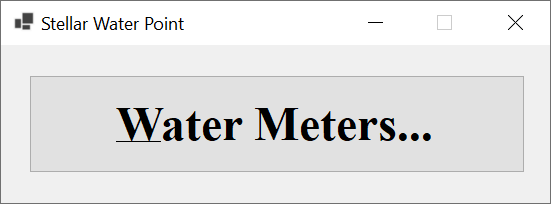

| Meter # | Make | Model | Meter Size |
| 392-494-572 | Constance Technologies | TG-4822 | 5/8 Inches |
| 938-705-869 | Stan Wood | 66-G | 1 Inch |
| 588-279-663 | Estellano | NCF-226 | 3/4 Inches |

Water Meter Details
When the records of water meters have been created, sometimes, a user may want to view some details about a water meter. We are going to create such a form.
Practical Learning: Creating a Water Meter Record
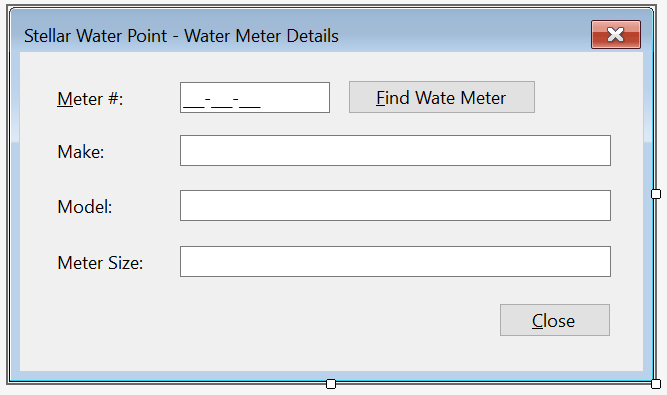
| Control | (Name) | Text | Enabled | Modifiers | Other Properties | |
| Label | |
&Meter #: | ||||
| MaskedTextBox | |
MtbMeterNumber | False | Public | Masked: 000-000-000 | |
| Button | |
BtnFindWaterMeter | &Find Water Meter | |||
| Label | |
Make: | ||||
| TextBox | |
TxtMake | False | Public | ||
| Label | |
Model: | ||||
| TextBox | |
TxtModel | False | Public | ||
| Label | |
Meter Size: | ||||
| TextBox | |
TxtMeterSize | False | Public | ||
| Label | |
Water Meter Id: | ||||
| TextBox | |
TxtWaterMeterId | False | Public | ||
| Button | |
BtnClose | &Close | |||
Imports System.IO
Imports System.Text.Json

Public Class WaterMetersDetails
    private sub BtnFindWaterMeter_Click(sender As Object, e As EventArgs) Handles BtnFindWaterMeter.Click
        If String.IsNullOrEmpty(MtbMeterNumber.Text) Then
            MsgBox("You must type a valid meter number, " &
                   "and then click the Find Water Meter button.",
                   MsgBoxStyle.OkOnly, "Stellar Water Point")
            Exit Sub
        End If

        Dim StrWaterMeters = Nothing
        Dim WaterMeters = New List(Of WaterMeter)
        Dim FileWaterMeters = "C:\Stellar Water Point\WaterMeters.json"

        Dim FiWaterMeters As FileInfo = New FileInfo(FileWaterMeters)

        If FiWaterMeters.Exists = True Then
            StrWaterMeters = File.ReadAllText(FiWaterMeters.FullName)
            WaterMeters = CType(JsonSerializer.Deserialize(StrWaterMeters, GetType(List(Of WaterMeter))), List(Of WaterMeter))

            For Each Meter As WaterMeter In WaterMeters
                If Meter.MeterNumber = MtbMeterNumber.Text Then
                    TxtWaterMeterId.Text = Meter.WaterMeterId
                    TxtMake.Text = Meter.Make
                    TxtModel.Text = Meter.Model
                    TxtMeterSize.Text = Meter.MeterSize
                End If
            Next
        End If
    End Sub

    Private Sub BtnClose_Click(sender As Object, e As EventArgs) handles btnclose.click Handles BtnClose.Click
        Close()
    End Sub
End Class
| Control | (Name) | Other Properties | |
| ListView | |
No Change | No Change |
| Button | |
No Change | No Change |
| Button | |
BtnViewWaterMeter | &View Water Meter... |
Private Sub BtnWaterMeterDetails_Click(sender As Object, e As EventArgs) Handles BtnWaterMeterDetails.Click
    Dim Details As New WaterMetersDetails

    Details.Show()
End Sub


Updating a Water Meter Record
One of the routine operations performed on a database is to change the details of a record. To support this operation for a water meter, we will create a form that can be used to update the information of a water meter.
Practical Learning: Updating a Water Meter

| Control | (Name) | Text | Enabled | Other Properties | |
| Label | |
&Meter #: | |||
| MaskedTextBox | |
MtbMeterNumber | False | Masked: 000-000-000 | |
| Button | |
BtnFindWaterMeter | &Find Water Meter | ||
| Label | |
Make: | |||
| TextBox | |
TxtMake | False | ||
| Label | |
Model: | |||
| TextBox | |
TxtModel | False | ||
| Label | |
Meter Size: | |||
| TextBox | |
TxtMeterSize | False | ||
| Button | |
BtnUpdateWaterMeter | &Update Water Meter | ||
| Button | |
BtnClose | &Close | ||
Imports System.IO
Imports System.Text.Json

Public Class WaterMetersEditor

    private sub BtnFindWaterMeter_Click(sender As Object, e As EventArgs) Handles BtnFindWaterMeter.Click
        If String.IsNullOrEmpty(MtbMeterNumber.Text) Then
            MsgBox("You must type a valid meter number, " &
                   "and then click the Find Water Meter button.",
                   MsgBoxStyle.OkOnly, "Stellar Water Point")
            Exit Sub
        End If

        Dim StrWaterMeters = Nothing
        Dim WaterMeters = New List(Of WaterMeter)
        Dim FileWaterMeters = "C:\Stellar Water Point\WaterMeters.json"

        Dim FiWaterMeters As FileInfo = New FileInfo(FileWaterMeters)

        If FiWaterMeters.Exists = True Then
            StrWaterMeters = File.ReadAllText(FiWaterMeters.FullName)
            WaterMeters = CType(JsonSerializer.Deserialize(StrWaterMeters, GetType(List(Of WaterMeter))), List(Of WaterMeter))

            For Each Meter As WaterMeter In WaterMeters
                If Meter.MeterNumber = MtbMeterNumber.Text Then
                    TxtWaterMeterId.Text = Meter.WaterMeterId
                    TxtMake.Text = Meter.Make
                    TxtModel.Text = Meter.Model
                    TxtMeterSize.Text = Meter.MeterSize
                End If
            Next
        End If
    End Sub

    Private Sub BtnUpdateWaterMeter_Click(sender As Object, e As EventArgs) Handles BtnUpdateWaterMeter.Click
        If String.IsNullOrEmpty(MtbMeterNumber.Text) Then
            MsgBox("You must type a valid meter number, " &
                   "and then click the Find Water Meter button.",
                   MsgBoxStyle.OkOnly, "Stellar Water Point")
            Exit Sub
        End If

        Dim strWaterMeters = Nothing
        Dim WaterMeters = New List(Of WaterMeter)
        Dim FileWaterMeters = "C:\Stellar Water Point\WaterMeters.json"

        Dim FiWaterMeters As FileInfo = New FileInfo(FileWaterMeters)

        If FiWaterMeters.Exists = True Then
            strWaterMeters = File.ReadAllText(FiWaterMeters.FullName)
            WaterMeters = CType(JsonSerializer.Deserialize(strWaterMeters, GetType(List(Of WaterMeter))), List(Of WaterMeter))

            Dim meter = WaterMeters.Find(Function(Mtr) Mtr.MeterNumber = MtbMeterNumber.Text)

            If Not meter Is Nothing Then
                meter.WaterMeterId = CInt(TxtWaterMeterId.Text)
                meter.Make = TxtMake.Text
                meter.Model = TxtModel.Text
                meter.MeterSize = TxtMeterSize.Text

                Dim options = New JsonSerializerOptions()
                options.WriteIndented = True

                Dim jsWaterMeters = JsonSerializer.Serialize(WaterMeters, GetType(List(Of WaterMeter)), options)
                File.WriteAllText(FiWaterMeters.FullName, jsWaterMeters)
            End If
        End If

        Close()
    End Sub

    Private Sub BtnClose_Click(sender As Object, e As EventArgs) Handles BtnClose.Click
        Close()
    End Sub
End Class
| Control | (Name) | Other Properties | |
| ListView | |
No Change | No Change |
| Button | |
No Change | No Change |
| Button | |
No Change | No Change |
| Button | |
BtnEditWaterMeter | &Edit Water Meter... |
Private Sub BtnWaterMeterEitor_Click(sender As Object, e As EventArgs) Handles BtnWaterMeterEditor.Click
    Dim Editor As New WaterMetersEditor

    Editor.ShowDialog()

    ShowWaterMeters()
End Sub


| Make: | Stanford Trend | Model: | 266G |
| Meter Size: | 1 1/2 Inches |


Removing a Water Meter from the Database
If a record of a water meter is not necessary anymore, a user can be asked to delete such a record. We are going to create a form for such an operation.
Practical Learning: Deleting a Water Meter Record
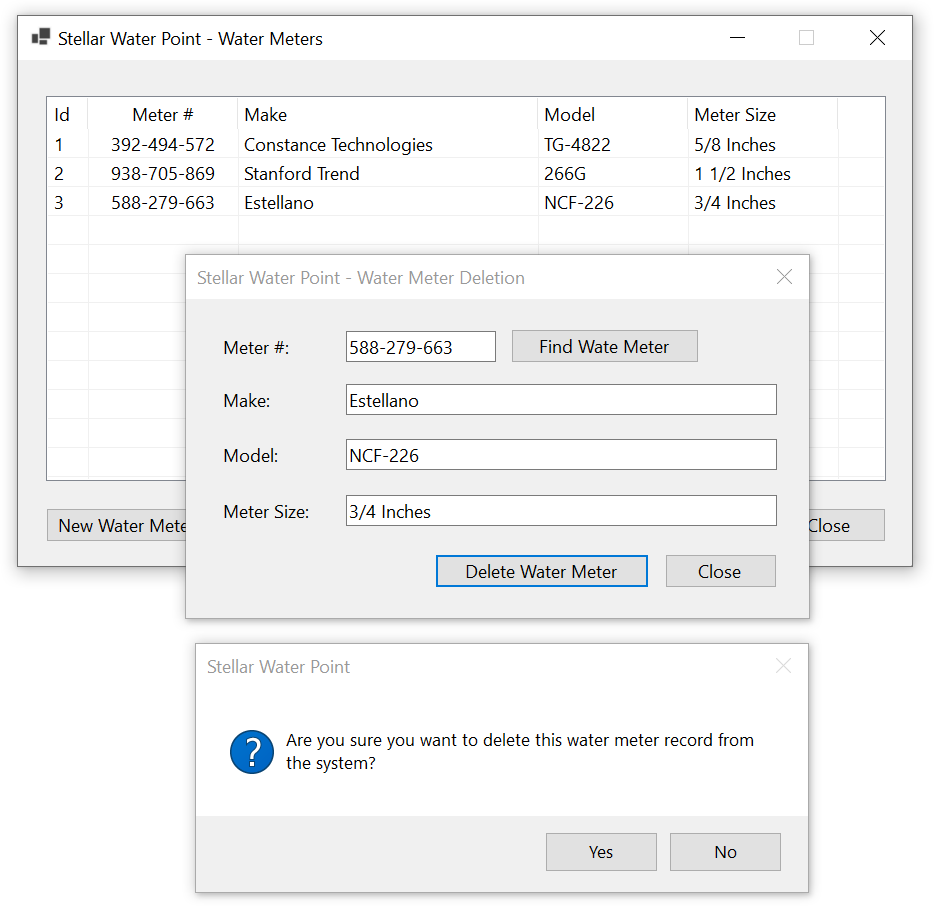
| Control | (Name) | Text | Enabled | Other Properties | |
| Label | |
&Meter #: | |||
| MaskedTextBox | |
MtbMeterNumber | False | Masked: 000-000-000 | |
| Label | |
Make: | |||
| TextBox | |
TxtMake | False | ||
| Label | |
Model: | |||
| TextBox | |
TxtModel | False | ||
| Label | |
Meter Size: | |||
| TextBox | |
TxtMeterSize | False | ||
| Button | |
BtnClose | &Close | ||
Imports System.IO
Imports System.Text.Json

Public Class WaterMetersDelete
    private sub BtnFindWaterMeter_Click(sender As Object, e As EventArgs) Handles BtnFindWaterMeter.Click
        If String.IsNullOrEmpty(MtbMeterNumber.Text) Then
            MsgBox("You must type a valid meter number, " &
                   "and then click the Find Water Meter button.",
                   MsgBoxStyle.OkOnly, "Stellar Water Point")
            Exit Sub
        End If

        Dim StrWaterMeters = Nothing
        Dim WaterMeters = New List(Of WaterMeter)
        Dim FileWaterMeters = "C:\Stellar Water Point\WaterMeters.json"

        Dim FiWaterMeters As FileInfo = New FileInfo(FileWaterMeters)

        If FiWaterMeters.Exists = True Then
            StrWaterMeters = File.ReadAllText(FiWaterMeters.FullName)
            WaterMeters = CType(JsonSerializer.Deserialize(StrWaterMeters, GetType(List(Of WaterMeter))), List(Of WaterMeter))

            For Each Meter As WaterMeter In WaterMeters
                If Meter.MeterNumber = MtbMeterNumber.Text Then
                    TxtWaterMeterId.Text = Meter.WaterMeterId
                    TxtMake.Text = Meter.Make
                    TxtModel.Text = Meter.Model
                    TxtMeterSize.Text = Meter.MeterSize
                End If
            Next
        End If
    End Sub

    Private Sub BtnDeleteWaterMeter_Click(sender As Object, e As EventArgs) Handles BtnDeleteWaterMeter.Click
        If MtbMeterNumber.Text.Replace("-", "").Trim().Equals(Nothing) Then
            MsgBox("You must type a valid meter number, " &
                   "and then click the Find Water Meter button.",
                   MsgBoxStyle.OkOnly, "Stellar Water Point")
            Exit Sub
        End If

        Dim StrWaterMeters = Nothing
        Dim WaterMeters = New List(Of WaterMeter)
        Dim FileWaterMeters = "C:\Stellar Water Point\WaterMeters.json"

        Dim FiWaterMeters As FileInfo = New FileInfo(FileWaterMeters)

        If FiWaterMeters.Exists = True Then
            StrWaterMeters = File.ReadAllText(FiWaterMeters.FullName)
            WaterMeters = CType(JsonSerializer.Deserialize(StrWaterMeters, GetType(List(Of WaterMeter))), List(Of WaterMeter))

            Dim Meter = WaterMeters.Find(Function(Mtr) Mtr.MeterNumber = MtbMeterNumber.Text)

            If Not Meter Is Nothing Then
                If MsgBox("Are you sure you want to delete this water meter " &
                          "(you cannot undo the action)?",
                          MsgBoxStyle.YesNoCancel, "Stellar Water Point") = MsgBoxResult.Yes Then
                    WaterMeters.Remove(Meter)

                    Dim options = New JsonSerializerOptions()
                    options.WriteIndented = True

                    Dim jsWaterMeters = JsonSerializer.Serialize(WaterMeters, GetType(List(Of WaterMeter)), options)
                    File.WriteAllText(FiWaterMeters.FullName, jsWaterMeters)

                    MsgBox("The water meter has been removed from our database.",
                           MsgBoxStyle.OkOnly, "Stellar Water Point")
                End If
            End If
        End If

        Close()
    End Sub

    Private Sub BtnClose_Click(sender As Object, e As EventArgs) Handles BtnClose.Click
        Close()
    End Sub
End Class
| Control | (Name) | Text | Anchor | |
| ListView | |
LvwWaterMeters | Top, Bottom, Left, Right | |
| Button | |
BtnNewWaterMeter | &New Water Meter... | Bottom, Right |
| Button | |
BtnViewWaterMeter | &View Water Meter... | Bottom, Right |
| Button | |
BtnEditWaterMeter | &Edit Water Meter... | Bottom, Right |
| Button | |
BtnDeleteWateMeter | &Delete Water Meter... | Bottom, Right |
| Button | |
BtnClose | &Close | Bottom, Right |
Imports System.IO
Imports System.Text.Json

Public Class WaterMetersCentral
    Private Sub ShowWaterMeters()
        Dim StrWaterMeters As String = String.Empty
        Dim WaterMeters As List(Of WaterMeter) = New List(Of WaterMeter)
        Dim FileWaterMeters = "C:\Stellar Water Point\WaterMeters.json"

        Dim FiWaterMeters As FileInfo = New FileInfo(FileWaterMeters)

        If FiWaterMeters.Exists = True Then
            Using TrWaterMeters As TextReader = New StreamReader(FiWaterMeters.FullName)
                StrWaterMeters = File.ReadAllText(FiWaterMeters.FullName)
                WaterMeters = CType(JsonSerializer.Deserialize(StrWaterMeters, GetType(List(Of WaterMeter))), List(Of WaterMeter))

                LvwWaterMeters.Items.Clear()

                For Each Wm As WaterMeter In WaterMeters
                    Dim LviWaterMeter As ListViewItem = New ListViewItem(Wm.WaterMeterId)

                    LviWaterMeter.SubItems.Add(Wm.MeterNumber)
                    LviWaterMeter.SubItems.Add(Wm.Make)
                    LviWaterMeter.SubItems.Add(Wm.Model)
                    LviWaterMeter.SubItems.Add(Wm.MeterSize)

                    LvwWaterMeters.Items.Add(LviWaterMeter)
                Next
            End Using
        End If
    End Sub

    private sub Central_Load(sender As Object, e As EventArgs) handles  Central.Load Handles MyBase.Load
        ShowWaterMeters()
    End Sub

    Private Sub BtnNewWaterMeter_Click(sender As Object, e As EventArgs) Handles BtnNewWaterMeter.Click
        Dim Make = New WaterMetersCreate

        If Make.ShowDialog = DialogResult.OK Then
            If Make.MtbMeterNumber.Text.Replace("-", "").Trim = "" Then
                MsgBox("You must type a meter number. " &
                       "Otherwise, the water meter cannot be set up.",
                       MsgBoxStyle.OkOnly, "Stellar Water Point")
                Exit Sub
            End If

            Dim StrWaterMeters As String = Nothing
            Dim WaterMeters = New List(Of WaterMeter)
            Dim FileWaterMeters = "C:\Stellar Water Point\WaterMeters.json"

            Dim FiWaterMeters = New FileInfo(FileWaterMeters)

            If FiWaterMeters.Exists = True Then
                StrWaterMeters = File.ReadAllText(FiWaterMeters.FullName)
                WaterMeters = JsonSerializer.Deserialize(StrWaterMeters, GetType(List(Of WaterMeter)))
            End If

            Dim Meter = New WaterMeter

            If Make.TxtWaterMeterId.Text = "" Then
                Meter.WaterMeterId = 1
            Else
                Meter.WaterMeterId = CInt(Make.TxtWaterMeterId.Text)
            End If

            Meter.MeterNumber = Make.MtbMeterNumber.Text
            Meter.Make = Make.TxtMake.Text
            Meter.Model = Make.TxtModel.Text
            Meter.MeterSize = Make.TxtMeterSize.Text

            WaterMeters.Add(Meter)

            Dim Options = New JsonSerializerOptions
            Options.WriteIndented = True

            Dim jsWaterMeters = JsonSerializer.Serialize(WaterMeters, GetType(List(Of WaterMeter)), Options)
            File.WriteAllText(FiWaterMeters.FullName, jsWaterMeters)
        End If

        ShowWaterMeters()
    End Sub

    Private Sub BtnWaterMeterDetails_Click(sender As Object, e As EventArgs) Handles BtnWaterMeterDetails.Click
        Dim Details As New WaterMetersDetails

        Details.Show()
    End Sub

    Private Sub BtnWaterMeterEitor_Click(sender As Object, e As EventArgs) Handles BtnWaterMeterEditor.Click
        Dim Editor As New WaterMetersEditor

        Editor.ShowDialog()

        ShowWaterMeters()
    End Sub

    Private Sub BtnDeleteWaterMeter_Click(sender As Object, e As EventArgs) Handles BtnDeleteWaterMeter.Click
        Dim Delete As New WaterMetersDelete

        Delete.ShowDialog()

        ShowWaterMeters()
    End Sub

    Private Sub BtnClose_Click(sender As Object, e As EventArgs) Handles BtnClose.Click
        Close()
    End Sub
End Class


Customers
Introduction
For a water distribution company, a customer is a person, a business, or any entity that consumes water. At a minimum, a computer must keep a list of entities that use its business.
Accounts Types
To help the company manage customers accounts and especially for accounting purpose, every customer account will be identified with its type of account. This is because the company deals with regular residences, businesses, government entitites, etc. To assist with this, we will create a class for accounts types.
Practical Learning: Introducing Accounts Types
Public Class AccountType
    Public Property AccountTypeId As Integer
    Public Property TypeCode As String
    Public Property TypeDecription As String
End ClassImports System.IO
Imports System.Text.Json
Public Class WaterDistribution
Private Sub CreateWaterMeters()
Dim WaterMeters = New List(Of WaterMeter) From {
New WaterMeter With {.WaterMeterId = 1, .MeterNumber = "392-494-572", .Make = "Constance Technologies", .Model = "TG-4822", .MeterSize = "5/8 Inches"},
New WaterMeter With {.WaterMeterId = 2, .MeterNumber = "938-725-869", .Make = "Stanford Trend", .Model = "266G", .MeterSize = "1 1/2 Inches"},
New WaterMeter With {.WaterMeterId = 3, .MeterNumber = "588-279-663", .Make = "Estellano", .Model = "NCF-226", .MeterSize = "4 Inches"},
New WaterMeter With {.WaterMeterId = 4, .MeterNumber = "186-962-805", .Make = "Lansome", .Model = "2800", .MeterSize = "1 1/2 Inches"},
New WaterMeter With {.WaterMeterId = 5, .MeterNumber = "379-386-979", .Make = "Planetra", .Model = "P-2020", .MeterSize = "4 Inches"},
New WaterMeter With {.WaterMeterId = 6, .MeterNumber = "580-742-825", .Make = "Kensa Sons", .Model = "KS2000A", .MeterSize = "1 3/4 Inches"},
New WaterMeter With {.WaterMeterId = 7, .MeterNumber = "849-351-444", .Make = "Raynes Energica", .Model = "a1088", .MeterSize = "2 Inches"},
New WaterMeter With {.WaterMeterId = 8, .MeterNumber = "208-428-308", .Make = "Constance Technologies", .Model = "808D", .MeterSize = "3/4 Inches"},
New WaterMeter With {.WaterMeterId = 9, .MeterNumber = "738-588-249", .Make = "Warrington", .Model = "W4242", .MeterSize = "5/8 Inches"},
New WaterMeter With {.WaterMeterId = 10, .MeterNumber = "496-813-794", .Make = "Estellano", .Model = "NCF-226", .MeterSize = "3/4 Inches"},
New WaterMeter With {.WaterMeterId = 11, .MeterNumber = "862-715-006", .Make = "Warrington", .Model = "W-4040", .MeterSize = "1/2 Inch"},
New WaterMeter With {.WaterMeterId = 12, .MeterNumber = "649-358-184", .Make = "Raynes Energica", .Model = "b1700", .MeterSize = "1 1/2 Inches"},
New WaterMeter With {.WaterMeterId = 13, .MeterNumber = "928-317-924", .Make = "Gongola", .Model = "GN1000", .MeterSize = "2 Inch"},
New WaterMeter With {.WaterMeterId = 14, .MeterNumber = "595-753-147", .Make = "Grass Grill", .Model = "CRC-1000", .MeterSize = "1 Inch"},
New WaterMeter With {.WaterMeterId = 15, .MeterNumber = "799-528-461", .Make = "Kensa Sons", .Model = "K-584-L", .MeterSize = "3/4 Inches"},
New WaterMeter With {.WaterMeterId = 16, .MeterNumber = "386-468-057", .Make = "Estellano", .Model = "NCF-226", .MeterSize = "3/4 Inches"},
New WaterMeter With {.WaterMeterId = 17, .MeterNumber = "938-275-294", .Make = "Constance Technologies", .Model = "TT-8822", .MeterSize = "4 Inches"},
New WaterMeter With {.WaterMeterId = 18, .MeterNumber = "288-427-585", .Make = "Planetra", .Model = "P-2020", .MeterSize = "1/2 Inch"},
New WaterMeter With {.WaterMeterId = 19, .MeterNumber = "394-835-297", .Make = "Raynes Energica", .Model = "i2022", .MeterSize = "3/4 Inches"},
New WaterMeter With {.WaterMeterId = 20, .MeterNumber = "847-252-246", .Make = "Master Stream", .Model = "2000-MS", .MeterSize = "1 1/2 Inches"},
New WaterMeter With {.WaterMeterId = 21, .MeterNumber = "349-725-848", .Make = "Planetra", .Model = "P-8000", .MeterSize = "4 Inches"},
New WaterMeter With {.WaterMeterId = 22, .MeterNumber = "713-942-058", .Make = "Master Stream", .Model = "3366-MS", .MeterSize = "3/4 Inches"},
New WaterMeter With {.WaterMeterId = 23, .MeterNumber = "747-581-379", .Make = "Warrington", .Model = "W4242", .MeterSize = "5/8 Inches"},
New WaterMeter With {.WaterMeterId = 24, .MeterNumber = "582-755-263", .Make = "Kensa Sons", .Model = "KS2000A", .MeterSize = "1 Inch"},
New WaterMeter With {.WaterMeterId = 25, .MeterNumber = "827-260-758", .Make = "Raynes Energica", .Model = "a1088", .MeterSize = "1-1/4 Inch"},
New WaterMeter With {.WaterMeterId = 26, .MeterNumber = "837-806-836", .Make = "Lansome", .Model = "7400", .MeterSize = "5/8 Inches"},
New WaterMeter With {.WaterMeterId = 27, .MeterNumber = "207-964-835", .Make = "Constance Technologies", .Model = "TG-6220", .MeterSize = "5/8 Inches"},
New WaterMeter With {.WaterMeterId = 28, .MeterNumber = "296-837-495", .Make = "Raynes Energica", .Model = "QG505", .MeterSize = "4 Inches"},
New WaterMeter With {.WaterMeterId = 29, .MeterNumber = "468-359-486", .Make = "Grass Grill", .Model = "KLP-8822", .MeterSize = "1-1/4 Inch"},
New WaterMeter With {.WaterMeterId = 30, .MeterNumber = "931-486-003", .Make = "Planetra", .Model = "P-2020", .MeterSize = "1/2 Inch"},
New WaterMeter With {.WaterMeterId = 31, .MeterNumber = "483-770-648", .Make = "Warren", .Model = "WWW", .MeterSize = "0.1 Inches"},
New WaterMeter With {.WaterMeterId = 32, .MeterNumber = "592-824-957", .Make = "Kensa Sons", .Model = "D-497-H", .MeterSize = "3/4 Inches"},
New WaterMeter With {.WaterMeterId = 33, .MeterNumber = "293-835-704", .Make = "Gongola", .Model = "GOL1000", .MeterSize = "1/2 Inch"},
New WaterMeter With {.WaterMeterId = 34, .MeterNumber = "739-777-749", .Make = "Warrington", .Model = "W2200W", .MeterSize = "3/4 Inches"},
New WaterMeter With {.WaterMeterId = 35, .MeterNumber = "374-886-284", .Make = "Raynes Energica", .Model = "i2022", .MeterSize = "3/4 Inches"},
New WaterMeter With {.WaterMeterId = 36, .MeterNumber = "186-959-757", .Make = "Kensa Sons", .Model = "M-686-G", .MeterSize = "1 1/2 Inches"},
New WaterMeter With {.WaterMeterId = 37, .MeterNumber = "594-827-359", .Make = "Planetra", .Model = "P-8000", .MeterSize = "1 Inch"},
New WaterMeter With {.WaterMeterId = 38, .MeterNumber = "394-739-242", .Make = "Master Stream", .Model = "9393-TT", .MeterSize = "5/8 Inches"},
New WaterMeter With {.WaterMeterId = 39, .MeterNumber = "529-283-752", .Make = "Constance Technologies", .Model = "404T", .MeterSize = "3/4 Inches"},
New WaterMeter With {.WaterMeterId = 40, .MeterNumber = "295-770-695", .Make = "Warrington", .Model = "W-2286", .MeterSize = "1-1/4 Inch"},
New WaterMeter With {.WaterMeterId = 41, .MeterNumber = "739-749-737", .Make = "Kensa Sons", .Model = "KS2000A", .MeterSize = "1 Inch"},
New WaterMeter With {.WaterMeterId = 42, .MeterNumber = "947-528-317", .Make = "Gondola", .Model = "GDL-5000", .MeterSize = "1 Inch"},
New WaterMeter With {.WaterMeterId = 43, .MeterNumber = "630-207-055", .Make = "Lansome", .Model = "2800", .MeterSize = "3/4 Inches"},
New WaterMeter With {.WaterMeterId = 44, .MeterNumber = "827-508-248", .Make = "Standard Trend", .Model = "428T", .MeterSize = "3/4 Inches"},
New WaterMeter With {.WaterMeterId = 45, .MeterNumber = "293-924-869", .Make = "Grass Grill", .Model = "CRC-2020", .MeterSize = "1/2 Inch"},
New WaterMeter With {.WaterMeterId = 46, .MeterNumber = "928-247-580", .Make = "Gondola", .Model = "GOL2000", .MeterSize = "0.34 Inch"},
New WaterMeter With {.WaterMeterId = 47, .MeterNumber = "682-537-380", .Make = "Planetra", .Model = "P-2020", .MeterSize = "1-1/4 Inch"},
New WaterMeter With {.WaterMeterId = 48, .MeterNumber = "470-628-850", .Make = "Estellano", .Model = "WRT-482", .MeterSize = "3/4 Inches"},
New WaterMeter With {.WaterMeterId = 49, .MeterNumber = "649-373-505", .Make = "Constance Technologies", .Model = "BD-7000", .MeterSize = "5/8 Inches"},
New WaterMeter With {.WaterMeterId = 50, .MeterNumber = "306-842-497", .Make = "Lansome", .Model = "9000", .MeterSize = "3/4 Inches"}
}
Dim strWaterMeters = Nothing
Dim FileWaterMeters = "C:\Stellar Water Point\WaterMeters.json"
Dim options = New JsonSerializerOptions()
options.WriteIndented = True
Dim FiWaterMeters As FileInfo = New FileInfo(FileWaterMeters)
Dim jsWaterMeters As String = JsonSerializer.Serialize(WaterMeters, GetType(List(Of WaterMeter)), options)
File.WriteAllText(FiWaterMeters.FullName, jsWaterMeters)
End Sub
Private Sub CreateAccountsTypes()
Dim Types = New List(Of AccountType)
Types.Add(New AccountType With {.AccountTypeId = 1, .TypeCode = "OTH", .TypeDecription = "Other"})
Types.Add(New AccountType With {.AccountTypeId = 3, .TypeCode = "RES", .TypeDecription = "Residential Household"})
Types.Add(New AccountType With {.AccountTypeId = 2, .TypeCode = "BUS", .TypeDecription = "General Business, Commercial, Industrial"})
Types.Add(New AccountType With {.AccountTypeId = 5, .TypeCode = "UUO", .TypeDecription = "Unidentified or Unclassified Type of Organization"})
Types.Add(New AccountType With {.AccountTypeId = 4, .TypeCode = "SGO", .TypeDecription = "Social/Government/Non-Profit Organization, Institutional"})
Types.Add(New AccountType With {.AccountTypeId = 6, .TypeCode = "WAT", .TypeDecription = "Water Intensive Business (Agricultural, Laudromat, Hair Salon, Restaurant, etc"})
Dim StrAccountsTypes = Nothing
Dim FileAccountsTypes = "C:\Stellar Water Point\AccountsTypes.json"
Dim Options = New JsonSerializerOptions()
Options.WriteIndented = True
Dim FiAccountsTypes As FileInfo = New FileInfo(FileAccountsTypes)
Dim jsAccountsTypes = JsonSerializer.Serialize(Types, GetType(List(Of AccountType)), Options)
File.WriteAllText(FiAccountsTypes.FullName, jsAccountsTypes)
End Sub
private sub WaterDistribution_Load(sender As Object, e As EventArgs) Handles MyBase.Load
REM Directory.CreateDirectory("C:\Stellar Water Point")
CreateWaterMeters()
CreateAccountsTypes()
End Sub
private sub BtnWaterMeters_Click(sender As Object, e As EventArgs) Handles BtnWaterMeters.Click
Dim Listing = New WaterMetersCentral()
Listing.Show()
End Sub
End Classprivate sub WaterDistribution_Load(sender As Object, e As EventArgs) Handles MyBase.Load
REM Directory.CreateDirectory("C:\Stellar Water Point")
REM CreateWaterMeters()
REM CreateAccountsTypes()
End SubPractical Learning: Introducing Customers
Public Class Customer
    Public Property CustomerId As Integer
    Public Property AccountNumber As String
    Public Property AccountName As String
    Public Property AccountType As String
    Public Property MeterNumber As String
    Public Property Address As String
    Public Property City As String
    Public Property County As String
    Public Property State As String
    Public Property ZIPCode As String
End Class
Displaying Customers
In a later section, we will learn how to create a customer record. When those records exist, a user can display them. We are going to make it possible through a form equipped with a list view
Practical Learning: Displaying Customers
| (Name) | Text | TextAlign | Width |
| ColCustomerId | Id | 40 | |
| ColAccountNumber | Account # | Center | 150 |
| ColAccountName | Account Name | 200 | |
| ColAccountType | Account Type | 200 | |
| ColMeterNumber | Meter # | Center | 100 |
| ColAddress | Address | 250 | |
| ColCity | City | 125 | |
| ColCounty | County | 125 | |
| ColState | State | Center | |
| ColZIPCode | ZIP-Code | Center | 125 |
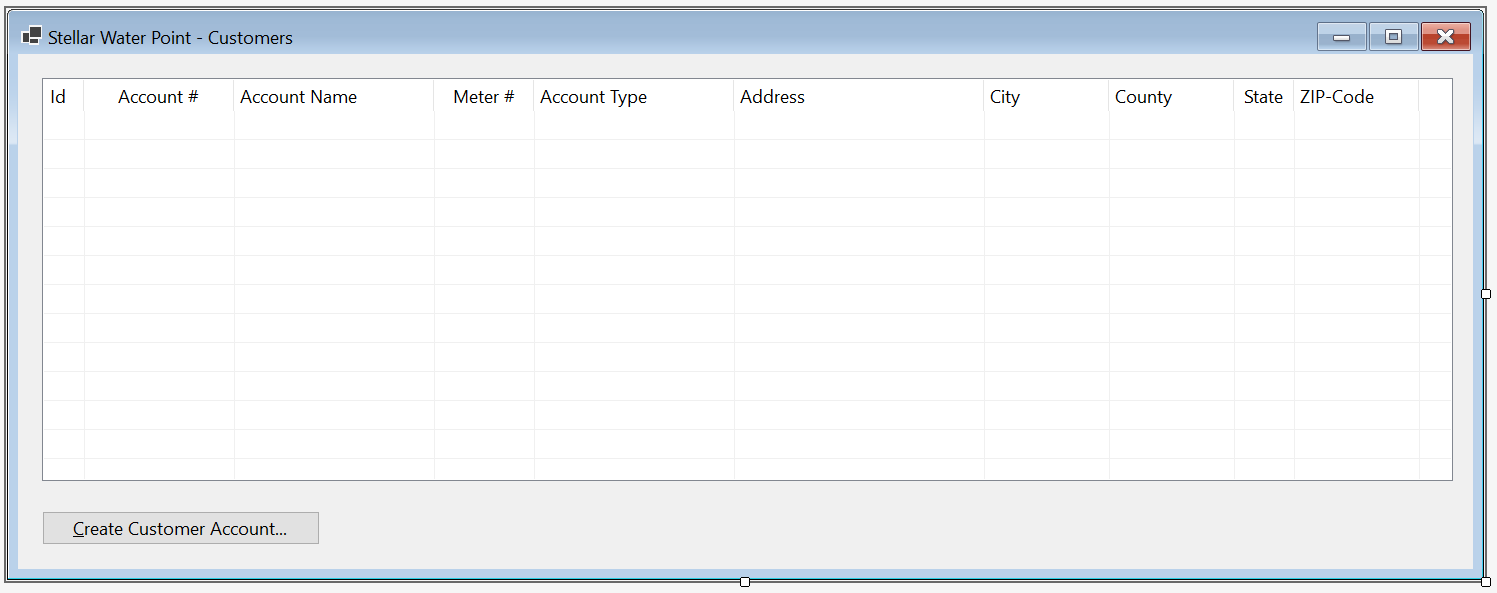
| Control | (Name) | Other Properties | |
| ListView | |
LvwCustomers | FullRowSelect: True GridLines: True View: Details |
Imports System.IO
Imports System.Text.Json

Public Class CustomersCentral

    Private Sub ShowCustomers()
        Dim StrCustomers = Nothing
        Dim Customers As List(Of Customer) = New List(Of Customer)
        Dim FileCustomers = "C:\Stellar Water Point\Customers.json"

        Dim FiCustomers As FileInfo = New FileInfo(FileCustomers)
        Dim StrAccountsTypes = Nothing
        Dim AccountsTypes = New List(Of AccountType)
        Dim FileAccountsTypes = "C:\Stellar Water Point\AccountsTypes.json"

        Dim FiAccountsTypes As FileInfo = New FileInfo(FileAccountsTypes)

        If FiCustomers.Exists = True Then
            Using TrCustomers As TextReader = New StreamReader(FiCustomers.FullName)
                StrCustomers = File.ReadAllText(FiCustomers.FullName)
                Customers = JsonSerializer.Deserialize(StrCustomers, GetType(List(Of Customer)))

                LvwCustomers.Items.Clear()

                For Each Client As Customer In Customers
                    Dim LviCustomer As ListViewItem = New ListViewItem(CStr(Client.CustomerId))

                    LviCustomer.SubItems.Add(Client.AccountNumber)
                    LviCustomer.SubItems.Add(Client.AccountName)
                    LviCustomer.SubItems.Add(Client.MeterNumber)

                    Dim TrAccountsTypess As TextReader = New StreamReader(FiAccountsTypes.FullName)
                    StrAccountsTypes = File.ReadAllText(FiAccountsTypes.FullName)
                    AccountsTypes = JsonSerializer.Deserialize(StrAccountsTypes, GetType(List(Of AccountType)))

                    For Each ActType As AccountType In AccountsTypes
                        If Client.AccountType = ActType.TypeCode Then
                            LviCustomer.SubItems.Add(String.Concat(ActType.TypeCode, " - ", ActType.TypeDecription))
                        End If
                    Next

                    LviCustomer.SubItems.Add(Client.Address)
                    LviCustomer.SubItems.Add(Client.City)
                    LviCustomer.SubItems.Add(Client.County)
                    LviCustomer.SubItems.Add(Client.State)
                    LviCustomer.SubItems.Add(Client.ZIPCode)
                    LvwCustomers.Items.Add(LviCustomer)
                Next
            End Using
        End If
    End Sub

    Private Sub CustomersCentral_Load(sender As Object, e As EventArgs) Handles MyBase.Load
        ShowCustomers()
    End Sub
End Class

| Control | (Name) | Text | Font | |
| Button | |
BtnCustomers | C&ustomers... | Times New Roman, 24pt, style=Bold |
Private Sub BtnCustomers_Click(sender As Object, e As EventArgs) Handles BtnCustomers.Click
    Dim Central = New CustomersCentral

    Central.ShowDialog()
End Sub
A New Customer Account
To use the services of a water distribution company, a customer must have an account. We are going to create a form that an employee can use to establish an account for a new customer.
Practical Learning: Creating a Customer Account

| Control | (Name) | Text | Other Properties | |
| Label | |
&Account #: | ||
| MaskedTextBox | |
MtbAccountNumber | Masked: 0000-000-0000 | |
| Label | |
&Account Name: | ||
| TextBox | |
TxtAccountName | ||
| Label | |
&Meter #: | ||
| MaskedTextBox | |
MtbMeterNumber | Masked: 000-000-000 | |
| Button | |
BtnFindWaterMeter | &Find Water Meter | |
| Label | |
Meter &Details: | ||
| TextBox | |
TxtMeterDetails | Enabled: False | |
| Label | |
&Account Type: | ||
| ComboBox |  |
cbxAccountsTypes | ||
| Label | |
&Address: | ||
| TextBox | |
TxtAddress | ||
| Label | |
C&ity: | ||
| TextBox | |
TxtCity | ||
| Label | |
C&ounty: | ||
| TextBox | |
TxtCounty | ||
| Label | |
&State: | ||
| TextBox | |
TxtState | ||
| Label | |
&ZIP-Code: | ||
| MaskedTextBox | |
MtbZIPCode | Masked: Zip-Code | |
| Label | |
Customer Id:& | ||
| TextBox | |
TxtCustomerId | ||
| Button | |
BtnSaveCustomerAccount | S&ave Customer Account | DialogResult: OK |
| Button | |
BtnClose | &Close | DialogResult: Cancel |
FormBorderStyle: FixedDialog
Text:            Stellar Water Point - Create Customer Account
StartPosition:   CenterScreen
AcceptButton:    BtnSaveCustomerAccount
CancelButton:    BtnCancel
Imports System.IO
Imports System.Text.Json

Public Class CustomersCreate
    Private Sub SetCustomerId()
        Dim StrCustomers = Nothing
        Dim Customers As List(Of Customer) = New List(Of Customer)
        Dim FileCustomers = "C:\Stellar Water Point\Customers.json"

        Dim FiCustomers As FileInfo = New FileInfo(FileCustomers)

        Dim CustomerId = 0

        If FiCustomers.Exists = True Then
            Using TrCustomers As TextReader = New StreamReader(FiCustomers.FullName)
                StrCustomers = File.ReadAllText(FiCustomers.FullName)
                Customers = JsonSerializer.Deserialize(StrCustomers, GetType(List(Of Customer)))

                For Each Client As Customer In Customers
                    CustomerId = Client.CustomerId
                Next
            End Using
        End If

        TxtCustomerId.Text = CStr(CustomerId + 1)
    End Sub

    Private Sub SetAccountsTypes()
        Dim StrAccountsTypes = Nothing
        Dim Types As List(Of AccountType) = New List(Of AccountType)
        Dim FileAccountsTypes = "C:\Stellar Water Point\AccountsTypes.json"
        Dim FiAccountsTypes As FileInfo = New FileInfo(FileAccountsTypes)

        If FiAccountsTypes.Exists = True Then
            StrAccountsTypes = File.ReadAllText(FiAccountsTypes.FullName)
            Types = JsonSerializer.Deserialize(StrAccountsTypes, GetType(List(Of AccountType)))

            For Each Type As AccountType In Types
                CbxAccountsTypes.Items.Add(Type.TypeCode & " - " & Type.TypeDecription)
            Next
        End If
    End Sub

    Private Sub CustomersCreate_Load(sender As Object, e As EventArgs) Handles MyBase.Load
        SetCustomerId()
        SetAccountsTypes()
    End Sub

    Private Sub BtnFindWaterMeter_Click(sender As Object, e As EventArgs) Handles BtnFindWaterMeter.Click
        If MtbMeterNumber.Text.Replace("-", "").Trim().Equals(Nothing) Then
            MsgBox("You must type a valid meter number, " &
                   "and then click the Find Water Meter button.",
                   MsgBoxStyle.OkOnly, "Stellar Water Point")
            Exit Sub
        End If

        Dim strWaterMeters = Nothing
        Dim WaterMeters As List(Of WaterMeter) = New List(Of WaterMeter)
        Dim FileWaterMeters = "C:\Stellar Water Point\WaterMeters.json"

        Dim FiWaterMeters As FileInfo = New FileInfo(FileWaterMeters)

        If FiWaterMeters.Exists = True Then
            strWaterMeters = File.ReadAllText(FiWaterMeters.FullName)
            WaterMeters = JsonSerializer.Deserialize(strWaterMeters, GetType(List(Of WaterMeter)))

            For Each Meter As WaterMeter In WaterMeters
                If Meter.MeterNumber = MtbMeterNumber.Text Then
                    TxtMeterDetails.Text = Meter.WaterMeterId.ToString() & " - " &
                                       Meter.Make & " " &
                                       Meter.Model &
                                       " (Meter Size: " & Meter.MeterSize & ")"
                End If
            Next
        End If
    End Sub
End Class
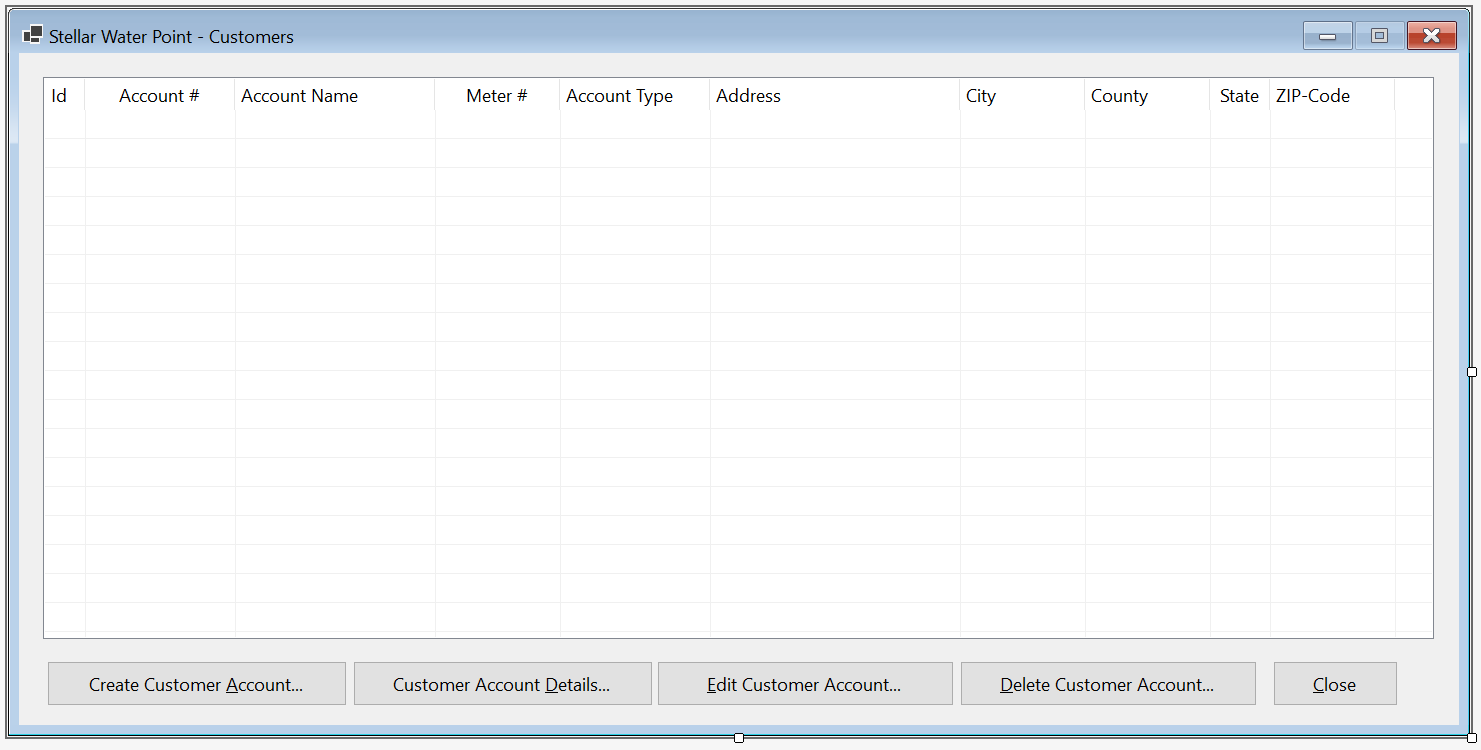
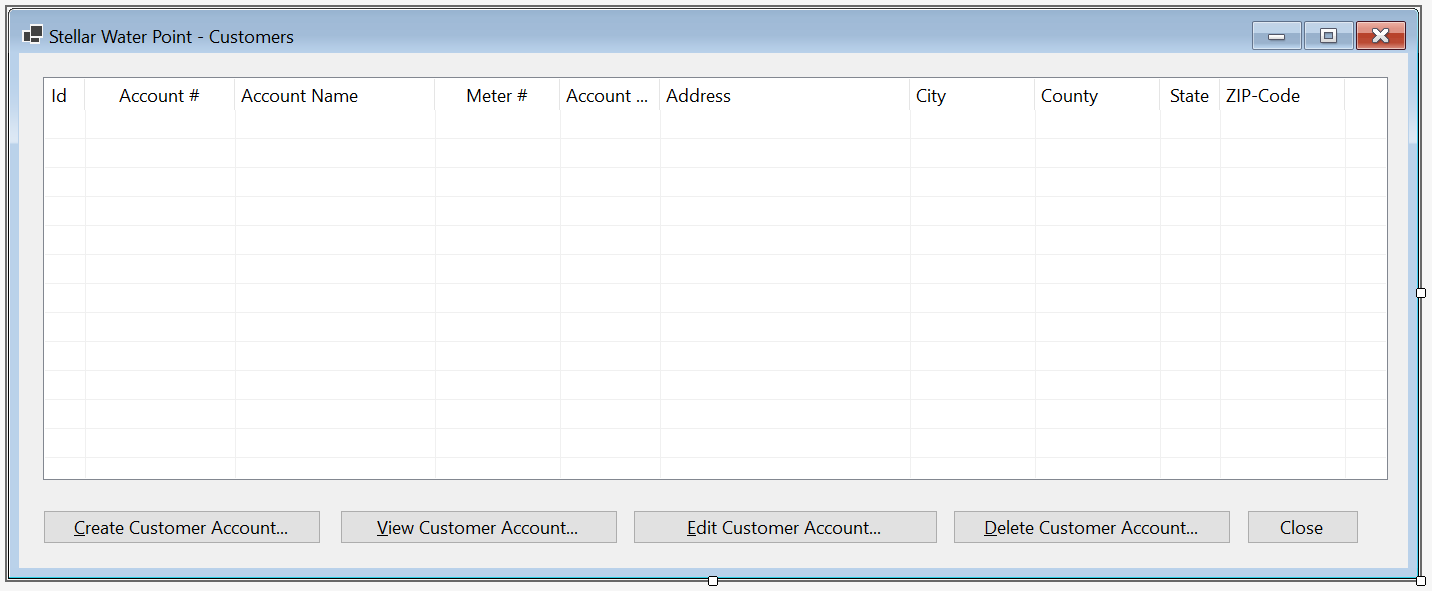
| Control | (Name) | Other Properties | |
| ListView | |
LvwCustomers | FullRowSelect: True GridLines: True View: Details |
| Button | |
BtnNewCustomerAccount | &New Customer Account... |
Private Sub BtnCreateCustomerAccount_Click(sender As Object, e As EventArgs) Handles BtnCreateCustomerAccount.Click
    Dim Create As CustomersCreate = New CustomersCreate()

    If Create.ShowDialog() = DialogResult.OK Then
        If Create.MtbAccountNumber.Text.Replace("-", "").Trim().Equals("") Then
            MsgBox("You must provide an account number for a new customer. " &
                   "Otherwise, the account cannot be created.",
                   MsgBoxStyle.OkOnly, "Stellar Water Point")
            Exit Sub
        End If

        If Create.MtbMeterNumber.Text.Replace("-", "").Trim().Equals(Nothing) Then
            MsgBox("You must type a valid meter number to associate " &
                   "a water meter to a customer's account. After providing " &
                   "a meter number, click the Find Water Meter button.",
                   MsgBoxStyle.OkOnly, "Stellar Water Point")
            Exit Sub
        End If

        Dim StrCustomers = Nothing
        Dim Clients As List(Of Customer) = New List(Of Customer)
        Dim FileCustomers = "C:\Stellar Water Point\Customers.json"

        Dim FiCustomers As FileInfo = New FileInfo(FileCustomers)

        If FiCustomers.Exists = True Then
            StrCustomers = File.ReadAllText(FiCustomers.FullName)
            Clients = JsonSerializer.Deserialize(StrCustomers, GetType(List(Of Customer)))
        End If

        Dim Consumer As Customer = New Customer With {
            .CustomerId = CInt(Create.TxtCustomerId.Text),
            .AccountNumber = Create.MtbAccountNumber.Text,
            .AccountName = Create.TxtAccountName.Text,
            .AccountType = Create.CbxAccountsTypes.Text.Substring(0, 3),
            .MeterNumber = Create.MtbMeterNumber.Text,
            .Address = Create.TxtAddress.Text,
            .City = Create.TxtCity.Text,
            .County = Create.TxtCounty.Text,
            .State = Create.TxtState.Text,
            .ZIPCode = Create.MtbZIPCode.Text
        }

        Clients.Add(Consumer)

        Dim options = New JsonSerializerOptions()
        options.WriteIndented = True

        Dim jsCustomers As String = JsonSerializer.Serialize(Clients, GetType(List(Of Customer)), options)
        File.WriteAllText(FiCustomers.FullName, jsCustomers)
    End If

    ShowCustomers()
End Sub


Account #:    9279-570-8394
Account Name: Thomas Stones
Meter #:      799-528-461
Account Type: RES - Residential Household
Address:      10252 Broward Ave #D4
City:         Frederick
County:       Frederick
State:        MD
ZIP-Code:     21703-4422
| Account # | Account Name | Meter # | Account Type | Address | City | County | State | ZIP-Code |
| 4086-938-4783 | Hernola Dough | 594-827-359 | UUO - Unidentified or Unclassified Type of Organization | 10 10 Hexagonal Drv | Winston | Yoke | Penn | 11402-4411 |
| 7080-583-5947 | Sunny Yard | 827-508-248 | WAT - Water Intensive Business(Laudromat, Hair Salon, Restaurant, etc | 663 Sherry Wood East Street | Shimpstown | Franklin | PA | 17236-2626 |

Customer Account Details
When a customer account has been created, at any time, an employee may want to simply review such an account. Our application needs a form for that.
Practical Learning: Showing Customer Account

| Control | (Name) | Text | Other Properties | |
| Label | |
&Account #: | ||
| MaskedTextBox | |
MtbAccountNumber | Masked: 0000-000-0000 | |
| Button | |
BtnFindCustomerAccount | &Find Customer Account | |
| Label | |
&Account Name: | ||
| TextBox | |
TxtAccountName | Enabled: False | |
| Label | |
Meter &Details: | ||
| TextBox | |
TxtMeterDetails | Enabled: False | |
| Label | |
&Account Type: | ||
| TextBox | |
TxtAccountsTypes | Enabled: False | |
| Label | |
&Address: | ||
| TextBox | |
TxtAddress | Enabled: False | |
| Label | |
C&ity: | ||
| TextBox | |
TxtCity | Enabled: False | |
| Label | |
C&ounty: | ||
| TextBox | |
TxtCounty | Enabled: False | |
| Label | |
&State: | ||
| TextBox | |
TxtState | Enabled: False | |
| Label | |
&ZIP-Code: | ||
| TextBox | |
TxtZIPCode | Enabled: False | |
| Label | |
Customer Id:&: | ||
| TextBox | |
TxtCustomerId | Enabled: False | |
| Button | |
BtnClose | &Close | |
Imports System.IO
Imports System.Text.Json

Public Class CustomersDetails
    Private Sub btnFindCustomerAccount_Click(sender As Object, e As EventArgs) Handles BtnFindCustomerAccount.Click
        If MtbAccountNumber.Text.Replace("-", "").Trim() = "" Then
            MsgBox("You must type a valid account number of a customer, " &
                            "and then click the Find Customer Account button.",
                   MsgBoxStyle.OkOnly, "Stellar Water Point")
            Exit Sub
        End If

        Dim StrCustomers = String.Empty
        Dim StrAccountType = String.Empty
        Dim Clients As List(Of Customer) = New List(Of Customer)
        Dim FileCustomers = "C:\Stellar Water Point\Customers.json"

        Dim FiCustomers As FileInfo = New FileInfo(FileCustomers)

        Dim StrMeterNumber = Nothing

        If FiCustomers.Exists = True Then
            Using TrCustomers As TextReader = New StreamReader(FiCustomers.FullName)
                StrCustomers = File.ReadAllText(FiCustomers.FullName)
                Clients = JsonSerializer.Deserialize(StrCustomers, GetType(List(Of Customer)))

                Dim Customers As IEnumerable(Of Customer) = From consumer
                                                            In Clients
                                                            Where consumer.AccountNumber = MtbAccountNumber.Text
                                                            Select consumer

                For Each Client As Customer In Customers
                    TxtCustomerId.Text = Client.CustomerId
                    TxtAccountName.Text = Client.AccountName
                    StrMeterNumber = Client.MeterNumber
                    StrAccountType = Client.AccountType
                    TxtAddress.Text = Client.Address
                    TxtCity.Text = Client.City
                    TxtCounty.Text = Client.County
                    TxtState.Text = Client.State
                    TxtZIPCode.Text = Client.ZIPCode
                Next
            End Using
        End If

        If Len(StrMeterNumber) > 0 Then
            Dim StrWaterMeters = Nothing
            Dim WaterMeters As List(Of WaterMeter) = New List(Of WaterMeter)
            Dim fileWaterMeters = "C:\Stellar Water Point\WaterMeters.json"

            Dim fiWaterMeters As FileInfo = New FileInfo(fileWaterMeters)

            If fiWaterMeters.Exists = True Then
                StrWaterMeters = File.ReadAllText(fiWaterMeters.FullName)
                WaterMeters = JsonSerializer.Deserialize(StrWaterMeters, GetType(List(Of WaterMeter)))

                Dim Meters As IEnumerable(Of WaterMeter) = From measure
                                                                     In WaterMeters
                                                           Where measure.MeterNumber = StrMeterNumber
                                                           Select measure

                For Each Meter As WaterMeter In WaterMeters
                    TxtMeterDetails.Text = Meter.Make & " " &
                                           Meter.Model &
                                           " (Meter Size: " & Meter.MeterSize & ")"
                Next
            End If
        End If

        Dim StrAccountsTypes = Nothing
        Dim Types As List(Of AccountType) = New List(Of AccountType)
        Dim fileAccountsTypes = "C:\Stellar Water Point\AccountsTypes.json"

        Dim FiAccountsTypes As FileInfo = New FileInfo(fileAccountsTypes)

        If FiAccountsTypes.Exists = True Then
            StrAccountsTypes = File.ReadAllText(FiAccountsTypes.FullName)
            Types = JsonSerializer.Deserialize(StrAccountsTypes, GetType(List(Of AccountType)))

            Dim ActType As IEnumerable(Of AccountType) = From category
                                                         In Types
                                                         Where category.TypeCode = StrAccountType
                                                         Select category


            For Each Type As AccountType In Types
                TxtAccountType.Text = $"{Type.TypeCode } - {Type.TypeDecription}"
            Next
        End If
    End Sub

    Private Sub btnClose_Click(sender As Object, e As EventArgs) Handles BtnClose.Click
        Close()
    End Sub
End Class
| Control | (Name) | Other Properties | |
| ListView | |
LvwCustomers | No Change |
| Button | |
No Change | No Change |
| Button | |
BtnCustomerAccountDetails | Customer Account &Details... |
Private Sub BtnCustomerAccountDetails_Click(sender As Object, e As EventArgs) Handles BtnCustomerAccountDetails.Click
    Dim Details As CustomersDetails = New CustomersDetails()

    Details.Show()
End Sub


Editing a Customer Account
When a piece of information has changed about a customer, an employee should update the customer account. We will provide a for such an operation.
Practical Learning: Editing a Customer Account

| Control | (Name) | Text | Other Properties | |
| Label | |
&Account #: | ||
| MaskedTextBox | |
MtbAccountNumber | Masked: 0000-000-0000 | |
| Button | |
BtnFindCustomerAccount | &Find Customer Account | |
| Label | |
&Account Name: | ||
| TextBox | |
TxtAccountName | ||
| Label | |
&Meter #: | ||
| MaskedTextBox |  |
MtbMeterNumber | Masked: 000-000-000 | |
| Button | |
BtnFindWaterMeter | Find &Water Meter | |
| Label | |
Meter &Details: | ||
| TextBox | |
TxtMeterDetails | Enabled: False | |
| Label | |
&Account Type: | ||
| ComboBox | |
cbxAccountsTypes | ||
| Label | |
&Address: | ||
| TextBox | |
TxtAddress | ||
| Label | |
C&ity: | ||
| TextBox | |
TxtCity | ||
| Label | |
C&ounty: | ||
| TextBox | |
TxtCounty | ||
| Label | |
&State: | ||
| TextBox | |
TxtState | ||
| Label | |
&ZIP-Code: | ||
| MaskedTextBox | |
MtbZIPCode | Masked: Zip-Code | |
| Label | |
Customer Id:&: | ||
| TextBox | |
TxtCustomerId | Enabled: False | |
| Button | |
BtnUpdateCustomerAccount | &Update Customer Account | DialogResult: OK |
| Button | |
BtnClose | &Close | DialogResult: Cancel |
Imports System.IO
Imports System.Text.Json

Public Class CustomersEditor
    Private Sub Editor_Load(sender As Object, e As EventArgs) Handles MyBase.Load
        Dim StrAccountsTypes = Nothing
        Dim Types As List(Of AccountType) = New List(Of AccountType)
        Dim FileAccountsTypes = "C:\Stellar Water Point\AccountsTypes.json"

        Dim FiAccountsTypes As FileInfo = New FileInfo(FileAccountsTypes)

        If FiAccountsTypes.Exists = True Then
            StrAccountsTypes = File.ReadAllText(FiAccountsTypes.FullName)
            Types = JsonSerializer.Deserialize(StrAccountsTypes, GetType(List(Of AccountType)))

            For Each ActType As AccountType In Types
                CbxAccountsTypes.Items.Add(ActType.TypeCode & " - " & ActType.TypeDecription)
            Next
        End If
    End Sub

    Private Sub BtnFindCustomerAccount_Click(sender As Object, e As EventArgs) Handles BtnFindCustomerAccount.Click
        If MtbAccountNumber.Text.Replace("-", "").Trim() = "" Then
            MsgBox("You must type a valid account number of a customer, " &
                   "and then click the Find Customer Account button.",
                   MsgBoxStyle.OkOnly, "Stellar Water Point")
            Exit Sub
        End If

        Dim StrCustomers = Nothing
        Dim StrAccountType = Nothing
        Dim Clients As List(Of Customer) = New List(Of Customer)
        Dim FileCustomers = "C:\Stellar Water Point\Customers.json"

        Dim FiCustomers As FileInfo = New FileInfo(FileCustomers)

        If FiCustomers.Exists = True Then
            Using TrCustomers As TextReader = New StreamReader(FiCustomers.FullName)
                StrCustomers = File.ReadAllText(FiCustomers.FullName)
                Clients = JsonSerializer.Deserialize(StrCustomers, GetType(List(Of Customer)))

                Dim Customers As IEnumerable(Of Customer) = From consumer
                                                            In Clients
                                                            Where consumer.AccountNumber = MtbAccountNumber.Text
                                                            Select consumer

                For Each Client As Customer In Customers
                    TxtCustomerId.Text = Client.CustomerId.ToString()
                    TxtAccountName.Text = Client.AccountName
                    MtbMeterNumber.Text = Client.MeterNumber
                    StrAccountType = Client.AccountType
                    TxtAddress.Text = Client.Address
                    TxtCity.Text = Client.City
                    TxtCounty.Text = Client.County
                    TxtState.Text = Client.State
                    MtbZIPCode.Text = Client.ZIPCode
                Next
            End Using
        End If

        If Len(MtbAccountNumber.Text) > 0 Then
            Dim strWaterMeters = Nothing
            Dim WaterMeters As List(Of WaterMeter) = New List(Of WaterMeter)
            Dim FileWaterMeters = "C:\Stellar Water Point\WaterMeters.json"

            Dim FiWaterMeters As FileInfo = New FileInfo(FileWaterMeters)

            If FiWaterMeters.Exists = True Then
                strWaterMeters = File.ReadAllText(FiWaterMeters.FullName)
                WaterMeters = JsonSerializer.Deserialize(strWaterMeters, GetType(List(Of WaterMeter)))

                Dim Meters As IEnumerable(Of WaterMeter) = From measure
                                                           In WaterMeters
                                                           Where measure.MeterNumber = MtbMeterNumber.Text
                                                           Select measure

                For Each Meter As WaterMeter In WaterMeters
                    TxtMeterDetails.Text = Meter.Make & " " &
                                           Meter.Model &
                                           " (Meter Size: " & Meter.MeterSize & ")"
                Next
            End If
        End If

        Dim StrAccountsTypes = Nothing
        Dim Types As List(Of AccountType) = New List(Of AccountType)
        Dim FileAccountsTypes = "C:\Stellar Water Point\AccountsTypes.json"

        Dim FiAccountsTypes As FileInfo = New FileInfo(FileAccountsTypes)

        If FiAccountsTypes.Exists = True Then
            StrAccountsTypes = File.ReadAllText(FiAccountsTypes.FullName)
            Types = JsonSerializer.Deserialize(StrAccountsTypes, GetType(List(Of AccountType)))

            Dim ActType As IEnumerable(Of AccountType) = From category
                                                         In Types
                                                         Where category.TypeCode = StrAccountType
                                                         Select category


            For Each Type As AccountType In Types
                CbxAccountsTypes.Text = $"{Type.TypeCode} - {Type.TypeDecription}"
            Next
        End If
    End Sub

    Private Sub BtnFindWaterMeter_Click(sender As Object, e As EventArgs) Handles BtnFindWaterMeter.Click
        If MtbMeterNumber.Text.Replace("-", "").Trim().Equals(Nothing) Then
            MsgBox("You must type a valid meter number, " &
                   "and then click the Find Water Meter button.",
                   MsgBoxStyle.OkOnly, "Stellar Water Point")
            Exit Sub
        End If

        Dim StrWaterMeters = Nothing
        Dim WaterMeters As List(Of WaterMeter) = New List(Of WaterMeter)
        Dim FileWaterMeters = "C:\Stellar Water Point2\WaterMeters.json"

        Dim FiWaterMeters As FileInfo = New FileInfo(FileWaterMeters)

        If FiWaterMeters.Exists = True Then
            StrWaterMeters = File.ReadAllText(FiWaterMeters.FullName)
            WaterMeters = JsonSerializer.Deserialize(StrWaterMeters, GetType(List(Of WaterMeter)))

            For Each Meter As WaterMeter In WaterMeters
                If Meter.MeterNumber = MtbMeterNumber.Text Then
                    TxtMeterDetails.Text = Meter.Make & " " &
                                           Meter.Model &
                                           " (Meter Size: " & Meter.MeterSize & ")"
                End If
            Next
        End If
    End Sub

    Private Sub BtnUpdateCustomerAccount_Click(sender As Object, e As EventArgs) Handles BtnUpdateCustomerAccount.Click
        If String.IsNullOrEmpty(MtbAccountNumber.Text) Then
            MsgBox("Please enter an account number for a customer. " &
                   "You can then click the Find Customer Account button " &
                   "to indicate the customer whose account you want o update.",
                   MsgBoxStyle.OkOnly, "Stellar Water Point")
            Exit Sub
        End If

        If String.IsNullOrEmpty(MtbMeterNumber.Text) Then
            MsgBox("You must type a valid meter number, " &
                   "and then click the Find Water Meter button.",
                   MsgBoxStyle.OkOnly, "Stellar Water Point")
            Exit Sub
        End If

        Dim StrCustomers As String = Nothing
        Dim Clients As List(Of Customer) = New List(Of Customer)
        Dim FileCustomers = "C:\Stellar Water Point\Customers.json"

        Dim FiCustomers As FileInfo = New FileInfo(fileCustomers)

        If fiCustomers.Exists = True Then
            StrCustomers = File.ReadAllText(FiCustomers.FullName)
            Clients = JsonSerializer.Deserialize(StrCustomers, GetType(List(Of Customer)))

            Dim Client As Customer = Clients.Find(Function(Cust) Cust.AccountNumber = MtbAccountNumber.Text)

            If Not Client Is Nothing Then
                Client.CustomerId = TxtCustomerId.Text
                Client.AccountNumber = MtbAccountNumber.Text
                Client.AccountName = TxtAccountName.Text
                Client.MeterNumber = MtbMeterNumber.Text
                Client.AccountType = CbxAccountsTypes.Text.Substring(0, 3)
                Client.Address = TxtAddress.Text
                Client.City = TxtCity.Text
                Client.County = TxtCounty.Text
                Client.State = TxtState.Text
                Client.ZIPCode = MtbZIPCode.Text

                Dim Options As JsonSerializerOptions = New JsonSerializerOptions()
                Options.WriteIndented = True

                Dim JsCustomers As String = JsonSerializer.Serialize(Clients, GetType(List(Of Customer)), Options)
                File.WriteAllText(FiCustomers.FullName, JsCustomers)
            End If
        End If

        Close()
    End Sub

    Private sub BtnClose_Click(sender As Object, e As EventArgs) handles btnclose.click
            Close()
        end sub
End Class
| Control | (Name) | Other Properties | |
| ListView | |
LvwCustomers | No Change |
| Button | |
BtnNewCustomerAccount | No Change |
| Button | |
BtnCustomerAccountDetails | No Change |
| Button | |
BtnUpdateCustomerAccount | &Update Customer Account... |
Private Sub BtnCustomerAccountEditor_Click(sender As Object, e As EventArgs) Handles BtnCustomerAccountEditor.Click
    Dim Editor As CustomersEditor = New CustomersEditor()

    Editor.ShowDialog()

    ShowCustomers()
End Sub


Account Name: Bernotte Doughnuts
Meter #:      580-742-825 and click Find Water Meter
Account Type: BUS - General Business, Commercial, Industrial
Address:      10103 Hexagon Drive
City:         Winterstown
County:       York
State:        PA
ZIP-Code:     17402-8828


Deleting a Customer Account from the Database
If an employee realizes that a customer account must not exist anymore, the employee can delete that account. We will provide a form for such an operation.
Practical Learning: Deleting a Customer Account

| Control | (Name) | Text | Other Properties | |
| Label | |
&Account #: | ||
| MaskedTextBox | |
MtbAccountNumber | Masked: 0000-000-0000 | |
| Button | |
BtnFindCustomerAccount | &Find Customer Account | |
| Label | |
&Account Name: | ||
| TextBox | |
TxtAccountName | Enabled: False | |
| Label | |
Meter &Details: | ||
| TextBox | |
TxtMeterDetails | Enabled: False | |
| Label | |
&Account Type: | ||
| TextBox | |
TxtAccountsTypes | Enabled: False | |
| Label | |
&Address: | ||
| TextBox | |
TxtAddress | Enabled: False | |
| Label | |
C&ity: | ||
| TextBox | |
TxtCity | Enabled: False | |
| Label | |
C&ounty: | ||
| TextBox | |
TxtCounty | Enabled: False | |
| Label | |
&State: | ||
| TextBox | |
TxtState | Enabled: False | |
| Label | |
&ZIP-Code: | ||
| TextBox | |
TxtZIPCode | Enabled: False | |
| Button | |
BtnDeleteCustomerAccount | &Delete Customer Account | |
| Button | |
BtnClose | &Close | |
Imports System.IO
Imports System.Text.Json

Public Class CustomersDelete
    Private Sub BtnFindCustomerAccount_Click(sender As Object, e As EventArgs) Handles BtnFindCustomerAccount.Click
        If MtbAccountNumber.Text.Replace("-", "").Trim() = "" Then
            MsgBox("You must type a valid account number of a customer, " &
                            "and then click the Find Customer Account button.",
                   MsgBoxStyle.OkOnly, "Stellar Water Point")
            Exit Sub
        End If

        Dim StrCustomers = Nothing
        Dim StrAccountType = Nothing
        Dim Clients As List(Of Customer) = New List(Of Customer)
        Dim FileCustomers = "C:\Stellar Water Point\Customers.json"

        Dim FiCustomers As FileInfo = New FileInfo(FileCustomers)

        Dim strMeterNumber = Nothing

        If FiCustomers.Exists = True Then
            Using TrCustomers As TextReader = New StreamReader(FiCustomers.FullName)
                StrCustomers = File.ReadAllText(FiCustomers.FullName)
                Clients = JsonSerializer.Deserialize(StrCustomers, GetType(List(Of Customer)))

                Dim Customers As IEnumerable(Of Customer) = From consumer
                                                            In Clients
                                                            Where consumer.AccountNumber = MtbAccountNumber.Text
                                                            Select consumer

                For Each Client As Customer In Clients
                    TxtCustomerId.Text = Client.CustomerId
                    TxtAccountName.Text = Client.AccountName
                    strMeterNumber = Client.MeterNumber
                    StrAccountType = Client.AccountType
                    TxtAddress.Text = Client.Address
                    TxtCity.Text = Client.City
                    TxtCounty.Text = Client.County
                    TxtState.Text = Client.State
                    TxtZIPCode.Text = Client.ZIPCode
                Next
            End Using
        End If

        If Len(strMeterNumber) > 0 Then
            Dim strWaterMeters = Nothing
            Dim WaterMeters As List(Of WaterMeter) = New List(Of WaterMeter)
            Dim FileWaterMeters = "C:\Stellar Water Point2\WaterMeters.json"

            Dim FiWaterMeters As FileInfo = New FileInfo(FileWaterMeters)

            If FiWaterMeters.Exists = True Then
                strWaterMeters = File.ReadAllText(FiWaterMeters.FullName)
                WaterMeters = JsonSerializer.Deserialize(strWaterMeters, GetType(List(Of WaterMeter)))

                Dim Meters As IEnumerable(Of WaterMeter) = From measure
                                                           In WaterMeters
                                                           Where measure.MeterNumber = strMeterNumber
                                                           Select measure

                For Each Meter As WaterMeter In WaterMeters
                    TxtMeterDetails.Text = Meter.Make & " " &
                                           Meter.Model &
                                           " (Meter Size: " & Meter.MeterSize & ")"
                Next
            End If
        End If

        Dim StrAccountsTypes = Nothing
        Dim Types As List(Of AccountType) = New List(Of AccountType)
        Dim FileAccountsTypes = "C:\Stellar Water Point\AccountsTypes.json"

        Dim FiAccountsTypes As FileInfo = New FileInfo(FileAccountsTypes)

        If FiAccountsTypes.Exists = True Then
            StrAccountsTypes = File.ReadAllText(FiAccountsTypes.FullName)
            Types = JsonSerializer.Deserialize(StrAccountsTypes, GetType(List(Of AccountType)))

            Dim ActType As IEnumerable(Of AccountType) = From category
                                                         In Types
                                                         Where category.TypeCode = StrAccountType
                                                         Select category


            For Each Type As AccountType In Types
                TxtAccountType.Text = $"{Type.TypeCode} - {Type.TypeDecription}"
            Next
        End If
    End Sub

    Private Sub BtnDeleteCustomerAccount_Click(sender As Object, e As EventArgs) Handles BtnDeleteCustomerAccount.Click
        If MtbAccountNumber.Text.Replace("-", "").Trim() = "" Then
            MsgBox("You must type a valid account number of a customer, " &
                   "and then click the Find Customer Account button. " &
                   "Only then can you delete an customer account.",
                   MsgBoxStyle.OkOnly, "Stellar Water Point")
            Exit Sub
        End If

        Dim StrCustomers = Nothing
        Dim Clients As List(Of Customer) = New List(Of Customer)
        Dim FileCustomers = "C:\Stellar Water Point\Customers.json"

        Dim FiCustomers As FileInfo = New FileInfo(FileCustomers)

        If FiCustomers.Exists = True Then
            StrCustomers = File.ReadAllText(FiCustomers.FullName)
            Clients = JsonSerializer.Deserialize(StrCustomers, GetType(List(Of Customer)))

            Dim Client As Customer = Clients.Find(Function(Acnt) Acnt.AccountNumber = MtbAccountNumber.Text)

            If Not Client Is Nothing Then
                If MsgBox("Are you sure you want to delete this customer's account " &
                          "(you cannot undo the action)?",
                          MsgBoxStyle.YesNoCancel, "Stellar Water Point") = MsgBoxResult.Yes Then
                    Clients.Remove(Client)

                    Dim Options As JsonSerializerOptions = New JsonSerializerOptions()
                    Options.WriteIndented = True

                    Dim JsCustomers As String = JsonSerializer.Serialize(Clients, GetType(List(Of Customer)), Options)
                    File.WriteAllText(FiCustomers.FullName, JsCustomers)

                    MsgBox("The customer's account has been deleted from our system.",
                           MsgBoxStyle.OkOnly, "Stellar Water Point")
                End If
            End If
        End If

        Close()
    End Sub

    Private Sub BtnClose_Click(sender As Object, e As EventArgs) Handles BtnClose.Click
        Close()
    End Sub
End Class
| Control | (Name) | Other Properties | |
| ListView | |
LvwCustomers | FullRowSelect: True GridLines: True View: Details Anchor: Top, Bottom, Left, Right |
| Button | |
BtnCreateCustomerAccount | Create Customer &Account.... Anchor: Bottom, Right |
| Button | |
BtnCustomerAccountDetails | Customer Account &Details... Anchor: Bottom, Right |
| Button | |
BtnEditCustomerAccount | &Edit Customer Account... Anchor: Bottom, Right |
| Button | |
BtnDeleteCustomerAccount | &Delete Customer Account... Anchor: Bottom, Right |
| Button | |
BtnClose | &Close Anchor: Bottom, Right |
Imports System.IO
Imports System.Text.Json

Public Class CustomersCentral
    Private Sub ShowCustomers()
        Dim StrCustomers = Nothing
        Dim Customers As List(Of Customer) = New List(Of Customer)
        Dim FileCustomers = "C:\Stellar Water Point\Customers.json"

        Dim FiCustomers As FileInfo = New FileInfo(FileCustomers)
        Dim StrAccountsTypes = Nothing
        Dim AccountsTypes = New List(Of AccountType)
        Dim FileAccountsTypes = "C:\Stellar Water Point\AccountsTypes.json"

        Dim FiAccountsTypes As FileInfo = New FileInfo(FileAccountsTypes)

        If FiCustomers.Exists = True Then
            Using TrCustomers As TextReader = New StreamReader(FiCustomers.FullName)
                StrCustomers = File.ReadAllText(FiCustomers.FullName)
                Customers = JsonSerializer.Deserialize(StrCustomers, GetType(List(Of Customer)))

                LvwCustomers.Items.Clear()

                For Each Client As Customer In Customers
                    Dim LviCustomer As ListViewItem = New ListViewItem(CStr(Client.CustomerId))

                    LviCustomer.SubItems.Add(Client.AccountNumber)
                    LviCustomer.SubItems.Add(Client.AccountName)

                    Dim TrAccountsTypess As TextReader = New StreamReader(FiAccountsTypes.FullName)
                    StrAccountsTypes = File.ReadAllText(FiAccountsTypes.FullName)
                    AccountsTypes = JsonSerializer.Deserialize(StrAccountsTypes, GetType(List(Of AccountType)))

                    For Each ActType As AccountType In AccountsTypes
                        If Client.AccountType = ActType.TypeCode Then
                            LviCustomer.SubItems.Add(String.Concat(ActType.TypeCode, " - ", ActType.TypeDecription))
                        End If
                    Next

                    LviCustomer.SubItems.Add(Client.MeterNumber)

                    LviCustomer.SubItems.Add(Client.Address)
                    LviCustomer.SubItems.Add(Client.City)
                    LviCustomer.SubItems.Add(Client.County)
                    LviCustomer.SubItems.Add(Client.State)
                    LviCustomer.SubItems.Add(Client.ZIPCode)
                    LvwCustomers.Items.Add(LviCustomer)
                Next
            End Using
        End If
    End Sub

    Private Sub CustomersCentral_Load(sender As Object, e As EventArgs) Handles MyBase.Load
        ShowCustomers()
    End Sub

    Private Sub BtnCreateCustomerAccount_Click(sender As Object, e As EventArgs) Handles BtnCreateCustomerAccount.Click
        Dim Create As CustomersCreate = New CustomersCreate()

        If Create.ShowDialog() = DialogResult.OK Then
            If Create.MtbAccountNumber.Text.Replace("-", "").Trim().Equals("") Then
                MsgBox("You must provide an account number for a new customer. " &
                       "Otherwise, the account cannot be created.",
                       MsgBoxStyle.OkOnly, "Stellar Water Point")
                Exit Sub
            End If

            If Create.MtbMeterNumber.Text.Replace("-", "").Trim().Equals(Nothing) Then
                MsgBox("You must type a valid meter number to associate " &
                       "a water meter to a customer's account. After providing " &
                       "a meter number, click the Find Water Meter button.",
                       MsgBoxStyle.OkOnly, "Stellar Water Point")
                Exit Sub
            End If

            Dim StrCustomers = Nothing
            Dim Clients As List(Of Customer) = New List(Of Customer)
            Dim FileCustomers = "C:\Stellar Water Point\Customers.json"

            Dim FiCustomers As FileInfo = New FileInfo(FileCustomers)

            If FiCustomers.Exists = True Then
                StrCustomers = File.ReadAllText(FiCustomers.FullName)
                Clients = JsonSerializer.Deserialize(StrCustomers, GetType(List(Of Customer)))
            End If

            Dim Consumer As Customer = New Customer With {
                .CustomerId = Create.TxtCustomerId.Text,
                .AccountNumber = Create.MtbAccountNumber.Text,
                .AccountName = Create.TxtAccountName.Text,
                .AccountType = Create.CbxAccountsTypes.Text.Substring(0, 3),
                .MeterNumber = Create.MtbMeterNumber.Text,
                .Address = Create.TxtAddress.Text,
                .City = Create.TxtCity.Text,
                .County = Create.TxtCounty.Text,
                .State = Create.TxtState.Text,
                .ZIPCode = Create.MtbZIPCode.Text
            }

            Clients.Add(Consumer)

            Dim options = New JsonSerializerOptions()
            options.WriteIndented = True

            Dim jsCustomers As String = JsonSerializer.Serialize(Clients, GetType(List(Of Customer)), options)
            File.WriteAllText(FiCustomers.FullName, jsCustomers)
        End If

        ShowCustomers()
    End Sub

    Private Sub BtnCustomerAccountDetails_Click(sender As Object, e As EventArgs) Handles BtnCustomerAccountDetails.Click
        Dim Details As CustomersDetails = New CustomersDetails()

        Details.Show()
    End Sub

    Private Sub BtnCustomerAccountEditor_Click(sender As Object, e As EventArgs) Handles BtnCustomerAccountEditor.Click
        Dim Editor As CustomersEditor = New CustomersEditor()

        Editor.ShowDialog()

        ShowCustomers()
    End Sub

    Private Sub BtnDeleteCustomerAccount_Click(sender As Object, e As EventArgs) Handles BtnDeleteCustomerAccount.Click
        Dim Delete As CustomersDelete = New CustomersDelete()

        Delete.ShowDialog()

        ShowCustomers()
    End Sub

    Private Sub BtnClose_Click(sender As Object, e As EventArgs) Handles BtnClose.Click
        Close()
    End Sub
End Class


[
  {
    "CustomerId": 1,
    "AccountNumber": "9279-570-8394",
    "AccountName": "Thomas Stones",
    "MeterNumber": "799-528-461",
    "AccountType": "RES",
    "Address": "10252 Broward Ave #D4",
    "City": "Frederick",
    "County": "Frederick",
    "State": "MD",
    "ZIPCode": "21703-4422"
  },
  {
    "CustomerId": 2,
    "AccountNumber": "4086-938-4783",
    "AccountName": "Bernotte Doughnuts",
    "MeterNumber": "580-742-825",
    "AccountType": "BUS",
    "Address": "10103 Hexagon Drv",
    "City": "Winterstown",
    "County": "York",
    "State": "PA",
    "ZIPCode": "17402-8818"
  },
  {
    "CustomerId": 3,
    "AccountNumber": "2068-258-9486",
    "AccountName": "Yollanda Training",
    "MeterNumber": "186-962-805",
    "AccountType": "UUO",
    "Address": "4819 East Munk Street",
    "City": "Whitehall",
    "County": "Fulton",
    "State": "PA",
    "ZIPCode": "17340-1188"
  },
  {
    "CustomerId": 4,
    "AccountNumber": "6986-829-3741",
    "AccountName": "Eyes Wide",
    "MeterNumber": "208-428-308",
    "AccountType": "BUS",
    "Address": "12087 Avencia Court #4D1",
    "City": "Silver Spring",
    "County": "Montgomery",
    "State": "MD",
    "ZIPCode": "20910-2288"
  },
  {
    "CustomerId": 5,
    "AccountNumber": "9947-374-2648",
    "AccountName": "Marianne Harrington",
    "MeterNumber": "862-715-006",
    "AccountType": "RES",
    "Address": "708 Correta Drv",
    "City": "Arlington",
    "State": "VA",
    "ZIPCode": "22222-6060"
  },
  {
    "CustomerId": 6,
    "AccountNumber": "4293-802-8506",
    "AccountName": "Kelly Davids",
    "MeterNumber": "496-813-794",
    "AccountType": "RES",
    "Address": "938 East Panchot Str",
    "City": "Greenwood",
    "County": "Sussex",
    "State": "DE",
    "ZIPCode": "19950-4242"
  },
  {
    "CustomerId": 7,
    "AccountNumber": "6240-857-4965",
    "AccountName": "First Methodist Congregation",
    "MeterNumber": "739-777-749",
    "AccountType": "RES",
    "Address": "7702 Charles Road",
  },
  {
    "CustomerId": 8,
    "AccountNumber": "7928-131-4850",
    "AccountName": "Department of Public Affairs",
    "AccountType": "SGO",
    "City": "Hyattsville",
    "County": "Prince Georges",
    "State": "MD",
    "ZIPCode": "20783-2277"
  },
  {
    "CustomerId": 9,
    "AccountNumber": "1386-949-2058",
    "AccountName": "Watson Country Buffet",
    "MeterNumber": "296-837-495",
    "AccountType": "WAT",
    "Address": "4862 Wellington Street",
    "City": "Hammonton",
    "County": "Atlantic ",
    "State": "NJ",
    "ZIPCode": "08037-2828"
  },
  {
    "CustomerId": 10,
    "AccountNumber": "7943-686-9786",
    "AccountName": "Angel Bulzaides",
    "MeterNumber": "394-835-297",
    "AccountType": "RES",
    "Address": "10227 Old Harbor Drv",
    "City": "Elkview",
    "County": "Kanawha",
    "State": "WV",
    "ZIPCode": "25071-5858"
  },
  {
    "CustomerId": 11,
    "AccountNumber": "4820-375-2842",
    "AccountName": "Sun Communal",
    "MeterNumber": "392-494-572",
    "AccountType": "SGO",
    "Address": "748 Red Hills Rd",
    "City": "Roanoke",
    "State": "VA",
    "ZIPCode": "24012-4824"
  },
  {
    "CustomerId": 12,
    "AccountNumber": "9618-579-2577",
    "AccountName": "Gerald Place",
    "MeterNumber": "847-252-246",
    "AccountType": "UUO",
    "Address": "3666 Hanchor Drv",
    "City": "Granville",
    "County": "Licking",
    "State": "OH",
    "ZIPCode": "43023-2777"
  },
  {
    "CustomerId": 13,
    "AccountNumber": "",
    "AccountName": ""
  },
  {
    "CustomerId": 14,
    "AccountNumber": "2037-495-8528",
    "AccountName": "Astral Sequence",
    "AccountType": "BUS",
    "Address": "12715 Eastern Gateway",
    "City": "Catonsville",
    "County": "Baltimore County"
  },
  {
    "CustomerId": 15,
    "AccountNumber": "6003-386-3955",
    "AccountName": "Mandiakandara Marmoudi",
    "MeterNumber": "374-886-284",
    "AccountType": "OTH",
    "Address": "539 Avalon Court",
    "City": "Greenwood",
    "County": "Sussex",
    "State": "DE",
    "ZIPCode": "19950-5550"
  },
  {
    "CustomerId": 16,
    "AccountNumber": "5294-859-7513",
    "AccountName": "Jeannette Schiller",
    "MeterNumber": "713-942-058",
    "AccountType": "RES",
    "Address": "10110 Winslow Ave",
    "City": "Mercerville",
    "County": "Mercer",
    "State": "NJ",
    "ZIPCode": "08619-7472"
  },
  {
    "CustomerId": 17,
    "AccountNumber": "9249-379-6848",
    "AccountName": "Country West Eatery",
    "MeterNumber": "588-279-663",
    "AccountType": "BUS",
    "Address": "8280 Sligo North Way",
    "City": "Albright",
    "County": "Preston",
    "State": "WV",
    "ZIPCode": "26519-6620"
  },
  {
    "CustomerId": 18,
    "AccountNumber": "5252-757-9595",
    "AccountName": "Sathyavanthara Khooni",
    "MeterNumber": "379-386-979",
    "AccountType": "RES",
    "Address": "4992 Preston Street",
    "State": "OH"
  },
  {
    "CustomerId": 19,
    "AccountNumber": "7080-583-5947",
    "AccountName": "Sunny Yard",
    "MeterNumber": "827-508-248",
    "AccountType": "WAT",
    "Address": "663 Sherry Wood East Street",
    "City": "Shimpstown",
    "County": "Franklin",
    "State": "PA",
    "ZIPCode": "17236-2626"
  },
  {
    "CustomerId": 20,
    "AccountNumber": "8027-304-6829",
    "AccountName": "Anthony Clarcksons",
    "MeterNumber": "837-806-836",
    "AccountType": "RES",
    "Address": "904 Augusta Drive",
    "City": "Blackbird",
    "County": "New Castle",
    "State": "DE",
    "ZIPCode": "19734-8822"
  },
  {
    "CustomerId": 21,
    "AccountNumber": "6699-396-2905",
    "AccountName": "Spencer Reuter",
    "MeterNumber": "649-373-505",
    "AccountType": "RES",
    "Address": "2850 Burnsweak Avenue",
    "City": "Silver Spring",
    "County": "Montgomery",
    "State": "MD",
    "ZIPCode": "20910-4044"
  },
  {
    "CustomerId": 22,
    "AccountNumber": "1827-395-0203",
    "AccountName": "Watson Country Buffet",
    "MeterNumber": "470-628-850",
    "AccountType": "WAT",
    "Address": "10331 Chryswell Road",
    "City": "Washington",
    "State": "DC",
    "ZIPCode": "20008-2426"
  },
  {
    "CustomerId": 23,
    "AccountNumber": "5862-736-9741",
    "AccountName": "Eastern Cage",

    "AccountType": "BUS",
    "Address": "2039 Night Stand Court",
    "City": "Hammonton",
    "State": "NJ"
  },
  {
    "CustomerId": 24,
    "AccountNumber": "3947-957-4958",
    "AccountName": "Patsil Industries",
    "MeterNumber": "747-581-379",
    "AccountType": "BUS",
    "Address": "10348 Larrens Drive",
    "City": "Baltimore",
    "County": "Baltimore",
    "State": "MD",
    "ZIPCode": "21215-2222"
  },
  {
    "CustomerId": 25,
    "AccountNumber": "2836-485-9699",
    "AccountName": "Red Oak High School",
    "MeterNumber": "379-386-979",
    "AccountType": "SGO",
    "Address": "442 Donham Road",
    "City": "Silver Spring",
    "County": "Montgomery",
    "State": "MD",
    "ZIPCode": "20910-8822"
  },
  {
    "CustomerId": 26,
    "AccountNumber": "5938-074-5293",
    "AccountName": "Park and Roll",
    "MeterNumber": "592-824-957",
    "AccountType": "SGO",
    "Address": "582G Dunhill Avenue",
    "City": "Lanham",
    "County": "Prince Georges",
    "State": "MD",
    "ZIPCode": "20706-8284"
  },
  {
    "CustomerId": 27,
    "AccountNumber": "3028-502-9418",
    "AccountName": "Spencer Kershaw",
    "MeterNumber": "186-959-757",
    "AccountType": "RES",
    "Address": "338C Grayson Street",
    "City": "Gatchellville",
    "County": "York",
    "State": "PA",
    "ZIPCode": "17352-6464"
  },
  {
    "CustomerId": 28,
    "AccountNumber": "9684-759-2227",
    "AccountName": "Country West Eatery",
    "MeterNumber": "928-317-924",
    "AccountType": "BUS"
  },
  {
    "CustomerId": 29,
    "AccountNumber": "2974-972-8139",
    "AccountName": "Paul Arnette",
    "MeterNumber": "295-770-695",
    "AccountType": "OTH",
    "Address": "8127 Bledsoe Str",
    "City": "Hyattsville",
    "County": "Prince Georges",
    "State": "MD",
    "ZIPCode": "20783-5858"
  },
  {
    "CustomerId": 30,
    "AccountNumber": "2758-493-7249",
    "AccountName": "Hervey Smile",
    "MeterNumber": "293-924-869",
    "AccountType": "WAT",
    "Address": "12973 Sonaa Street #E42",
    "City": "Silver Spring",
    "County": "Montgomery",
    "State": "MD",
    "ZIPCode": "20910-4488"
  },
  {
    "CustomerId": 31,
    "AccountNumber": "9337-947-3664",
    "AccountName": "Awesome Aid",
    "MeterNumber": "649-358-184",
    "AccountType": "SGO",
    "City": "Bellefontaine",
    "State": "OH"
  },
  {
    "CustomerId": 32,
    "AccountNumber": "7518-302-6895",
    "AccountName": "Grace Brenner",
    "MeterNumber": "207-964-835",
    "AccountType": "BUS",
    "Address": "4299 Peachtree Court",
    "City": "Rockville",
    "County": "Montgomery",
    "State": "MD",
    "ZIPCode": "20853-1888"
  },
  {
    "CustomerId": 33,
    "AccountNumber": "2937-947-3008",
    "AccountName": "Jeffrey Maney",
    "AccountType": "RES"
  },
  {
    "CustomerId": 34,
    "AccountNumber": "7028-405-9381",
    "AccountName": "Valley Services",
    "MeterNumber": "306-842-497",
    "AccountType": "WAT",
    "Address": "613 Meadowhill Road",
    "City": "Alonzaville",
    "County": "Shenandoah",
    "State": "VA",
    "ZIPCode": "22664-8080"
  },
  {
    "CustomerId": 35,
    "AccountNumber": "5293-957-3395",
    "AccountName": "Wellway Community Center",
    "MeterNumber": "386-468-057",
    "AccountType": "RES",
    "Address": "10484 Greenway Avenue",
    "City": "Mt Storm",
    "County": "Grant",
    "State": "WV",
    "ZIPCode": "26739-7700"
  },
  {
    "CustomerId": 36,
    "AccountNumber": "2038-413-9680",
    "AccountName": "Eastern Friandise",
    "MeterNumber": "938-725-869",
    "AccountType": "BUS",
    "Address": "2075 Rose Hills Avenue",
    "City": "Washington",
    "State": "DC",
    "ZIPCode": "20004-2626"
  },
  {
    "CustomerId": 37,
    "AccountNumber": "7484-744-9708",
    "AccountName": "Amidou Gomah",
    "AccountType": "RES",
    "Address": "14118 Yellow Burrough Blvd",
    "City": "Philadelphia",
    "State": "PA"
  },
  {
    "CustomerId": 38,
    "AccountNumber": "3792-853-6885",
    "AccountName": "Department of Public Affairs",
    "MeterNumber": "595-753-147",
    "City": "Upper Marlboro",
    "County": "Prince George County"
  },
  {
    "CustomerId": 39,
    "AccountNumber": "8282-777-8282",
    "AccountName": "Garland Hotel",
    "MeterNumber": "938-275-294",
    "AccountType": "BUS",
    "Address": "4222 Extell Ave",
    "City": "Cambridge",
    "State": "MD",
    "ZIPCode": "21613-2288"
  },
  {
    "CustomerId": 40,
    "AccountNumber": "5975-863-7057",
    "AccountName": "Single Connection",
    "MeterNumber": "288-427-585",
    "AccountType": "BUS",
    "City": "Mansfield",
    "State": "OH",
    "ZIPCode": "44903-3030"
  },
  {
    "CustomerId": 41,
    "AccountNumber": "2499-636-4444",
    "AccountName": "Bryanna Spencer",
    "AccountType": "RES",
    "Address": "6282 Sheppherd Str",
    "County": "Anne Arundel"
  },
  {
    "CustomerId": 42,
    "AccountNumber": "2842-585-7260",
    "AccountName": "District Community Reserves",
    "MeterNumber": "349-725-848",
    "AccountType": "SGO",
    "Address": "3280 Hopewell Street, NE",
    "City": "Washington"
  },
  {
    "CustomerId": 43,
    "AccountNumber": "9282-794-7937",
    "AccountName": "Yashua Yáñés",
    "MeterNumber": "392-494-572",
    "AccountType": "RES",
    "Address": "10214 Monroe Ave",
    "City": "Easton",
    "State": "MD"
  },
  {
    "CustomerId": 44,
    "AccountNumber": "6837-468-4750",
    "AccountName": "Miguel Altieri",
    "AccountType": "RES",
    "Address": "10941 Patriot Blvd",
    "City": "Crenshaw",
    "County": "Jefferson",
    "State": "PA",
    "ZIPCode": "15824-6628"
  },
  {
    "CustomerId": 45,
    "AccountNumber": "2847-597-2829",
    "AccountName": "Jameson",
    "MeterNumber": "379-386-979",
    "AccountType": "WAT",
    "Address": "7373 Gold Town Rd",
    "State": "WV"
  },
  {
    "CustomerId": 46,
    "AccountNumber": "6381-748-2222",
    "AccountName": "Up Eyes",
    "AccountType": "BUS",
    "Address": "4149 Deerfield Str"
  },
  {
    "CustomerId": 47,
    "AccountNumber": "4968-274-9638",
    "AccountName": "Annette Wald",
    "AccountType": "RES",
    "Address": "11441  Eastern Friendshi Rd"
  },
  {
    "CustomerId": 48,
    "AccountNumber": "8384-708-2941",
    "AccountName": "Department of Environment Affairs",
    "AccountType": "SGO",
    "State": "OH"
  },
  {
    "CustomerId": 49,
    "AccountNumber": "3728-138-2947",
    "AccountName": "Marie Rath",
    "Address": "8802 Atlantic Ave",
    "State": "PA"
  },
  {
    "CustomerId": 50,
    "AccountNumber": "1793-857-9413",
    "AccountName": "Body Care",
    "AccountType": "WAT",
    "City": "Ocean City",
    "State": "NJ"
  },
  {
    "CustomerId": 51,
    "AccountNumber": "6028-695-2068",
    "AccountName": "Ronald Glassman",
    "MeterNumber": "468-359-486",
    "AccountType": "BUS",
  },
  {
    "CustomerId": 52,
    "AccountNumber": "4069-37-49728",
    "AccountName": "Lucette Wash N Dry",
    "AccountType": "WAT",
    "Address": "8812 Lawrence Ave",
    "State": "NW"
  },
  {
    "CustomerId": 53,
    "AccountNumber": "9616-283-7249",
    "AccountName": "Department of Public Affairs",
    "AccountType": "SGO",
    "Address": "13006 Blueberry Ave",
    "City": "Greenbelt",
    "State": "MD",
    "ZIPCode": "20770-2040"
  },
  {
    "CustomerId": 54,
    "AccountNumber": "2829-516-8353",
    "AccountName": "Richard Eghert",
    "AccountType": "RES",
    "Address": "662 Placido Road"
  },
  {
    "CustomerId": 55,
    "AccountNumber": "6296-875-9607",
    "AccountName": "Country West Eatery",
    "AccountType": "BUS",
    "Address": "837 Larrenson Drv",
    "City": "Cumberland",
    "State": "MD"
  },
  {
    "CustomerId": 56,
    "AccountNumber": "9684-794-6379",
    "AccountName": "Eye Care",
    "AccountType": "BUS",
    "Address": "8626 Cameron Str"
  },
  {
    "CustomerId": 57,
    "AccountNumber": "2405-839-5820",
    "AccountName": "Watson Country Buffet",
    "AccountType": "WAT",
    "City": "Harrisburg",
    "State": "PA"
  }
]
Water Bills
Introduction
A water bill is an intermediary document between the water distribution company and a consumer. We will create the classes, forms, and operations to present that information.
Practical Learning: Introducing Water Bills
Public Class WaterBill
    Public Property WaterBillId As Integer
    Public Property BillNumber As Integer
    Public Property AccountNumber As String
    Public Property MeterReadingStartDate As Date
    Public Property MeterReadingEndDate As Date
    Public Property BillingDays As Integer
    Public Property CounterReadingStart As Integer
    Public Property CounterReadingEnd As Integer
    Public Property TotalHCF As Integer
    Public Property TotalGallons As Integer
    Public Property FirstTierConsumption As Double
    Public Property SecondTierConsumption As Double
    Public Property LastTierConsumption As Double
    Public Property WaterCharges As Double
    Public Property SewerCharges As Double
    Public Property EnvironmentCharges As Double
    Public Property ServiceCharges As Double
    Public Property TotalCharges As Double
    Public Property StateTaxes As Double
    Public Property LocalTaxes As Double
    Public Property PaymentDueDate As Date
    Public Property AmountDue As Double
    Public Property LatePaymentDueDate As Date
    Public Property LateAmountDue As Double
End Class
Friend Class WaterBillManager
    Friend Shared Function CalculateTiers(Acnt As String, Total As Double) As (a As Double, b As Double, c As Double)
        Dim Results As (Tier1 As Double, Tier2 As Double, Tier3 As Double) = (0.00, 0.00, 0.00)

        Select Case Acnt
            Case "RES"
                Results.Tier1 = Total * 39.35 / 10000.0
                Results.Tier2 = Total * 18.25 / 10000.0
                Results.Tier3 = Total * 11.65 / 10000.0

            Case "SGO"
                Results.Tier1 = Total * 41.38 / 10000.0
                Results.Tier2 = Total * 15.26 / 10000.0
                Results.Tier3 = Total * 8.13 / 10000.0

            Case "BUS"
                Results.Tier1 = Total * 51.25 / 10000.0
                Results.Tier2 = Total * 34.65 / 10000.0
                Results.Tier3 = Total * 15.1 / 10000.0

            Case "UUO"
                Results.Tier1 = Total * 25.0 / 10000.0
                Results.Tier2 = Total * 35.0 / 10000.0
                Results.Tier3 = Total * 40.0 / 10000.0

            Case "WAT"
                Results.Tier1 = (Total / 6) * 3 * 50.0 / 10000.0
                Results.Tier2 = (Total / 6) * 2 * 35.0 / 10000.0
                Results.Tier3 = Total * 15.0 / 10000.0
            Case Else
                Results.Tier1 = Total * (48.0 / 10000.0)
                Results.Tier2 = Total * (32.0 / 10000.0)
                Results.Tier3 = Total * (20.0 / 10000.0)
        End Select

        Return Results
    End Function

    Friend Shared Function CalculateSewerCharges(Acnt As String, Total As Double) As Double
        Dim Result As Double

        If Acnt = "RES" Then
            Result = Total * 1.028641 / 100.0
        ElseIf Acnt = "SGO" Then
            Result = Total * 4.162522 / 100.0
        ElseIf Acnt = "BUS" Then
            Result = Total * 8.446369 / 100.0
        ElseIf Acnt = "UUO" Then
            Result = Total * 10.622471 / 100.0
        ElseIf Acnt = "WAT" Then
            Result = Total * 12.053152 / 100.0
        Else ' if acnt = "OTH" then
            Result = Total * 9.206252 / 100.0
        End If

        Return Result
    End Function

    Friend Shared Function CalculateEnvironmentCharges(Acnt As String, Total As Double) As Double
        Dim Result As Double

        Select Case Acnt
            Case "RES"
                Result = Total * 0.004524

            Case "SGO"
                Result = Total * 0.118242

            Case "BUS"
                Result = Total * 0.161369

            Case "UUO"
                Result = Total * 0.082477

            Case "WAT"
                Result = Total * 0.413574

            Case Else
                Result = Total * 0.221842

        End Select

        Return Result
    End Function

    Friend Shared Function CalculateServiceCharges(Acnt As String, Total As Double) As Double
        Select Case Acnt
            Case "RES"
                Return Total * 0.006248
            Case "SGO"
                Return Total * 0.102246
            Case "BUS"
                Return Total * 0.155227
            Case "UUO"
                Return Total * 0.186692
            Case "WAT"
                Return Total * 0.412628
            Case Else
                Return Total * 0.210248
        End Select
    End Function

    Friend Shared Function CalculateLocalTaxes(Acnt As String, Total As Double) As Double
        Select Case Acnt
            Case "RES"
                Return Total * 0.035749
            Case "SGO"
                Return Total * 0.044026
            Case "BUS"
                Return Total * 0.122517
            Case "UUO"
                Return Total * 0.105737
            Case "WAT"
                Return Total * 0.153248
            Case Else
                Return Total * 0.125148
        End Select
    End Function

    Friend Shared Function CalculateStateTaxes(Acnt As String, Total As Double) As Double
        Select Case Acnt
            Case "RES"
                Return Total * 0.007124
            Case "SGO"
                Return Total * 0.008779
            Case "BUS"
                Return Total * 0.042448
            Case "UUO"
                Return Total * 0.067958
            Case "WAT"
                Return Total * 0.081622
            Case Else
                Return Total * 0.013746
        End Select
    End Function

    Friend Shared Function SetPaymentDueDate(Acnt As String, Dt As Date) As Date
        Dim TsPaymentDueDate As TimeSpan = New TimeSpan(1, 0, 0, 0)

        If Acnt = "RES" Then
            TsPaymentDueDate = New TimeSpan(15, 0, 0, 0)
        ElseIf Acnt = "SGO" Then
            TsPaymentDueDate = New TimeSpan(20, 0, 0, 0)
        ElseIf Acnt = "BUS" Then
            TsPaymentDueDate = New TimeSpan(30, 0, 0, 0)
        ElseIf Acnt = "UUO" Then
            TsPaymentDueDate = New TimeSpan(15, 0, 0, 0)
        ElseIf Acnt = "WAT" Then
            TsPaymentDueDate = New TimeSpan(40, 0, 0, 0)
        Else
            TsPaymentDueDate = New TimeSpan(35, 0, 0, 0)
        End If

        Return Dt + TsPaymentDueDate
    End Function

    Friend Shared Function SetLatePaymentDueDate(Acnt As String, Dt As Date) As Date
        Select Case Acnt
            Case "RES"
                Return Dt + New TimeSpan(30, 0, 0, 0)
            Case "SGO"
                Return Dt + New TimeSpan(40, 0, 0, 0)
            Case "BUS"
                Return Dt + New TimeSpan(50, 0, 0, 0)
            Case "UUO"
                Return Dt + New TimeSpan(60, 0, 0, 0)
            Case "WAT"
                Return Dt + New TimeSpan(65, 0, 0, 0)
            Case Else
                Return Dt + New TimeSpan(45, 0, 0, 0)
        End Select
    End Function

    Friend Shared Function CalculateLateAmountDue(Acnt As String, Amt As Double) As Double
        Select Case Acnt
            Case "RES"
                Return Amt + 8.95
            Case "SGO"
                Return Amt + (Amt / 4.575)
            Case "BUS"
                Return Amt + (Amt / 12.315)
            Case "UUO"
                Return Amt + (Amt / 7.425)
            Case "WAT"
                Return Amt + (Amt / 15.225)
            Case Else
                Return Amt + (Amt / 6.735)
        End Select
    End Function
End Class
Showing Water Bills
A water distribution company has many records for water bills, and a typical water bill includes many pieces of information. We will create a form that displays a list of some pieces of information about a water bill.
Practical Learning: Showing Water Bills
| (Name) | Text | TextAlign | Width |
| ColWaterBillId | Id | 40 | |
| ColBillNumber | Bill # | Center | 80 |
| ColAccountSummary | Account Summary | 550 | |
| ColStartDate | Start Date | Center | 150 |
| ColEndDate | End Date | Center | 150 |
| ColBillingDays | Days | Center | |
| ColCounterStart | Counter Start | Right | 125 |
| ColCounterEnd | Counter End | Right | 125 |
| ColTotalHCF | Total HCF | Right | 100 |
| ColGallons | Gallons | Right | 95 |
| ColPaymentDueDate | Pmt Due Date | Center | 125 |
| ColAmountDue | Amt Due | Right | 90 |

| Control | (Name) | Other Properties | |
| ListView | |
LvwWaterBills | FullRowSelect: True GridLines: True View: Details |
Imports System.IO
Imports System.Text.Json

Public Class WaterBillsCentral
    Private Sub ShowWaterBills()
        Dim StrCustomers = Nothing
        Dim StrWaterBills = Nothing
        Dim StrAccountsTypes = Nothing

        Dim AccountsTypes = New List(Of AccountType)
        Dim Clients As List(Of Customer) = New List(Of Customer)
        Dim WaterBills As List(Of WaterBill) = New List(Of WaterBill)

        Dim FileCustomers = "C:\Stellar Water Point\Customers.json"
        Dim FileAccountsTypes = "C:\Stellar Water Point\AccountsTypes.json"
        Dim FileWaterBills As String = "C:\Stellar Water Point\WaterBills.json"

        Dim FiCustomers As FileInfo = New FileInfo(FileCustomers)
        Dim FiWaterBills As FileInfo = New FileInfo(FileWaterBills)
        Dim FiAccountsTypes As FileInfo = New FileInfo(FileAccountsTypes)

        If FiCustomers.Exists = True Then
            Using TrCustomers As TextReader = New StreamReader(FiCustomers.FullName)
                StrCustomers = File.ReadAllText(FiCustomers.FullName)

                Clients = JsonSerializer.Deserialize(StrCustomers, GetType(List(Of Customer)))
            End Using
        End If

        Dim TrAccountsTypess As TextReader = New StreamReader(FiAccountsTypes.FullName)
        StrAccountsTypes = File.ReadAllText(FiAccountsTypes.FullName)
        AccountsTypes = JsonSerializer.Deserialize(StrAccountsTypes, GetType(List(Of AccountType)))

        Dim StrAccountSummary As String

        If FiWaterBills.Exists = True Then
            Using TrWaterBills As TextReader = New StreamReader(FiWaterBills.FullName)
                StrWaterBills = File.ReadAllText(FiWaterBills.FullName)

                WaterBills = JsonSerializer.Deserialize(StrWaterBills, GetType(List(Of WaterBill)))

                LvwWaterBills.Items.Clear()

                For Each Invoice As WaterBill In WaterBills
                    Dim LviWaterBill As ListViewItem = New ListViewItem(Invoice.WaterBillId)

                    LviWaterBill.SubItems.Add(Invoice.BillNumber)

                    Dim Client As IEnumerable(Of Customer) = Clients.Where(Function(Cust) Cust.AccountNumber = Invoice.AccountNumber)

                    StrAccountSummary = Invoice.AccountNumber

                    For Each Cust In Clients
                        If Cust.AccountNumber = Invoice.AccountNumber Then

                            For Each ActType As AccountType In AccountsTypes
                                If Cust.AccountType = ActType.TypeCode Then
                                    StrAccountSummary = StrAccountSummary & " - " &
                                                        Cust.AccountName & ", Acnt Type: " & String.Concat(ActType.TypeCode, " - ", ActType.TypeDecription) &
                                                        ", (Mtr #: " & Cust.MeterNumber & ")"
                                End If
                            Next
                        End If
                    Next

                    For Each Cust As Customer In Clients
                        LviWaterBill.SubItems.Add(StrAccountSummary)

                        LviWaterBill.SubItems.Add(Invoice.MeterReadingStartDate.ToShortDateString())
                        LviWaterBill.SubItems.Add(Invoice.MeterReadingEndDate.ToShortDateString())
                        LviWaterBill.SubItems.Add(Invoice.BillingDays)
                        LviWaterBill.SubItems.Add(Invoice.CounterReadingStart)
                        LviWaterBill.SubItems.Add(Invoice.CounterReadingEnd)
                        LviWaterBill.SubItems.Add(Invoice.TotalHCF)
                        LviWaterBill.SubItems.Add(Invoice.TotalGallons)
                        LviWaterBill.SubItems.Add(Invoice.PaymentDueDate.ToShortDateString())
                        LviWaterBill.SubItems.Add(Invoice.AmountDue)
                    Next

                    LvwWaterBills.Items.Add(LviWaterBill)
                Next
            End Using
        End If
    End Sub

    Private Sub WaterBillsCentral_Load(sender As Object, e As EventArgs) Handles MyBase.Load
        ShowWaterBills()
    End Sub
End Class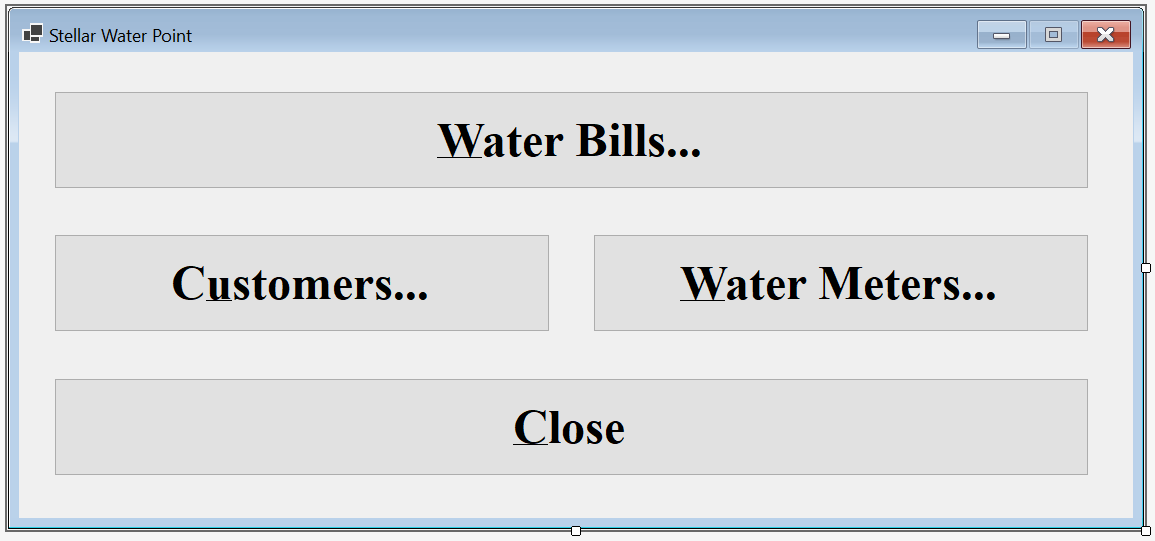
| Control | (Name) | Text | Font | |
| Button | |
BtnWaterBills | C&Water Bills... | Times New Roman, 24pt, style=Bold |
| Button | |
BtnClose | &Close | Times New Roman, 24pt, style=Bold |
Imports System.IO
Imports System.Text.Json

Public Class WaterDistribution
    Private Sub CreateWaterMeters()
        . . .

    End Sub

    Private Sub CreateAccountsTypes()
        . . .
    End Sub
    Private Sub WaterDistribution_Load(sender As Object, e As EventArgs) Handles MyBase.Load
        REM Directory.CreateDirectory("C:\Stellar Water Point")

        REM CreateWaterMeters()
        REM CreateAccountsTypes()
    End Sub

    Private Sub BtnWaterBills_Click(sender As Object, e As EventArgs) Handles BtnWaterBills.Click
        Dim Central = New WaterBillsCentral()

        Central.Show()
    End Sub

    Private Sub BtnCustomers_Click(sender As Object, e As EventArgs) Handles BtnCustomers.Click
        Dim Central = New CustomersCentral

        Central.Show()
    End Sub

    Private Sub BtnWaterMeters_Click(sender As Object, e As EventArgs) Handles BtnWaterMeters.Click
        Dim Central = New WaterMetersCentral()

        Central.Show()
    End Sub

    Private Sub BtnClose_Click(sender As Object, e As EventArgs) Handles BtnClose.Click
        Close()
    End Sub
End Class
A New Water Bill
A water is probably the most important aspect of water distribution. We will provide a form that allows an employee to register the information necessary for water consumption. Then we will perform some operations. Finally, we will present the amount the consumer should pay and when.
Practical Learning: Processing a Water Bill

| Control | Text | Name | Other Properties | |
| Label | |
&Water Bill #: | ||
| TextBox | |
TxtBillNumber | ||
| GroupBox |  |
Customer Information | ||
| Label | |
&Account #: | ||
| MaskedTextBox | |
MtbAccountNumber | Mask: 0000-000-0000 | |
| Button | |
Find Customer &Account | BtnFindCustomerAccount | |
| Label | |
Account Name: | ||
| TextBox | |
TxtAccountName | ||
| Label | |
Account Type: | ||
| TextBox | |
TxtAccountType | ||
| Label | |
Address: | ||
| TextBox | |
TxtAddress | ||
| TextBox | |
TxtCity | ||
| TextBox | |
TxtCounty | ||
| TextBox | |
TxtState | ||
| TextBox | |
TxtZIPCode | ||
| Label | |
___________________________ | ||
| Label | |
Meter Details: | ||
| TextBox | |
TxtMeterDetails | ||
| GroupBox | |
Meter Reading | ||
| Label | |
Meter &Reading Start Date: | ||
| Date Time Picker |  |
DtpMeterReadingStartDate | ||
| Label | |
Meter Reading &End Date: | ||
| Date Time Picker | |
DtpMeterReadingEndDate | ||
| Label | |
Coun&ter Reading Start: | ||
| TextBox | |
TxtCounterReadingStart | ||
| Label | |
Counter Readi&ng End: | ||
| TextBox | |
TxtCounterReadingEnd | ||
| Button | |
&Evaluate Water Bill | BtnEvaluateWaterBill | Times New Roman, 24pt, style=Bold |
| GroupBox | |
Meter Result | ||
| Label | |
Billing Days: | ||
| TextBox | |
TxtBillingDays | ||
| Label | |
Total HCF: | ||
| TextBox | |
TxtTotalHCF | ||
| Label | |
Total Gallons: | ||
| TextBox | |
TxtTotalGallons | ||
| Label | |
First Tier Consumption: | ||
| TextBox | |
TxtFirstTierConsumption | ||
| Label | |
Second Tier: | ||
| TextBox | |
TxtSecondTierConsumption | ||
| Label | |
Last Tier: | ||
| TextBox | |
TxtLastTierConsumption | ||
| GroupBox | |
Consumption Charges | ||
| Label | |
Water Charges: | ||
| TextBox | |
TxtWaterCharges | ||
| Label | |
Sewer Charges: | ||
| TextBox | |
TxtSewerCharges | ||
| Label | |
Environment Charges: | ||
| TextBox | |
TxtEnvironmentCharges | ||
| Label | |
Service Charges: | ||
| TextBox | |
TxtServiceCharges | ||
| Label | |
Total Charges: | ||
| TextBox | |
TxtTotalCharges | ||
| GroupBox | |
Taxes | ||
| Label | |
Local Taxes: | ||
| TextBox | |
TxtLocalTaxes | ||
| Label | |
State Taxes: | ||
| TextBox | |
TxtStateTaxes | ||
| GroupBox | |
Water Bill Payment | ||
| Label | |
Payment Due Date: | ||
| Date Time Picker | |
dtpPaymentDueDate | ||
| Label | |
Amount Due: | ||
| TextBox | |
TxtAmountDue | ||
| Label | |
Late Payment Due Date: | ||
| Date Time Picker | |
dtpLatePaymentDueDate | ||
| Label | |
&Late Amount Due: | ||
| TextBox | |
TxtLateAmountDue | ||
| Label | |
Water Bill Id:& | ||
| TextBox | |
TxtWaterBillId | ||
| Button | |
Save Water Bill | BtnSaveWaterBill | |
| Button | |
&Close | BtnClose | |
Form Properties
| Form Property | Value |
| FormBorderStyle | FixedDialog |
| Text | Stellar Water Point - Water Bill Processing |
| StartPosition | CenterScreen |
| MaximizeBox | False |
| MinimizeBox | False |
Imports System.IO
Imports System.Text.Json

Public Class WaterBillsCreate
    Private Sub WaterBillsCreate_Load(sender As Object, e As EventArgs) Handles MyBase.Load
        Dim StrWaterBills = Nothing
        Dim WaterBills As List(Of WaterBill) = New List(Of WaterBill)
        Dim fileWaterBills As String = "C:\Stellar Water Point\WaterBills.json"

        Dim FiWaterBills As FileInfo = New FileInfo(fileWaterBills)

        Dim waterBillId = 0

        If FiWaterBills.Exists = True Then
            Using TrWaterBills As TextReader = New StreamReader(FiWaterBills.FullName)
                StrWaterBills = File.ReadAllText(FiWaterBills.FullName)
                WaterBills = JsonSerializer.Deserialize(StrWaterBills, GetType(List(Of WaterBill)))

                For Each Bill As WaterBill In WaterBills
                    waterBillId = Bill.WaterBillId
                Next
            End Using
        End If

        TxtWaterBillId.Text = CStr(waterBillId + 1)
    End Sub

    Private Sub BtnFindCustomerAccount_Click(sender As Object, e As EventArgs) Handles BtnFindCustomerAccount.Click
        If String.IsNullOrEmpty(MtbAccountNumber.Text) Then
            MsgBox("You must type a valid account number of a customer, " &
                   "and then click the Find Customer Account button.",
                   MsgBoxStyle.OkOnly, "Stellar Water Point")
            Exit Sub
        End If

        Dim StrCustomers = Nothing
        Dim StrAccountsTypes = Nothing
        Dim AccountsTypes = New List(Of AccountType)
        Dim Clients As List(Of Customer) = New List(Of Customer)
        Dim FileCustomers = "C:\Stellar Water Point\Customers.json"
        Dim FileAccountsTypes = "C:\Stellar Water Point\AccountsTypes.json"

        Dim FiCustomers As FileInfo = New FileInfo(FileCustomers)
        Dim FiAccountsTypes As FileInfo = New FileInfo(FileAccountsTypes)

        Dim StrMeterNumber = Nothing

        If FiCustomers.Exists = True Then
            Using TrCustomers As TextReader = New StreamReader(FiCustomers.FullName)
                StrCustomers = File.ReadAllText(FiCustomers.FullName)
                Clients = JsonSerializer.Deserialize(StrCustomers, GetType(List(Of Customer)))

                Dim customers As IEnumerable(Of Customer) = Clients.Where(Function(Client) Client.AccountNumber = MtbAccountNumber.Text)

                For Each Client As Customer In customers
                    TxtAccountName.Text = Client.AccountName
                    StrMeterNumber = Client.MeterNumber

                    Dim TrAccountsTypess As TextReader = New StreamReader(FiAccountsTypes.FullName)
                    StrAccountsTypes = File.ReadAllText(FiAccountsTypes.FullName)
                    AccountsTypes = JsonSerializer.Deserialize(StrAccountsTypes, GetType(List(Of AccountType)))

                    For Each ActType As AccountType In AccountsTypes
                        If Client.AccountType = ActType.TypeCode Then
                            TxtAccountType.Text = String.Concat(ActType.TypeCode, " - ", ActType.TypeDecription)
                        End If
                    Next

                    TxtAddress.Text = Client.Address
                        TxtCity.Text = Client.City
                        TxtCounty.Text = Client.County
                        TxtState.Text = Client.State
                        TxtZIPCode.Text = Client.ZIPCode
                    Next
            End Using
        End If

        If Len(StrMeterNumber) > 0 Then
            Dim StrWaterMeters As String = Nothing
            Dim WaterMeters As List(Of WaterMeter) = New List(Of WaterMeter)
            Dim FileWaterMeters = "C:\Stellar Water Point\WaterMeters.json"

            Dim FiWaterMeters As FileInfo = New FileInfo(FileWaterMeters)

            If FiWaterMeters.Exists = True Then
                StrWaterMeters = File.ReadAllText(FiWaterMeters.FullName)
                WaterMeters = JsonSerializer.Deserialize(StrWaterMeters, GetType(List(Of WaterMeter)))

                Dim Meters As IEnumerable(Of WaterMeter) = WaterMeters.Where(Function(Mtr) Mtr.MeterNumber = StrMeterNumber)

                For Each Meter As WaterMeter In Meters
                    TxtMeterDetails.Text = Meter.WaterMeterId & " - " &
                                           Meter.Make & " " &
                                           Meter.Model &
                                           " (Meter Size: " & Meter.MeterSize & ")"
                Next
            End If
        End If
    End Sub

    Private Sub DtpMeterReadingEndDate_ValueChanged(sender As Object, e As EventArgs) Handles DtpMeterReadingEndDate.ValueChanged
        TxtBillingDays.Text = DateDiff(DateInterval.Day, DtpMeterReadingStartDate.Value, DtpMeterReadingEndDate.Value) + 1
    End Sub

    Private Sub BtnEvaluateWaterBill_Click(sender As Object, e As EventArgs) Handles BtnEvaluateWaterBill.Click
        Dim CounterStart As Double = 0, CounterEnd = 0

        Try
            CounterStart = CDbl(TxtCounterReadingStart.Text)
        Catch FeCRStart As FormatException
            MsgBox("You must enter a valid value in the Counter Reading Start text box. " &
                   "The error produced is: " & FeCRStart.Message,
                   MsgBoxStyle.OkOnly, "Stellar Water Point")
        End Try

        Try
            counterEnd = CDbl(TxtCounterReadingEnd.Text)
        Catch FeCREnd As FormatException
            MsgBox("You must enter a valid value in the Counter Reading End text box. " &
                   "The error produced is: " & FeCREnd.Message,
                   MsgBoxStyle.OkOnly, "Stellar Water Point")
        End Try

        Dim Consumption As Double = CounterEnd - CounterStart
        Dim Gallons As Double = Consumption * 748.05
        Dim StrAccountType As String = TxtAccountType.Text.Substring(1, 3)

        Dim Tiers As (first As Double, second As Double, last As Double) = WaterBillManager.CalculateTiers(strAccountType, gallons)

        Dim WaterCharges = Tiers.first + Tiers.second + Tiers.last
        Dim SewerCharges = WaterBillManager.CalculateSewerCharges(StrAccountType, WaterCharges)
        Dim EnvCharges = WaterBillManager.CalculateEnvironmentCharges(StrAccountType, WaterCharges)
        Dim SrvCharges = WaterBillManager.CalculateServiceCharges(StrAccountType, WaterCharges)
        Dim TotalCharges = WaterCharges + SewerCharges + EnvCharges + SrvCharges
        Dim LocalTaxes = WaterBillManager.CalculateLocalTaxes(StrAccountType, WaterCharges)
        Dim StateTaxes = WaterBillManager.CalculateStateTaxes(StrAccountType, WaterCharges)
        Dim AmtDue = TotalCharges + LocalTaxes + StateTaxes

        TxtTotalHCF.Text = consumption.ToString()
        TxtTotalGallons.Text = Math.Ceiling(Gallons)
        TxtFirstTierConsumption.Text = FormatNumber(Tiers.first)
        TxtSecondTierConsumption.Text = FormatNumber(Tiers.second)
        TxtLastTierConsumption.Text = FormatNumber(Tiers.last)
        TxtWaterCharges.Text = FormatNumber(WaterCharges)
        TxtSewerCharges.Text = FormatNumber(SewerCharges)
        TxtEnvironmentCharges.Text = FormatNumber(EnvCharges)
        TxtServiceCharges.Text = FormatNumber(SrvCharges)
        TxtTotalCharges.Text = FormatNumber(TotalCharges)
        TxtLocalTaxes.Text = FormatNumber(LocalTaxes)
        TxtStateTaxes.Text = FormatNumber(StateTaxes)
        DtpPaymentDueDate.Value = WaterBillManager.SetPaymentDueDate(strAccountType, dtpMeterReadingEndDate.Value)
        TxtAmountDue.Text = FormatNumber(AmtDue)
        DtpLatePaymentDueDate.Value = WaterBillManager.SetLatePaymentDueDate(strAccountType, dtpMeterReadingEndDate.Value)
        TxtLateAmountDue.Text = FormatNumber(WaterBillManager.CalculateLateAmountDue(StrAccountType, AmtDue))
    End Sub

    Private Sub BtnSaveWaterBill_Click(sender As Object, e As EventArgs) Handles BtnSaveWaterBill.Click
        If String.IsNullOrEmpty(TxtWaterBillNumber.Text) Then
            MsgBox("You must type a (unique) bill number for the " &
                   "water bill you are processing.",
                   MsgBoxStyle.OkOnly, "Stellar Water Point")
            Exit Sub
        End If

        If String.IsNullOrEmpty(MtbAccountNumber.Text) Then
            MsgBox("You must specify the account number of the customer " &
                   "whose water bill you are preparing.",
                   MsgBoxStyle.OkOnly, "Stellar Water Point")
            Exit Sub
        End If

        Dim StrWaterBills As String = Nothing
        Dim WaterBills As List(Of WaterBill) = New List(Of WaterBill)
        Dim FileWaterBills As String = "C:\Stellar Water Point\WaterBills.json"

        Dim FiWaterBills As FileInfo = New FileInfo(FileWaterBills)

        If FiWaterBills.Exists = True Then
            StrWaterBills = File.ReadAllText(FiWaterBills.FullName)
            WaterBills = JsonSerializer.Deserialize(StrWaterBills, GetType(List(Of WaterBill)))
        End If

        Dim Bill As WaterBill = New WaterBill() With
        {
        .WaterBillId = TxtWaterBillId.Text,
            .BillNumber = TxtWaterBillNumber.Text,
 .AccountNumber = MtbAccountNumber.Text,
  .MeterReadingStartDate = DtpMeterReadingStartDate.Value,
   .MeterReadingEndDate = DtpMeterReadingEndDate.Value,
    .BillingDays = TxtBillingDays.Text,
     .CounterReadingStart = TxtCounterReadingStart.Text,
      .CounterReadingEnd = TxtCounterReadingEnd.Text,
       .TotalHCF = TxtTotalHCF.Text,
        .TotalGallons = TxtTotalGallons.Text,
         .FirstTierConsumption = TxtFirstTierConsumption.Text,
          .SecondTierConsumption = TxtSecondTierConsumption.Text,
           .LastTierConsumption = TxtLastTierConsumption.Text,
            .WaterCharges = TxtWaterCharges.Text,
             .SewerCharges = TxtSewerCharges.Text,
              .EnvironmentCharges = TxtEnvironmentCharges.Text,
               .ServiceCharges = TxtServiceCharges.Text,
                .TotalCharges = TxtTotalCharges.Text,
     .LocalTaxes = TxtLocalTaxes.Text,
    .StateTaxes = TxtStateTaxes.Text,
   .PaymentDueDate = DtpPaymentDueDate.Value,
  .AmountDue = TxtAmountDue.Text,
 .LatePaymentDueDate = DtpLatePaymentDueDate.Value,
.LateAmountDue = TxtLateAmountDue.Text
            }

        WaterBills.Add(Bill)

        Dim Options As JsonSerializerOptions = New JsonSerializerOptions()
        Options.WriteIndented = True

        Dim JsWaterBills = JsonSerializer.Serialize(WaterBills, GetType(List(Of WaterBill)), Options)
        File.WriteAllText(FiWaterBills.FullName, JsWaterBills)

        Close()
    End Sub

    Private sub BtnClose_Click(sender As Object, e As EventArgs) handles btnclose.click
            Close()
        end sub
End Class
| Control | (Name) | Other Properties | |
| ListView | |
LvwWaterBills | No Change |
| Button | |
BtnProcessWaterBill | &Process Water Bill... |
Private Sub BtnProcessWaterBill_Click(sender As Object, e As EventArgs) Handles BtnProcessWaterBill.Click
    Dim Create As WaterBillsCreate = New WaterBillsCreate

    Create.ShowDialog()

    ShowWaterBills()
End Sub


| Water Bill # | Account # | Reading Start Date | Reading End Date | Counter Reading Start | Counter Reading End |
| 451474 | 2068-258-9486 | 01/11/2010 | 04/12/2010 | 103943 | 103956 |
| 923633 | 5293-957-3395 | 01/17/2010 | 08/18/2010 | 256945 | 256972 |
| 917829 | 9279-570-8394 | 02/15/2010 | 05/14/2010 | 5205 | 5222 |
| 202666 | 6986-829-3741 | 03/08/2010 | 06/06/2010 | 5679 | 5690 |

Water Bill Details
Sometimes, an employee just wants to view the information that is related to a water bill. We will create a form to make it possible.
Practical Learning: Showing a Water Bill

| Control | Text | Name | Enabled | |
| Label | |
&Water Bill #: | ||
| TextBox | |
TxtBillNumber | ||
| Button | |
&Find Water Bill | BtnFindWaterBill | |
| GroupBox | |
Customer Information | ||
| Label | |
&Account #: | ||
| TextBox | |
TxtAccountNumber | False | |
| Label | |
Account Name: | ||
| TextBox | |
TxtAccountName | False | |
| Label | |
Account Type: | ||
| TextBox | |
TxtAccountType | ||
| Label | |
Address: | False | |
| TextBox | |
TxtAddress | False | |
| TextBox | |
TxtCity | ||
| TextBox | |
TxtCounty | False | |
| TextBox | |
TxtState | False | |
| TextBox | |
TxtZIPCode | False | |
| Label | |
_______________________________ | ||
| Label | |
Meter Details: | ||
| TextBox | |
TxtMeterDetails | False | |
| GroupBox | |
Meter Reading | ||
| Label | |
Meter &Reading Start Date: | ||
| Text Box | |
TxtMeterReadingStartDate | False | |
| Label | |
Meter Reading &End Date: | ||
| Text Box | |
TxtMeterReadingEndDate | False | |
| Label | |
Coun&ter Reading Start: | ||
| TextBox | |
TxtCounterReadingStart | False | |
| Label | |
Counter Readi&ng End: | ||
| TextBox | |
TxtCounterReadingEnd | False | |
| GroupBox | |
Meter Result | ||
| Label | |
Billing Days: | ||
| TextBox | |
TxtBillingDays | False | |
| Label | |
Total HCF: | ||
| TextBox | |
TxtTotalHCF | False | |
| Label | |
Total Gallons: | ||
| TextBox | |
TxtTotalGallons | False | |
| Label | |
First Tier Consumption: | ||
| TextBox | |
TxtFirstTierConsumption | False | |
| Label | |
Second Tier: | ||
| TextBox | |
TxtSecondTierConsumption | False | |
| Label | |
Last Tier: | ||
| TextBox | |
TxtLastTierConsumption | False | |
| GroupBox | |
Consumption Charges | ||
| Label | |
Water Charges: | ||
| TextBox | |
TxtWaterCharges | False | |
| Label | |
Sewer Charges: | ||
| TextBox | |
TxtSewerCharges | False | |
| Label | |
Environment Charges: | ||
| TextBox | |
TxtEnvironmentCharges | False | |
| Label | |
Service Charges: | ||
| TextBox | |
TxtServiceCharges | False | |
| Label | |
Total Charges: | ||
| TextBox | |
TxtTotalCharges | False | |
| GroupBox | |
Taxes | ||
| Label | |
Local Taxes: | ||
| TextBox | |
TxtLocalTaxes | False | |
| Label | |
State Taxes: | ||
| TextBox | |
TxtStateTaxes | False | |
| GroupBox | |
Water Bill Payment | ||
| Label | |
Payment Due Date: | ||
| Date Time Picker | |
dtpPaymentDueDate | False | |
| Label | |
Amount Due: | ||
| TextBox | |
TxtAmountDue | False | |
| Label | |
Late Payment Due Date: | ||
| Text Box | |
TxtLatePaymentDueDate | False | |
| Label | |
&Late Amount Due: | ||
| TextBox | |
TxtLateAmountDue | ||
| Label | |
Water Bill Id: | ||
| TextBox | |
TxtWaterBillId | False | |
| Button | |
&Close | BtnClose | |
Form Properties
| Form Property | Value |
| FormBorderStyle | FixedDialog |
| Text | Stellar Water Point - Water Bill Details |
| StartPosition | CenterScreen |
| MaximizeBox | False |
| MinimizeBox | False |
Imports System.IO
Imports System.Text.Json

Public Class WaterBillsDetails
    Private Sub BtnFindWaterBill_Click(sender As Object, e As EventArgs) Handles BtnFindWaterBill.Click
        If String.IsNullOrEmpty(TxtWaterBillNumber.Text) Then
            MsgBox("You must provide a water bill number and then click the Find Water Bill button.",
                   MsgBoxStyle.OkOnly, "Stellar Water Point")
            REM If the user didn't type a bill number but clicked Find Water Bill, don't do anything
            Exit Sub
        End If

        Dim StrWaterBills As String = Nothing
        Dim WaterBills As List(Of WaterBill) = New List(Of WaterBill)
        Dim FileWaterBills As String = "C:\Stellar Water Point\WaterBills.json"

        Dim FiWaterBills As FileInfo = New FileInfo(FileWaterBills)

        Dim StrAccountsTypes As String = Nothing
        Dim AccountsTypes = New List(Of AccountType)
        Dim FileAccountsTypes As String = "C:\Stellar Water Point\AccountsTypes.json"

        Dim FiAccountsTypes As FileInfo = New FileInfo(FileAccountsTypes)

        If fiWaterBills.Exists = True Then
            Using TrWaterBills As TextReader = New StreamReader(fiWaterBills.FullName)
                StrWaterBills = File.ReadAllText(FiWaterBills.FullName)
                WaterBills = JsonSerializer.Deserialize(StrWaterBills, GetType(List(Of WaterBill)))

                Dim Selected As IEnumerable(Of WaterBill) = WaterBills.Where(Function(Invoice) Invoice.BillNumber = TxtWaterBillNumber.Text)

                For Each Bill In Selected
                    TxtWaterBillId.Text = Bill.WaterBillId
                    TxtAccountNumber.Text = Bill.AccountNumber
                    TxtMeterReadingStartDate.Text = FormatDateTime(Bill.MeterReadingStartDate, DateFormat.LongDate)
                    TxtMeterReadingEndDate.Text = FormatDateTime(Bill.MeterReadingEndDate, DateFormat.LongDate)
                    TxtBillingDays.Text = Bill.BillingDays
                    TxtCounterReadingStart.Text = Bill.CounterReadingStart
                    TxtCounterReadingEnd.Text = Bill.CounterReadingEnd
                    TxtTotalHCF.Text = Bill.TotalHCF
                    TxtTotalGallons.Text = Bill.TotalGallons
                    TxtFirstTierConsumption.Text = FormatNumber(Bill.FirstTierConsumption)
                    TxtSecondTierConsumption.Text = FormatNumber(Bill.SecondTierConsumption)
                    TxtLastTierConsumption.Text = FormatNumber(Bill.LastTierConsumption)
                    TxtWaterCharges.Text = FormatNumber(Bill.WaterCharges)
                    TxtSewerCharges.Text = FormatNumber(Bill.SewerCharges)
                    TxtEnvironmentCharges.Text = FormatNumber(Bill.EnvironmentCharges)
                    TxtServiceCharges.Text = FormatNumber(Bill.ServiceCharges)
                    TxtTotalCharges.Text = FormatNumber(Bill.TotalCharges)
                    TxtLocalTaxes.Text = FormatNumber(Bill.LocalTaxes)
                    TxtStateTaxes.Text = FormatNumber(Bill.StateTaxes)
                    TxtPaymentDueDate.Text = FormatDateTime(Bill.PaymentDueDate, DateFormat.LongDate)
                    TxtAmountDue.Text = FormatNumber(Bill.AmountDue)
                    TxtLatePaymentDueDate.Text = FormatDateTime(Bill.LatePaymentDueDate, DateFormat.LongDate)
                    TxtLateAmountDue.Text = FormatNumber(Bill.LateAmountDue)
                Next
            End Using
        End If

        Dim StrCustomers = Nothing
        Dim Clients As List(Of Customer) = New List(Of Customer)
        Dim FileCustomers = "C:\Stellar Water Point\Customers.json"

        Dim FiCustomers As FileInfo = New FileInfo(FileCustomers)

        Dim StrMeterNumber = Nothing

        If FiCustomers.Exists = True Then
            Using TrCustomers As TextReader = New StreamReader(FiCustomers.FullName)
                StrCustomers = File.ReadAllText(FiCustomers.FullName)
                Clients = JsonSerializer.Deserialize(StrCustomers, GetType(List(Of Customer)))

                Dim Customers As IEnumerable(Of Customer) = From Consumer
                                                            In Clients
                                                            Where Consumer.AccountNumber = TxtAccountNumber.Text
                                                            Select Consumer

                For Each Client As Customer In Customers
                    TxtAccountName.Text = Client.AccountName
                    StrMeterNumber = Client.MeterNumber

                    Dim TrAccountsTypess As TextReader = New StreamReader(FiAccountsTypes.FullName)
                    StrAccountsTypes = File.ReadAllText(FiAccountsTypes.FullName)
                    AccountsTypes = JsonSerializer.Deserialize(StrAccountsTypes, GetType(List(Of AccountType)))

                    For Each ActType As AccountType In AccountsTypes
                        If Client.AccountType = ActType.TypeCode Then
                            TxtAccountType.Text = String.Concat(ActType.TypeCode, " - ", ActType.TypeDecription)
                        End If
                    Next

                    TxtAddress.Text = Client.Address
                    TxtCity.Text = Client.City
                    TxtCounty.Text = Client.County
                    TxtState.Text = Client.State
                    TxtZIPCode.Text = Client.ZIPCode
                Next
            End Using
        End If

        If Len(StrMeterNumber) > 0 Then
            Dim StrWaterMeters As String = Nothing
            Dim WaterMeters As List(Of WaterMeter) = New List(Of WaterMeter)
            Dim FileWaterMeters = "C:\Stellar Water Point\WaterMeters.json"

            Dim FiWaterMeters As FileInfo = New FileInfo(FileWaterMeters)

            If FiWaterMeters.Exists = True Then
                StrWaterMeters = File.ReadAllText(FiWaterMeters.FullName)
                WaterMeters = JsonSerializer.Deserialize(StrWaterMeters, GetType(List(Of WaterMeter)))

                Dim Meters As IEnumerable(Of WaterMeter) = From Measure
                                                           In WaterMeters
                                                           Where Measure.MeterNumber = StrMeterNumber
                                                           Select Measure

                For Each Meter As WaterMeter In Meters
                    TxtMeterDetails.Text = Meter.WaterMeterId & " - " &
                                           Meter.MeterNumber & " - " &
                                           Meter.Make & " " &
                                           Meter.Model &
                                           " (Meter Size: " & Meter.MeterSize & ")"
                Next
            End If
        End If
    End Sub

    Private Sub BtnClose_Click(sender As Object, e As EventArgs) Handles BtnClose.Click
        Close()
    End Sub
End Class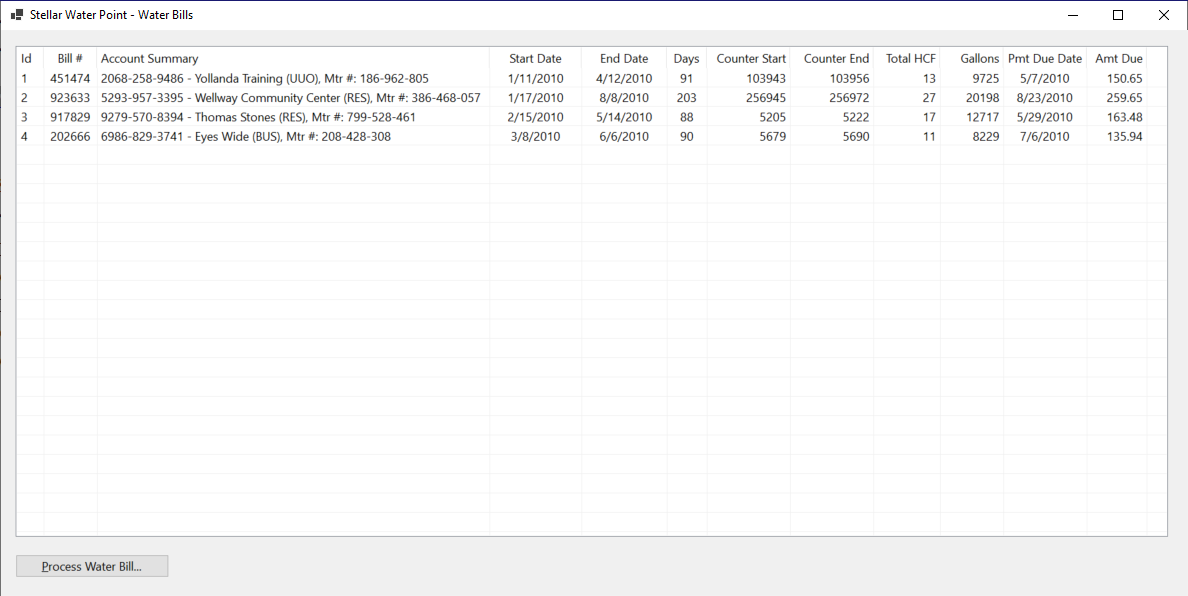
| Control | (Name) | Other Properties | |
| ListView | |
LvwWaterBills | No Change |
| Button | |
No Change | No Change |
| Button | |
BtnWaterBillDetails | Water Bill &Details... |
Private Sub BtnWaterBillsDetails(ByVal sender As Object, e As EventArgs) Handles BtnWaterBillDetails.Click
    Dim Details As WaterBillsDetails = New WaterBillsDetails

    Details.ShowDialog()

    ShowWaterBills()
End Sub
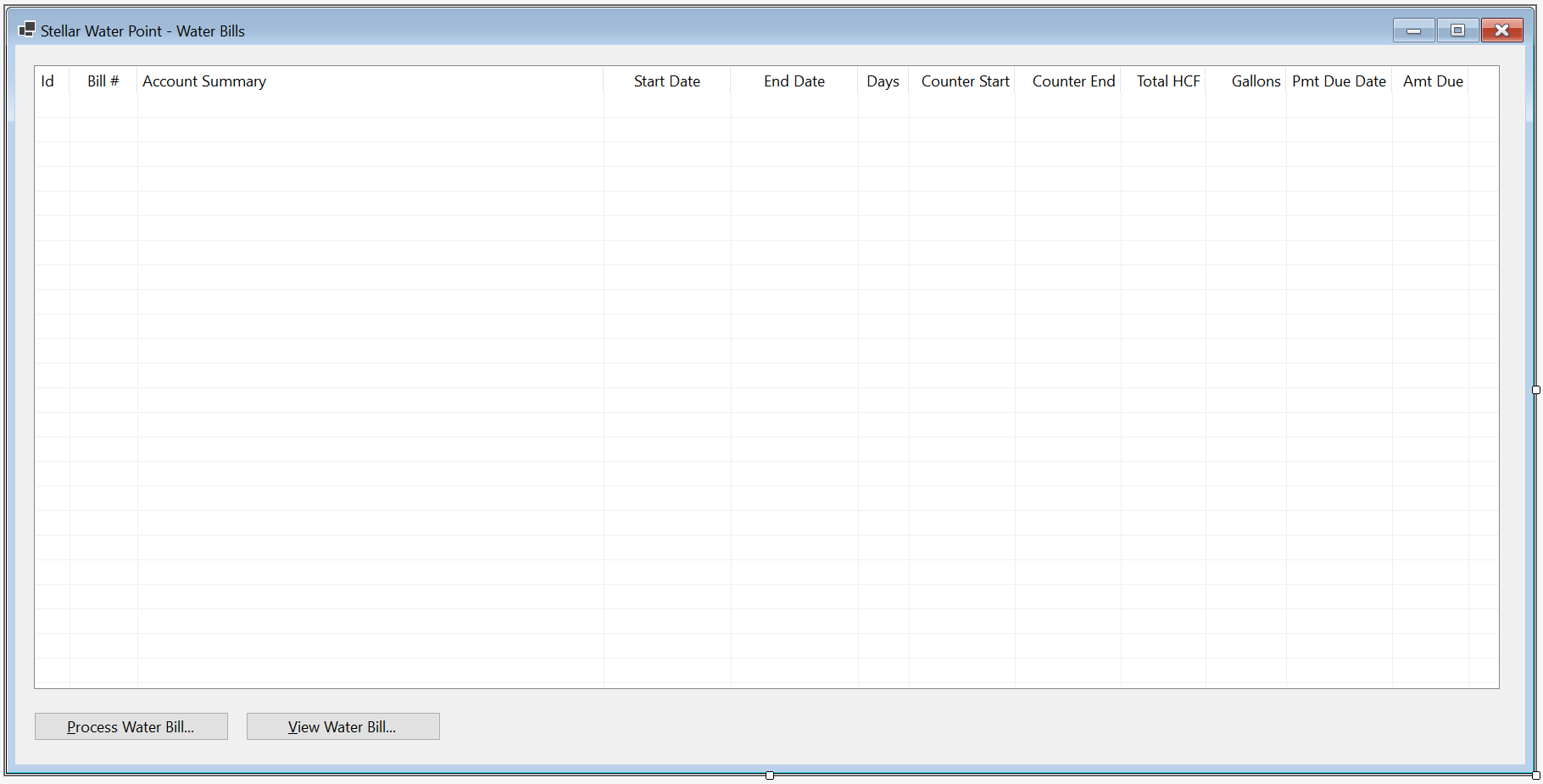


Water Bill Edition
If some aspect of a water bill changes, we will create a form that an employee can use to update the record.
Practical Learning: Creating a Water Bill Editor

| Control | (Name) | Text | |
| Button |  |
BtnFindWaterBill | &Find Water Bill |
| Button | |
BtnUpdateWaterBill | &Update Water Bill |
Imports System.IO
Imports System.Text.Json

Public Class WaterBillsEditor
    Private Sub BtnFindWaterBill_Click(sender As Object, e As EventArgs) Handles BtnFindWaterBill.Click
        If String.IsNullOrEmpty(TxtWaterBillNumber.Text) Then
            MsgBox("You must provide a water bill number and then click the Find Water Bill button.",
                   MsgBoxStyle.OkOnly, "Stellar Water Point")
            REM If the user didn't type a bill number but clicked Find Water Bill, don't do anything
            Exit Sub
        End If

        Dim StrWaterBills = Nothing
        Dim WaterBills As List(Of WaterBill) = New List(Of WaterBill)
        Dim FileWaterBills As String = "C:\Stellar Water Point\WaterBills.json"

        Dim FiWaterBills As FileInfo = New FileInfo(FileWaterBills)

        Dim StrAccountsTypes As String = Nothing
        Dim AccountsTypes = New List(Of AccountType)
        Dim FileAccountsTypes = "C:\Stellar Water Point\AccountsTypes.json"

        Dim FiAccountsTypes As FileInfo = New FileInfo(FileAccountsTypes)

        If FiWaterBills.Exists = True Then
            Using TrWaterBills As TextReader = New StreamReader(FiWaterBills.FullName)
                StrWaterBills = File.ReadAllText(FiWaterBills.FullName)
                WaterBills = JsonSerializer.Deserialize(StrWaterBills, GetType(List(Of WaterBill)))

                Dim Selected As IEnumerable(Of WaterBill) = WaterBills.Where(Function(Bill) Bill.BillNumber = TxtWaterBillNumber.Text)

                For Each Bill In Selected
                    TxtWaterBillId.Text = Bill.WaterBillId
                    MtbAccountNumber.Text = Bill.AccountNumber
                    DtpMeterReadingStartDate.Value = Bill.MeterReadingStartDate
                    DtpMeterReadingEndDate.Value = Bill.MeterReadingEndDate
                    TxtBillingDays.Text = Bill.BillingDays
                    TxtCounterReadingStart.Text = Bill.CounterReadingStart
                    TxtCounterReadingEnd.Text = Bill.CounterReadingEnd
                    TxtTotalHCF.Text = Bill.TotalHCF
                    TxtTotalGallons.Text = Bill.TotalGallons
                    TxtFirstTierConsumption.Text = FormatNumber(Bill.FirstTierConsumption)
                    TxtSecondTierConsumption.Text = FormatNumber(Bill.SecondTierConsumption)
                    TxtLastTierConsumption.Text = FormatNumber(Bill.LastTierConsumption)
                    TxtWaterCharges.Text = FormatNumber(Bill.WaterCharges)
                    TxtSewerCharges.Text = FormatNumber(Bill.SewerCharges)
                    TxtEnvironmentCharges.Text = FormatNumber(Bill.EnvironmentCharges)
                    TxtServiceCharges.Text = FormatNumber(Bill.ServiceCharges)
                    TxtTotalCharges.Text = FormatNumber(Bill.TotalCharges)
                    TxtLocalTaxes.Text = FormatNumber(Bill.LocalTaxes)
                    TxtStateTaxes.Text = FormatNumber(Bill.StateTaxes)
                    DtpPaymentDueDate.Value = Bill.PaymentDueDate
                    TxtAmountDue.Text = FormatNumber(Bill.AmountDue)
                    DtpLatePaymentDueDate.Value = Bill.LatePaymentDueDate
                    TxtLateAmountDue.Text = FormatNumber(Bill.LateAmountDue)
                Next
            End Using
        End If

        Dim StrCustomers = Nothing
        Dim Clients As List(Of Customer) = New List(Of Customer)
        Dim FileCustomers = "C:\Stellar Water Point\Customers.json"

        Dim FiCustomers As FileInfo = New FileInfo(FileCustomers)

        Dim StrMeterNumber = Nothing

        If FiCustomers.Exists = True Then
            Using TrCustomers As TextReader = New StreamReader(FiCustomers.FullName)

                StrCustomers = File.ReadAllText(FiCustomers.FullName)
                Clients = JsonSerializer.Deserialize(StrCustomers, GetType(List(Of Customer)))

                Dim Customers As IEnumerable(Of Customer) = From Consumer
                                                            In Clients
                                                            Where Consumer.AccountNumber = MtbAccountNumber.Text
                                                            Select Consumer

                For Each Client As Customer In Customers
                    TxtAccountName.Text = Client.AccountName
                    StrMeterNumber = Client.MeterNumber

                    Dim TrAccountsTypess As TextReader = New StreamReader(FiAccountsTypes.FullName)
                    StrAccountsTypes = File.ReadAllText(FiAccountsTypes.FullName)
                    AccountsTypes = JsonSerializer.Deserialize(StrAccountsTypes, GetType(List(Of AccountType)))

                    For Each ActType As AccountType In AccountsTypes
                        If Client.AccountType = ActType.TypeCode Then
                            TxtAccountType.Text = String.Concat(ActType.TypeCode, " - ", ActType.TypeDecription)
                        End If
                    Next

                    TxtAddress.Text = Client.Address
                    TxtCity.Text = Client.City
                    TxtCounty.Text = Client.County
                    TxtState.Text = Client.State
                    TxtZIPCode.Text = Client.ZIPCode
                Next
            End Using
        End If

        Dim StrWaterMeters As String = Nothing
        Dim WaterMeters As List(Of WaterMeter) = New List(Of WaterMeter)
        Dim FileWaterMeters = "C:\Stellar Water Point\WaterMeters.json"

        Dim FiWaterMeters As FileInfo = New FileInfo(FileWaterMeters)

        If FiWaterMeters.Exists = True Then
            StrWaterMeters = File.ReadAllText(FiWaterMeters.FullName)
            WaterMeters = JsonSerializer.Deserialize(StrWaterMeters, GetType(List(Of WaterMeter)))

            Dim Meters As IEnumerable(Of WaterMeter) = From Measure
                                                       In WaterMeters
                                                       Where Measure.MeterNumber = StrMeterNumber
                                                       Select Measure

            For Each Meter As WaterMeter In Meters
                TxtMeterDetails.Text = Meter.WaterMeterId & " - " &
                                       Meter.Make & " " &
                                       Meter.Model &
                                       " (Meter Size: " & Meter.MeterSize & ")"
            Next
        End If
    End Sub

    Private Sub BtnFindCustomerAccount_Click(sender As Object, e As EventArgs) Handles BtnFindCustomerAccount.Click
        If String.IsNullOrEmpty(MtbAccountNumber.Text) Then
            MsgBox("You must type a valid account number of a customer, " &
                   "and then click the Find Customer Account button.",
                   MsgBoxStyle.OkOnly, "Stellar Water Point")
            Exit Sub
        End If

        Dim StrCustomers = Nothing
        Dim StrAccountsTypes = Nothing
        Dim AccountsTypes = New List(Of AccountType)
        Dim Clients As List(Of Customer) = New List(Of Customer)
        Dim FileCustomers = "C:\Stellar Water Point\Customers.json"
        Dim FileAccountsTypes = "C:\Stellar Water Point\AccountsTypes.json"

        Dim FiCustomers As FileInfo = New FileInfo(FileCustomers)
        Dim FiAccountsTypes As FileInfo = New FileInfo(FileAccountsTypes)

        Dim StrMeterNumber = "Nothing"

        If FiCustomers.Exists = True Then
            Using TrCustomers As TextReader = New StreamReader(FiCustomers.FullName)
                StrCustomers = File.ReadAllText(FiCustomers.FullName)
                Clients = JsonSerializer.Deserialize(StrCustomers, GetType(List(Of Customer)))

                Dim customers As IEnumerable(Of Customer) = Clients.Where(Function(Client) Client.AccountNumber = MtbAccountNumber.Text)

                For Each Client As Customer In customers
                    TxtAccountName.Text = Client.AccountName
                    StrMeterNumber = Client.MeterNumber

                    Dim TrAccountsTypess As TextReader = New StreamReader(FiAccountsTypes.FullName)
                    StrAccountsTypes = File.ReadAllText(FiAccountsTypes.FullName)
                    AccountsTypes = JsonSerializer.Deserialize(StrAccountsTypes, GetType(List(Of AccountType)))

                    For Each ActType As AccountType In AccountsTypes
                        If Client.AccountType = ActType.TypeCode Then
                            TxtAccountType.Text = String.Concat(ActType.TypeCode, " - ", ActType.TypeDecription)
                        End If
                    Next

                    TxtAddress.Text = Client.Address
                    TxtCity.Text = Client.City
                    TxtCounty.Text = Client.County
                    TxtState.Text = Client.State
                    TxtZIPCode.Text = Client.ZIPCode
                Next
            End Using
        End If

        Dim StrWaterMeters As String = Nothing
        Dim WaterMeters As List(Of WaterMeter) = New List(Of WaterMeter)
        Dim FileWaterMeters = "C:\Stellar Water Point\WaterMeters.json"

        Dim FiWaterMeters As FileInfo = New FileInfo(FileWaterMeters)

        If Len(StrMeterNumber) > 0 Then

            If FiWaterMeters.Exists = True Then
                StrWaterMeters = File.ReadAllText(FiWaterMeters.FullName)
                WaterMeters = JsonSerializer.Deserialize(StrWaterMeters, GetType(List(Of WaterMeter)))

                Dim Meters As IEnumerable(Of WaterMeter) = WaterMeters.Where(Function(Mtr) Mtr.MeterNumber = StrMeterNumber)

                For Each Meter As WaterMeter In Meters
                    TxtMeterDetails.Text = Meter.WaterMeterId & " - " &
                                           Meter.Make & " " &
                                           Meter.Model &
                                           " (Meter Size: " & Meter.MeterSize & ")"
                Next
            End If
        End If
    End Sub

    Private Sub DtpMeterReadingEndDate_ValueChanged(sender As Object, e As EventArgs) Handles DtpMeterReadingEndDate.ValueChanged
        TxtBillingDays.Text = DateDiff(DateInterval.Day, DtpMeterReadingStartDate.Value, DtpMeterReadingEndDate.Value) + 1
    End Sub

    Private Sub BtnEvaluateWaterBill_Click(sender As Object, e As EventArgs) Handles BtnEvaluateWaterBill.Click
        Dim CounterStart As Double = 0, CounterEnd = 0

        Try
            CounterStart = CDbl(TxtCounterReadingStart.Text)
        Catch FeCRStart As FormatException
            MsgBox("You must enter a valid value in the Counter Reading Start text box. " &
                   "The error produced is: " & FeCRStart.Message,
                   MsgBoxStyle.OkOnly, "Stellar Water Point")
        End Try

        Try
            CounterEnd = CDbl(TxtCounterReadingEnd.Text)
        Catch FeCREnd As FormatException
            MsgBox("You must enter a valid value in the Counter Reading End text box. " &
                   "The error produced is: " & FeCREnd.Message,
                   MsgBoxStyle.OkOnly, "Stellar Water Point")
        End Try

        Dim Consumption As Double = CounterEnd - CounterStart
        Dim Gallons As Double = Consumption * 748.05
        Dim StrAccountType As String = TxtAccountType.Text.Substring(1, 3)

        Dim Tiers As (first As Double, second As Double, last As Double) = WaterBillManager.CalculateTiers(StrAccountType, Gallons)

        Dim WaterCharges = Tiers.first + Tiers.second + Tiers.last
        Dim SewerCharges = WaterBillManager.CalculateSewerCharges(StrAccountType, WaterCharges)
        Dim EnvCharges = WaterBillManager.CalculateEnvironmentCharges(StrAccountType, WaterCharges)
        Dim SrvCharges = WaterBillManager.CalculateServiceCharges(StrAccountType, WaterCharges)
        Dim TotalCharges = WaterCharges + SewerCharges + EnvCharges + SrvCharges
        Dim LocalTaxes = WaterBillManager.CalculateLocalTaxes(StrAccountType, WaterCharges)
        Dim StateTaxes = WaterBillManager.CalculateStateTaxes(StrAccountType, WaterCharges)
        Dim AmtDue = TotalCharges + LocalTaxes + StateTaxes

        TxtTotalHCF.Text = Consumption
        TxtTotalGallons.Text = Math.Ceiling(Gallons)
        TxtFirstTierConsumption.Text = FormatNumber(Tiers.first, 2)
        TxtSecondTierConsumption.Text = FormatNumber(Tiers.second)
        TxtLastTierConsumption.Text = FormatNumber(Tiers.last)
        TxtWaterCharges.Text = FormatNumber(WaterCharges)
        TxtSewerCharges.Text = FormatNumber(SewerCharges)
        TxtEnvironmentCharges.Text = FormatNumber(EnvCharges)
        TxtServiceCharges.Text = FormatNumber(SrvCharges)
        TxtTotalCharges.Text = FormatNumber(TotalCharges)
        TxtLocalTaxes.Text = FormatNumber(LocalTaxes)
        TxtStateTaxes.Text = FormatNumber(StateTaxes)
        DtpPaymentDueDate.Value = WaterBillManager.SetPaymentDueDate(StrAccountType, DtpMeterReadingEndDate.Value)
        TxtAmountDue.Text = FormatNumber(AmtDue)
        DtpLatePaymentDueDate.Value = WaterBillManager.SetLatePaymentDueDate(StrAccountType, DtpMeterReadingEndDate.Value)
        TxtLateAmountDue.Text = FormatNumber(WaterBillManager.CalculateLateAmountDue(StrAccountType, AmtDue))
    End Sub

    Private Sub BtnUpdateWaterBill_Click(sender As Object, e As EventArgs) Handles BtnUpdateWaterBill.Click
        If IsNothing(TxtWaterBillNumber.Text) Then
            MsgBox("You must provide the bill number of the " &
                        "water bill you are trying to update.")
            Exit Sub
        End If

        If IsNothing(MtbAccountNumber.Text) Then
            MsgBox("Please make sure you provide the account number of the customer " &
                            "associated with the water bill you are trying to update.")
            Exit Sub
        End If

        Dim StrWaterBills As String = Nothing
        Dim WaterBills As List(Of WaterBill) = New List(Of WaterBill)
        Dim FileWaterBills As String = "C:\Stellar Water Point\WaterBills.json"

        Dim FiWaterBills As FileInfo = New FileInfo(FileWaterBills)

        If FiWaterBills.Exists = True Then
            StrWaterBills = File.ReadAllText(FiWaterBills.FullName)
            WaterBills = JsonSerializer.Deserialize(StrWaterBills, GetType(List(Of WaterBill)))

            Dim Bill As WaterBill = WaterBills.Find(Function(invoice) invoice.BillNumber = TxtWaterBillNumber.Text)

            If Not Bill Is Nothing Then
                Bill.WaterBillId = TxtWaterBillId.Text
                Bill.BillNumber = TxtWaterBillNumber.Text
                Bill.AccountNumber = MtbAccountNumber.Text
                Bill.MeterReadingStartDate = DtpMeterReadingStartDate.Value
                Bill.MeterReadingEndDate = DtpMeterReadingEndDate.Value
                Bill.BillingDays = TxtBillingDays.Text
                Bill.CounterReadingStart = TxtCounterReadingStart.Text
                Bill.CounterReadingEnd = TxtCounterReadingEnd.Text
                Bill.TotalHCF = TxtTotalHCF.Text
                Bill.TotalGallons = TxtTotalGallons.Text
                Bill.FirstTierConsumption = TxtFirstTierConsumption.Text
                Bill.SecondTierConsumption = TxtSecondTierConsumption.Text
                Bill.LastTierConsumption = TxtLastTierConsumption.Text
                Bill.WaterCharges = TxtWaterCharges.Text
                Bill.SewerCharges = TxtSewerCharges.Text
                Bill.EnvironmentCharges = TxtEnvironmentCharges.Text
                Bill.ServiceCharges = TxtServiceCharges.Text
                Bill.TotalCharges = TxtTotalCharges.Text
                Bill.LocalTaxes = TxtLocalTaxes.Text
                Bill.StateTaxes = TxtStateTaxes.Text
                Bill.PaymentDueDate = DtpPaymentDueDate.Value
                Bill.AmountDue = TxtAmountDue.Text
                Bill.LatePaymentDueDate = DtpLatePaymentDueDate.Value
                Bill.LateAmountDue = TxtLateAmountDue.Text

                Dim Options = New JsonSerializerOptions()
                Options.WriteIndented = True

                Dim JsWaterBills = JsonSerializer.Serialize(WaterBills, GetType(List(Of WaterBill)), Options)
                File.WriteAllText(FiWaterBills.FullName, JsWaterBills)
            End If
        End If

        Close()
    End Sub

    Private Sub BtnClose_Click(sender As Object, e As EventArgs) Handles BtnClose.Click
        Close()
    End Sub
End Class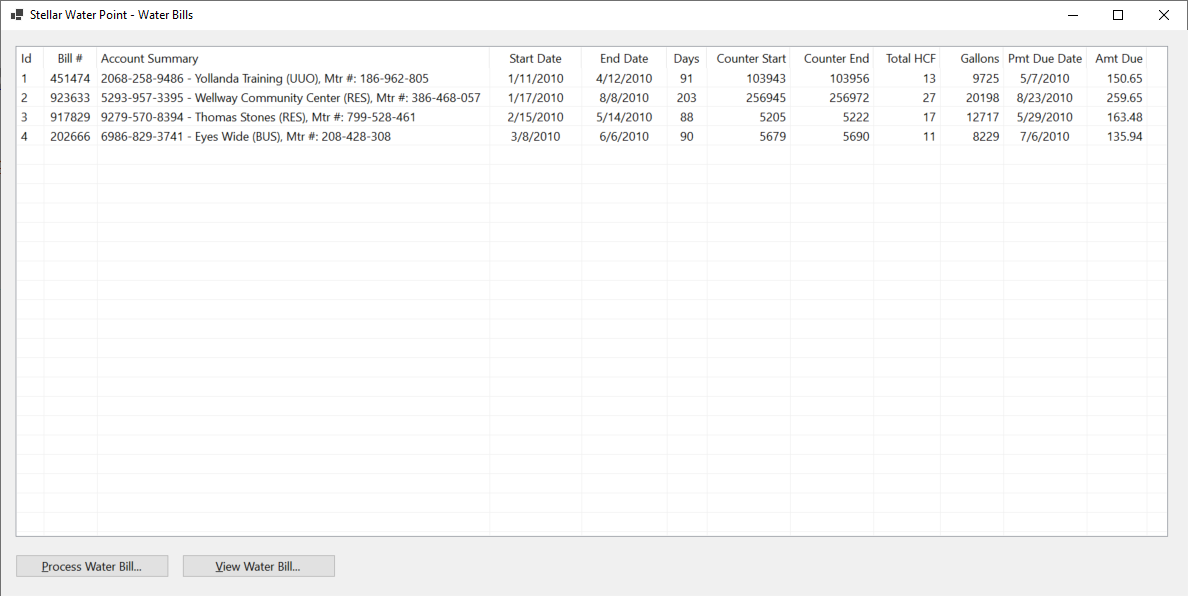
| Control | (Name) | Text | |
| ListView | |
LvwWaterBills | |
| Button | |
BtnNewWaterBill | |
| Button | |
BtnViewWaterBill | |
| Button | |
BtnEditWaterBill | &Edit Water Bill... |
Private Sub BtnWaterBillsEditor(ByVal sender As Object, e As EventArgs) Handles BtnWaterBillEditor.Click
    Dim Editor As WaterBillsEditor = New WaterBillsEditor

    Editor.ShowDialog()

    ShowWaterBills()
End Sub
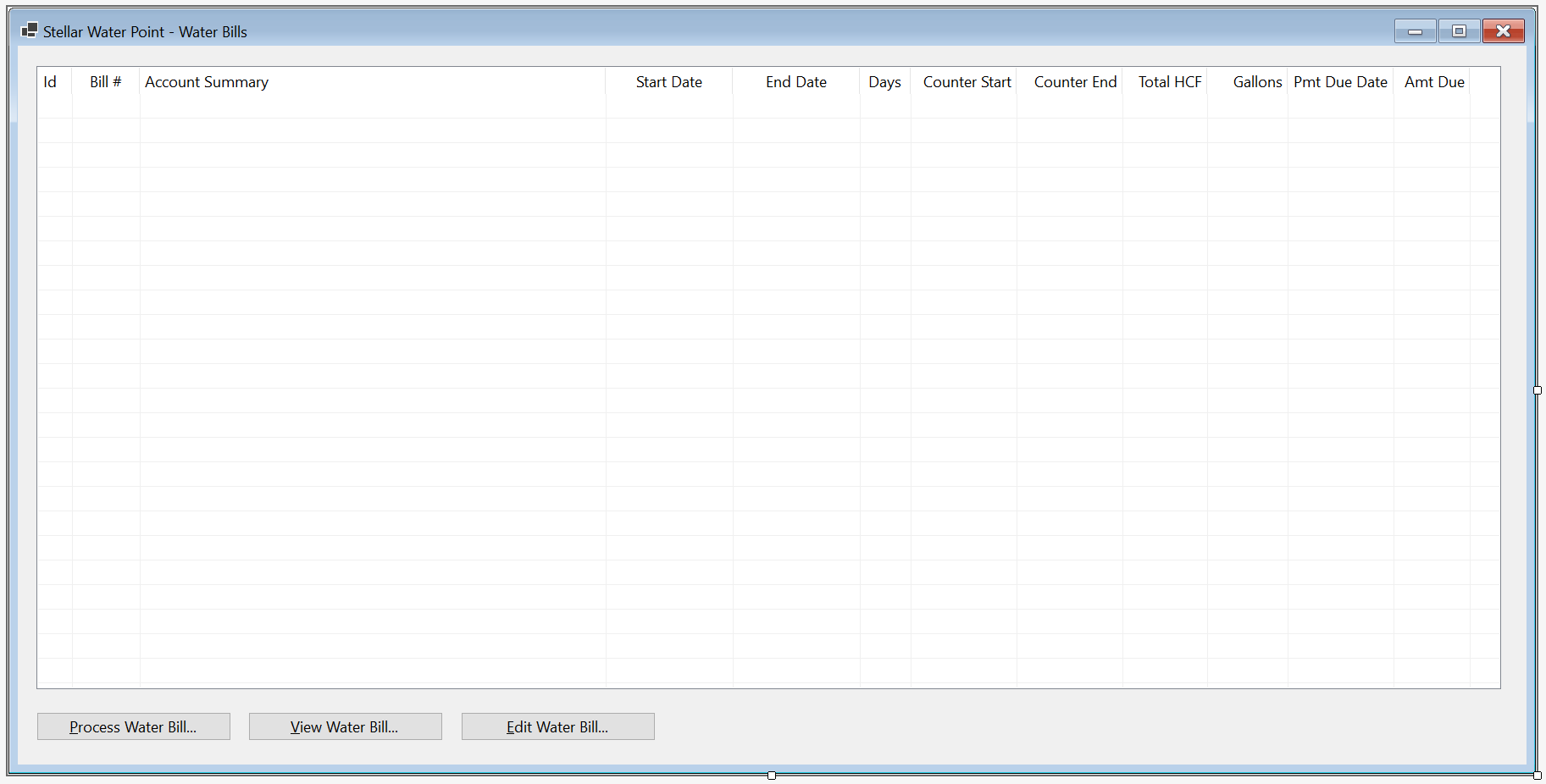


Account #:                9249-379-6848 and click Find Customer Account
Meter Reading Start Date: 1/19/2010
Meter Reading End Date:   4/17/2010
Counter Reading Start:    256953
Counter Reading End:      256966

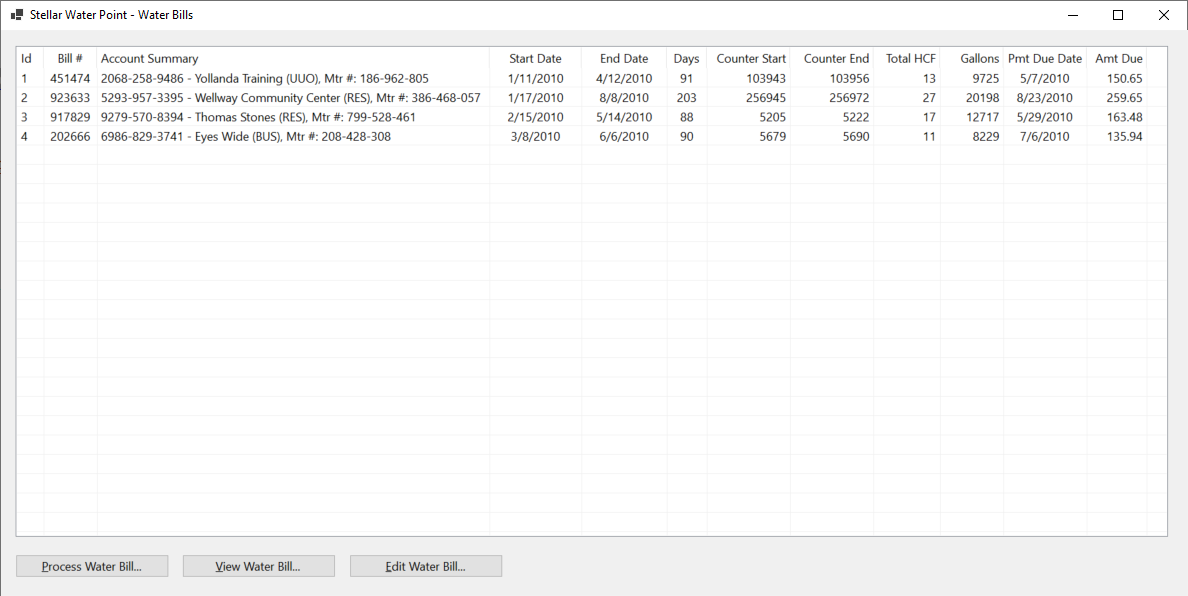
If a water bill is useless and must not be kept as a record in the system, an employee must be able to delete it. We will create a form that makes it possible to delete a water bill.
Practical Learning: Deleting a Water Bill Record

| Control | (Name) | Text | |
| Button | |
BtnDeleteWaterBill | &Delete Water Bill |
Imports System.IO
Imports System.Text.Json

Public Class WaterBillsDelete
    Private Sub BtnFindWaterBill_Click(sender As Object, e As EventArgs) Handles BtnFindWaterBill.Click
        If String.IsNullOrEmpty(TxtWaterBillNumber.Text) Then
            MsgBox("You must provide a water bill number and then click the Find Water Bill button.",
                   MsgBoxStyle.OkOnly, "Stellar Water Point")
            REM If the user didn't type a bill number but clicked Find Water Bill, don't do anything
            Exit Sub
        End If

        Dim StrWaterBills As String = Nothing
        Dim WaterBills As List(Of WaterBill) = New List(Of WaterBill)
        Dim FileWaterBills As String = "C:\Stellar Water Point\WaterBills.json"

        Dim FiWaterBills As FileInfo = New FileInfo(FileWaterBills)

        Dim StrAccountsTypes As String = Nothing
        Dim AccountsTypes = New List(Of AccountType)
        Dim FileAccountsTypes As String = "C:\Stellar Water Point\AccountsTypes.json"

        Dim FiAccountsTypes As FileInfo = New FileInfo(FileAccountsTypes)

        If FiWaterBills.Exists = True Then
            Using TrWaterBills As TextReader = New StreamReader(FiWaterBills.FullName)
                StrWaterBills = File.ReadAllText(FiWaterBills.FullName)
                WaterBills = JsonSerializer.Deserialize(StrWaterBills, GetType(List(Of WaterBill)))

                Dim Selected As IEnumerable(Of WaterBill) = WaterBills.Where(Function(Invoice) Invoice.BillNumber = TxtWaterBillNumber.Text)

                For Each Bill In Selected
                    TxtWaterBillId.Text = Bill.WaterBillId
                    TxtAccountNumber.Text = Bill.AccountNumber
                    TxtMeterReadingStartDate.Text = FormatDateTime(Bill.MeterReadingStartDate, DateFormat.LongDate)
                    TxtMeterReadingEndDate.Text = FormatDateTime(Bill.MeterReadingEndDate, DateFormat.LongDate)
                    TxtBillingDays.Text = Bill.BillingDays
                    TxtCounterReadingStart.Text = Bill.CounterReadingStart
                    TxtCounterReadingEnd.Text = Bill.CounterReadingEnd
                    TxtTotalHCF.Text = Bill.TotalHCF
                    TxtTotalGallons.Text = Bill.TotalGallons
                    TxtFirstTierConsumption.Text = FormatNumber(Bill.FirstTierConsumption)
                    TxtSecondTierConsumption.Text = FormatNumber(Bill.SecondTierConsumption)
                    TxtLastTierConsumption.Text = FormatNumber(Bill.LastTierConsumption)
                    TxtWaterCharges.Text = FormatNumber(Bill.WaterCharges)
                    TxtSewerCharges.Text = FormatNumber(Bill.SewerCharges)
                    TxtEnvironmentCharges.Text = FormatNumber(Bill.EnvironmentCharges)
                    TxtServiceCharges.Text = FormatNumber(Bill.ServiceCharges)
                    TxtTotalCharges.Text = FormatNumber(Bill.TotalCharges)
                    TxtLocalTaxes.Text = FormatNumber(Bill.LocalTaxes)
                    TxtStateTaxes.Text = FormatNumber(Bill.StateTaxes)
                    TxtPaymentDueDate.Text = FormatDateTime(Bill.PaymentDueDate, DateFormat.LongDate)
                    TxtAmountDue.Text = FormatNumber(Bill.AmountDue)
                    TxtLatePaymentDueDate.Text = FormatDateTime(Bill.LatePaymentDueDate, DateFormat.LongDate)
                    TxtLateAmountDue.Text = FormatNumber(Bill.LateAmountDue)
                Next
            End Using
        End If

        Dim StrCustomers = Nothing
        Dim Clients As List(Of Customer) = New List(Of Customer)
        Dim FileCustomers = "C:\Stellar Water Point\Customers.json"

        Dim FiCustomers As FileInfo = New FileInfo(FileCustomers)

        Dim StrMeterNumber = Nothing

        If FiCustomers.Exists = True Then
            Using TrCustomers As TextReader = New StreamReader(FiCustomers.FullName)
                StrCustomers = File.ReadAllText(FiCustomers.FullName)
                Clients = JsonSerializer.Deserialize(StrCustomers, GetType(List(Of Customer)))

                Dim Customers As IEnumerable(Of Customer) = From Consumer
                                                            In Clients
                                                            Where Consumer.AccountNumber = TxtAccountNumber.Text
                                                            Select Consumer

                For Each Client As Customer In Customers
                    TxtAccountName.Text = Client.AccountName
                    StrMeterNumber = Client.MeterNumber

                    Dim TrAccountsTypess As TextReader = New StreamReader(FiAccountsTypes.FullName)
                    StrAccountsTypes = File.ReadAllText(FiAccountsTypes.FullName)
                    AccountsTypes = JsonSerializer.Deserialize(StrAccountsTypes, GetType(List(Of AccountType)))

                    For Each ActType As AccountType In AccountsTypes
                        If Client.AccountType = ActType.TypeCode Then
                            TxtAccountType.Text = String.Concat(ActType.TypeCode, " - ", ActType.TypeDecription)
                        End If
                    Next

                    TxtAddress.Text = Client.Address
                    TxtCity.Text = Client.City
                    TxtCounty.Text = Client.County
                    TxtState.Text = Client.State
                    TxtZIPCode.Text = Client.ZIPCode
                Next
            End Using
        End If

        If Len(StrMeterNumber) > 0 Then
            Dim StrWaterMeters As String = Nothing
            Dim WaterMeters As List(Of WaterMeter) = New List(Of WaterMeter)
            Dim FileWaterMeters = "C:\Stellar Water Point\WaterMeters.json"

            Dim FiWaterMeters As FileInfo = New FileInfo(FileWaterMeters)

            If FiWaterMeters.Exists = True Then
                StrWaterMeters = File.ReadAllText(FiWaterMeters.FullName)
                WaterMeters = JsonSerializer.Deserialize(StrWaterMeters, GetType(List(Of WaterMeter)))

                Dim Meters As IEnumerable(Of WaterMeter) = From Measure
                                                           In WaterMeters
                                                           Where Measure.MeterNumber = StrMeterNumber
                                                           Select Measure

                For Each Meter As WaterMeter In Meters
                    TxtMeterDetails.Text = Meter.WaterMeterId & " - " &
                                           Meter.MeterNumber & " - " &
                                           Meter.Make & " " &
                                           Meter.Model &
                                           " (Meter Size: " & Meter.MeterSize & ")"
                Next
            End If
        End If
    End Sub

    Private Sub BtnDeleteWaterBill_Click(sender As Object, e As EventArgs) Handles BtnDeleteWaterBill.Click
        If String.IsNullOrEmpty(TxtWaterBillNumber.Text) Then
            MsgBox("Please provide the bill number of the water bill you want to delete, " &
                   "and then click the Find Water Bill button.",
                   MsgBoxStyle.OkOnly, "Stellar Water Point")
            Exit Sub
        End If

        Dim StrWaterBills As String = Nothing
        Dim WaterBills As List(Of WaterBill) = New List(Of WaterBill)
        Dim FileWaterBills As String = "C:\Stellar Water Point\WaterBills.json"

        Dim FiWaterBills As FileInfo = New FileInfo(FileWaterBills)

        If FiWaterBills.Exists = True Then
            StrWaterBills = File.ReadAllText(FiWaterBills.FullName)
            WaterBills = JsonSerializer.Deserialize(StrWaterBills, GetType(List(Of WaterBill)))

            Dim Bill As WaterBill = WaterBills.Find(Function(invoice) invoice.BillNumber = TxtWaterBillNumber.Text)

            Dim Answer As MsgBoxResult = MsgBox("Are you sure you want to delete (or remove) or cancel " &
                                                "this water bill from the system (you cannot undo the action)?",
                                                MsgBoxStyle.YesNoCancel, "Stellar Water Point")
            If Bill IsNot Nothing Then
                REM If the user clicks Yes, save the updated water bill and close the form
                If Answer = MsgBoxResult.Yes Then
                    WaterBills.Remove(Bill)

                    Dim Options As JsonSerializerOptions = New JsonSerializerOptions()
                    Options.WriteIndented = True

                    Dim JsWaterBills As String = JsonSerializer.Serialize(WaterBills, GetType(List(Of WaterBill)), Options)
                    File.WriteAllText(FiWaterBills.FullName, JsWaterBills)

                    MsgBox("The water bill has been deleted (or removed, or cancelled) from our system.",
                           MsgBoxStyle.OkOnly, "Stellar Water Point")

                    Close()
                ElseIf Answer = MsgBoxResult.No Then
                    REM If the user clicks No, leave the form displaying
                    BtnFindWaterBill_Click(sender, e)
                Else
                    REM If the user clicks Cancel, close the Delete form
                    REM and return to the list of water bills
                    Close()
                End If
            End If
        End If
    End Sub

    Private Sub BtnClose_Click(sender As Object, e As EventArgs) Handles BtnClose.Click
        Close()
    End Sub
End Class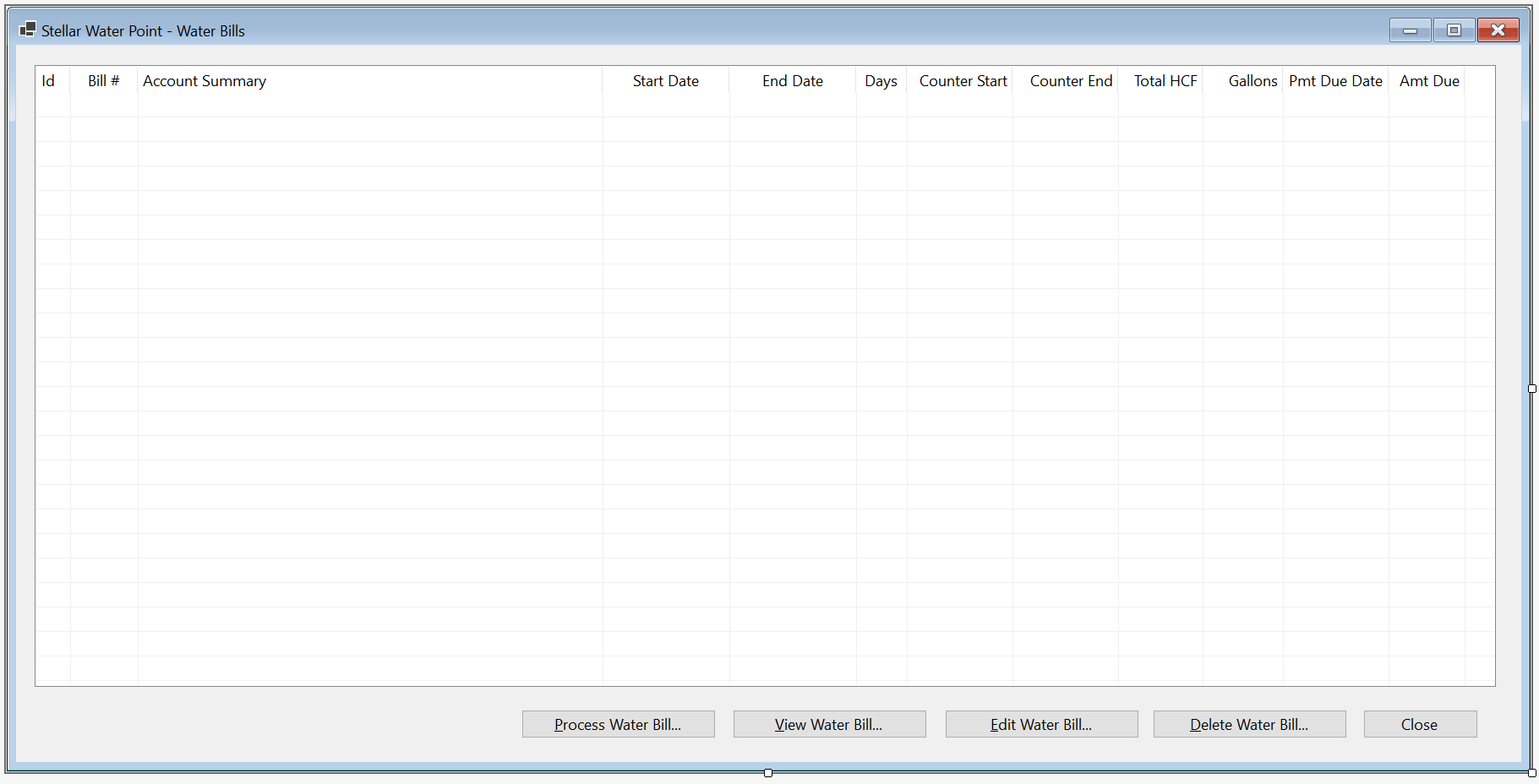
| Control | (Name) | Text | Other Properties | |
| ListView | |
LvwWaterBills | Anchor: Bottom, Top, Bottom, Left, Right | |
| Button | |
BtnProcessWaterBill | &Process Water Bill... | Anchor: Bottom, Right |
| Button | |
BtnViewWaterBill | &View Water Bill... | Anchor: Bottom, Right |
| Button | |
BtnEditWaterBill | &Edit Water Bill... | Anchor: Bottom, Right |
| Button | |
BtnDeleteWaterBill | &Delete Water Bill... | Anchor: Bottom, Right |
| Button | |
BtnClose | &Close | Anchor: Bottom, Right |
Imports System.IO
Imports System.Text.Json

Public Class WaterBillsCentral
    Private Sub ShowWaterBills()
        Dim StrCustomers = Nothing
        Dim StrWaterBills = Nothing
        Dim StrAccountsTypes = Nothing

        Dim AccountsTypes = New List(Of AccountType)
        Dim Clients As List(Of Customer) = New List(Of Customer)
        Dim WaterBills As List(Of WaterBill) = New List(Of WaterBill)

        Dim FileCustomers = "C:\Stellar Water Point\Customers.json"
        Dim FileAccountsTypes = "C:\Stellar Water Point\AccountsTypes.json"
        Dim FileWaterBills As String = "C:\Stellar Water Point\WaterBills.json"

        Dim FiCustomers As FileInfo = New FileInfo(FileCustomers)
        Dim FiWaterBills As FileInfo = New FileInfo(FileWaterBills)
        Dim FiAccountsTypes As FileInfo = New FileInfo(FileAccountsTypes)

        If FiCustomers.Exists = True Then
            Using TrCustomers As TextReader = New StreamReader(FiCustomers.FullName)
                StrCustomers = File.ReadAllText(FiCustomers.FullName)

                Clients = JsonSerializer.Deserialize(StrCustomers, GetType(List(Of Customer)))
            End Using
        End If

        Dim TrAccountsTypess As TextReader = New StreamReader(FiAccountsTypes.FullName)
        StrAccountsTypes = File.ReadAllText(FiAccountsTypes.FullName)
        AccountsTypes = JsonSerializer.Deserialize(StrAccountsTypes, GetType(List(Of AccountType)))

        Dim StrAccountSummary As String

        If FiWaterBills.Exists = True Then
            Using TrWaterBills As TextReader = New StreamReader(FiWaterBills.FullName)
                StrWaterBills = File.ReadAllText(FiWaterBills.FullName)

                WaterBills = JsonSerializer.Deserialize(StrWaterBills, GetType(List(Of WaterBill)))

                LvwWaterBills.Items.Clear()

                For Each Invoice As WaterBill In WaterBills
                    Dim LviWaterBill As ListViewItem = New ListViewItem(Invoice.WaterBillId)

                    LviWaterBill.SubItems.Add(Invoice.BillNumber)

                    Dim Client As IEnumerable(Of Customer) = Clients.Where(Function(Cust) Cust.AccountNumber = Invoice.AccountNumber)

                    StrAccountSummary = Invoice.AccountNumber

                    For Each Cust In Clients
                        If Cust.AccountNumber = Invoice.AccountNumber Then

                            For Each ActType As AccountType In AccountsTypes
                                If Cust.AccountType = ActType.TypeCode Then
                                    StrAccountSummary = StrAccountSummary & " - " &
                                                        Cust.AccountName & ", Acnt Type: " & String.Concat(ActType.TypeCode, " - ", ActType.TypeDecription) &
                                                        ", (Mtr #: " & Cust.MeterNumber & ")"
                                End If
                            Next
                        End If
                    Next

                    For Each Cust As Customer In Clients
                        LviWaterBill.SubItems.Add(StrAccountSummary)

                        LviWaterBill.SubItems.Add(Invoice.MeterReadingStartDate.ToShortDateString())
                        LviWaterBill.SubItems.Add(Invoice.MeterReadingEndDate.ToShortDateString())
                        LviWaterBill.SubItems.Add(Invoice.BillingDays)
                        LviWaterBill.SubItems.Add(Invoice.CounterReadingStart)
                        LviWaterBill.SubItems.Add(Invoice.CounterReadingEnd)
                        LviWaterBill.SubItems.Add(Invoice.TotalHCF)
                        LviWaterBill.SubItems.Add(Invoice.TotalGallons)
                        LviWaterBill.SubItems.Add(Invoice.PaymentDueDate.ToShortDateString())
                        LviWaterBill.SubItems.Add(Invoice.AmountDue)
                    Next

                    LvwWaterBills.Items.Add(LviWaterBill)
                Next
            End Using
        End If
    End Sub

    Private Sub WaterBillsCentral_Load(sender As Object, e As EventArgs) Handles MyBase.Load
        ShowWaterBills()
    End Sub

    Private Sub BtnProcessWaterBill_Click(sender As Object, e As EventArgs) Handles BtnProcessWaterBill.Click
        Dim Create As WaterBillsCreate = New WaterBillsCreate

        Create.ShowDialog()

        ShowWaterBills()
    End Sub

    Private Sub BtnWaterBillsDetails(ByVal sender As Object, e As EventArgs) Handles BtnWaterBillDetails.Click
        Dim Details As WaterBillsDetails = New WaterBillsDetails

        Details.ShowDialog()

        ShowWaterBills()
    End Sub

    Private Sub BtnWaterBillsEditor(ByVal sender As Object, e As EventArgs) Handles BtnWaterBillEditor.Click
        Dim Editor As WaterBillsEditor = New WaterBillsEditor

        Editor.ShowDialog()

        ShowWaterBills()
    End Sub

    Private Sub BtnDeleteWaterBill_Click(sender As Object, e As EventArgs) Handles BtnDeleteWaterBill.Click
        Dim Delete As WaterBillsDelete = New WaterBillsDelete

        Delete.ShowDialog()

        ShowWaterBills()
    End Sub

    Private Sub BtnClose_Click(sender As Object, e As EventArgs) Handles BtnClose.Click
        Close()
    End Sub
End Class


|
|
|||
| Home | Copyright © 2010-2026, FunctionX | Tuesday 07 April 2026, 23:31 | Home |
|
|
|||