
Inheritance
|
|
Inheritance |
Fundamentals of Inheritance
Introduction
Imagine you create a class for a circle as follows:
<%@ Page Language="VB" %>
<!DOCTYPE html>
<script runat="server">
Const Pi = 3.14159265358979
Public Class Circle
Dim rad As Double
Public Sub New()
rad = 0.0
End Sub
Public Sub New(ByVal radius As Double)
rad = radius
End Sub
Public Property Radius() As Double = rad
Public ReadOnly Property Diameter As Double
Get
Return rad * 2.0
End Get
End Property
Public ReadOnly Property Circumference As Double
Get
Return Diameter * Pi
End Get
End Property
Public ReadOnly Property Area As Double
Get
Return rad * rad * Pi
End Get
End Property
End Class
Sub btnCalculateClick(ByVal sender As Object, ByVal e As EventArgs)
Dim radius As Double
radius = txtRadius.Text
Dim disc As New Circle(radius)
txtDiameter.Text = disc.Diameter
txtCircumference.Text = disc.Circumference
txtArea.Text = disc.Area
End Sub
</script>
<style>
#main-title
{
font-size: 1.08em;
font-weight: bold;
text-align: center;
font-family: Georgia, Garamond, 'Times New Roman', Times, serif;
}
.tblCircl { width: 200px; }
#whole
{
margin: auto;
width: 205px;
}
</style>
<html>
<head runat="server">
<title>Geometry - Circle</title>
</head>
<body>
<p id="main-title">Geometry - Circle</p>
<form id="frmCircl" runat="server">
<div id="whole">
<table class="tblCircle">
<tr>
<td>Radius:</td>
<td><asp:TextBox id="txtRadius" Width="75px" runat="server" /></td>
</tr>
<tr>
<td> </td>
<td><asp:Button id="btnCalculate" runat="server"
Text="Calculate" Width="85px"
OnClick="BtnCalculateClick" />
</td>
</tr>
<tr>
<td>Diameter:</td>
<td><asp:TextBox id="txtDiameter" runat="server" /></td>
</tr>
<tr>
<td>Circumference:</td>
<td><asp:TextBox id="txtCircumference" runat="server" /></td>
</tr>
<tr>
<td>Area:</td>
<td><asp:TextBox id="txtArea" runat="server" /></td>
</tr>
</table>
</div>
</form>
</body>
</html>
Here is an example of using the webpage:
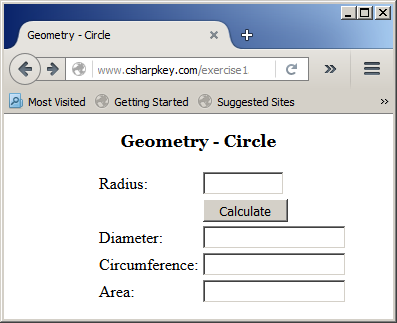
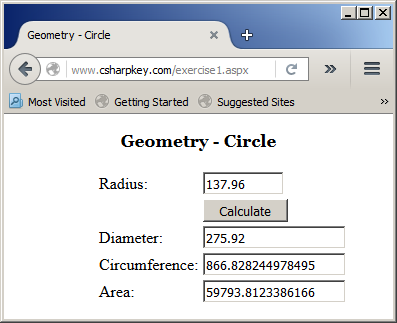
Inheritance is the ability to create a class whose behavior is based on another, existing, class.
In order to implement inheritance, you must have a class that provides the fundamental definition or behavior you need. You can use one of the .NET Framework built-in classes (but not all classes can be used in inheritance) or you can create your own class.
Creating a class that is based on another class is also referred to as deriving a class from another. The first class serves as parent or base. The class that is based on another class is also referred to as child or derived. To create a class based on another, use the following formula:
Public | Private Class child
      Inherits parent

    ' Body of the new class

End Class
Based on this formula, to create a sphere class based on the earlier Circle class, you can proceed as follows:
<script runat="server">
Public Class Circle

End Class

Class Sphere
    Inherits Circle

End Class
</script>
If you want to be able to access the class from other languages, you can precede its name with the Public keyword:
Public Class Circle

End Class

Public Class Sphere
    Inherits Circle

End Class
</script>
After deriving a class, it becomes available and you can use it just as you would any other class. Of course, you must first declare a variable for it.
Inheritance and the Access to Class/Structure Members
Introduction
When creating a class and when dealing with inheritance, you can control what members can be accessed from outside the class and/or from only inherited members.
Inheritance and the Private Members of a Class
A member of a class is referred to as private if it can be accessed only from within the class. To create a private member variable, type the Private keyword to its left. Here is an example:
<script runat="server">

Public Class Circle
    Private rad As Double

End Class
</script>
The Friendly Members of a Class
A member variable of a class is referred to as a friend if it can be accessed by any class of the same project. To create such a member variable, precede it with the Friend keyword. Here is an example:
<script Language="VB" runat="server">
Class Rectangle
    Friend Height As Double
End Class
</script>
The Public Members of a Class
A member variable is referred to as public if it can be accessed by the classes of the same file. To create a public member variable of a class, precede it with the Public keyword. Here is an example:
<script Language="VB" runat="server">
Class Rectangle
    Public Length As Double
    Friend Height As Double
End Class
</script>
The Protected Members of a Class
Besides being made private, a member of a class can be protected to restrict its access. As seen for a private member, a protected member can be accessed by members of the same class. To indicate that a member is protected, set its access type to the Protected keyword. Here is an example:
<%@ Page Language="VB" %>
<!DOCTYPE html>
<script runat="server">
Public Class EquilateralTriangle
Protected Edge As Double
Public Sub New(ByVal side As Double)
Edge = side
End Sub
Public Property Side() As Double
Get
Return Edge
End Get
Set(ByVal value As Double)
Edge = value
End Set
End Property
Public ReadOnly Property Height() As Double
Get
Return Edge * Math.Sqrt(3.0) / 2.0
End Get
End Property
Public ReadOnly Property Perimeter() As Double
Get
Return 3.0 * Edge
End Get
End Property
Public ReadOnly Property Area() As Double
Get
Return Edge * Edge * Math.Sqrt(3.0) / 4.0
End Get
End Property
Public ReadOnly Property RadiusOfCircumscribedCircle() As Double
Get
Return Edge / Math.Sqrt(3.0)
End Get
End Property
Public ReadOnly Property RadiusOfInscribedCircle() As Double
Get
Return Edge * Math.Sqrt(3.0) / 6.0
End Get
End Property
End Class
Sub btnCalculateClick(ByVal sender As Object, ByVal e As EventArgs)
Dim side As Double
side = txtSide.Text
Dim tri As New EquilateralTriangle(side)
txtHeight.Text = tri.Height
txtPerimeter.Text = tri.Perimeter
txtArea.Text = tri.Area
txtRadiusOfCircumscribedCircle.Text = tri.RadiusOfCircumscribedCircle
txtRadiusOfInscribedCircle.Text = tri.RadiusOfInscribedCircle
End Sub
</script>
<style>
#main-title
{
font-size: 1.08em;
font-weight: bold;
text-align: center;
font-family: Georgia, Garamond, 'Times New Roman', Times, serif;
}
#whole
{
margin: auto;
width: 405px;
}
</style>
<html>
<head runat="server">
<title>Geometry - Equilateral Triangle</title>
</head>
<body>
<p id="main-title">Geometry - Equilateral Triangle</p>
<form id="frmGeometry" runat="server">
<div id="whole">
<table>
<tr>
<td>Side:</td>
<td><asp:TextBox id="txtSide" Width="75px" runat="server" /></td>
</tr>
<tr>
<td> </td>
<td><asp:Button id="btnCalculate" runat="server"
Text="Calculate" Width="85px"
OnClick="BtnCalculateClick" />
</td>
</tr>
<tr>
<td>Height:</td>
<td><asp:TextBox id="txtHeight" runat="server" /></td>
</tr>
<tr>
<td>Perimeter:</td>
<td><asp:TextBox id="txtPerimeter" runat="server" /></td>
</tr>
<tr>
<td>Area:</td>
<td><asp:TextBox id="txtArea" runat="server" /></td>
</tr>
<tr>
<td>Radius of Circumscribed Circle:</td>
<td><asp:TextBox id="txtRadiusOfCircumscribedCircle" runat="server" /></td>
</tr>
<tr>
<td>Radius of Inscribed Circle:</td>
<td><asp:TextBox id="txtRadiusOfInscribedCircle" runat="server" /></td>
</tr>
</table>
</div>
</form>
</body>
</html>
The main difference between a private and a protected member is that the former can be accessed by the members of its class but also the members of (a) derived class(es). Outside of those two environments, the access to a protected member would proeduce an error. Consider the following examples:
<script runat="server">
Const Pi = 3.14159265358979

Public Class Circle
    Private rad As Double

    Public Sub New()
        rad = 0.0
    End Sub

    Public Sub New(ByVal radius As Double)
        rad = radius
    End Sub

    Protected Property Radius As Double
        Get
            Return rad
    End Get
        Set(ByVal value As Double)
            rad = value
    End Set
    End Property

    Public ReadOnly Property Diameter As Double
        Get
            Return rad * 2.0
    End Get
    End Property

    Protected ReadOnly Property Circumference As Double
        Get
            Return Diameter * Pi
    End Get
    End Property

    Public ReadOnly Property Area As Double
        Get
            Return rad * rad * Pi
    End Get
    End Property
End Class

Public Class Sphere
    Inherits Circle

    Public ReadOnly Property Volume As Double
        Get
            Return Radius * Radius * Me.Radius * 4.0 * Pi / 3.0
    End Get
    End Property
End Class

Public Class SportBall
    Private Ball As Sphere
    Private mass As Double

    Public Sub New(ByVal ball As Sphere, ByVal weight As Double)
        Me.Ball = ball
        Me.mass = weight
    End Sub

    Public ReadOnly Property Circumference As Double
        Get
            ' Error: The Circle.Circumference property is protected
            Return ball.Circumference
    End Get
    End Property

    Public Property Weight As Double
        Get
            Return mass
    End Get
        Set(ByVal value As Double)
            mass = value
    End Set
    End Property
End Class

Sub btnCalculateClick(ByVal sender As Object, ByVal e As EventArgs)
    Dim radius As Double

    radius = txtRadius.Text

    Dim ball As New Sphere()

    ' Error: The Circle.Radius property is protected/forbidden from external access
    ball.Radius = radius

    txtDiameter.Text = ball.Diameter

    ' Error: The Circle.Circumference property is protected from external access
    txtCircumference.Text = ball.Circumference
    txtArea.Text = ball.Area
    txtVolume.Text = ball.Volume
End Sub
</script>
Both the properties and the methods of a class can be protected.
Overriding or Sealing
An Overridable Member of a Class
When creating a derived class, the child class may share a certain characteristic with the parent class. For example, if you create a sphere that is based on a circle, both shapes have areas, but their areas are quite different. Overriding a member of a class consists of changing the member's behavior in the child class from the same member of the parent class.
When creating a class, to indicate that a member (a property or a method) can have a behavior different from inheriting classes, type the Overridable keyword on the left side of the member. Here are examples:
<%@ Page Language="VB" %>

<!DOCTYPE html>


<html>
<head runat="server">
<script runat="server">
Public Class WorkDay
    Protected time As Double
    Protected hSalary As Double

    Public Sub New(ByVal worktime As Double, ByVal salary As Double)
        time = worktime
        hSalary = salary
    End Sub

    Public Property TimeWorked As Double
        Get
            Return time
        End Get
        Set(value As Double)
            time = value
        End Set
    End Property

    Public Overridable ReadOnly Property RegularTime As Double
        Get
            Return TimeWorked
        End Get
    End Property

    Public Overridable ReadOnly Property RegularPay As Double
        Get
            Return RegularTime * hSalary
        End Get
    End Property
End Class

Sub btnCalculateClick(ByVal sender As Object, ByVal e As EventArgs)
    Dim time As Double
    Dim salary As Double

    time = If(String.IsNullOrEmpty(txtTimeWorked.Text), 0.00, CDbl(txtTimeWorked.Text))
    salary = If(String.IsNullOrEmpty(txtHourlySalary.Text), 0.00, CDbl(txtHourlySalary.Text))

    Dim pay = New WorkDay(time, salary)

    txtRegularTime.Text = FormatNumber(pay.RegularTime)
    txtRegularPay.Text = FormatCurrency(pay.RegularPay)
End Sub
</script>
<style>
#main-title
{
    font-size: 1.08em;
    font-weight: bold;
    text-align: center;
    font-family: Georgia, Garamond, 'Times New Roman', Times, serif;
}
#central {
    width: 355px;
    margin: auto
}
#tblPayroll { width: 350px; }
</style>
<title>Employee Payroll Evaluation</title>
</head>
<body>
<form id="frmPayroll" runat="server">
<div id="central">
<p id="main-title">Employee Payroll Evaluation</p>

<asp:Table id="tblPayroll" runat="server" BorderColor="#666666" BorderStyle="Double" BorderWidth="2px">
    <asp:TableRow runat="server">
        <asp:TableCell runat="server" BorderColor="Silver" BorderStyle="Solid" BorderWidth="1pt">Time Worked:</asp:TableCell>
        <asp:TableCell BorderColor="Silver" BorderStyle="Solid" BorderWidth="1pt" runat="server">
        <asp:TextBox ID="txtTimeWorked" runat="server"></asp:TextBox>
        </asp:TableCell>
        <asp:TableCell runat="server"></asp:TableCell>
    </asp:TableRow>
    <asp:TableRow runat="server">
        <asp:TableCell BorderColor="Silver" BorderStyle="Solid" BorderWidth="1pt" runat="server">Hourly Salary:</asp:TableCell>
        <asp:TableCell BorderColor="Silver" BorderStyle="Solid" BorderWidth="1pt" runat="server">
        <asp:TextBox ID="txtHourlySalary" runat="server"></asp:TextBox></asp:TableCell>
        <asp:TableCell runat="server">
        <asp:Button ID="btnCalculate" Text="Calculate" OnClick="btnCalculateClick" runat="server" />
        </asp:TableCell>
    </asp:TableRow>
    <asp:TableRow runat="server">
        <asp:TableCell BorderColor="Silver" BorderStyle="Solid" BorderWidth="1pt" runat="server">Regular Time:</asp:TableCell>
        <asp:TableCell BorderColor="Silver" BorderStyle="Solid" BorderWidth="1pt" runat="server">
        <asp:TextBox ID="txtRegularTime" ReadOnly="true" runat="server"></asp:TextBox></asp:TableCell>
        <asp:TableCell runat="server"></asp:TableCell>
    </asp:TableRow>
    <asp:TableRow runat="server">
        <asp:TableCell BorderColor="Silver" BorderStyle="Solid" BorderWidth="1pt" runat="server">Regular Pay:</asp:TableCell>
        <asp:TableCell BorderColor="Silver" BorderStyle="Solid" BorderWidth="1pt" runat="server">
        <asp:TextBox ID="txtRegularPay" ReadOnly="true" runat="server"></asp:TextBox></asp:TableCell>
        <asp:TableCell runat="server"></asp:TableCell>
    </asp:TableRow>
</asp:Table>
</div>
</form>
</body>
</html>
Here is an example of using the webpage:
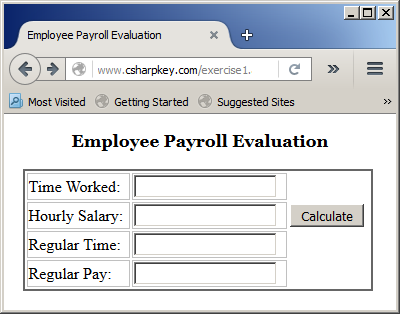
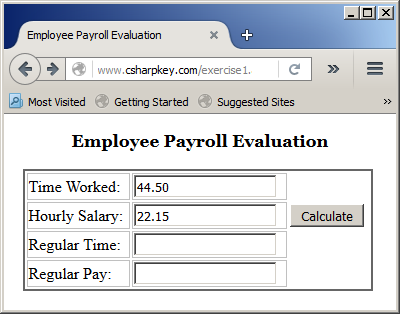

Just because you have an overridable member in a class doesn't imply that you must inherit a class from it. An overridable member is primarily a normal member like any other.
Sealing a Class
A sealed class is one that cannot serve as a base class in inheritance. To mark a class as sealed, when creating the class, type the NotInheritable keyword to the left of the Class keyword. Here is an example:
<%@ Page Language="VB" %>

<!DOCTYPE html>

<html>
<head runat="server">
<script runat="server">
Public Class WorkDay
    Protected time As Double
    Protected hSalary As Double

    Public Sub New(ByVal worktime As Double, ByVal salary As Double)
        time = worktime
        hSalary = salary
    End Sub

    Public Property TimeWorked As Double
        Get
            Return time
        End Get
        Set(value As Double)
            time = value
        End Set
    End Property

    Public Overridable ReadOnly Property RegularTime As Double
        Get
            Return TimeWorked
        End Get
    End Property

    Public Overridable ReadOnly Property RegularPay As Double
        Get
            Return RegularTime * hSalary
        End Get
    End Property
End Class

Public Class OvertimeWork
    Inherits WorkDay

    Public Sub New(ByVal worktime As Double, ByVal salary As Double)
        MyBase.New(worktime, salary)
    End Sub

    Private ReadOnly Property OvertimeSalary
        Get
            Return hSalary * 1.5
        End Get
    End Property

    Public Overrides ReadOnly Property RegularTime As Double
        Get
            Return If(time <= 8.0, time, 8.0)
        End Get
    End Property

    Public ReadOnly Property Overtime As Double
        Get
            Return If(time <= 8.0, 0.00, time - 8)
        End Get
    End Property

    Public Overrides ReadOnly Property RegularPay As Double
        Get
            Return RegularTime * hSalary
        End Get
    End Property

    Public ReadOnly Property OvertimePay As Double
        Get
            Return OvertimeSalary * Overtime
        End Get
    End Property

    Public ReadOnly Property NetPay As Double
        Get
            Return RegularPay + OvertimePay
        End Get
    End Property
End Class

NotInheritable Class Payroll
    Private id As Integer

    Public Sub New(ByVal payId As Integer)
        id = payId
    End Sub

    Public Property Monday As OvertimeWork
    Public Property Tuesday As OvertimeWork
    Public Property Wednesday As OvertimeWork
    Public Property Thursday As OvertimeWork
    Public Property Friday As OvertimeWork
    Public Property Saturday As OvertimeWork
    Public Property Sunday As OvertimeWork

    Public ReadOnly Property RegularTime As Double
        Get
            Return Monday.RegularTime + Tuesday.RegularTime + Wednesday.RegularTime + Thursday.RegularTime + Friday.RegularTime + Saturday.RegularTime + Sunday.RegularTime
        End Get
    End Property

    Public ReadOnly Property Overtime As Double
        Get
            Return Monday.Overtime + Tuesday.Overtime + Wednesday.Overtime + Thursday.Overtime + Friday.Overtime + Saturday.Overtime + Sunday.Overtime
        End Get
    End Property

    Public ReadOnly Property RegularPay As Double
        Get
            Return Monday.RegularPay + Tuesday.RegularPay + Wednesday.RegularPay + Thursday.RegularPay + Friday.RegularPay + Saturday.RegularPay + Sunday.RegularPay
        End Get
    End Property

    Public ReadOnly Property OvertimePay As Double
        Get
            Return Monday.OvertimePay + Tuesday.OvertimePay + Wednesday.OvertimePay + Thursday.OvertimePay + Friday.OvertimePay + Saturday.OvertimePay + Sunday.OvertimePay
        End Get
    End Property

    Public ReadOnly Property NetPay As Double
        Get
            Return Monday.NetPay + Tuesday.NetPay + Wednesday.NetPay + Thursday.NetPay + Friday.NetPay + Saturday.NetPay + Sunday.NetPay
        End Get
    End Property
End Class

Sub btnCalculateClick(ByVal sender As Object, ByVal e As EventArgs)
    Dim salary As Double
    Dim pay As New Payroll(1001)

    salary = If(String.IsNullOrEmpty(txtHourlySalary.Text), 0.00, CDbl(txtHourlySalary.Text))

    Pay.Monday = New OvertimeWork(If(String.IsNullOrEmpty(txtTimeWorkedMonday.Text), 0.00, CDbl(txtTimeWorkedMonday.Text)), salary)
    Pay.Tuesday = New OvertimeWork(If(String.IsNullOrEmpty(txtTimeWorkedTuesday.Text), 0.00, CDbl(txtTimeWorkedTuesday.Text)), salary)
    Pay.Wednesday = New OvertimeWork(If(String.IsNullOrEmpty(txtTimeWorkedWednesday.Text), 0.00, CDbl(txtTimeWorkedWednesday.Text)), salary)
    Pay.Thursday = New OvertimeWork(If(String.IsNullOrEmpty(txtTimeWorkedThursday.Text), 0.00, CDbl(txtTimeWorkedThursday.Text)), salary)
    Pay.Friday = New OvertimeWork(If(String.IsNullOrEmpty(txtTimeWorkedFriday.Text), 0.00, CDbl(txtTimeWorkedFriday.Text)), salary)
    Pay.Saturday = New OvertimeWork(If(String.IsNullOrEmpty(txtTimeWorkedSaturday.Text), 0.00, CDbl(txtTimeWorkedSaturday.Text)), salary)
    Pay.Sunday = New OvertimeWork(If(String.IsNullOrEmpty(txtTimeWorkedSunday.Text), 0.00, CDbl(txtTimeWorkedSunday.Text)), salary)

    txtMondayRegularTime.Text = FormatNumber(pay.Monday.RegularTime)
    txtMondayOvertime.Text = FormatNumber(pay.Monday.Overtime)
    txtMondayRegularPay.Text = FormatNumber(pay.Monday.RegularPay)
    txtMondayOvertimePay.Text = FormatNumber(pay.Monday.OvertimePay)
    txtMondayNetPay.Text = FormatNumber(pay.Monday.NetPay)

    txtTuesdayRegularTime.Text = FormatNumber(pay.Tuesday.RegularTime)
    txtTuesdayOvertime.Text = FormatNumber(pay.Tuesday.Overtime)
    txtTuesdayRegularPay.Text = FormatNumber(pay.Tuesday.RegularPay)
    txtTuesdayOvertimePay.Text = FormatNumber(pay.Tuesday.OvertimePay)
    txtTuesdayNetPay.Text = FormatNumber(pay.Tuesday.NetPay)

    txtWednesdayRegularTime.Text = FormatNumber(pay.Wednesday.RegularTime)
    txtWednesdayOvertime.Text = FormatNumber(pay.Wednesday.Overtime)
    txtWednesdayRegularPay.Text = FormatNumber(pay.Wednesday.RegularPay)
    txtWednesdayOvertimePay.Text = FormatNumber(pay.Wednesday.OvertimePay)
    txtWednesdayNetPay.Text = FormatNumber(pay.Wednesday.NetPay)

    txtThursdayRegularTime.Text = FormatNumber(pay.Thursday.RegularTime)
    txtThursdayOvertime.Text = FormatNumber(pay.Thursday.Overtime)
    txtThursdayRegularPay.Text = FormatNumber(pay.Thursday.RegularPay)
    txtThursdayOvertimePay.Text = FormatNumber(pay.Thursday.OvertimePay)
    txtThursdayNetPay.Text = FormatNumber(pay.Thursday.NetPay)

    txtFridayRegularTime.Text = FormatNumber(pay.Friday.RegularTime)
    txtFridayOvertime.Text = FormatNumber(pay.Friday.Overtime)
    txtFridayRegularPay.Text = FormatNumber(pay.Friday.RegularPay)
    txtFridayOvertimePay.Text = FormatNumber(pay.Friday.OvertimePay)
    txtFridayNetPay.Text = FormatNumber(pay.Friday.NetPay)

    txtSaturdayRegularTime.Text = FormatNumber(pay.Saturday.RegularTime)
    txtSaturdayOvertime.Text = FormatNumber(pay.Saturday.Overtime)
    txtSaturdayRegularPay.Text = FormatNumber(pay.Saturday.RegularPay)
    txtSaturdayOvertimePay.Text = FormatNumber(pay.Saturday.OvertimePay)
    txtSaturdayNetPay.Text = FormatNumber(pay.Saturday.NetPay)
    txtSaturdayNetPay.Text = FormatNumber(pay.Saturday.NetPay)

    txtSundayRegularTime.Text = FormatNumber(pay.Sunday.RegularTime)
    txtSundayOvertime.Text = FormatNumber(pay.Sunday.Overtime)
    txtSundayRegularPay.Text = FormatNumber(pay.Sunday.RegularPay)
    txtSundayOvertimePay.Text = FormatNumber(pay.Sunday.OvertimePay)
    txtSundayNetPay.Text = FormatNumber(pay.Sunday.NetPay)
    txtSundayNetPay.Text = FormatNumber(pay.Sunday.NetPay)

    txtRegularTime.Text = FormatNumber(pay.RegularTime)
    txtOvertime.Text = FormatNumber(pay.Overtime)
    txtRegularPay.Text = FormatCurrency(pay.RegularPay)
    txtOvertimePay.Text = FormatCurrency(pay.OvertimePay)
    txtNetPay.Text = FormatCurrency(pay.NetPay)
End Sub
</script>
<style>
#main-title
{
    font-size: 1.08em;
    font-weight: bold;
    text-align: center;
    font-family: Georgia, Garamond, 'Times New Roman', Times, serif;
}
#central {
    width: 635px;
    margin: auto
}
#tblPayroll { width: 630px; }
</style>
<title>Employee Payroll Evaluation</title>
</head>
<body>
<form id="frmPayroll" runat="server">
<div id="central">
<p id="main-title">Employee Payroll Evaluation</p>
<br />
<asp:Table id="tblHourlySalary" runat="server">
    <asp:TableRow runat="server">
        <asp:TableCell runat="server" Width="100px"></asp:TableCell>
        <asp:TableCell runat="server">Hourly Salary:</asp:TableCell>
        <asp:TableCell runat="server">
            <asp:TextBox id="txtHourlySalary" Width="65px" runat="server"></asp:TextBox>
</asp:TableCell>
    </asp:TableRow>
</asp:Table>
<br />
<asp:Table ID="tblTimeRecords" runat="server">
    <asp:TableRow runat="server">
        <asp:TableCell runat="server" Width="100px"></asp:TableCell>
        <asp:TableCell runat="server">Monday</asp:TableCell>
        <asp:TableCell runat="server">Tuesday</asp:TableCell>
        <asp:TableCell runat="server">Wednesday</asp:TableCell>
        <asp:TableCell runat="server">Thursday</asp:TableCell>
        <asp:TableCell runat="server">Friday</asp:TableCell>
        <asp:TableCell runat="server">Saturday</asp:TableCell>
        <asp:TableCell runat="server">Sunday</asp:TableCell>
    </asp:TableRow>
    <asp:TableRow runat="server">
        <asp:TableCell runat="server"></asp:TableCell>
        <asp:TableCell runat="server"><asp:TextBox id="txtTimeWorkedMonday" Width="65px" Text="0.00" runat="server"></asp:TextBox></asp:TableCell>
        <asp:TableCell runat="server"><asp:TextBox id="txtTimeWorkedTuesday" Width="65px" Text="0.00" runat="server"></asp:TextBox></asp:TableCell>
        <asp:TableCell runat="server"><asp:TextBox id="txtTimeWorkedWednesday" Width="65px" Text="0.00" runat="server"></asp:TextBox></asp:TableCell>
        <asp:TableCell runat="server"><asp:TextBox id="txtTimeWorkedThursday" Width="65px" Text="0.00" runat="server"></asp:TextBox></asp:TableCell>
        <asp:TableCell runat="server"><asp:TextBox id="txtTimeWorkedFriday" Width="65px" Text="0.00" runat="server"></asp:TextBox></asp:TableCell>
        <asp:TableCell runat="server"><asp:TextBox id="txtTimeWorkedSaturday" Width="65px" Text="0.00" runat="server"></asp:TextBox></asp:TableCell>
        <asp:TableCell runat="server"><asp:TextBox id="txtTimeWorkedSunday" Width="65px" Text="0.00" runat="server"></asp:TextBox></asp:TableCell>
    </asp:TableRow>
</asp:Table>

<p style="text-align: right"><asp:Button ID="btnCalculate" Text="Calculate" OnClick="btnCalculateClick" runat="server" Height="40px" Width="535px" /></p>

<hr />
<asp:Table ID="tblTimeWorkedSummary" runat="server">
    <asp:TableRow runat="server">
        <asp:TableCell Width="100px" runat="server"></asp:TableCell>
        <asp:TableCell runat="server">Monday</asp:TableCell>
        <asp:TableCell runat="server">Tuesday</asp:TableCell>
        <asp:TableCell runat="server">Wednesday</asp:TableCell>
        <asp:TableCell runat="server">Thursday</asp:TableCell>
        <asp:TableCell runat="server">Friday</asp:TableCell>
        <asp:TableCell runat="server">Saturday</asp:TableCell>
        <asp:TableCell runat="server">Sunday</asp:TableCell>
    </asp:TableRow>
    <asp:TableRow runat="server">
        <asp:TableCell runat="server">Regular Time</asp:TableCell>
        <asp:TableCell runat="server"><asp:TextBox id="txtMondayRegularTime" Width="65px" Text="0.00" runat="server"></asp:TextBox></asp:TableCell>
        <asp:TableCell runat="server"><asp:TextBox id="txtTuesdayRegularTime" Width="65px" Text="0.00" runat="server"></asp:TextBox></asp:TableCell>
        <asp:TableCell runat="server"><asp:TextBox id="txtWednesdayRegularTime" Width="65px" Text="0.00" runat="server"></asp:TextBox></asp:TableCell>
        <asp:TableCell runat="server"><asp:TextBox id="txtThursdayRegularTime" Width="65px" Text="0.00" runat="server"></asp:TextBox></asp:TableCell>
        <asp:TableCell runat="server"><asp:TextBox id="txtFridayRegularTime" Width="65px" Text="0.00" runat="server"></asp:TextBox></asp:TableCell>
        <asp:TableCell runat="server"><asp:TextBox id="txtSaturdayRegularTime" Width="65px" Text="0.00" runat="server"></asp:TextBox></asp:TableCell>
        <asp:TableCell runat="server"><asp:TextBox id="txtSundayRegularTime" Width="65px" Text="0.00" runat="server"></asp:TextBox></asp:TableCell>
    </asp:TableRow>
    <asp:TableRow runat="server">
        <asp:TableCell runat="server">Overtime</asp:TableCell>
        <asp:TableCell runat="server"><asp:TextBox id="txtMondayOvertime" Width="65px" Text="0.00" runat="server"></asp:TextBox></asp:TableCell>
        <asp:TableCell runat="server"><asp:TextBox id="txtTuesdayOvertime" Width="65px" Text="0.00" runat="server"></asp:TextBox></asp:TableCell>
        <asp:TableCell runat="server"><asp:TextBox id="txtWednesdayOvertime" Width="65px" Text="0.00" runat="server"></asp:TextBox></asp:TableCell>
        <asp:TableCell runat="server"><asp:TextBox id="txtThursdayOvertime" Width="65px" Text="0.00" runat="server"></asp:TextBox></asp:TableCell>
        <asp:TableCell runat="server"><asp:TextBox id="txtFridayOvertime" Width="65px" Text="0.00" runat="server"></asp:TextBox></asp:TableCell>
        <asp:TableCell runat="server"><asp:TextBox id="txtSaturdayOvertime" Width="65px" Text="0.00" runat="server"></asp:TextBox></asp:TableCell>
        <asp:TableCell runat="server"><asp:TextBox id="txtSundayOvertime" Width="65px" Text="0.00" runat="server"></asp:TextBox></asp:TableCell>
    </asp:TableRow>
    <asp:TableRow runat="server">
        <asp:TableCell runat="server">Regular Pay</asp:TableCell>
        <asp:TableCell runat="server"><asp:TextBox id="txtMondayRegularPay" Width="65px" Text="0.00" runat="server"></asp:TextBox></asp:TableCell>
        <asp:TableCell runat="server"><asp:TextBox id="txtTuesdayRegularPay" Width="65px" Text="0.00" runat="server"></asp:TextBox></asp:TableCell>
        <asp:TableCell runat="server"><asp:TextBox id="txtWednesdayRegularPay" Width="65px" Text="0.00" runat="server"></asp:TextBox></asp:TableCell>
        <asp:TableCell runat="server"><asp:TextBox id="txtThursdayRegularPay" Width="65px" Text="0.00" runat="server"></asp:TextBox></asp:TableCell>
        <asp:TableCell runat="server"><asp:TextBox id="txtFridayRegularPay" Width="65px" Text="0.00" runat="server"></asp:TextBox></asp:TableCell>
        <asp:TableCell runat="server"><asp:TextBox id="txtSaturdayRegularPay" Width="65px" Text="0.00" runat="server"></asp:TextBox></asp:TableCell>
        <asp:TableCell runat="server"><asp:TextBox id="txtSundayRegularPay" Width="65px" Text="0.00" runat="server"></asp:TextBox></asp:TableCell>
    </asp:TableRow>
    <asp:TableRow runat="server">
        <asp:TableCell runat="server">Overtime Pay</asp:TableCell>
        <asp:TableCell runat="server"><asp:TextBox id="txtMondayOvertimePay" Width="65px" Text="0.00" runat="server"></asp:TextBox></asp:TableCell>
        <asp:TableCell runat="server"><asp:TextBox id="txtTuesdayOvertimePay" Width="65px" Text="0.00" runat="server"></asp:TextBox></asp:TableCell>
        <asp:TableCell runat="server"><asp:TextBox id="txtWednesdayOvertimePay" Width="65px" Text="0.00" runat="server"></asp:TextBox></asp:TableCell>
        <asp:TableCell runat="server"><asp:TextBox id="txtThursdayOvertimePay" Width="65px" Text="0.00" runat="server"></asp:TextBox></asp:TableCell>
        <asp:TableCell runat="server"><asp:TextBox id="txtFridayOvertimePay" Width="65px" Text="0.00" runat="server"></asp:TextBox></asp:TableCell>
        <asp:TableCell runat="server"><asp:TextBox id="txtSaturdayOvertimePay" Width="65px" Text="0.00" runat="server"></asp:TextBox></asp:TableCell>
        <asp:TableCell runat="server"><asp:TextBox id="txtSundayOvertimePay" Width="65px" Text="0.00" runat="server"></asp:TextBox></asp:TableCell>
    </asp:TableRow>
</asp:Table>
<hr />
<asp:Table ID="tblNetPay" runat="server">
    <asp:TableRow runat="server">
        <asp:TableCell Width="100px" runat="server">Total Pay</asp:TableCell>
        <asp:TableCell runat="server"><asp:TextBox id="txtMondayNetPay" Width="65px" Text="0.00" runat="server"></asp:TextBox></asp:TableCell>
        <asp:TableCell runat="server"><asp:TextBox id="txtTuesdayNetPay" Width="65px" Text="0.00" runat="server"></asp:TextBox></asp:TableCell>
        <asp:TableCell runat="server"><asp:TextBox id="txtWednesdayNetPay" Width="65px" Text="0.00" runat="server"></asp:TextBox></asp:TableCell>
        <asp:TableCell runat="server"><asp:TextBox id="txtThursdayNetPay" Width="65px" Text="0.00" runat="server"></asp:TextBox></asp:TableCell>
        <asp:TableCell runat="server"><asp:TextBox id="txtFridayNetPay" Width="65px" Text="0.00" runat="server"></asp:TextBox></asp:TableCell>
        <asp:TableCell runat="server"><asp:TextBox id="txtSaturdayNetPay" Width="65px" Text="0.00" runat="server"></asp:TextBox></asp:TableCell>
        <asp:TableCell runat="server"><asp:TextBox id="txtSundayNetPay" Width="65px" Text="0.00" runat="server"></asp:TextBox></asp:TableCell>
    </asp:TableRow>
</asp:Table>
<hr />
<asp:Table id="tblPayroll" runat="server" BorderColor="#666666" BorderStyle="Double" BorderWidth="4px">
    <asp:TableRow runat="server">
        <asp:TableCell Width="400px" runat="server"></asp:TableCell>
        <asp:TableCell runat="server" Font-Bold="True" Font-Size="1.08em">Pay Summary</asp:TableCell>
        <asp:TableCell runat="server"></asp:TableCell>
    </asp:TableRow>
    <asp:TableRow runat="server">
        <asp:TableCell runat="server"></asp:TableCell>
        <asp:TableCell runat="server">Regular Time:</asp:TableCell>
        <asp:TableCell runat="server">
            <asp:TextBox ID="txtRegularTime" Width="75px" ReadOnly="true" runat="server"></asp:TextBox>
</asp:TableCell>
    </asp:TableRow>
    <asp:TableRow runat="server">
        <asp:TableCell runat="server"></asp:TableCell>
        <asp:TableCell runat="server">Overtime:</asp:TableCell>
        <asp:TableCell runat="server">
            <asp:TextBox ID="txtOvertime" Width="75px" ReadOnly="true" runat="server"></asp:TextBox>
</asp:TableCell>
    </asp:TableRow>
    <asp:TableRow runat="server">
        <asp:TableCell runat="server"></asp:TableCell>
        <asp:TableCell runat="server">Regular Pay:</asp:TableCell>
        <asp:TableCell runat="server">
            <asp:TextBox ID="txtRegularPay" Width="75px" ReadOnly="true" runat="server"></asp:TextBox>
</asp:TableCell>
    </asp:TableRow>
    <asp:TableRow runat="server">
        <asp:TableCell runat="server"></asp:TableCell>
        <asp:TableCell runat="server">Overtime Pay:</asp:TableCell>
        <asp:TableCell runat="server">
            <asp:TextBox ID="txtOvertimePay" Width="75px" ReadOnly="true" runat="server"></asp:TextBox>
</asp:TableCell>
    </asp:TableRow>
    <asp:TableRow runat="server">
        <asp:TableCell runat="server"></asp:TableCell>
        <asp:TableCell runat="server">Net Pay:</asp:TableCell>
        <asp:TableCell runat="server">
            <asp:TextBox ID="txtNetPay" ReadOnly="true" Width="75px" runat="server"></asp:TextBox></asp:TableCell>
    </asp:TableRow>
</asp:Table>
</div>
</form>
</body>
</html>
Here is an example of using the webpage:
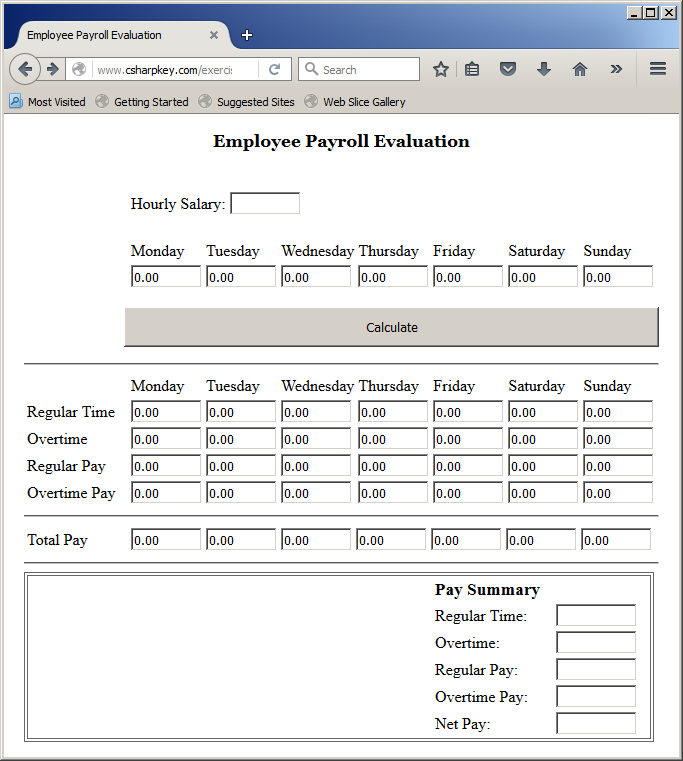
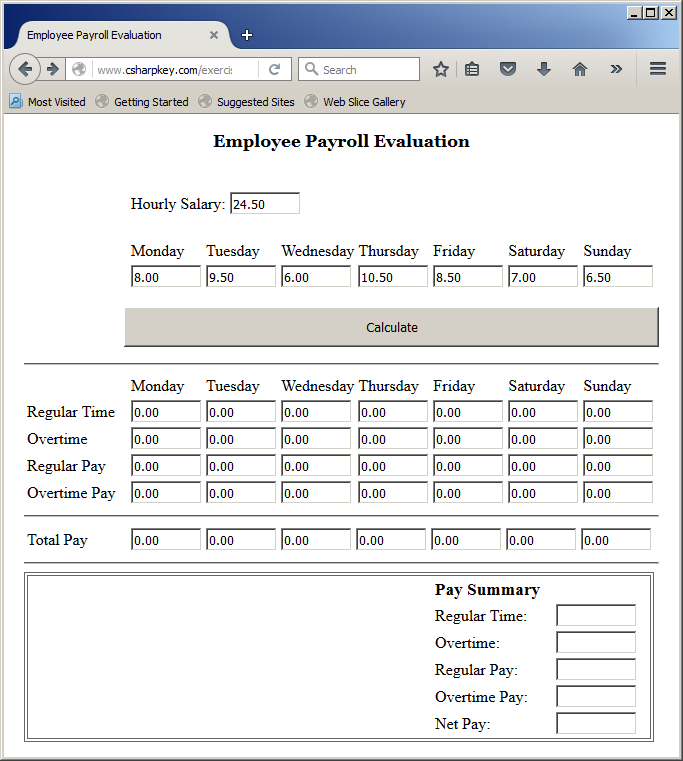
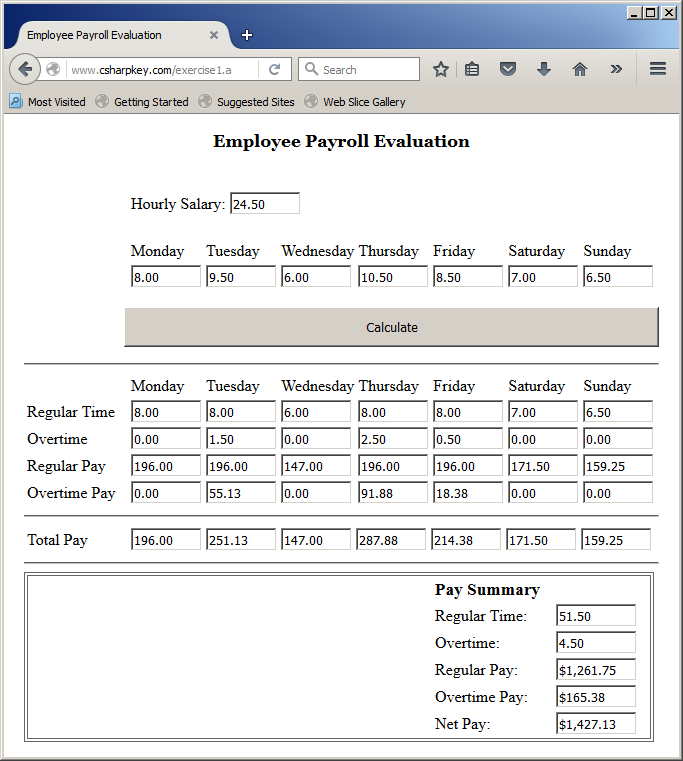
If the class is marked with an access modifier, the NotInheritable keyword can appear before or after the access modifier. This means that both NotInheritable Public Class Payroll and Public NotInheritable Class Payroll work the same way.
A class that is derived from another can also be sealed. Remember that once a class is not inheritable, it cannot serve as a parent of another class. As an alternative, the class can be used to create a property in another class that would use it as parent. Here is an example:
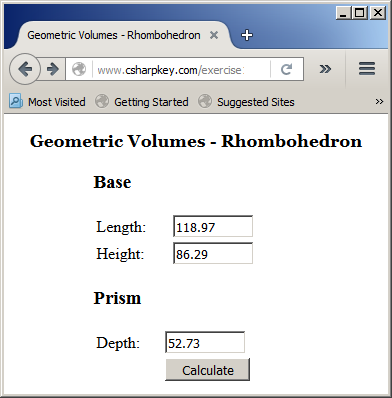
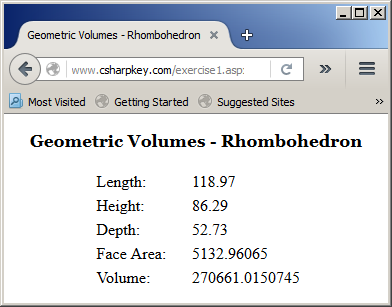
<%@ Page Language="VB" %> <!DOCTYPE html> <script runat="server"> Public NotInheritable Class Rhombus Private len As Double Private hgt As Double Public Sub New(ByVal length As Double, ByVal height As Double) len = length hgt = height End Sub Public Property Length() As Double Public Property Height() As Double Public ReadOnly Property Area() As Double Get Return len * hgt / 2.0 End Get End Property End Class Public Class Rhombohedron Private dp As Double Private bs As Rhombus Public Sub New(ByVal base As Rhombus, ByVal length As Double) bs = base dp = length End Sub Public Property Depth() As Double Public Property Base() As Rhombus Public ReadOnly Property FaceArea() As Double Get Return bs.Area End Get End Property Public ReadOnly Property Volume() As Double Get Return bs.Area * dp End Get End Property End Class Sub btnCalculateClick(ByVal sender As Object, ByVal e As EventArgs) Dim p As Double Dim q As Double Dim d As Double Dim v As Double Dim r As Rhombus Dim rh As Rhombohedron p = txtLength.Text q = txtHeight.Text d = txtDepth.Text r = New Rhombus(p, q) rh = New Rhombohedron(r, d) lblLength.Text = p lblHeight.Text = q lblDepth.Text = d lblFaceArea.Text = rh.FaceArea lblVolume.Text = rh.Volume pnlRhombohedron.Visible = False pnlResults.Visible = True End Sub </script> <style> #main-title { font-size: 1.08em; font-weight: bold; text-align: center; font-family: Georgia, Garamond, 'Times New Roman', Times, serif; } .tblRhombohedron { width: 200px; } #whole { margin: auto; width: 205px; } </style> <html> <head runat="server"> <title>Geometric Volumes - Rhombohedron</title> </head> <body> <p id="main-title">Geometric Volumes - Rhombohedron</p> <form id="frmRhombohedron" runat="server"> <div id="whole"> <asp:Panel id="pnlRhombohedron" Visible="true" runat="server"> <h3>Base</h3> <table class="tblRhombohedron"> <tr> <td>Length:</td> <td><asp:TextBox id="txtLength" Width="75px" runat="server" /></td> </tr> <tr> <td>Height:</td> <td><asp:TextBox id="txtHeight" runat="server" Width="75px" /></td> </tr> </table> <h3>Prism</h3> <table class="tblRhombohedron"> <tr> <td>Depth:</td> <td><asp:TextBox id="txtDepth" Width="75px" runat="server" /></td> </tr> <tr> <td> </td> <td><asp:Button id="btnCalculate" runat="server" Text="Calculate" Width="85px" OnClick="BtnCalculateClick" /> </td> </tr> </table> </asp:Panel> <asp:Panel id="pnlResults" Visible="false" runat="server"> <table class="tblRhombohedron"> <tr> <td>Length:</td> <td><asp:Label id="lblLength" Width="75px" runat="server" /></td> </tr> <tr> <td>Height:</td> <td><asp:Label id="lblHeight" runat="server" Width="75px" /></td> </tr> <tr> <td>Depth:</td> <td><asp:Label id="lblDepth" runat="server" Width="75px" /></td> </tr> <tr> <td>Face Area: </td> <td><asp:Label id="lblFaceArea" runat="server" Width="75px" /></td> </tr> <tr> <td>Volume: </td> <td><asp:Label id="lblVolume" runat="server" Width="75px" /></td> </tr> </table> </asp:Panel> </div> </form> </body> </html>
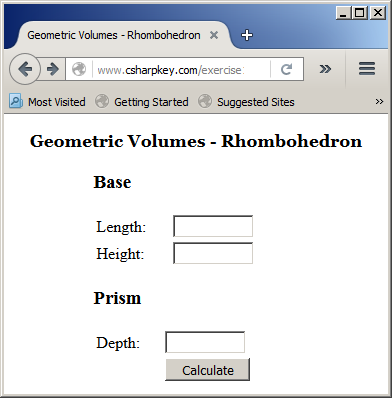
Here is an example of using the webpage:
Inheritance With Me, My Class, and My Base
Inheritance and Me
When a class is based on another class, all public and protected members of the parent class are made available to the derived class(es). In a derived class, the public and the protected members of the parent class cane be access using the Me object. Remember that Me can access only the non-Shared members. Here is an example:
<%@ Page Language="VB" %>
<!DOCTYPE html>
<script runat="server">
Const Pi = 3.14159265358979
Public Class Circle
Private rad As Double
Public Sub New()
rad = 0.0
End Sub
Public Sub New(ByVal radius As Double)
rad = radius
End Sub
Public Property Radius As Double
Get
Return rad
End Get
Set(ByVal value As Double)
rad = value
End Set
End Property
Public ReadOnly Property Diameter As Double
Get
Return rad * 2.0
End Get
End Property
Public ReadOnly Property Circumference As Double
Get
Return Diameter * Pi
End Get
End Property
Public ReadOnly Property Area As Double
Get
Return rad * rad * Pi
End Get
End Property
End Class
Public Class Sphere
Inherits Circle
Public ReadOnly Property Volume As Double
Get
Return Me.Radius * Me.Radius * Me.Radius * 4.00 * Pi / 3.00
End Get
End Property
End Class
Sub btnCalculateClick(ByVal sender As Object, ByVal e As EventArgs)
Dim radius As Double
radius = txtRadius.Text
Dim ball As New Sphere()
ball.Radius = radius
txtDiameter.Text = ball.Diameter
txtCircumference.Text = ball.Circumference
txtArea.Text = ball.Area
txtVolume.Text = ball.Volume
End Sub
</script>
<style>
#main-title
{
font-size: 1.08em;
font-weight: bold;
text-align: center;
font-family: Georgia, Garamond, 'Times New Roman', Times, serif;
}
.tblCircle { width: 200px; }
#whole
{
margin: auto;
width: 205px;
}
</style>
<html>
<head runat="server">
<title>Geometry - Circle</title>
</head>
<body>
<p id="main-title">Geometric Volumes - Sphere</p>
<form id="frmCircl" runat="server">
<div id="whole">
<table class="tblCircle">
<tr>
<td>Radius:</td>
<td><asp:TextBox id="txtRadius" Width="75px" runat="server" /></td>
</tr>
<tr>
<td> </td>
<td><asp:Button id="btnCalculate" runat="server"
Text="Calculate" Width="85px"
OnClick="BtnCalculateClick" />
</td>
</tr>
<tr>
<td>Diameter:</td>
<td><asp:TextBox id="txtDiameter" runat="server" /></td>
</tr>
<tr>
<td>Circumference:</td>
<td><asp:TextBox id="txtCircumference" runat="server" /></td>
</tr>
<tr>
<td>Symetric Area:</td>
<td><asp:TextBox id="txtArea" runat="server" /></td>
</tr>
<tr>
<td>volume:</td>
<td><asp:TextBox id="txtVolume" runat="server" /></td>
</tr>
</table>
</div>
</form>
</body>
</html>
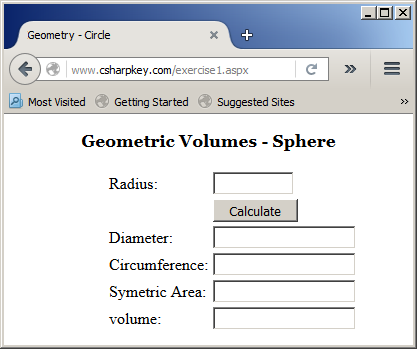
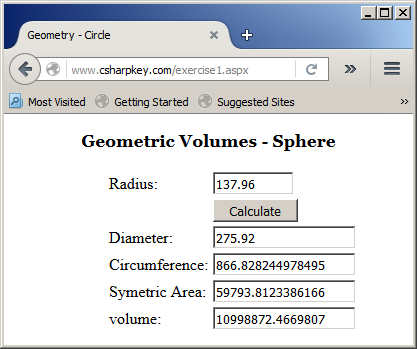
Here is an example of using the webpage:
Remember that Me can be assigned to a variable that refers to an object of the same class. Here is an example:
<%@ Page Language="VB" %>

<!DOCTYPE html>

<html>
<head runat="server">
<script runat="server">
Public Class Triangle
    Public Sub Examine()
        Dim inside = Me
    End Sub
End Class
</script>
<title>Geometry</title>
</head>
<body>
</body>
</html>
Remember that you can compare an object to Me to find out what that object represents. This operation can be used to find out if an object refers to a parent, grand-parent, etc, of the object.
Identifying My Base
After creating a derived class, to let you access the parent class, the Visual Basic language provides a keyword named MyBase that gives a child class access to public and protected members of its parent class. Here are examples of using it:
<%@ Page Language="VB" %>
<!DOCTYPE html>
<script runat="server">
Public Class Square
Private sd As Double
Public Sub New()
sd = 0.0
End Sub
Public Sub New(ByVal side As Double)
sd = side
End Sub
Public Property Side As Double
Public ReadOnly Property Perimeter As Double
Get
Return sd * 4.0
End Get
End Property
Public ReadOnly Property Area As Double
Get
Return sd * sd
End Get
End Property
End Class
Public Class Cube
Inherits Square
Public Sub New()
MyBase.Side = 0.0
End Sub
Public Sub New(ByVal side As Double)
MyBase.Side = side
End Sub
Public ReadOnly Property Volume As Double
Get
Return MyBase.Side * MyBase.Side * MyBase.Side
End Get
End Property
End Class
Sub btnCalculateClick(ByVal sender As Object, ByVal e As EventArgs)
Dim side As Double
Dim dice As Cube
side = txtSide.Text
dice = New Cube(side)
txtVolume.Text = dice.Volume
End Sub
</script>
<style>
#main-title
{
font-size: 1.08em;
font-weight: bold;
text-align: center;
font-family: Georgia, Garamond, 'Times New Roman', Times, serif;
}
.tblCube { width: 200px; }
#whole
{
margin: auto;
width: 205px;
}
</style>
<html>
<head runat="server">
<title>Geometry - Cube</title>
</head>
<body>
<p id="main-title">Geometric Volumes - Cube</p>
<form id="frmCube" runat="server">
<div id="whole">
<table class="tblCube">
<tr>
<td>Side:</td>
<td><asp:TextBox id="txtSide" Width="75px" runat="server" /></td>
</tr>
<tr>
<td> </td>
<td><asp:Button id="btnCalculate" runat="server"
Text="Calculate" Width="85px" OnClick="BtnCalculateClick" /></td>
</tr>
<tr>
<td>Volume:</td>
<td><asp:TextBox id="txtVolume" runat="server" /></td>
</tr>
</table>
</div>
</form>
</body>
</html>
Here is an example of using the webpage:
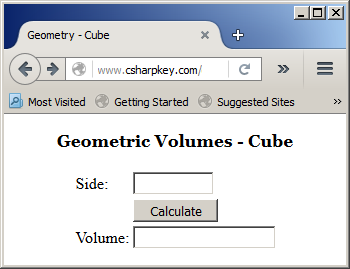
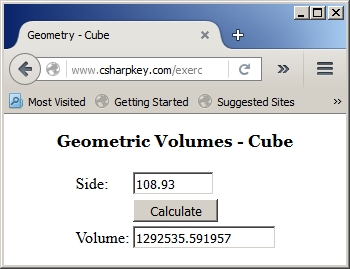
Using My Base Constructor
If you decide to derive from a class that doesn't have a default constructor (a constructor without a parameter), if your new class has a constructor, you must use MyBase to access the constructor of the parent class. This is done using MyBase.New(). In the parentheses, pass the argument(s) of your new constructor. Here is an example:
<%@ Page Language="VB" %>
<!DOCTYPE html>
<script runat="server">
Public Class Hexagon
Private sd As Double
Public Sub New(ByVal side As Double)
sd = side
End Sub
Public Property Side As Double
Get
Return sd
End Get
Set(value As Double)
sd = value
End Set
End Property
Public ReadOnly Property Area As Double
Get
Return sd * sd * 3.00 * Math.Sqrt(3.00) / 2.00
End Get
End Property
End Class
Public Class Prism
Inherits Hexagon
Private hgt As Double
Public Sub New(ByVal side As Double, ByVal height As Double)
MyBase.New(side)
MyBase.Side = side
hgt = height
End Sub
Public Property Height As Double
Get
Return hgt
End Get
Set(value As Double)
hgt = value
End Set
End Property
Public ReadOnly Property Volume As Double
Get
Return MyBase.Area * hgt
End Get
End Property
End Class
Sub btnCalculateClick(ByVal sender As Object, ByVal e As EventArgs)
Dim side As Double
Dim height As Double
side = txtSide.Text
height = txtHeight.Text
Dim precious = New Prism(side, height)
txtVolume.Text = precious.Volume
End Sub
</script>
<style>
#main-title
{
font-size: 1.08em;
font-weight: bold;
text-align: center;
font-family: Georgia, Garamond, 'Times New Roman', Times, serif;
}
.tblSquare { width: 200px; }
#whole
{
margin: auto;
width: 205px;
}
</style>
<html>
<head runat="server">
<title>Geometric Volumes - Prism</title>
</head>
<body>
<p id="main-title">Geometric Volumes - Prism</p>
<form id="frmPrism" runat="server">
<div id="whole">
<table class="tblPrism">
<tr>
<td>Side:</td>
<td><asp:TextBox id="txtSide" Width="75px" runat="server" /></td>
</tr>
<tr>
<td>Height:</td>
<td><asp:TextBox id="txtHeight" Width="75px" runat="server" /></td>
</tr>
<tr>
<td> </td>
<td><asp:Button id="btnCalculate" runat="server"
Text="Calculate" Width="85px" OnClick="BtnCalculateClick" /></td>
</tr>
<tr>
<td>Volume:</td>
<td><asp:TextBox id="txtVolume" runat="server" /></td>
</tr>
</table>
</div>
</form>
</body>
</html>
Here is an example of using the webpage:
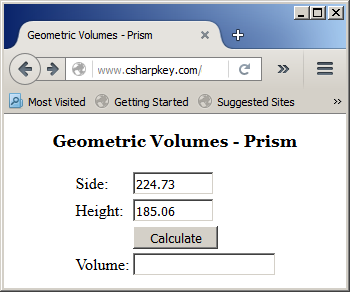
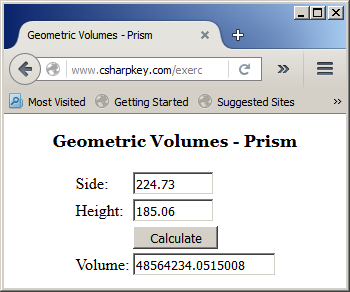
Inheritance for My Class
As an alternative to Me, to give you access to the members of a class and the member of (a) parent class(es) while inside a class, the Visual Basic language provides a keyword named MyClass. In most cases, it can be used where Me would be used. Here are examples:
<%@ Page Language="VB" %>
<!DOCTYPE html>
<script runat="server">
Const Pi = 3.14159265358979
Public Class Circle
Private rad As Double
Public Sub New(ByVal radius As Double)
MyClass.rad = radius
End Sub
Public Property Radius As Double
Get
Return MyClass.rad
End Get
Set(ByVal value As Double)
MyClass.rad = value
End Set
End Property
Public ReadOnly Property Diameter As Double
Get
Return MyClass.rad * 2.0
End Get
End Property
Public ReadOnly Property Circumference As Double
Get
Return MyClass.Diameter * Pi
End Get
End Property
Public ReadOnly Property Area As Double
Get
Return MyClass.rad * MyClass.rad * Pi
End Get
End Property
End Class
Public Class Sphere
Inherits Circle
Public Sub New(ByVal radius As Double)
MyBase.New(radius)
End Sub
Public ReadOnly Property Volume As Double
Get
Return Me.Radius * Me.Radius * Me.Radius * 4.0 * Pi / 3.0
End Get
End Property
End Class
Public Class Cylinder
Inherits Circle
Private hgt As Double
Public Sub New(ByVal radius As Double, ByVal height As Double)
MyBase.New(radius)
MyClass.hgt = height
End Sub
Public ReadOnly Property Volume As Double
Get
Return MyClass.Area * MyClass.hgt
End Get
End Property
End Class
Public Class Tank
Private rad As Double
Private hgt As Double
Public Sub New(ByVal radius As Double, ByVal height As Double)
MyClass.rad = radius
MyClass.hgt = height
End Sub
Public ReadOnly Property Sides As Sphere
Get
Return New Sphere(MyClass.rad)
End Get
End Property
Public ReadOnly Property Cylinder As Cylinder
Get
Return New Cylinder(MyClass.rad, MyClass.hgt)
End Get
End Property
Public ReadOnly Property Area As Double
Get
Return MyClass.Sides.Area + (MyClass.Sides.Circumference * MyClass.hgt)
End Get
End Property
Public ReadOnly Property Volume As Double
Get
Return MyClass.Sides.Volume + MyClass.Cylinder.Volume
End Get
End Property
End Class
Sub btnCalculateClick(ByVal sender As Object, ByVal e As EventArgs)
Dim radius As Double
Dim height As Double
radius = If(String.IsNullOrEmpty(txtRadius.Text), 0.00, txtRadius.Text)
height = If(String.IsNullOrEmpty(txtHeight.Text), 0.00, txtHeight.Text)
Dim tank As New Tank(radius, height)
txtDiameter.Text = tank.Sides.Diameter
txtCircumference.Text = tank.Sides.Circumference
txtArea.Text = tank.Area
txtVolume.Text = tank.Volume
End Sub
</script>
<style>
#main-title
{
font-size: 1.08em;
font-weight: bold;
text-align: center;
font-family: Georgia, Garamond, 'Times New Roman', Times, serif;
}
#whole
{
margin: auto;
width: 236px;
}
</style>
<html>
<head runat="server">
<title>Geometric Volumes - Tank</title>
</head>
<body>
<p id="main-title">Geometric Volumes - Tank</p>
<form id="frmGeometry" runat="server">
<div id="whole">
<table class="tblCircle">
<tr>
<td>Radius:</td>
<td><asp:TextBox id="txtRadius" Width="75px" runat="server" /></td>
</tr>
<tr>
<td>Height:</td>
<td><asp:TextBox id="txtHeight" Width="75px" runat="server" /></td>
</tr>
<tr>
<td> </td>
<td><asp:Button id="btnCalculate" runat="server"
Text="Calculate" Width="85px"
OnClick="BtnCalculateClick" />
</td>
</tr>
<tr>
<td>Diameter:</td>
<td><asp:TextBox id="txtDiameter" runat="server" /></td>
</tr>
<tr>
<td>Circumference:</td>
<td><asp:TextBox id="txtCircumference" runat="server" /></td>
</tr>
<tr>
<td>Area:</td>
<td><asp:TextBox id="txtArea" runat="server" /></td>
</tr>
<tr>
<td>volume:</td>
<td><asp:TextBox id="txtVolume" runat="server" /></td>
</tr>
</table>
</div>
</form>
</body>
</html>
Here is an example of using the webpage:
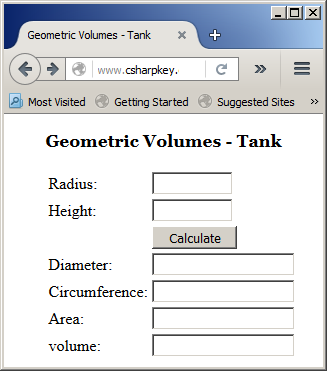
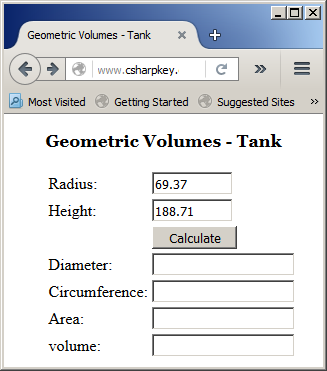
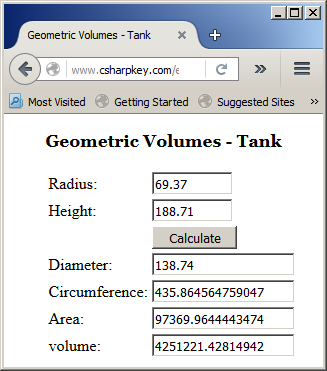
While Me is an object, MyClass is not; it is only a keyword. As a result, while you can assign Me to a variable, you cannot assign MyClass (by itself) to anything:
<script runat="server">
Public Class Cylinder
    Public Sub Examine()
        ' This is valid
        Dim e = Me
        ' This ain't allowed
        Dim y = MyClass
     End Sub
End Class
</script>
In the same way, you cannot perform a comparison on MyClass to find out what object it refers, which you can do on Me:
<script runat="server">
Public Class Cylinder
    Inherits Circle

    Public Sub Examine(ByVal side As Circle)
        ' This is valid
        If side Is Me Then
            side.Radius = 1.0
        End If
        ' This ain't allowed
        If side Is MyClass Then
            side.Radius = 1.0
        End If
    End Sub
End Class
</script>