
Drives
|
|
Drives |
|
Introduction to Drives |
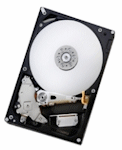
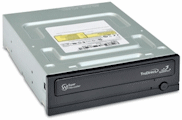
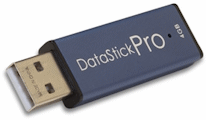
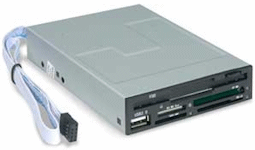
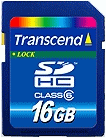
A drive is a physical device attached to a computer so it can store information. A drive can be a hard disk, a CD ROM, a DVD ROM, a flash (USB) drive, a memory card etc: |
|
 |
 |
|
| Hard Drive | DVD Drive | USB Flash Drive | |
 |
 |
||
| Floppy Drive | Flash Memory |
|
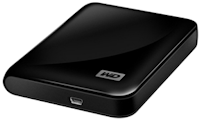
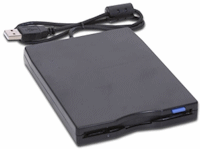
A drive can reside inside a computer. That's the case for internal hard drives and most CD or DVD drives. A drive can also reside outside. That's the case for most flash (USB) drives. There are also versions of external hard drives and external DVD drives:
A drive is referred to as virtual if it is not a real physical object. For example, a hard drive can be divided or partitioned internally, giving birth to each part that acts as its own drive. While most drives are connected to a computer, a device connected to another computer can also be used as a drive. In this case, while the drive is connected to a computer A, a computer B must be connected to the computer A in order to use the drive on computer A. This is the case in computer networks where drives (or their contents) are shared. Not all computers have the same drives and not all computers deal with the same means of storing data. Still, to simplify their identification, all objects used to hold data are referred to as drives. Because there are different ways to consider drives, there are also various means of accessing them. There are two techniques of referring to drives. A drive that is directly connected to a computer, whether internally or externally, is referred to as a local drive. In Microsoft Windows, a local drive is represented by a letter, in uppercase, followed by a colon ":", and a backslash "\". Traditionally, drive A: is used for a 3.5" floppy drive that uses 3.5" floppy disks. Most computers nowadays don't (or hardly) use floppy disks. That drive is almost never used but, because of legacy, it is still represented in the Microsoft Windows operating system. Also, traditionally, drive B:\ was used for a 5.25" floppy drive that used 5.25" floppy disks. These disks have almost disappeared completely. Based on operating system legacy, in some computers, drive B:\ is still represented (many computers don't show any drive B:\ anymore). Drive C:\ usually represents the main hard drive of a computer. The other letters assigned to the other drive are not standard; they vary from one computer to another. If a hard disk is partitioned, each partition uses its own letter and is represented as its own drive.
Normally, you will hardly be concerned with the creation of drives. The operating system "creates" or assigns a drive whenever it juges it necessary. For example, as soon as you connect a USB drive to a port, the operating system automatically creates a drive and assigns a lette to it. You will only need to identify the drives that are available on a computer on which your application is running. One of the primary operations you will want to perform is to get a list of drives on the computer. To support drives on a computer, the VCL provides a structure named TDirectory. The TDirectory structure is defined in the IOUtils.hpp header file. To get a list of drives on a computer, the TDirectory structure is equippped wit a method named GetLogicalDrives. Its syntax is: static System::DynamicArray<System::UnicodeString>
__fastcall GetLogicalDrives(void);
When this method is called, it produces a list of all drives on the current computer. To get the same information, you can call the GetLogicalDrives() function of Microsoft Window. Its syntax is: DWORD GetLogicalDrives(void);
|
If you want to get the name of a drive, you can first call the TDirectory::GetLogicalDrives and use the index of the drive you want to access. Here is an example: //---------------------------------------------------------------------------
void __fastcall TForm1::btnDrivesClick(TObject *Sender)
{
System::DynamicArray
A drive is primarily recognized by its category. Examples of categories are hard drives, CD and DVD drives, etc. In Microsoft Windows, to get the categories of drives, you can call the GetDriveType() function. The GetDriveType() function is defined in the Kernel32.lib that is a member of the Window.h header file. This means that you don't have to import or include any library to use it. The syntax of the GetDriveType() function is: UINT GetDriveType(LPCTSTR lpRootPathName); This function receives a drive name as argument. If a drive witha name or letter exists, this function analyzes if and produces an unsigned constant value that can be one of the following:
|
|
|||||||||||||||||||||||||
|
|
|
|
||
| Home | Copyright © 2010-2016, FunctionX | |
|
|
||
 Practical
Learning: Introducing Drives
Practical
Learning: Introducing Drives and click the frame