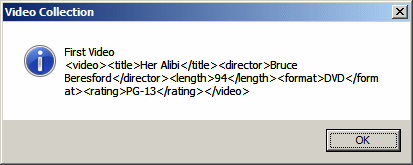
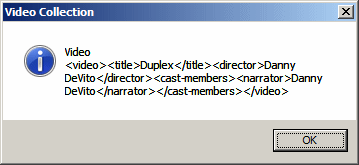
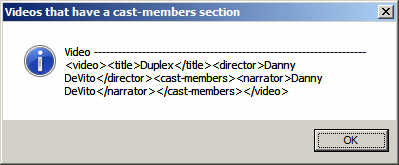
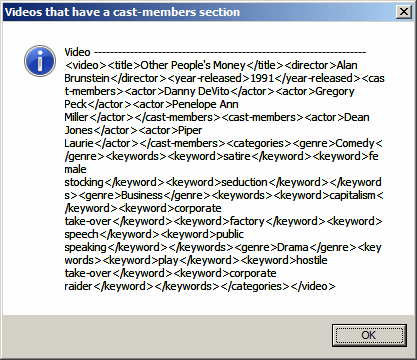
When accessing the results of an XPath expression, each result uses a specific position in the resulting array. The position corresponds to the index of arrays seen in C#, except that the indexes start at 1 (in most C-based arrays, which includes C#, the indexes of arrays start at 0). The first result is positioned at index 1, the second at index 2, until the end. To access an individual result of the XPath expression, use the square brackets as done in C-based languages. Here is an example: using System;
using System.Xml;
using System.Windows.Forms;
public class Exercise : Form
{
public static int Main()
{
XmlDocument xdVideos = new XmlDocument();
xdVideos.Load("../../Videos.xml");
XmlElement xeVideo = xdVideos.DocumentElement;
XmlNodeList xnlVideos = xeVideo.SelectNodes("/videos/video[1]");
foreach(XmlNode xnVideo in xnlVideos)
MessageBox.Show(string.Format("First Video\n{0}",
xnVideo.OuterXml),
"Video Collection",
MessageBoxButtons.OK,
MessageBoxIcon.Information);
return 0;
}
}
This would produce:
The array technique can be very valuable if the results are made of single values, such as the names of people. Consider the following example: using System;
using System.Xml;
using System.Drawing;
using System.Windows.Forms;
public class Exercise : Form
{
ListBox lbxAllActors, lbxLeadingActors;
public Exercise()
{
lbxAllActors = new ListBox();
lbxAllActors.Height = 220;
lbxAllActors.Location = new Point(12, 12);
Controls.Add(lbxAllActors);
lbxLeadingActors = new ListBox();
lbxLeadingActors.Height = 220;
lbxLeadingActors.Location = new Point(140, 12);
Controls.Add(lbxLeadingActors);
Text = "Video Collection";
XmlDocument xdVideos = new XmlDocument();
xdVideos.Load("../../Videos.xml");
XmlElement xeVideo = xdVideos.DocumentElement;
XmlNodeList xnlVideos = xeVideo.SelectNodes("//videos/video/cast-members/actor");
foreach(XmlNode xnVideo in xnlVideos)
lbxAllActors.Items.Add(xnVideo.InnerText);
xnlVideos = xeVideo.SelectNodes("//videos/video/cast-members/actor[1]");
foreach(XmlNode xnVideo in xnlVideos)
lbxLeadingActors.Items.Add(xnVideo.InnerText);
}
[STAThread]
public static int Main()
{
Application.EnableVisualStyles();
Application.SetCompatibleTextRenderingDefault(false);
Application.Run(new Exercise());
return 0;
}
}
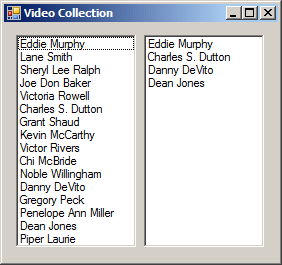
This would produce the first actor in each section (each child of the root):
If you pass an index that is not found, such as one that is higher than the number of results, the method would return nothing (no exception would be thrown). Once you have accessed a node by its position, if that node has at least one child node, you can access that child node using / and its name. Here is an example: using System;
using System.Xml;
using System.Windows.Forms;
public class Exercise
{
public static int Main()
{
XmlDocument xdVideos = new XmlDocument();
xdVideos.Load("../../Videos.xml");
XmlElement xeVideo = xdVideos.DocumentElement;
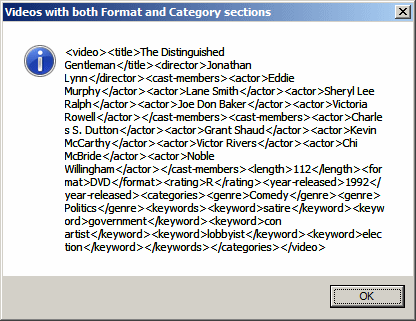
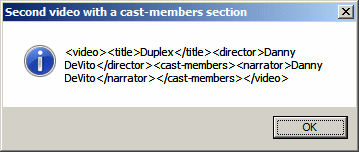
XmlNodeList xnlVideos = xeVideo.SelectNodes("/videos/video[2]/cast-members");
foreach(XmlNode xnVideo in xnlVideos)
MessageBox.Show(xnVideo.OuterXml,
"Videos with both Format and Category sections",
MessageBoxButtons.OK,
MessageBoxIcon.Information);
return 0;
}
}
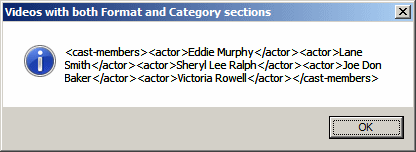
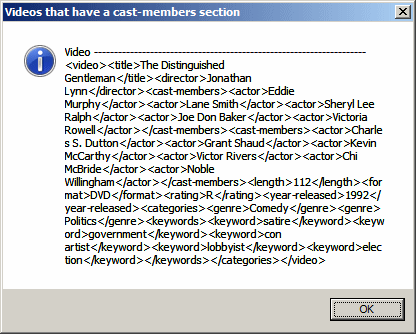
This would produce:
If the element on which you apply the square brackets has child nodes, you can apply the square brackets on the child nodes to get one at a position of your choice. Here is an example: using System;
using System.Xml;
using System.Windows.Forms;
public class Exercise
{
public static int Main()
{
XmlDocument xdVideos = new XmlDocument();
xdVideos.Load("../../Videos.xml");
XmlElement xeVideo = xdVideos.DocumentElement;
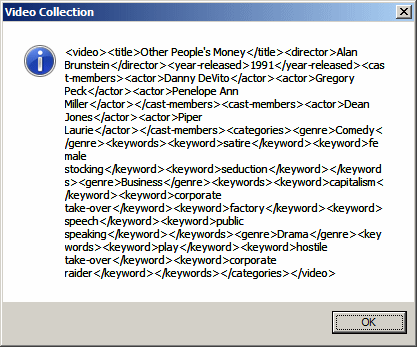
XmlNodeList xnlVideos = xeVideo.SelectNodes("/videos[1]/video[3]");
foreach(XmlNode xnVideo in xnlVideos)
MessageBox.Show("Video\n" + xnVideo.OuterXml),
"Video Collection",
MessageBoxButtons.OK,
MessageBoxIcon.Information);
return 0;
}
}
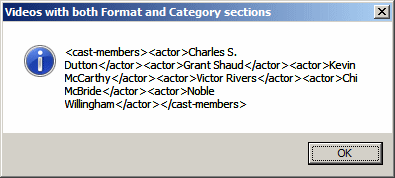
This would produce:
In the same way, you can apply the square brackets to any child node of an element. Here is an example: using System;
using System.Xml;
using System.Windows.Forms;
public class Exercise
{
public static int Main()
{
XmlDocument xdVideos = new XmlDocument();
xdVideos.Load("../../Videos.xml");
XmlElement xeVideo = xdVideos.DocumentElement;
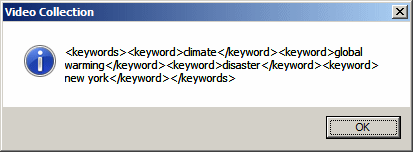
XmlNodeList xnlVideos = xeVideo.SelectNodes("/videos[1]/video[4]/categories[1]/genre[3]");
foreach(XmlNode xnVideo in xnlVideos)
MessageBox.Show(xnVideo.InnerXml,
"Video Collection",
MessageBoxButtons.OK,
MessageBoxIcon.Information);
return 0;
}
}
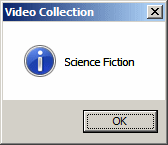
This would produce:
The rules to remember are:
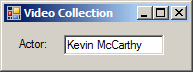
Using these features of arrays applied to XPath, you can access any node. For example, you can apply the square brackets to a certain node and access it by its position. If the node at that position has child nodes, you can use the name of those child nodes and apply the square brackets on that name to indicate what node you want to access. Consider the following example: sing System;
using System.Xml;
using System.Drawing;
using System.Windows.Forms;
public class Exercise : Form
{
Label lblActor;
TextBox txtActor;
public Exercise()
{
lblActor = new Label();
lblActor.Text = "Actor:";
lblActor.AutoSize = true;
lblActor.Location = new Point(12, 14);
Controls.Add(lblActor);
txtActor = new TextBox();
txtActor.Location = new Point(60, 12);
Controls.Add(txtActor);
Text = "Video Collection";
XmlDocument xdVideos = new XmlDocument();
xdVideos.Load("../../Videos.xml");
XmlElement xeVideo = xdVideos.DocumentElement;
// This expression first gets the 2nd video.
// Then it gets the 3rd actor of the cast-members section
XmlNodeList xnlVideos = xeVideo.SelectNodes("/videos/video[2]/cast-members/actor[3]");
foreach(XmlNode xnVideo in xnlVideos)
txtActor.Text = xnVideo.InnerText;
}
[STAThread]
public static int Main()
{
Application.EnableVisualStyles();
Application.SetCompatibleTextRenderingDefault(false);
Application.Run(new Exercise());
return 0;
}
}
This would produce:
|
|
|||||||||||||||
|
|
||||||||||||||||