<?xml version="1.0" encoding="utf-8"?> <videos common-name="Video Collection" purpose="To keep track of personal/home videos"> <video shelf-number="CMD97904"> <title>Her Alibi</title> <director>Bruce Beresford</director> <length>94</length> <format>DVD</format> <rating>PG-13</rating> </video> <video shelf-number="PLT24857"> <title France="Monsieur le Député" Italy="Il Distinto Gentiluomo" Spain="Su Distinguida Señoría">The Distinguished Gentleman</title> <director>Jonathan Lynn</director> <cast-members> <actor role="Thomas Jefferson Johnson">Eddie Murphy</actor> <actor role="Dick Dodge">Lane Smith</actor> <actor role="Miss Loretta">Sheryl Lee Ralph</actor> <actor role="Olaf Andersen">Joe Don Baker</actor> <actor role="Celia Kirby">Victoria Rowell</actor> </cast-members> <cast-members> <actor role="Elijah Hawkins">Charles S. Dutton</actor> <actor role="Arthur Reinhardt">Grant Shaud</actor> <actor role="Terry Corrigan">Kevin McCarthy</actor> <actor role="Armando">Victor Rivers</actor> <actor role="Homer">Chi McBride</actor> <actor role="Zeke Bridges">Noble Willingham</actor> </cast-members> <length>112</length> <format screen="Wide Screen">DVD</format> <rating>R</rating> <year-released date-released="4 December 1992">1992</year-released> <categories> <genre>Comedy</genre> <genre>Politics</genre> <keywords> <keyword>satire</keyword> <keyword>government</keyword> <keyword>con artist</keyword> <keyword>lobbyist</keyword> <keyword>election</keyword> </keywords> </categories> </video> <video> <title>Duplex</title> <director>Danny DeVito</director> <cast-members> <narrator>Danny DeVito</narrator> </cast-members> </video> <video shelf-number="SCF13948"> <title Spain="El Día de Mañana" Croatia="Dan Poslije Sutra" Portugal="O Dia Depois de Amanhã">The Day After Tomorrow</title> <director>Roland Emmerich</director> <length>124</length> <categories> <genre>Drama</genre> <genre>Environment</genre> <genre>Science Fiction</genre> </categories> <format>BD</format> <rating>PG-13</rating> <keywords> <keyword>climate</keyword> <keyword>global warming</keyword> <keyword>disaster</keyword> <keyword>new york</keyword> </keywords> </video> <video shelf-number="CMD93805"> <title>Other People's Money</title> <director>Alan Brunstein</director> <year-released date-released="18 October 1991">1991</year-released> <cast-members> <actor role="Lawrence Garfield">Danny DeVito</actor> <actor role="Andrew Jorgenson">Gregory Peck</actor> <actor role="Kate Sullivan">Penelope Ann Miller</actor> </cast-members> <cast-members> <actor role="Bill Coles">Dean Jones</actor> <actor role="Bea Sullivan">Piper Laurie</actor> </cast-members> <categories> <genre>Comedy</genre> <keywords> <keyword>satire</keyword> <keyword>female stocking</keyword> <keyword>seduction</keyword> </keywords> <genre>Business</genre> <keywords> <keyword>capitalism</keyword> <keyword>corporate take-over</keyword> <keyword>factory</keyword> <keyword>speech</keyword> <keyword>public speaking</keyword> </keywords> <genre>Drama</genre> <keywords> <keyword>play</keyword> <keyword>hostile take-over</keyword> <keyword>corporate raider</keyword> </keywords> </categories> </video> </videos> To access an attribute, follow the name of its parent tag with a forward slash, an @ sign, and the name of the attribute. For example, if the root node has an attribute, use the formula: /RootName/@AttributeName"); Here is an example: using System;
using System.Xml;
using System.Windows.Forms;
public class Exercise
{
public static int Main()
{
XmlDocument xdVideos = new XmlDocument();
xdVideos.Load("../../Videos.xml");
XmlElement xeVideo = xdVideos.DocumentElement;
XmlNodeList xnlVideos = xeVideo.SelectNodes("/videos/@common-name");
foreach(XmlNode xnVideo in xnlVideos)
MessageBox.Show(xnVideo.OuterXml,
"Video Collection",
MessageBoxButtons.OK,
MessageBoxIcon.Information);
return 0;
}
}
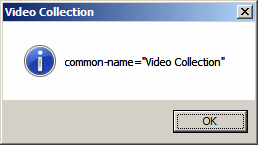
This would produce:
In the same way, use any of the formulas we have seen so far to access any node. Then, if the node has an attribute, use the @ sign to get that attribute. Here is an example: using System;
using System.Xml;
using System.Windows.Forms;
public class Exercise
{
public static int Main()
{
XmlDocument xdVideos = new XmlDocument();
xdVideos.Load("../../Videos.xml");
XmlElement xeVideo = xdVideos.DocumentElement;
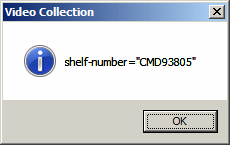
XmlNodeList xnlVideos = xeVideo.SelectNodes("/videos/video/@shelf-number");
foreach(XmlNode xnVideo in xnlVideos)
MessageBox.Show(xnVideo.OuterXml,
"Video Collection",
MessageBoxButtons.OK,
MessageBoxIcon.Information);
return 0;
}
}
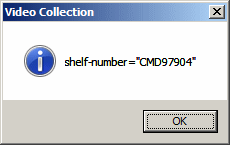
This would produce:
If you use an attribute that either doesn't exist or the element doesn't have that particular attribute, the result would be empty; no exception would be thrown.
If you want to get all the attributes of an element, replace the name of the attribute with * as in @*. Here is an example: using System;
using System.Xml;
using System.Drawing;
using System.Windows.Forms;
public class Exercise : Form
{
Label lblActorsRoles;
ListBox lbxActorsRoles;
public Exercise()
{
lblActorsRoles = new Label();
lblActorsRoles.AutoSize = true;
lblActorsRoles.Text = "Characters in Videos";
lblActorsRoles.Location = new Point(12, 10);
Controls.Add(lblActorsRoles);
lbxActorsRoles = new ListBox();
lbxActorsRoles.Size = new System.Drawing.Size(198, 90);
lbxActorsRoles.Location = new Point(12, 28);
Controls.Add(lbxActorsRoles);
Text = "Video Collection";
XmlDocument xdVideos = new XmlDocument();
xdVideos.Load("../../Videos.xml");
XmlElement xeVideo = xdVideos.DocumentElement;
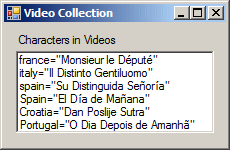
XmlNodeList xnlVideos = xeVideo.SelectNodes("/videos/video/title/@*");
foreach(XmlNode xnVideo in xnlVideos)
lbxActorsRoles.Items.Add(xnVideo.OuterXml);
Size = new System.Drawing.Size(230, 150);
}
[STAThread]
public static int Main()
{
Application.EnableVisualStyles();
Application.SetCompatibleTextRenderingDefault(false);
Application.Run(new Exercise());
return 0;
}
}
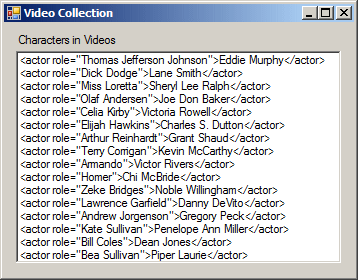
This would produce:
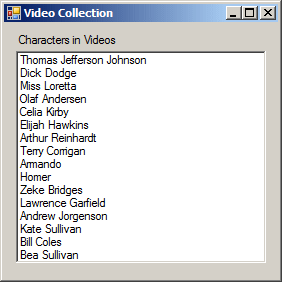
|
|
|||||||||||||
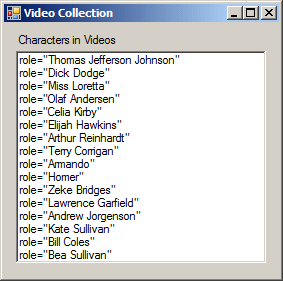
|
|
||||||||||||||