HTML Help Provision

HTML Help Provision
An HTML Provider
Introduction
After creating the HTML Help application, you can use a HelpProvider control to connect it to your application. To start, the HelpProvider class is equipped with a property called HelpNamespace:
public virtual string? HelpNamespace { get; set; }
This property allows you to specify the application that contains the HTML Help application. You can do this by assigning the name or path of your CHM application. Here is an example:
namespace AutoPartsInventory5
{
    public partial class AutoPartNew : Form
    {
        HelpProvider HelpProvider;

        public AutoPartNew()
        {
            InitializeComponent();
        }

        private void AutoPartNew_Load(object sender, EventArgs e)
        {
            HelpProvider = new HelpProvider();

            HelpProvider.HelpNamespace = "C:\\cpap\\College Park Auto-Parts.chm";
        }
    }
}
Besides the HelpNamespace property, the HelpProvider control provides various methods to manage help.
To support HTML Help for a Windows Forms Application, the .NET Framework provides a static class named Help:
public static class Help
Help is a small class that has only three methods, no constructors, and no properties. One of the methods of the Help class is named ShowHelp. It is overloaded in four versions. The simplest version uses the following syntax:
public static void ShowHelp(System.Windows.Forms.Control? parent, string? url);
This version of the ShowHelp() method allows you to specify the help file aplied to a control. The control is passed as the first argument. That control is usually a form. If you call this method on the form that needs the HTML Help file, you can pass the first argument as the this object. The second argument is the help file specified in the HelpProvider.HelpNamespace property already mentioned.
A Table of Contents
An HTML Help application usually displays various tabs. To display the Contents tab of HTML Help, simply call the Help.ShowHelp() method that uses the above syntax. Here is an example:
namespace AutoPartsInventory5
{
    public partial class AutoPartNew : Form
    {
        HelpProvider ? hpAutoParts;

        public AutoPartNew()
        {
            InitializeComponent();
        }

        private void AutoPartNew_Load(object sender, EventArgs e)
        {
            hpAutoParts = new HelpProvider();

            hpAutoParts.HelpNamespace = "C:\\cpap\\College Park Auto-Parts.chm";
        }

        private void miHelpContents_Click(object sender, EventArgs e)
        {
            Help.ShowHelp(this, "C:\\cpap\\College Park Auto-Parts.chm");
        }
    }
}
An Index for HTML Help
To let you access the Index tab of HTML Help, the Help class is equipped with a method named ShowHelpIndex method can be used to open the Index tab of the HTML Help window.
public static void ShowHelpIndex(System.Windows.Forms.Control? parent, string? url);
This method takes two arguments. The first argument is the control that needs the Helps project. Normally, this is a form and it is usually passed as this. The second argument is the CHM file of your HTML Help project. Here is an example of calling this method:
namespace ÂutoPartsInventory1
{
    public partial class StoreInventory : Form
    {
        HelpProvider? hpAutoParts;

        public StoreInventory()
        {
            InitializeComponent();
        }

        private void StoreInventory_Load(object sender, EventArgs e)
        {
            hpAutoParts = new HelpProvider();
            hpAutoParts.HelpNamespace = "C:\\cpap\\College Park Auto-Parts.chm";
        }

        private void miHelpContents_Click(object sender, EventArgs e)
        {
            Help.ShowHelpIndex(this, hpAutoParts!.HelpNamespace);
        }
    }
}
To support the tabs of HTML Help, the .NET Framework provides an enumeration named HelpNavigator.
Based on this, the second and the fourth versions of the ShowHelp() method allow you to specify the tab of the HTML Help window to display when the method is called. This is done through the HelpNavigator enumeration. To let you specify a tab, the Help.ShowHelpIndex() method has another version whose syntax is:
public static void ShowHelp(System.Windows.Forms.Control? parent,
                            string? url,
                            System.Windows.Forms.HelpNavigator navigator);
Using another solution to display the Contents tab of an HTML Help application, the HelpNavigator enumeration has a member named TableOfContents. To display the Contents tab of an HTML Help application, you can pass this member as the third argument. Here is an example:
namespace ÂutoPartsInventory1
{
    public partial class StoreInventory : Form
    {
        HelpProvider? hpAutoParts;

        public StoreInventory()
        {
            InitializeComponent();
        }

        private void StoreInventory_Load(object sender, EventArgs e)
        {
            hpAutoParts = new HelpProvider();
            hpAutoParts.HelpNamespace = "C:\\cpap\\College Park Auto-Parts.chm";
        }

        private void miHelpContents_Click(object sender, EventArgs e)
        {
            Help.ShowHelp(this, hpAutoParts!.HelpNamespace, HelpNavigator.TableOfContents);
        }
    }
}
Finding Help
The third version of the ShowHelp() method can be used to open a help file based on a keyword.
 Practical Learning: Providing Online Help to an Application
namespace AutoPartsInventory5
{
    public partial class Make : Form
    {
        public Make()
        {
            InitializeComponent();
        }

        private void btnHelp_Click(object sender, EventArgs e)
        {
            Help.ShowHelp(this, hpCPAP.HelpNamespace, HelpNavigator.TopicId, "1000");
        }
    }
}namespace AutoPartsInventory5
{
public partial class Model : Form
{
public Model()
{
InitializeComponent();
}
private void btnHelp_Click(object sender, EventArgs e)
{
Help.ShowHelp(this, hpCPAP.HelpNamespace, HelpNavigator.TopicId, "1010");
}
}
}namespace AutoPartsInventory5
{
public partial class Category : Form
{
public Category()
{
InitializeComponent();
}
private void btnHelp_Click(object sender, EventArgs e)
{
Help.ShowHelp(this, hpCPAP.HelpNamespace, HelpNavigator.TopicId, "1020");
}
}
}
using AutoPartsInventory5.Models;

namespace AutoPartsInventory5
{
    public partial class AutoPartNew : Form
    {
        public AutoPartNew()
        {
            InitializeComponent();
        }

        private void InitializeAutoParts()
        {
            for (int year = 2025; year >= 2000; year--)
            {
                cbxYears.Items.Add(year);
            }

            if (Repository.AutoParts.Count > 0)
            {
                Random rndNumber = new();

                cbxMakes.Items.Clear();
                cbxModels.Items.Clear();
                cbxCategories.Items.Clear();
                txtPartName.Text = string.Empty;
                txtUnitPrice.Text = string.Empty;
                txtPartNumber.Text = rndNumber.Next(100000, 999999).ToString();

                foreach (AutoPart part in Repository.AutoParts)
                {
                    if (!cbxMakes.Items.Contains(part.Make))
                    {
                        cbxMakes.Items.Add(part.Make!);
                    }
                }

                foreach (AutoPart part in Repository.AutoParts)
                {
                    if (!cbxCategories.Items.Contains(part.Category))
                    {
                        cbxCategories.Items.Add(part.Category!);
                    }
                }
            }

            lblPictureNumber.Text = ".";
            pbxPartImage.Image = Image.FromFile(@"E:\College Park Auto-Parts\Generic.png");

            Width = pbxPartImage.Right + 40;
            Height = pbxPartImage.Bottom + 75;
        }

        private void AutoPartNew_Load(object sender, EventArgs e)
        {
            InitializeAutoParts();
        }

        private void txtPartNumber_Leave(object sender, EventArgs e)
        {
            if (string.IsNullOrEmpty(txtPartNumber.Text))
            {
                return;
            }

            lblPictureNumber.Text = txtPartNumber.Text;
            pbxPartImage.Image = Image.FromFile(@"E:\College Park Auto-Parts\" + txtPartNumber.Text + ".png");

            Width = pbxPartImage.Right + 40;
            Height = pbxPartImage.Bottom + 75;
        }

        private void miFileNewMake_Click(object sender, EventArgs e)
        {
            Make editor = new Make();

            if (editor.ShowDialog() == DialogResult.OK)
            {
                if (editor.txtMake.Text.Length > 0)
                {
                    string strMake = editor.txtMake.Text;

                    if (cbxMakes.Items.Contains(strMake))
                    {
                        MessageBox.Show(strMake + " is already in the list.",
                                        "College Park Auto-Parts",
                                        MessageBoxButtons.OK, MessageBoxIcon.Information);
                    }
                    else
                    {
                        cbxMakes.Items.Add(strMake);
                    }

                    cbxMakes.Text = strMake;
                }
            }
        }

        private void cbxMakes_SelectedIndexChanged(object sender, EventArgs e)
        {
            cbxModels.Text = "";
            cbxModels.Items.Clear();

            foreach (AutoPart part in Repository.AutoParts)
            {
                if (part.Make == cbxMakes.Text)
                {
                    if (!cbxModels.Items.Contains(part.Model))
                    {
                        cbxModels.Items.Add(part.Model!);
                    }
                }
            }
        }

        private void miFileNewModel_Click(object sender, EventArgs e)
        {
            Model editor = new();

            if (editor.ShowDialog() == DialogResult.OK)
            {
                if (editor.txtModel.Text.Length > 0)
                {
                    string strModel = editor.txtModel.Text;

                    if (cbxModels.Items.Contains(strModel))
                    {
                        MessageBox.Show(strModel + " is already in the list.",
                                        "College Park Auto-Parts",
                                        MessageBoxButtons.OK, MessageBoxIcon.Information);
                    }

                    else
                    {
                        cbxModels.Items.Add(strModel);
                    }

                    cbxModels.Text = strModel;
                }
            }
        }

        private void miFileNewCategory_Click(object sender, EventArgs e)
        {
            var editor = new Category();

            if (editor.ShowDialog() == DialogResult.OK)
            {
                if (editor.txtCategory.Text.Length > 0)
                {
                    string strCategory = editor.txtCategory.Text;

                    if (cbxCategories.Items.Contains(strCategory))
                    {
                        MessageBox.Show(strCategory + " is already in the list.",
                                        "College Park Auto-Parts",
                                        MessageBoxButtons.OK, MessageBoxIcon.Information);
                    }

                    else
                    {
                        cbxCategories.Items.Add(strCategory);
                    }

                    cbxCategories.Text = strCategory;
                }
            }
        }

        private void miPresentation_Click(object sender, EventArgs e)
        {
            Help.ShowHelp(this, hpCPAP.HelpNamespace, HelpNavigator.TopicId, "1040");
        }

        private void miHelpAboutNewAutoPart_Click(object sender, EventArgs e)
        {
            AboutNewAutoPart ana = new();

            ana.ShowDialog();
        }

        private void miFileSaveAutoPart_Click(object sender, EventArgs e)
        {
            if (string.IsNullOrEmpty(cbxYears.Text))
            {
                MessageBox.Show("You must specify the year.",
                                "College Park Auto-Parts",
                                MessageBoxButtons.OK, MessageBoxIcon.Information);
                return;
            }

            // Make sure the user had selected a make
            if (string.IsNullOrEmpty(cbxMakes.Text))
            {
                MessageBox.Show("You must specify the car name.",
                                "College Park Auto-Parts",
                                MessageBoxButtons.OK, MessageBoxIcon.Information);
                return;
            }

            // Make sure the user had selected a model
            if (string.IsNullOrEmpty(cbxModels.Text))
            {
                MessageBox.Show("You must specify the model of the car.",
                                "College Park Auto-Parts",
                                MessageBoxButtons.OK, MessageBoxIcon.Information);
                return;
            }

            // Make sure the user had entered a name/description
            if (string.IsNullOrEmpty(txtPartName.Text))
            {
                MessageBox.Show("You must enter the name (or a " +
                                "short description) for the part.",
                                "College Park Auto-Parts",
                                MessageBoxButtons.OK, MessageBoxIcon.Information);
                txtPartName.Focus();
                return;
            }

            // Make sure the user had typed a price for the item
            if (string.IsNullOrEmpty(txtUnitPrice.Text))
            {
                MessageBox.Show("You must enter the price of the item.",
                                "College Park Auto-Parts",
                                MessageBoxButtons.OK, MessageBoxIcon.Information);
                txtUnitPrice.Focus();
                return;
            }

            AutoPart part = new AutoPart();

            part.PartNumber = long.Parse(txtPartNumber.Text);
            part.Year = int.Parse(cbxYears.Text);
            part.Make = cbxMakes.Text;
            part.Model = cbxModels.Text;
            part.Category = cbxCategories.Text;
            part.PartName = txtPartName.Text;
            part.UnitPrice = double.Parse(txtUnitPrice.Text);
            part.PictureNumber = lblPictureNumber.Text;

            Repository.AutoParts.Add(part);

            InitializeAutoParts();
        }

        private void miFileClose_Click(object sender, EventArgs e)
        {
            Close();
        }
    }
}using AutoPartsInventory5.Models;
using Microsoft.VisualBasic;
namespace AutoPartsInventory5
{
public partial class StoreInventory : Form
{
public StoreInventory()
{
InitializeComponent();
}
void InitializeAutoParts()
{
tvwAutoParts.Nodes.Clear();
TreeNode nodRoot = tvwAutoParts.Nodes.Add("College Park Auto-Parts",
"College Park Auto-Parts", 0, 1);
for (int years = 2025; years >= 2000; years--)
{
nodRoot.Nodes.Add(years.ToString(), years.ToString(), 2, 3);
}
tvwAutoParts.SelectedNode = nodRoot;
tvwAutoParts.ExpandAll();
if (Repository.AutoParts.Count > 0)
{
foreach (TreeNode nodYear in nodRoot.Nodes)
{
Collection lstMakes = new();
foreach (AutoPart part in Repository.AutoParts)
{
if (nodYear.Text == part.Year.ToString())
{
if (!lstMakes.Contains(part.Make!))
{
lstMakes.Add(part.Make!, part.Make!);
}
}
}
foreach (string strMake in lstMakes)
{
nodYear.Nodes.Add(strMake, strMake, 4, 5);
}
}
foreach (TreeNode nodYear in nodRoot.Nodes)
{
foreach (TreeNode nodMake in nodYear.Nodes)
{
Collection lstModels = new();
foreach (AutoPart part in Repository.AutoParts)
{
if ((nodYear.Text == part.Year.ToString()) &
(nodMake.Text == part.Make))
{
if (!lstModels.Contains(part.Model!))
{
lstModels.Add(part.Model!, part.Model!);
}
}
}
foreach (string strModel in lstModels)
{
nodMake.Nodes.Add(strModel, strModel, 6, 7);
}
}
}
foreach (TreeNode nodYear in nodRoot.Nodes)
{
foreach (TreeNode nodMake in nodYear.Nodes)
{
foreach (TreeNode nodModel in nodMake.Nodes)
{
Collection lstCategories = new();
foreach (AutoPart part in Repository.AutoParts)
{
if ((nodYear.Text == part.Year.ToString()) &
(nodMake.Text == part.Make) &
(nodModel.Text == part.Model))
{
if (!lstCategories.Contains(part.Category!))
{
lstCategories.Add(part.Category!, part.Category!);
}
}
}
foreach (string strCategory in lstCategories)
{
nodModel.Nodes.Add(strCategory, strCategory, 8, 9);
}
}
}
}
}
lvwSelectedParts.Items.Clear();
lvwAvailableParts.Items.Clear();
txtPartName.Text = string.Empty;
txtQuantity.Text = string.Empty;
txtSubTotal.Text = string.Empty;
txtUnitPrice.Text = string.Empty;
txtTaxAmount.Text = string.Empty;
txtOrderTotal.Text = string.Empty;
txtPartNumber.Text = string.Empty;
txtSelectedPartsTotal.Text = string.Empty;
pbxPartImage.Image = Image.FromFile(@"E:\College Park Auto-Parts\Generic.png");
}
private void Form_Load(object sender, EventArgs e)
{
InitializeAutoParts();
}
void tvwAutoParts_NodeMouseClick(object o, TreeNodeMouseClickEventArgs e)
{
TreeNode nodClicked = e.Node;
if (nodClicked.Level == 4)
{
lvwAvailableParts.Items.Clear();
}
try
{
foreach (AutoPart part in Repository.AutoParts)
{
if ((part.Category == nodClicked.Text) &&
(part.Model == nodClicked.Parent.Text) &&
(part.Make == nodClicked.Parent.Parent.Text) &&
(part.Year.ToString() == nodClicked.Parent.Parent.Parent.Text))
{
ListViewItem lviAutoPart = new ListViewItem(part.PartNumber.ToString());
lviAutoPart.SubItems.Add(part.PartName);
lviAutoPart.SubItems.Add(part.UnitPrice.ToString("F"));
lvwAvailableParts.Items.Add(lviAutoPart);
}
}
}
catch (NullReferenceException)
{
}
}
private void miFileNewAutoPart_Click(object sender, EventArgs e)
{
AutoPartNew apn = new();
apn.ShowDialog();
InitializeAutoParts();
}
private void lvwAvailableParts_ItemSelectionChanged(object sender, ListViewItemSelectionChangedEventArgs e)
{
bool pictureFound = false;
if (Repository.AutoParts.Count > 0)
{
foreach (AutoPart part in Repository.AutoParts)
{
if (part.PartNumber == long.Parse(e.Item!.SubItems[0].Text))
{
pictureFound = true;
pbxPartImage.Image = Image.FromFile(@"E:\College Park Auto-Parts\" + part.PictureNumber! + ".png");
break;
}
}
}
if (pictureFound == false)
{
pbxPartImage.Image = Image.FromFile(@"E:\College Park Auto-Parts\Generic.png");
}
Width = pbxPartImage.Right + 40;
Height = pbxPartImage.Bottom + 75;
}
private void lvwAvailableParts_DoubleClick(object sender, EventArgs e)
{
ListViewItem lviAutoPart = lvwAvailableParts.SelectedItems[0];
if ((lvwAvailableParts.SelectedItems.Count == 0) ||
(lvwAvailableParts.SelectedItems.Count > 1))
return;
txtPartNumber.Text = lviAutoPart.Text;
txtPartName.Text = lviAutoPart.SubItems[1].Text;
txtUnitPrice.Text = lviAutoPart.SubItems[2].Text;
txtQuantity.Text = "1";
txtSubTotal.Text = lviAutoPart.SubItems[2].Text;
txtQuantity.Focus();
}
internal void CalculateOrder()
{
double partsTotal = 0.00D;
double taxRate = 0.00D;
double taxAmount, orderTotal;
if (string.IsNullOrEmpty(txtTaxRate.Text))
txtTaxRate.Text = "7.25";
foreach (ListViewItem lvi in lvwSelectedParts.Items)
{
ListViewItem.ListViewSubItem SubItem = lvi.SubItems[4];
partsTotal += double.Parse(SubItem.Text);
}
try
{
taxRate = double.Parse(txtTaxRate.Text) / 100;
}
catch (FormatException)
{
MessageBox.Show("Invalid Tax Rate",
"College Park Auto-Parts",
MessageBoxButtons.OK, MessageBoxIcon.Information);
}
taxAmount = partsTotal * taxRate;
orderTotal = partsTotal + taxAmount;
txtSelectedPartsTotal.Text = partsTotal.ToString("F");
txtTaxAmount.Text = taxAmount.ToString("F");
txtOrderTotal.Text = orderTotal.ToString("F");
}
private void txtPartNumber_Leave(object sender, EventArgs e)
{
bool found = false;
foreach (AutoPart part in Repository.AutoParts)
{
if (part.PartNumber == long.Parse(txtPartNumber.Text))
{
txtPartName.Text = part.PartName;
txtUnitPrice.Text = part.UnitPrice.ToString("F");
if (string.IsNullOrEmpty(txtQuantity.Text))
txtQuantity.Text = "1";
txtSubTotal.Text = part.UnitPrice.ToString("F");
txtQuantity.Focus();
found = true;
break;
}
}
if (found == false)
{
txtPartName.Text = "";
txtUnitPrice.Text = "0.00";
txtQuantity.Text = "0";
txtSubTotal.Text = "0.00";
MessageBox.Show("There is no part with that number.",
"College Park Auto-Parts",
MessageBoxButtons.OK, MessageBoxIcon.Information);
}
}
private void txtUnitPrice_Leave(object sender, EventArgs e)
{
double subTotal;
double unitPrice = 0D;
double quantity = 0.00d;
try
{
unitPrice = double.Parse(txtUnitPrice.Text);
}
catch (FormatException)
{
MessageBox.Show("Invalid Unit Price!",
"College Park Auto-Parts",
MessageBoxButtons.OK, MessageBoxIcon.Information);
}
try
{
quantity = int.Parse(txtQuantity.Text);
}
catch (FormatException)
{
MessageBox.Show("Invalid Quandtity!",
"College Park Auto-Parts",
MessageBoxButtons.OK, MessageBoxIcon.Information);
}
subTotal = unitPrice * quantity;
txtSubTotal.Text = subTotal.ToString("F");
}
private void btnAdd_Click(object sender, EventArgs e)
{
if (string.IsNullOrEmpty(txtPartNumber.Text))
{
MessageBox.Show("There is no part to be added to the order.",
"College Park Auto-Parts",
MessageBoxButtons.OK, MessageBoxIcon.Information);
return;
}
foreach (AutoPart part in Repository.AutoParts)
{
if (part.PartNumber == long.Parse(txtPartNumber.Text))
{
ListViewItem lviSelectedPart = new ListViewItem(part.PartNumber.ToString());
lviSelectedPart.SubItems.Add(part.PartName);
lviSelectedPart.SubItems.Add(part.UnitPrice.ToString());
lviSelectedPart.SubItems.Add(txtQuantity.Text);
lviSelectedPart.SubItems.Add(txtSubTotal.Text);
lvwSelectedParts.Items.Add(lviSelectedPart);
}
}
CalculateOrder();
}
private void lvwSelectedParts_DoubleClick(object sender, EventArgs e)
{
ListViewItem lviSelectedPart = lvwSelectedParts.SelectedItems[0];
if ((lvwSelectedParts.SelectedItems.Count == 0) ||
(lvwSelectedParts.SelectedItems.Count > 1))
return;
txtPartNumber.Text = lviSelectedPart.Text;
txtPartName.Text = lviSelectedPart.SubItems[1].Text;
txtUnitPrice.Text = lviSelectedPart.SubItems[2].Text;
txtQuantity.Text = lviSelectedPart.SubItems[3].Text;
txtSubTotal.Text = lviSelectedPart.SubItems[4].Text;
lvwSelectedParts.Items.Remove(lviSelectedPart);
CalculateOrder();
}
private void miHelpContents_Click(object sender, EventArgs e)
{
Help.ShowHelp(this, hpCPAP.HelpNamespace);
// Help.ShowHelp(this, hpCPAP!.HelpNamespace, HelpNavigator.TableOfContents);
}
private void miHelpIndex_Click(object sender, EventArgs e)
{
Help.ShowHelp(this, hpCPAP!.HelpNamespace, HelpNavigator.Index, string.Empty);
}
/* private void miHelpSearch_Click(object sender, EventArgs e)
{
Help.ShowHelp(this, hpCPAP!.HelpNamespace, HelpNavigator.Find, null);
} */
private void miHelpAboutCollegeParkAutoParts_Click(object sender, EventArgs e)
{
AboutCPAP ac = new AboutCPAP();
ac.ShowDialog();
}
private void miFileExit_Click(object sender, EventArgs e)
{
Close();
}
}
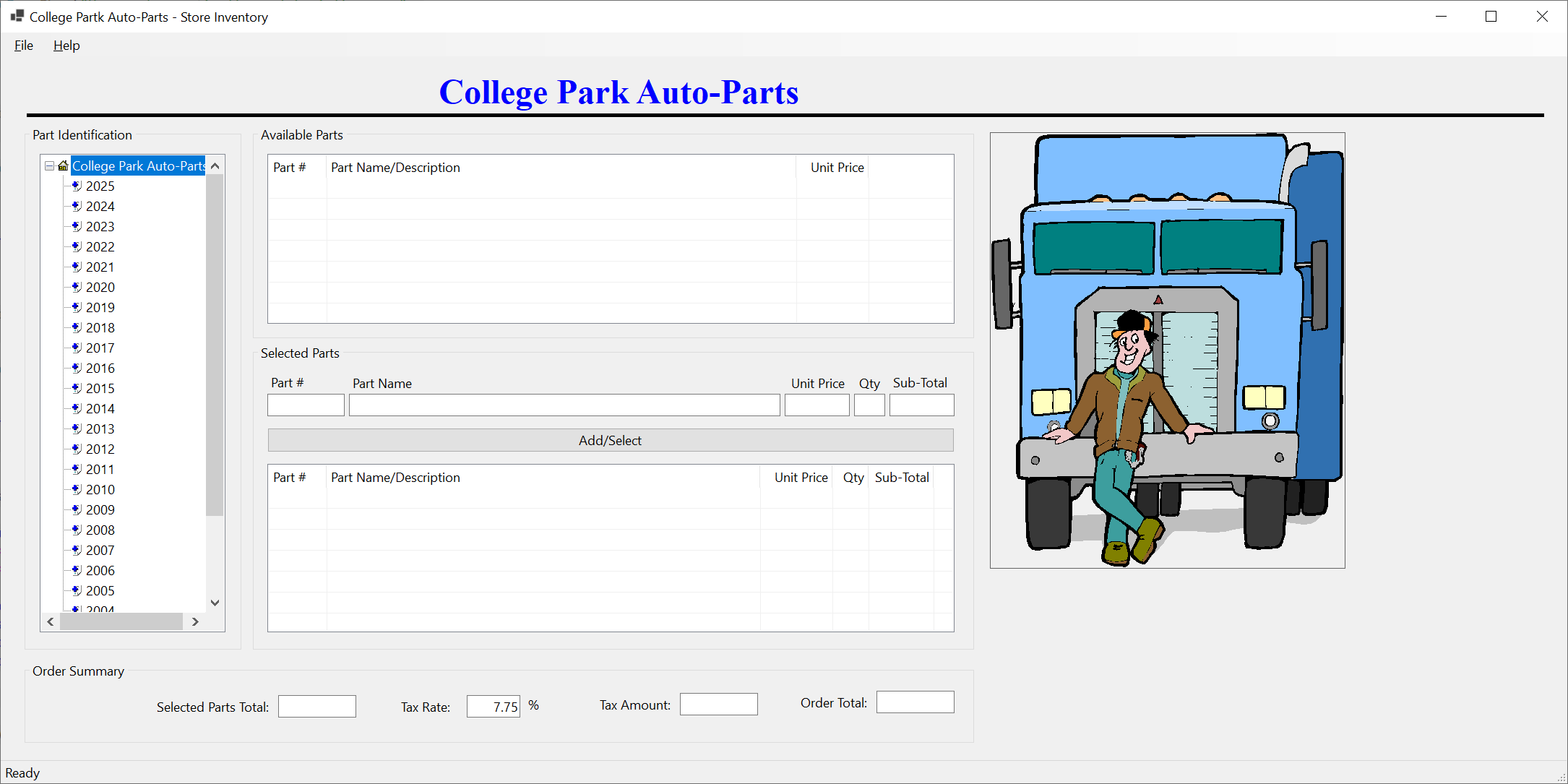
}
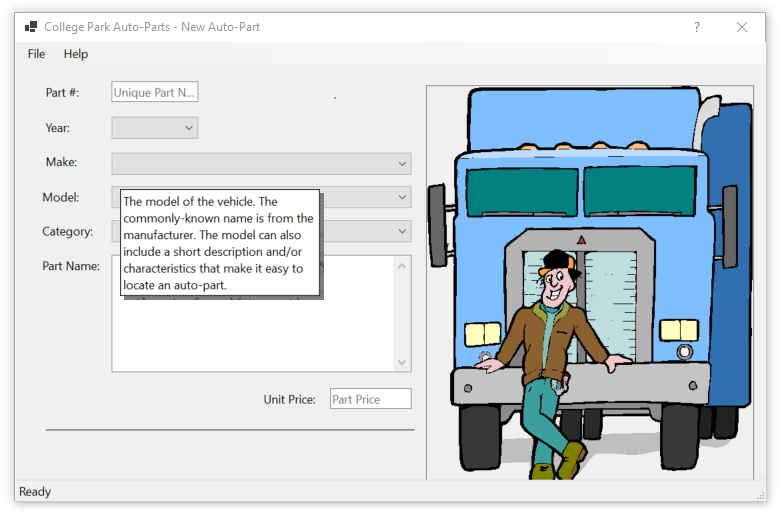
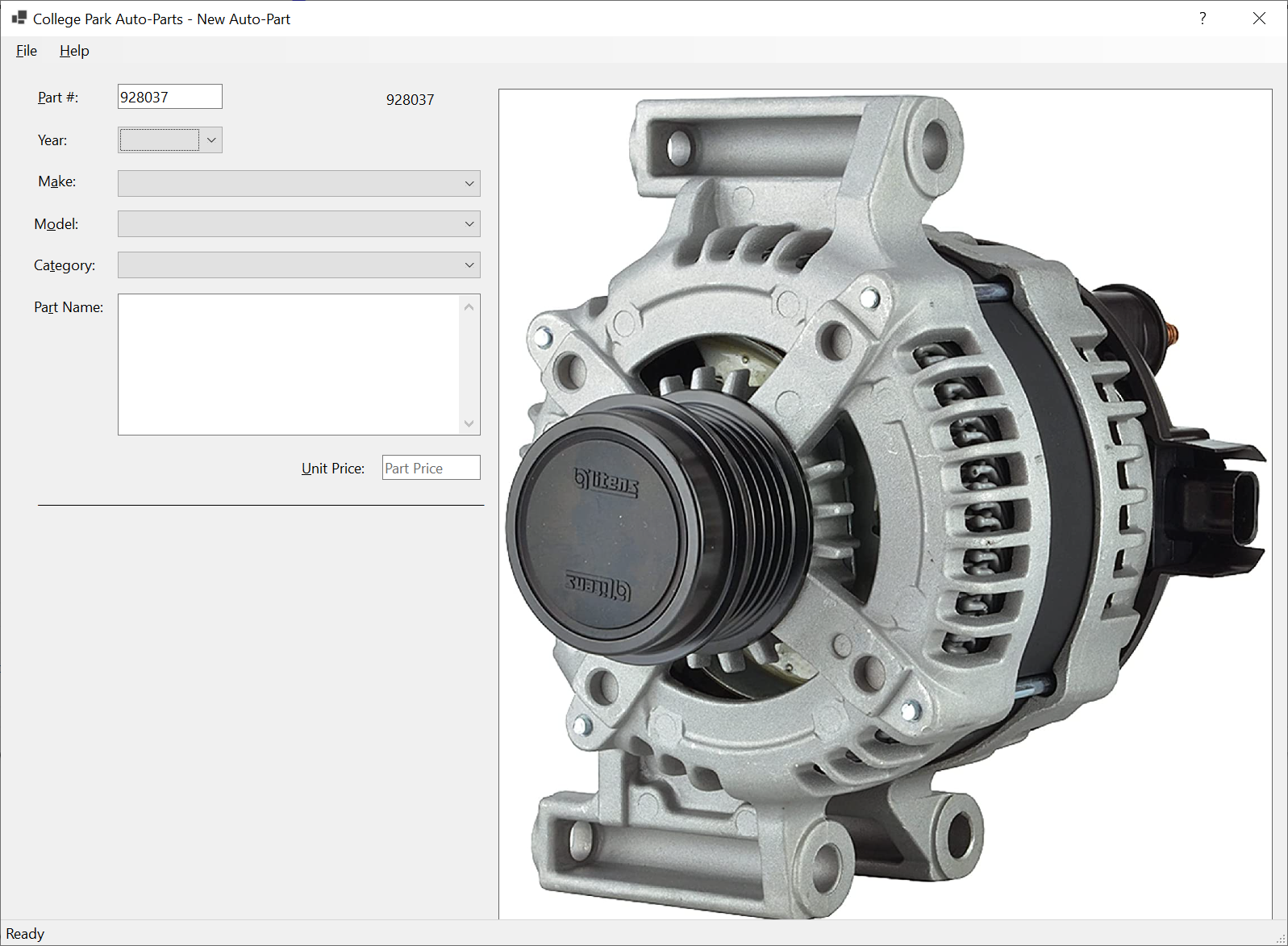
Year:      2017
Make:      Buick
Model:     Regal
Category:  Alternators & Generators
PartName:  DB Electrical Alternator
UnitPrice: 218.74
Part #:    290741
Year:      2015
Make:      Ford
Model:     F-150 XL 3.5L V6 Flex Regular Cab 2 Full - Size Doors
Category:  Shocks, Struts & Suspension
Part Name: Front Strut and Coil Spring Assembly - Set of 2
UnitPrice: 245.68
Help In Message Boxes
Introduction
|
|
|||
| Previous | Copyright © 2004-2025, FunctionX | Monday 08 May 2023 | Next |
|
|
|||