|
Adding an Element as the First Child
|
|
Consider the following document saved in a file named
Videos.xml:
<?xml version="1.0" encoding="utf-8"?>
<videos>
  <video>
    <title>The Distinguished Gentleman</title>
    <director>Jonathan Lynn</director>
    <length>112 Minutes</length>
    <format>DVD</format>
    <rating>R</rating>
  </video>
</videos>
To let you add a new element and position it as the
first in an XML document, the XmlNode class is equipped with a method named
Prepend. Its syntax is:
This method receives an argument as an XmlNode object
and adds it on top of the XML document. Here is an example of calling it:
using System;
using System.Drawing;
using System.Windows.Forms;
using System.Xml;
using System.IO;

public class Exercise : System.Windows.Forms.Form
{
    Button btnAddFirst;

    public Exercise()
    {
        InitializeComponent();
    }

    void InitializeComponent()
    {
        btnAddFirst = new Button();
        btnAddFirst.Text = "Add First";
        btnAddFirst.Location = new Point(12, 12);
        btnAddFirst.Click += new EventHandler(btnAddFirstClick);

        Text = "Video Collection";
        StartPosition = FormStartPosition.CenterScreen;
        Controls.Add(btnAddFirst);
    }

    void btnAddFirstClick(object sender, EventArgs e)
    {
        string Filename = "../../videos.xml";
        XmlDocument xdVideos = new XmlDocument();

        // Open the XML file
        xdVideos.Load(Filename);

        // Create a new XML element
        XmlElement xeVideo = xdVideos.CreateElement("Video");
        // Specify the child nodes of the element
        xeVideo.InnerXml = "7243 4 92525 9 2" +
                           "<title>Yanni - Tribute</title>" +
                           "<director>George Veras</director>" +
                           "<format>DVD</format>";
        // Add the new element as the first node in the document
        xdVideos.DocumentElement.PrependChild(xeVideo);
        // Save the file
        xdVideos.Save(Filename);
    }
}

public class Program
{
    static int Main()
    {
        Application.EnableVisualStyles();
        Application.SetCompatibleTextRenderingDefault(false);
        System.Windows.Forms.Application.Run(new Exercise());
        return 0;
    }
}
This would produce:
<?xml version="1.0" encoding="utf-8"?>
<videos>
  <Video>7243 4 92525 9 2
    <title>Yanni - Tribute</title>
    <director>George Veras</director>
    <format>DVD</format>
  </Video>
  <video>
    <title>The Distinguished Gentleman</title>
    <director>Jonathan Lynn</director>
    <length>112 Minutes</length>
    <format>DVD</format>
    <rating>R</rating>
  </video>
</videos>
|
Adding an Element as a Last Child
|
|
Once again, consider our Videos.xml file:
<?xml version="1.0" encoding="utf-8"?>
<videos>
    <video>
	<title>The Distinguished Gentleman</title>
	<director>Jonathan Lynn</director>
	<length>112 Minutes</length>
	<format>DVD</format>
	<rating>R</rating>
    </video>
    <video>
	<title>Her Alibi</title>
	<director>Bruce Beresford</director>
	<length>94 Minutes</length>
	<format>DVD</format>
	<rating>PG-13</rating>
    </video>
    <video>
	<title>The Day After Tomorrow</title>
	<director>Roland Emmerich</director>
	<length>124 Minutes</length>
	<format>DVD</format>
	<rating>PG-13</rating>
    </video>
    <video>
	<title>Other People's Money</title>
	<director>Alan Brunstein</director>
	<length>114 Minutes</length>
	<format>VHS</format>
	<rating>PG-13</rating>
    </video>
</videos>
Imagine you want to add a list of actors of the Her
Alibi video. The first action to take is to locate the video, which you can
do by calling the XmlDocument.GetElementsByTagName() method applied
to a collection of nodes whose names are video. From this list of nodes, you
can look for the node whose value is "Her Alibi". Once you have found this
element, get a reference to its parent. Then add the new node as a child its
parent. This can be done as follows:
private void btnDocument_Click(object sender, EventArgs e)
{
    string Filename = "videos.xml";
    XmlDocument xmlDoc = new XmlDocument();

    if (File.Exists(Filename))
    {
        xmlDoc.Load(Filename);

        // Get a reference to the root node
        XmlElement elmRoot = xmlDoc.DocumentElement;

        // Create a list of nodes whose name is Title
        XmlNodeList lstTitles = xmlDoc.GetElementsByTagName("title");

        // Now you can check each node of the list
        foreach (XmlNode node in lstTitles)
        {
            if (node.InnerText == "Her Alibi")
            {
                // Create an element named Actors
                XmlElement elmNew = xmlDoc.CreateElement("actors");
                XmlNode elmParent = node.ParentNode;
                // Add a new element named Actors to it
                elmParent.AppendChild(elmNew);
                xmlDoc.Save(Filename);
            }
        }
    }
}
This would produce:
<?xml version="1.0" encoding="utf-8"?>
<videos>
  . . .
  <video>
    <title>Her Alibi</title>
    <director>Bruce Beresford</director>
    <length>94 Minutes</length>
    <format>DVD</format>
    <rating>PG-13</rating>
    <actors />
  </video>
  . . .
</videos>
This code creates an empty element. If you want to
create an element that includes a value, create its text and add that text
to the node. Here is an example:
private void btnDocument_Click(object sender, EventArgs e)
{
    string Filename = "videos.xml";
    XmlDocument xmlDoc = new XmlDocument();

    if (File.Exists(Filename))
    {
        xmlDoc.Load(Filename);

        // Get a reference to the root node
        XmlElement elmRoot = xmlDoc.DocumentElement;

        // Create a list of nodes whose name is Title
        XmlNodeList lstTitles = xmlDoc.GetElementsByTagName("title");

        // Now you can check each node of the list
        foreach (XmlNode node in lstTitles)
        {
            // When you get to a node, look for the element's value
            // If you find an element whose value is Her Alibi
            if (node.InnerText == "The Distinguished Gentleman")
            {
                // Create an element named Category
                XmlElement elmNew = xmlDoc.CreateElement("category");
                // Create the text of the new element
                XmlText txtCatetory = xmlDoc.CreateTextNode("Comedy");
                // Get a reference to the parent of the node we have found
                XmlNode elmParent = node.ParentNode;
                // Add the new element to the node we found
                elmParent.AppendChild(elmNew);
                // Specify the text of the new node
                elmParent.LastChild.AppendChild(txtCatetory);
                // Save the file
                xmlDoc.Save(Filename);
            }
        }
    }
}
This would produce:
<?xml version="1.0" encoding="utf-8"?>
<videos>
  <video>
    <title>The Distinguished Gentleman</title>
    <director>Jonathan Lynn</director>
    <length>112 Minutes</length>
    <format>DVD</format>
    <rating>R</rating>
    <category>Comedy</category>
  </video>
  . . .
</videos>
Using the same approach combined with what we learned
about adding an item, you can add a new element that itself has child nodes.
Here is an example:
private void btnDocument_Click(object sender, EventArgs e)
{
    string Filename = "videos.xml";
    XmlDocument xmlDoc = new XmlDocument();

    if (File.Exists(Filename))
    {
        xmlDoc.Load(Filename);

        // Get a reference to the root node
        XmlElement elmRoot = xmlDoc.DocumentElement;

        // Create a list of nodes whose name is Title
        XmlNodeList lstTitles = xmlDoc.GetElementsByTagName("title");

        // Now you can check each node of the list
        foreach (XmlNode node in lstTitles)
        {
            // When you get to a node, look for the element's value
            // If you find an element whose value is The Day After Tomorrow
            if (node.InnerText == "The Day After Tomorrow")
            {
                // Create an element named Actors
                XmlElement elmNew = xmlDoc.CreateElement("actors");
                // Get a reference to the parent of the node we have found
                XmlNode elmVideo = node.ParentNode;
                // Add the new element to the node we found
                elmVideo.AppendChild(elmNew);

                // Create an element as a child of the new element
                // Specify its name as Actor
                elmNew = xmlDoc.CreateElement("actor");
                // Create the text of the new element
                XmlText txtActor = xmlDoc.CreateTextNode("Dennis Quaid");
                // Add the new Actor element to the Actors node
                elmVideo.LastChild.AppendChild(elmNew);
                // Specify the text of the new node
                elmVideo.LastChild.LastChild.AppendChild(txtActor);

                // In the same way, add the other Actor nodes
                elmNew = xmlDoc.CreateElement("actor");
                txtActor = xmlDoc.CreateTextNode("Jake Gyllenhaal");
                elmVideo.LastChild.AppendChild(elmNew);
                elmVideo.LastChild.LastChild.AppendChild(txtActor);

                elmNew = xmlDoc.CreateElement("actor");
                txtActor = xmlDoc.CreateTextNode("Emmy Rossum");
                elmVideo.LastChild.AppendChild(elmNew);
                elmVideo.LastChild.LastChild.AppendChild(txtActor);

                elmNew = xmlDoc.CreateElement("actor");
                txtActor = xmlDoc.CreateTextNode("Dash Mihok");
                elmVideo.LastChild.AppendChild(elmNew);
                elmVideo.LastChild.LastChild.AppendChild(txtActor);

                // Save the file
                xmlDoc.Save(Filename);
            }
        }
    }
}
This would produce:
<?xml version="1.0" encoding="utf-8"?>
<videos>
  . . .
  <video>
    <title>The Day After Tomorrow</title>
    <director>Roland Emmerich</director>
    <length>124 Minutes</length>
    <format>DVD</format>
    <rating>PG-13</rating>
    <actors>
      <actor>Dennis Quaid</actor>
      <actor>Jake Gyllenhaal</actor>
      <actor>Emmy Rossum</actor>
      <actor>Dash Mihok</actor>
    </actors>
  </video>
</videos>
You can also insert one or more elements as children of
an existing node after locating that node. Here is an example:
XML File
<?xml version="1.0" encoding="utf-8"?>
<videos>
  <video>
    <title>The Distinguished Gentleman</title>
    <director>Jonathan Lynn</director>
    <length>112 Minutes</length>
    <format>DVD</format>
    <rating>R</rating>
    <category>Comedy</category>
  </video>
  <video>
    <title>Her Alibi</title>
    <director>Bruce Beresford</director>
    <length>94 Mins</length>
    <format>DVD</format>
    <rating>PG-13</rating>
    <actors />
  </video>
</videos>
Code Fragment:
private void btnDocument_Click(object sender, EventArgs e)
{
    string Filename = "videos.xml";
    XmlDocument xmlDoc = new XmlDocument();

    if (File.Exists(Filename))
    {
        xmlDoc.Load(Filename);

        // Get a reference to the root node
        XmlElement elmRoot = xmlDoc.DocumentElement;

        // Create a list of nodes whose name is Title
        XmlNodeList lstTitles = xmlDoc.GetElementsByTagName("title");

        // Now you can check each node of the list
        foreach (XmlNode node in lstTitles)
        {
            // When you get to a node, look for the element's value
            // If you find an element whose value is Her Alibi
            if (node.InnerText == "Her Alibi")
            {
                // Get a reference to the video node that is
                // the parent of the video titled Her Alibi
                XmlNode elmVideo = node.ParentNode;

                // Create a list of the child nodes of the Her alibi video
                XmlNodeList lstActors = elmVideo.ChildNodes;

                // Visit each item of the collection
                // looking for an element named Actors
                foreach (XmlNode nodActor in lstActors)
                {
                    // If you find an element named Actors
                    if (nodActor.Name == "actors")
                    {
                        // Create a new element named Actor
                        // Specify its name as Actor
                        XmlElement elmNew = xmlDoc.CreateElement("actor");
                        // Create the text of the new element
                        XmlText txtActor = xmlDoc.CreateTextNode("Tom Selleck");
                        // Add the new Actor element to the Actors node
                        elmVideo.LastChild.AppendChild(elmNew);
                        // Specify the text of the new node
                        elmVideo.LastChild.LastChild.AppendChild(txtActor);

                        // Add other Actor nodes
                        elmNew = xmlDoc.CreateElement("actor");
                        txtActor = xmlDoc.CreateTextNode("Paulina Porizkova");
                        elmVideo.LastChild.AppendChild(elmNew);
                        elmVideo.LastChild.LastChild.AppendChild(txtActor);

                        elmNew = xmlDoc.CreateElement("actor");
                        txtActor = xmlDoc.CreateTextNode("William Daniels");
                        elmVideo.LastChild.AppendChild(elmNew);
                        elmVideo.LastChild.LastChild.AppendChild(txtActor);

                        // Save the file
                        xmlDoc.Save(Filename);

                        // Stop, in this example, we don't expect another Actors node
                        break;
                    }
                }
            }
        }
    }
}
This would produce:
<?xml version="1.0" encoding="utf-8"?>
<videos>
  <video>
    <title>The Distinguished Gentleman</title>
    <director>Jonathan Lynn</director>
    <length>112 Minutes</length>
    <format>DVD</format>
    <rating>R</rating>
    <category>Comedy</category>
  </video>
  <video>
    <title>Her Alibi</title>
    <director>Bruce Beresford</director>
    <length>94 Minutes</length>
    <format>DVD</format>
    <rating>PG-13</rating>
    <actors>
      <actor>Tom Selleck</actor>
      <actor>Paulina Porizkova</actor>
      <actor>William Daniels</actor>
    </actors>
  </video>
</videos>
|
Inserting an Element Referencing a Sibling
|
|
Instead of simply adding a new node at the end of child
nodes, you can specify any other position you want. For example, you may
want the new node to precede an existing child node. To support this
operation, the XmlNode class provides the InsertBefore()
method. Its syntax is:
public virtual XmlNode InsertBefore(XmlNode newChild, XmlNode refChild);
The first argument of this method is the new node that
will be added. The second argument is the sibling that will succeed the new
node. Consider the following version of our Videos.xml file:
<?xml version="1.0" encoding="utf-8"?>
<videos>
    <video>
      	<title>The Distinguished Gentleman</title>
      	<director>Jonathan Lynn</director>
      	<length>112 Minutes</length>
      	<format>DVD</format>
      	<rating>R</rating>
      	<category>Comedy</category>
    </video>
    <video>
	<title>Fatal Attraction</title>
	<director>Adrian Lyne</director>
	<length>119 Minutes</length>
	<format>DVD</format>
	<rating>R</rating>
    </video>
</videos>
Imagine you want to create a new category element below
the director element whose name is Adrian Lyne. You can first get a list of
videos. Inside of each video, check the nodes and find out whether the video
has a director node whose text is Adrian Lyne. Once you find that node, you
can add the new element after it. Here is an example:
private void btnDocument_Click(object sender, EventArgs e)
{
    string Filename = "videos.xml";
    XmlDocument xmlDoc = new XmlDocument();

    if (File.Exists(Filename))
    {
        xmlDoc.Load(Filename);

        // Get a reference to the root node
        XmlElement elmRoot = xmlDoc.DocumentElement;

        // Create a list of the videos
        XmlNodeList lstVideos = xmlDoc.GetElementsByTagName("video");

        // visit each video
        foreach (XmlNode node in lstVideos)
        {
            // Within a video, create a list of its children
            XmlNodeList lstChildren = node.ChildNodes;

            // Visit each child node
            foreach (XmlNode dir in lstChildren)
            {
                // If the child node is (a director and its name is) Adrian Lyne
                if (dir.InnerText == "Adrian Lyne")
                {
                    // Create an element named Category
                    XmlElement elmNew = xmlDoc.CreateElement("category");
                    // Specify the text of the new element
                    elmNew.InnerText = "Drama";

                    // Insert the new node below the Adrian Lyne node Director
                    node.InsertAfter(elmNew, dir);

                    // Save the file
                    xmlDoc.Save(Filename);

                    // Stop
                    break;
                }
            }
        }
    }
}
This would produce:
<?xml version="1.0" encoding="utf-8"?>
<videos>
  <video>
    <title>The Distinguished Gentleman</title>
    <director>Jonathan Lynn</director>
    <length>112 Minutes</length>
    <format>DVD</format>
    <rating>R</rating>
    <category>Comedy</category>
  </video>
  <video>
    <title>Fatal Attraction</title>
    <director>Adrian Lyne</director>
    <category>Drama</category>
    <length>119 Minutes</length>
    <format>DVD</format>
    <rating>R</rating>
  </video>
</videos>
In the same way, you can insert a new node after a child
of a child (or of a child of a child of a child) of any node.
If you want to new node to be positioned after an
existing child node, you can call the XmlNode.InsertAfter() method.
Its syntax is:
public virtual XmlNode InsertAfter(XmlNode newChild, XmlNode refChild);
|
 Practical
Learning: Inserting an XML Element Practical
Learning: Inserting an XML Element
|
|
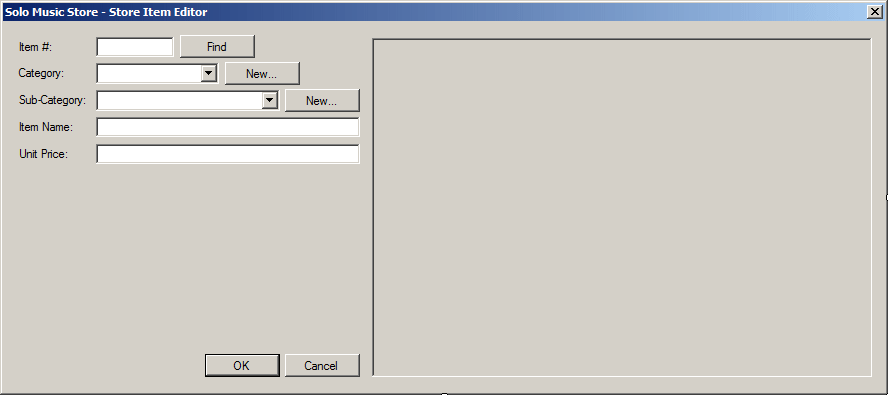
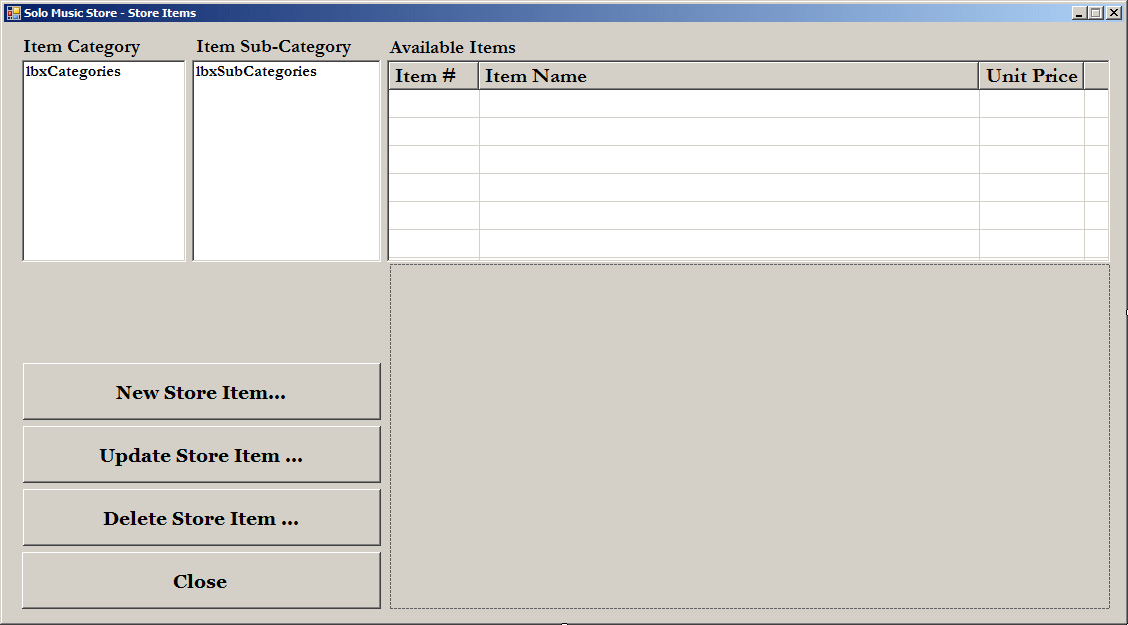
- Display the Solo Music Store form and double-click the New Store
Item button
- Implement the event as follows:
private void btnNewStoreItem_Click(object sender, EventArgs e)
{
    int ItemNumber;
    double UnitPrice = 0D;
    string Category, SubCategory, ItemName;

    XmlDocument xdStoreItems = new XmlDocument();
    StoreItemEditor editor = new StoreItemEditor();
    string strFileName = @"C:\Microsoft Visual C# Application Design\Solo Music Store\StoreItems.xml";

    // Make sure the user provides the item number, the category, the sub-category,
    // the name (or short description), and the price of the item
    if (editor.ShowDialog() == DialogResult.OK)
    {
        if (string.IsNullOrEmpty(editor.txtItemNumber.Text) ||
            string.IsNullOrEmpty(editor.cbxCategories.Text) ||
            string.IsNullOrEmpty(editor.cbxSubCategories.Text) ||
            string.IsNullOrEmpty(editor.txtItemName.Text))
        {
            MessageBox.Show("You must provide all the information about the new item. " +
                            "This includes the item number, its category, its sub-category, " +
                            "its name (or short description), and its price.",
                            "Solo Music Store",
                            MessageBoxButtons.OK, MessageBoxIcon.Information);
            return;
        }

        // Get the values that were provided for the new store item
        ItemNumber = int.Parse(editor.txtItemNumber.Text);
        Category = editor.cbxCategories.Text;
        SubCategory = editor.cbxSubCategories.Text;
        ItemName = editor.txtItemName.Text;
        UnitPrice = double.Parse(editor.txtUnitPrice.Text);

        // Find out if the file exists already
        // If it doesn't, then create it
        if (!File.Exists(strFileName))
        {
            xdStoreItems.LoadXml("<?xml version=\"1.0\" encoding=\"utf-8\"?>" +
                                    "<StoreItems></StoreItems>");
            xdStoreItems.Save(strFileName);
        }

        // Open the XML file of the store items
        xdStoreItems.Load(strFileName);

        // We will use this variable to find out whether the category
        // being added exists already in the Store Items document
        bool categoryFound = false;
        // Get all the store items that have a Category node
        XmlNodeList xnlCategories = xdStoreItems.DocumentElement.GetElementsByTagName("Category");

        // Since we will create a new store item, let's initialize its new node
        XmlElement xeStoreItem = xdStoreItems.CreateElement("StoreItem");

        xeStoreItem.InnerXml = "<ItemNumber>" + ItemNumber.ToString() + "</ItemNumber>" +
                               "<Category>" + Category + "</Category>" +
                               "<SubCategory>" + SubCategory + "</SubCategory>" +
                               "<ItemName>" + ItemName + "</ItemName>" +
                               "<UnitPrice>" + UnitPrice.ToString() + "</UnitPrice>";

        // Check each store item
        foreach (XmlNode xnCategory in xnlCategories)
        {
            // If you find the same category, ...
            if (xnCategory.InnerText == Category)
            {
                // Now that we found a category, check the categories.
                // If you find the same sub-category, ...
                if (xnCategory.NextSibling.InnerText == SubCategory)
                {
                    // Now that we have the same sub-category, compare it to the current sub-category.
                    // If the current sub-category alphabetically comes before the sub-category
                    // of the new store item, insert the new one before the existing one
                    if (string.Compare(xnCategory.InnerText, Category) < 0)
                        xdStoreItems.DocumentElement.InsertBefore(xeStoreItem, xnCategory.ParentNode);
                    else // Otherwise, add it after
                        xdStoreItems.DocumentElement.InsertAfter(xeStoreItem, xnCategory.ParentNode);
                }
                else
                {
                    // If the new sub-category was not found in the document, compare its item number
                    // to that of the existing store item.
                    // If the item number of the existing store item is higher than that of
                    // the new store item, add the new store item before the existing one
                    if (int.Parse(xnCategory.PreviousSibling.InnerText) > ItemNumber)
                        xdStoreItems.DocumentElement.InsertBefore(xeStoreItem, xnCategory.ParentNode);
                    else // Otherwise, add it after
                        xdStoreItems.DocumentElement.InsertAfter(xeStoreItem, xnCategory.ParentNode);
                }

                categoryFound = true;
                break;
            }
        }

        // If the new category was not found, ...
        if (categoryFound == false)
        {
            // If there are already five store items in the document,
            // add the new one as the first
            if (xdStoreItems.ChildNodes.Count < 5)
                xdStoreItems.DocumentElement.PrependChild(xeStoreItem);
            else // Otherwise, add the new store item the the last element
                xdStoreItems.DocumentElement.AppendChild(xeStoreItem);
        }

        // Now the the new store item has been added or inserted, save the XML file
        xdStoreItems.Save(strFileName);

        InitializeStoreItems();
    }
}
- Save all
The .NET Framework implementation of XML provides
various options to change the aspect, structure, or values, of an element.
For example, you can use the same logic used in collection classes. This
consists of locating a node and simply changing its value. Here is an
example:
<?xml version="1.0" encoding="utf-8"?>
<videos>
  <video>
    <title>Her Alibi</title>
    <director>Bruce Beresford</director>
    <length>94 Minutes</length>
    <format>DVD</format>
    <rating>PG-13</rating>
  </video>
  <video>
    <title>The Day After Tomorrow</title>
    <director>Roland Emmerich</director>
    <length>124 Minutes</length>
    <format>DVD</format>
    <rating>PG-13</rating>
  </video>
</videos>
----------------------------------------------------------------
using System;
using System.Drawing;
using System.Windows.Forms;
using System.Xml;
using System.IO;

public class Exercise : System.Windows.Forms.Form
{
    Button btnUpdate;

    public Exercise()
    {
        InitializeComponent();
    }

    void InitializeComponent()
    {
        btnUpdate = new Button();
        btnUpdate.Text = "Update";
        btnUpdate.Location = new Point(12, 12);
        btnUpdate.Click += new EventHandler(btnUpdateClick);

        Text = "Video Collection";
        StartPosition = FormStartPosition.CenterScreen;
        Controls.Add(btnUpdate);
    }

    void btnUpdateClick(object sender, EventArgs e)
    {
        string Filename = "../../videos.xml";
        XmlDocument xdVideos = new XmlDocument();

        // Open the XML file
        xdVideos.Load(Filename);
        XmlNodeList xnlVideos = xdVideos.DocumentElement.GetElementsByTagName("title");

        foreach (XmlNode xnVideo in xnlVideos)
        {
            if(xnVideo.InnerText.Contains("Day After Tomorrow") )
            {
                xnVideo.ParentNode.InnerXml = "<title>Day After Tomorrow(The)</title>" +
		                              "<director>Roland Emmerich</director>" +
        		                      "<year>2004</year>" +
                		              "<length>124 Minutes</length>" +
                        		      "<format>DVD</format>" +
                                	      "<rating>PG-13</rating>";
                xdVideos.Save(Filename);
                break;
            }
        }
    }
}

public class Program
{
    static int Main()
    {
        Application.EnableVisualStyles();
        Application.SetCompatibleTextRenderingDefault(false);
        System.Windows.Forms.Application.Run(new Exercise());
        return 0;
    }
}
----------------------------------------------------------------
<?xml version="1.0" encoding="utf-8"?>
<videos>
  <video>
    <title>Her Alibi</title>
    <director>Bruce Beresford</director>
    <length>94 Minutes</length>
    <format>DVD</format>
    <rating>PG-13</rating>
  </video>
  <video>
    <title>Day After Tomorrow(The)</title>
    <director>Roland Emmerich</director>
    <year>2004</year>
    <length>124</length>
    <format>DVD</format>
    <rating>PG-13</rating>
  </video>
</videos>
On the other hand, the XmlNode class is
equipped with a method named ReplaceChild. Its syntax is:
To use this method, first locate an element and get its
reference. Then change the values or child nodes you want, and finally
replace the original value with the new version. In reality, and as its name
implies, it is not the primary purpose of this method to edit or update an
element. The role of this method is to use one node in place of another.
|
Practical
Learning: Updating an XML Element
|
|
- Return to the Solo Music Store form and double-click the Update
Store Item button
- Implement the event as follows:
private void btnUpdateStoreItem_Click(object sender, EventArgs e)
{
    int ItemNumber;
    double UnitPrice = 0D;
    string Category, SubCategory, ItemName;

    XmlDocument xdStoreItems = new XmlDocument();
    StoreItemEditor editor = new StoreItemEditor();
    string strFileName = @"C:\Microsoft Visual C# Application Design\Solo Music Store\StoreItems.xml";

    editor.btnFind.Visible = true;


    if (editor.ShowDialog() == DialogResult.OK)
    {
        if (string.IsNullOrEmpty(editor.txtItemNumber.Text) ||
            string.IsNullOrEmpty(editor.cbxCategories.Text) ||
            string.IsNullOrEmpty(editor.cbxSubCategories.Text) ||
            string.IsNullOrEmpty(editor.txtItemName.Text))
        {
            MessageBox.Show("You must provide all the information about the new item. " +
                            "This includes the item number, its category, its sub-category, " +
                            "its name (or short description), and its price.",
                            "Solo Music Store",
                            MessageBoxButtons.OK, MessageBoxIcon.Information);
            return;
        }

        // Get the values that were provided for the new store item
        ItemNumber = int.Parse(editor.txtItemNumber.Text);
        Category = editor.cbxCategories.Text;
        SubCategory = editor.cbxSubCategories.Text;
        ItemName = editor.txtItemName.Text;
        UnitPrice = double.Parse(editor.txtUnitPrice.Text);

        // Find out if the file exists already
        // If it doesn't, then create it
        if (!File.Exists(strFileName))
        {
            MessageBox.Show("There is no store items inventory to update.",
                            "Solo Music Store",
                            MessageBoxButtons.OK, MessageBoxIcon.Information);
            return;
        }

        // Open the XML file of the store items
        xdStoreItems.Load(strFileName);

        // Get all the store items that have a Category node
        XmlNodeList xnlItemNumbers = xdStoreItems.DocumentElement.GetElementsByTagName("ItemNumber");

        // Since we will create a new store item, let's initialize its new node
        XmlElement xeStoreItem = xdStoreItems.CreateElement("StoreItem");

        xeStoreItem.InnerXml = "<ItemNumber>" + ItemNumber.ToString() + "</ItemNumber>" +
                               "<Category>" + Category + "</Category>" +
                               "<SubCategory>" + SubCategory + "</SubCategory>" +
                               "<ItemName>" + ItemName + "</ItemName>" +
                               "<UnitPrice>" + UnitPrice.ToString() + "</UnitPrice>";

        // Check each store item
        foreach (XmlNode xnStoreItem in xnlItemNumbers)
        {
            // If you find the same item number, ...
            if (int.Parse(xnStoreItem.InnerText) == ItemNumber)
            {
                xdStoreItems.DocumentElement.ReplaceChild(xeStoreItem, xnStoreItem.ParentNode);
                break;
            }
        }

        // Now the the new store item has been added or inserted, save the XML file
        xdStoreItems.Save(strFileName);

        InitializeStoreItems();
    }
}
If you have a node you don't want or don't need anymore
in the file, you can delete it. To delete a node, the XmlNode class
provides the RemoveChild() method. Its syntax is:
public virtual XmlNode RemoveChild(XmlNode oldChild);
This method takes as argument the node to delete. If the
node exists, it would be deleted and the method would return the node that
was deleted. If the node does not exist, nothing would happen. To
effectively use this method, you should first locate the particular node you
want to delete. You can look for it using any of the logics we have applied
so far. Once you find the node, you can then delete it. Imagine you want to
delete a node whose name is Director and whose value is Bruce Beresford.
Here is an example of calling this method to perform the operation:
private void btnDocument_Click(object sender, EventArgs e)
{
    string Filename = "videos.xml";
    XmlDocument xmlDoc = new XmlDocument();

    if (File.Exists(Filename))
    {
        xmlDoc.Load(Filename);

        // Get a reference to the root node
        XmlElement elmRoot = xmlDoc.DocumentElement;

        // Create a list of the videos
        XmlNodeList lstVideos = xmlDoc.GetElementsByTagName("video");

        // visit each video
        foreach (XmlNode node in lstVideos)
        {
            // Within a video, get a list of its children
            XmlNodeList lstChildren = node.ChildNodes;

            // Visit each child node
            foreach (XmlNode dir in lstChildren)
            {
                // If the child node is Bruce Beresford
                if (dir.InnerText == "Adrian Lyne")
                {
                    node.RemoveChild(dir);

                    // Save the file
                    xmlDoc.Save(Filename);

                    // Stop
                    break;
                }
            }
        }
    }
}
|
Practical
Learning: Deleting an XML Element
|
|
- Return to the Solo Music Store form and double-click the Delete
Store Item button
- Implement the event as follows:
private void btnDeleteStoreItem_Click(object sender, EventArgs e)
{
    XmlDocument xdStoreItems = new XmlDocument();
    StoreItemEditor editor = new StoreItemEditor();
    string strFileName = @"C:\Microsoft Visual C# Application Design\Solo Music Store\StoreItems.xml";

    editor.btnFind.Visible = true;


    if (editor.ShowDialog() == DialogResult.OK)
    {
        if (string.IsNullOrEmpty(editor.txtItemNumber.Text))
        {
            MessageBox.Show("You must specify the item number of the item you want to delete.",
                            "Solo Music Store",
                            MessageBoxButtons.OK, MessageBoxIcon.Information);
            return;
        }

        // Find out if the file exists already
        // If it doesn't, then create it
        if (!File.Exists(strFileName))
        {
            MessageBox.Show("There is no store items inventory to update.",
                            "Solo Music Store",
                            MessageBoxButtons.OK, MessageBoxIcon.Information);
            return;
        }

        // Open the XML file of the store items
        xdStoreItems.Load(strFileName);

        // Get all the store items that have a Category node
        XmlNodeList xnlItemNumbers = xdStoreItems.DocumentElement.GetElementsByTagName("ItemNumber");

        // Check each store item
        foreach (XmlNode xnStoreItem in xnlItemNumbers)
        {
            // If you find the same item number, ...
            if (xnStoreItem.InnerText == editor.txtItemNumber.Text)
            {
                if (MessageBox.Show("Are you sure you want to remove this item from the store inventory?",
                                    "Solo Music Store",
                                    MessageBoxButtons.YesNo, MessageBoxIcon.Question) == System.Windows.Forms.DialogResult.Yes)
                {
                    xdStoreItems.DocumentElement.RemoveChild(xnStoreItem.ParentNode);
                    break;
                }
            }
        }

        // Now the the new store item has been added or inserted, save the XML file
        xdStoreItems.Save(strFileName);

        InitializeStoreItems();
    }
}
- Return to the Solo Music Store and double-click the Close button
- Implement the event as follows:
private void btnClose_Click(object sender, EventArgs e)
{
    Close();
}
- Execute the application
- Create some records with the following values:
| Item # |
Category |
Sub-Category |
Item Name |
Unit Price |
| 930485 |
Keyboards |
Synthesizers |
Roland JUNO-Gi Synthesizer |
780.00 |
| 485948 |
Drums |
Acoustic Drum Sets |
Sound Percussion Complete 5-Piece Drum Set with Cymbals &
Hardware |
350.00 |
| 920820 |
Miscellaneous |
DJ Accessories |
Pioneer RMX-1000 Remix Station Black |
650.00 |
| 406033 |
Guitars |
Electric Guitars |
B.C. Rich Pro X Custom Special X3 Mockingbird Electric
Guitar Tobacco Burst |
395.95 |
| 358460 |
Bass |
Electric Basses |
Fender Deluxe P Bass Special 4-String Bass |
695.95 |
| 724799 |
Accessories |
Cables |
Monster Cable S-100 XLR Microphone Cable |
14.00 |
| 582693 |
Keyboards |
Organs |
Roland VK-88 Combo Organ |
5695.00 |
| 350250 |
Guitars |
Acoustic Guitars |
FA Acoustic |
120.00 |
| 332085 |
Miscellaneous |
Multitrack Recorders |
Zoom R8 8-Track SD Recorder, Sampler & USB Interface |
295.75 |
| 836360 |
Brass Instruments |
Trumpets |
Brasswind Model II Student Bb Trumpet |
180.00 |
| 415158 |
Drums |
Electronic Drum Sets |
Simmons SD5X Electronic Drum Set |
425.75 |
| 886182 |
Keyboards |
Synthesizers |
Roland Jupiter-80 Synthesizer |
3525.00 |
| 516080 |
Guitars |
Acoustic-Electric Guitars |
Taylor 214ce Rosewood/Spruce Grand Auditorium
Acoustic-Electric Guitar |
1000.00 |
| 536949 |
Live Sound |
Packages |
Phonic Powerpod 620 Plus / S710 PA Package |
295.95 |
| 414913 |
Woodwinds |
Saxophones |
Allora Vienna Series Intermediate Alto Saxophone |
795.95 |
| 161553 |
Miscellaneous |
Multitrack Recorders |
TASCAM DP-32 Digital 32-Track Portastudio |
795.95 |
| 355862 |
Guitars |
Electric Guitars |
PRS SE Custom 24 Electric Guitar |
595.85 |
| 293488 |
Bass |
Electric Basses |
Ibanez SR1206E 6-String Electric Bass Vintage |
1250.00 |
| 330088 |
Keyboards |
Synthesizers |
Korg MicroKORG Synthesizer/Vocoder |
415.55 |
| 115599 |
Accessories |
Cables |
Right-On Cable |
98.95 |
| 402882 |
Accessories |
Cables |
Monster Cable Digilink 5 Pin MIDI Cable |
9.95 |
| 937528 |
Guitars |
Electric Guitars |
ESP LTD EC-256FM Electric Guitar |
395.95 |
| 355582 |
Miscellaneous |
Speakers |
Peavey PR 12 Speaker Pair |
360.00 |
| 140864 |
Brass Instruments |
Trombones |
Allora Student Series Bb Trombone Model AATB-102 |
215.50 |
| 173031 |
Drums |
Hi-Hat Cymbals |
Zildjian ZXT Solid Hi-Hat Cymbal (Pair) 14 Inches |
145.75 |
| 217790 |
Live Sound |
Microphones |
MXL 3000 Mic Bundle |
245.85 |
| 676184 |
Keyboards |
Pianos |
Williams Overture 88 Key Digital Piano |
595.95 |
| 406266 |
Live Sound |
Microphones |
MXL V63M Condenser Studio Microphone |
99.95 |
| 357020 |
Drums |
Acoustic Drum Sets |
Ludwig Breakbeats by Questlove 4-Piece Shell Pack Azure
Sparkle |
395.95 |
| 486021 |
Keyboards |
Synthesizers |
Roland BK-9 Backing Keyboard |
2495.85 |
| 686659 |
Bass |
Electric Basses |
Fender American Deluxe Jazz Bass V 5-String Electric Bass |
1795.95 |
| 583746 |
Guitars |
Acoustic Guitars |
Yamaha FG700S Folk Acoustic Guitar |
225.50 |
| 388835 |
Drums |
Acoustic Drum Sets |
Gretsch Drums Energy 5-Piece Drum Set with Hardware and
Sabian SBR Cymbals |
695.95 |
| 258395 |
Accessories |
Cables |
Monster Cable Performer 500 Speaker Cable |
21.50 |
| 769138 |
Live Sound |
Amplifiers |
Acoustic Lead Guitar Series G120 DSP 120W Guitar Combo Amp |
199.95 |
| 275157 |
Keyboards |
Synthesizers |
Yamaha S90XS 88-Key Balanced Weighted Hammer Action
Synthesizer |
2450.00 |
| 843814 |
Guitars |
Acoustic Guitars |
Fender CD100 12-String Acoustic Guitar Natural |
255.50 |
| 281141 |
Orchestra |
Violins |
Florea Recital II Violin Outfit |
150.00 |
| 966060 |
Drums |
Electronic Drum Sets |
Simmons SDXpress2 Compact 5-Piece Electronic Drum Kit |
225.50 |
| 559606 |
Live Sound |
Packages |
Gear One PA2400 / Kustom KPC15 Mains and Monitors Package |
696.95 |
| 725504 |
Miscellaneous |
Mixers |
Nady PMX-1600 16 Channel/4 Bus Powered Mixer w/DSP Effects |
649.95 |
| 972405 |
Guitars |
Electric Guitars |
ESP LTD EC-256FM Electric Guitar |
395.95 |
| 434426 |
Keyboards |
Pianos |
Suzuki S-350 Mini Grand Digital Piano |
2500.00 |
| 259592 |
Accessories |
Cables |
Mogami Gold Instrument Cable Angled - Straight Cable |
42.25 |
| 382730 |
Orchestra |
Violins |
Mendini 4/4 MV300 Solid Wood Violin in Satin Finish |
59.95 |
| 849926 |
Bass |
Electric Basses |
Squier by Fender Vintage Modified Jazz Bass ''77, Amber |
325.50 |
| 207925 |
Woodwinds |
Saxophones |
Yamaha YAS-62III Professional Alto Saxophone |
2950.00 |
- On the Solo Music Store form, click the Update Store Item button
- In the item # text box, type 350250 and press Tab
- Change its name to Fender FA-100 Acoustic Guitar
- Change its price to 125.75
- Click Update Store Item and click Yes
- On the Solo Music Store form, click the Delete Store Item button
- In the item # text box, type 115599 and press Tab
- Click Delete Store Item and click Yes
- Close the forms and return to your programming environment
|
Clearing an Element of its Children
|
|
To delete all child nodes of a node, you can call the
XmlNode.RemoveAll() method. Its syntax is:
public virtual void RemoveAll();
When called, this method will remove all child nodes, if
any, of their parent node. Here is an example of calling it:
using System;
using System.Drawing;
using System.Windows.Forms;
using System.Xml;
using System.IO;

public class Exercise : System.Windows.Forms.Form
{
    Button btnDeleteEverything;

    public Exercise()
    {
        InitializeComponent();
    }

    void InitializeComponent()
    {
        btnDeleteEverything = new Button();
        btnDeleteEverything.Width = 120;
        btnDeleteEverything.Text = "Delete Everything";
        btnDeleteEverything.Location = new Point(12, 12);
        btnDeleteEverything.Click += new EventHandler(btnDeleteEverythingClick);

        Text = "Video Collection";
        StartPosition = FormStartPosition.CenterScreen;
        Controls.Add(btnDeleteEverything);
    }

    void btnDeleteEverythingClick(object sender, EventArgs e)
    {
        string Filename = "../../videos.xml";
        XmlDocument xdVideos = new XmlDocument();

        // Open the XML file
        xdVideos.Load(Filename);
        // Clear the XML document
        xdVideos.DocumentElement.RemoveAll();
        // Save the XML document
        xdVideos.Save(Filename);
    }
}

public class Program
{
    static int Main()
    {
        Application.EnableVisualStyles();
        Application.SetCompatibleTextRenderingDefault(false);
        System.Windows.Forms.Application.Run(new Exercise());
        return 0;
    }
}
This would produce:
<?xml version="1.0" encoding="utf-8"?>
<videos>
</videos>
Application
|
|